Viewing texture in solid mode – not working for me

Forum Archive Viewing texture in solid mode – not working for me

Viewing 5 posts - 1 through 5 (of 5 total)
  • Author
    Posts
  • #14764
    Sean
    Participant

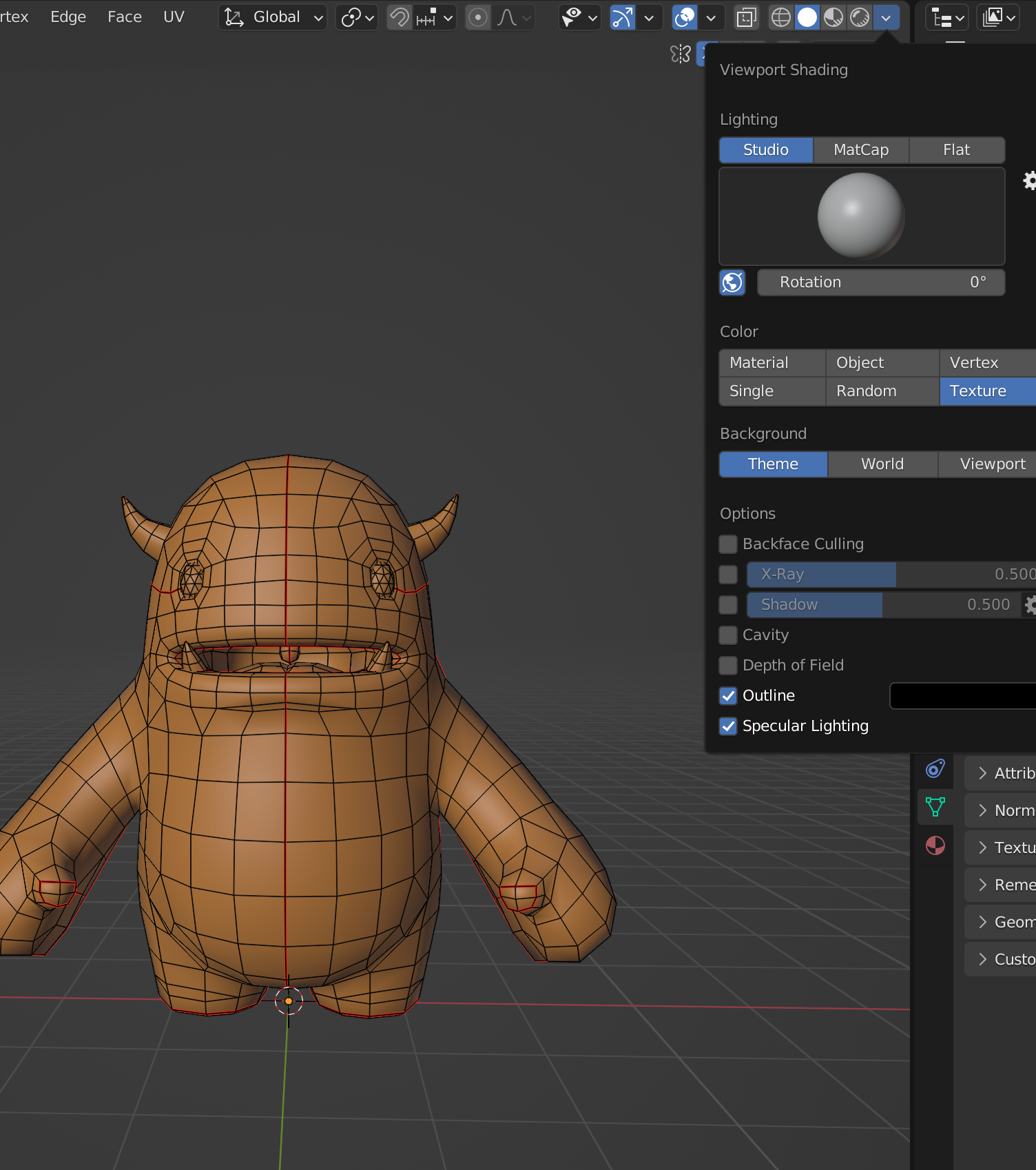
      Hi all, following texture tutorials, I can see a texture on my model fine in Material Preview mode (duh…), but even though I have Textures selected on Color menu in Viewport Shading dropdown for Solid View mode, the texture is not shown as on the tutorial. I’m guessing I’ve missed a switch somewhere – but where?
      (I can still work fine in Material Preview mode, but it’s bugging me, that’s all…)

      Thank you!

      #72739
      spikeyxxx
      Participant

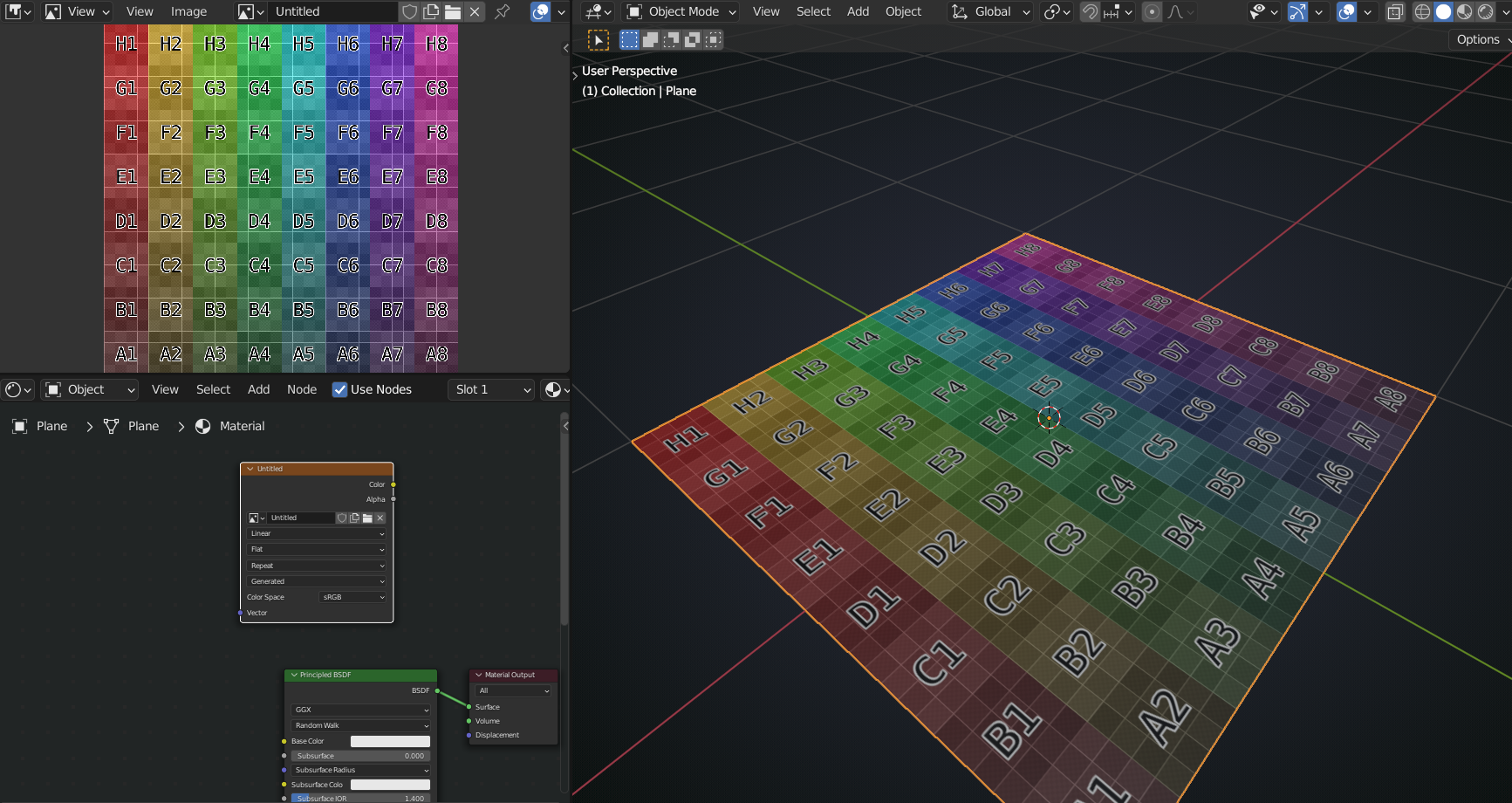
        You need to have the Image Texture Node selected in the Shader Editor:

        #72740
        Sean
        Participant

          Thank you, but that doesn’t do it – I have texture in object mode but when I switch to edit it goes.

          #72741
          spikeyxxx
          Participant

            May I ask what Blender version you are using?

            Should work up till 3.0.

            In 3.1 and 3.2 there is something changed and it doesn’t show the Texture in Edit Mode, at least not out of the box.

            #72742
            Sean
            Participant

              Ah that’ll be it. v3.1.
              Ok, not to worry, just as long as it’s not me misunderstanding something.

              Thank you

            Viewing 5 posts - 1 through 5 (of 5 total)
            • The topic ‘Viewing texture in solid mode – not working for me’ is closed to new replies.