UV position and tiling

Forum Archive UV position and tiling

Viewing 8 posts - 1 through 8 (of 8 total)
  • Author
    Posts
  • #18428
    Sascha Feider
    Participant

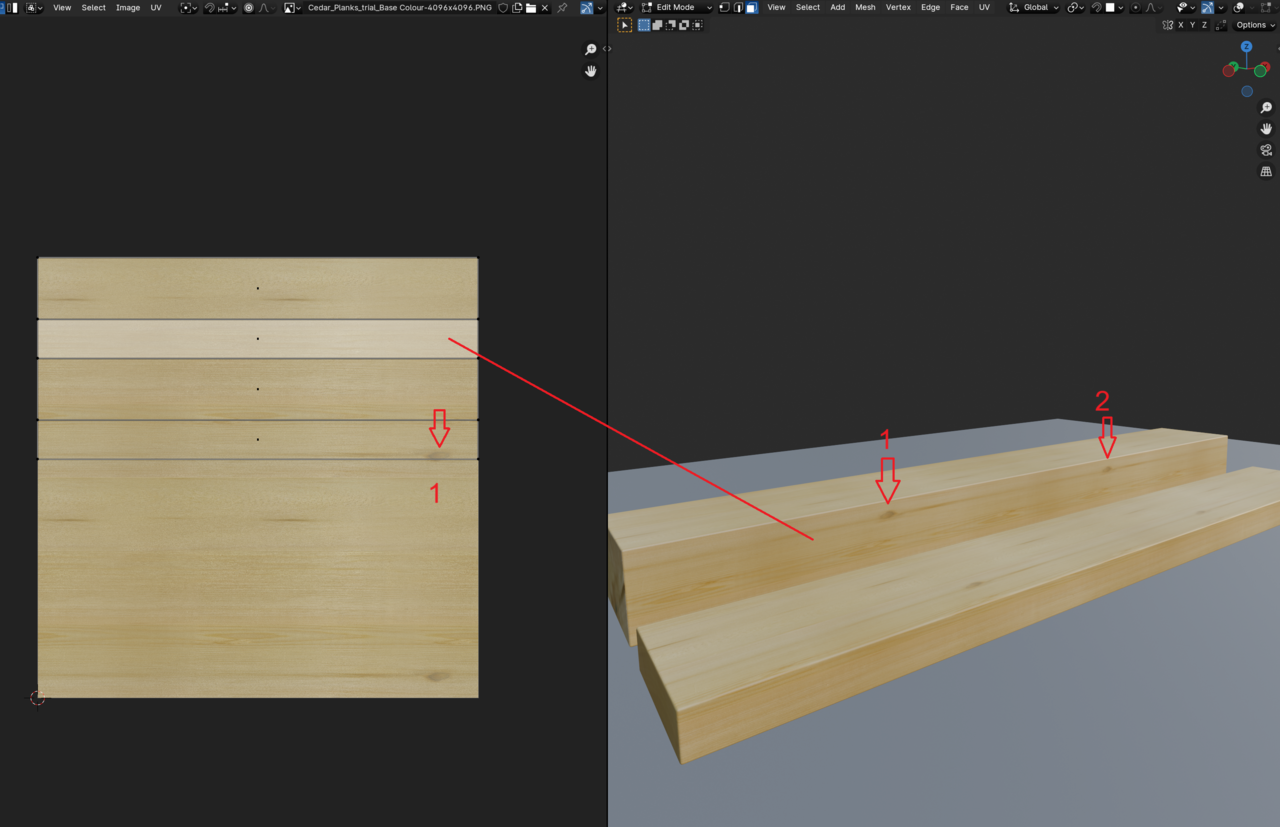
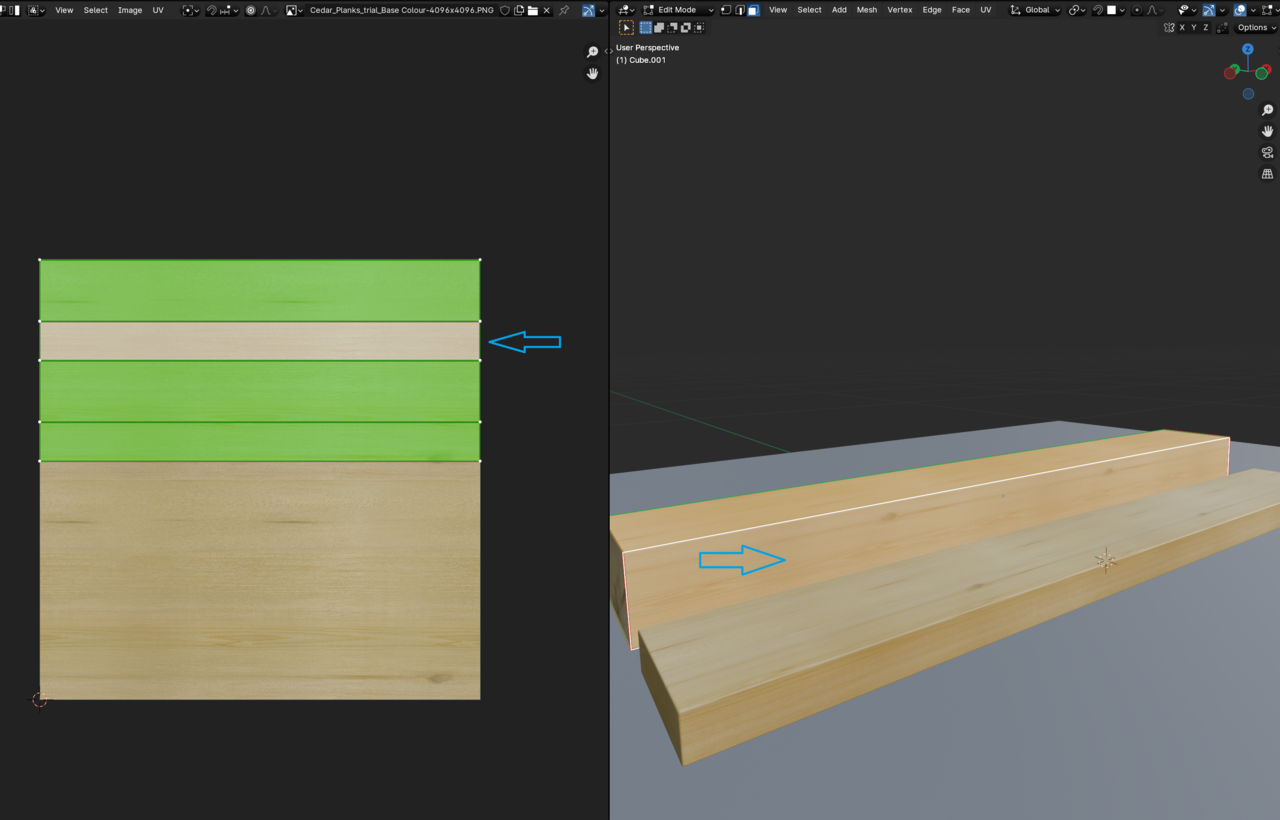
      Having a bit of a head-scratcher here, hoping someone can clear this up for me: I’ve unwrapped a cube and gave it a texture, placed the UVs of the faces in the place I want them to be and yet the position of the texture is way off. It’s tiled although it shouldn’t be (red arrows showing the knot once on the UV and twice on the face) and the active face is not showing what the corresponding UV is showing. (blue arrows and red line showing active face).
      024-08-09 095952.png024-08-09 095925.png024-08-09 100435.png

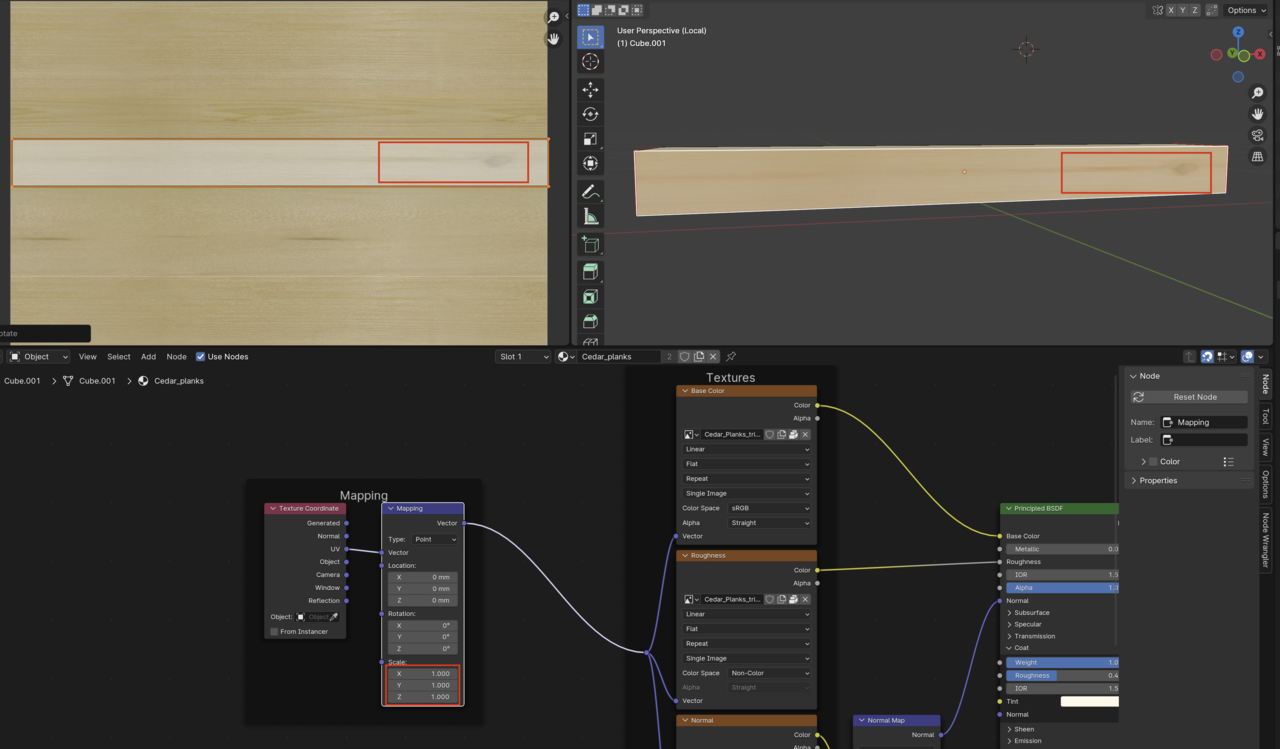
      The unwrap should work fine as far as I can tell. The usual suspects have been checked too. Scale is applied, the cube is only 1m long, texture coordinate node’s uv output plugged into mapping with default settings.

      It’s one of those mysteries to me right now.

      #87986
      Omar Domenech
      Participant

        Can you upload that file so we can take a look? Remember to pack resources and delete any mesh or texture file that is not needed for this. Only the object and whatever it may be using. Since you’re a pro is not likely is a usual suspect or a simple thing.

        #87987
        Sascha Feider
        Participant
          #87988
          Omar Domenech
          Participant

            Ok I can see that when you put the scale to 1 on the texture node, the UV’s matches how it’s supposed to:

            Wood.png

            #87989
            Omar Domenech
            Participant

              If I put the UV island down at the bottom and then scale via the node, it scales s it is supposed to. But when it’s in any other place, it scales kinda funny. Hmmmm…

              #87990
              Martin Bergwerf
              Participant

                Yeah, learn from this:

                even experienced users like Sascha, sometimes make rookie mistakes 😉

                #87991
                Sascha Feider
                Participant

                  Oh my … now the next head-scratcher would be when I scaled this in the node, because I absolutely do not remember doing that and could also swear I checked that five times. Must have been on the end grains.

                  Thank you, Omar. I’m gonna put my hand on my forehead with some velocity a couple of times and move on. *facepalm*

                  #87992
                  Omar Domenech
                  Participant

                    Ok I see, yeah it’s working as it should.

                    But yeah, no matter how many years you have using Blender, always the simplest things mess with us.

                  Viewing 8 posts - 1 through 8 (of 8 total)
                  • The topic ‘UV position and tiling’ is closed to new replies.