
Using the smooth brush makes surface of model look rough

Forum Archive Using the smooth brush makes surface of model look rough

Viewing 4 posts - 1 through 4 (of 4 total)
  • Author
    Posts
  • #15854
    Pietro Costa
    Participant

      Hey Kent!

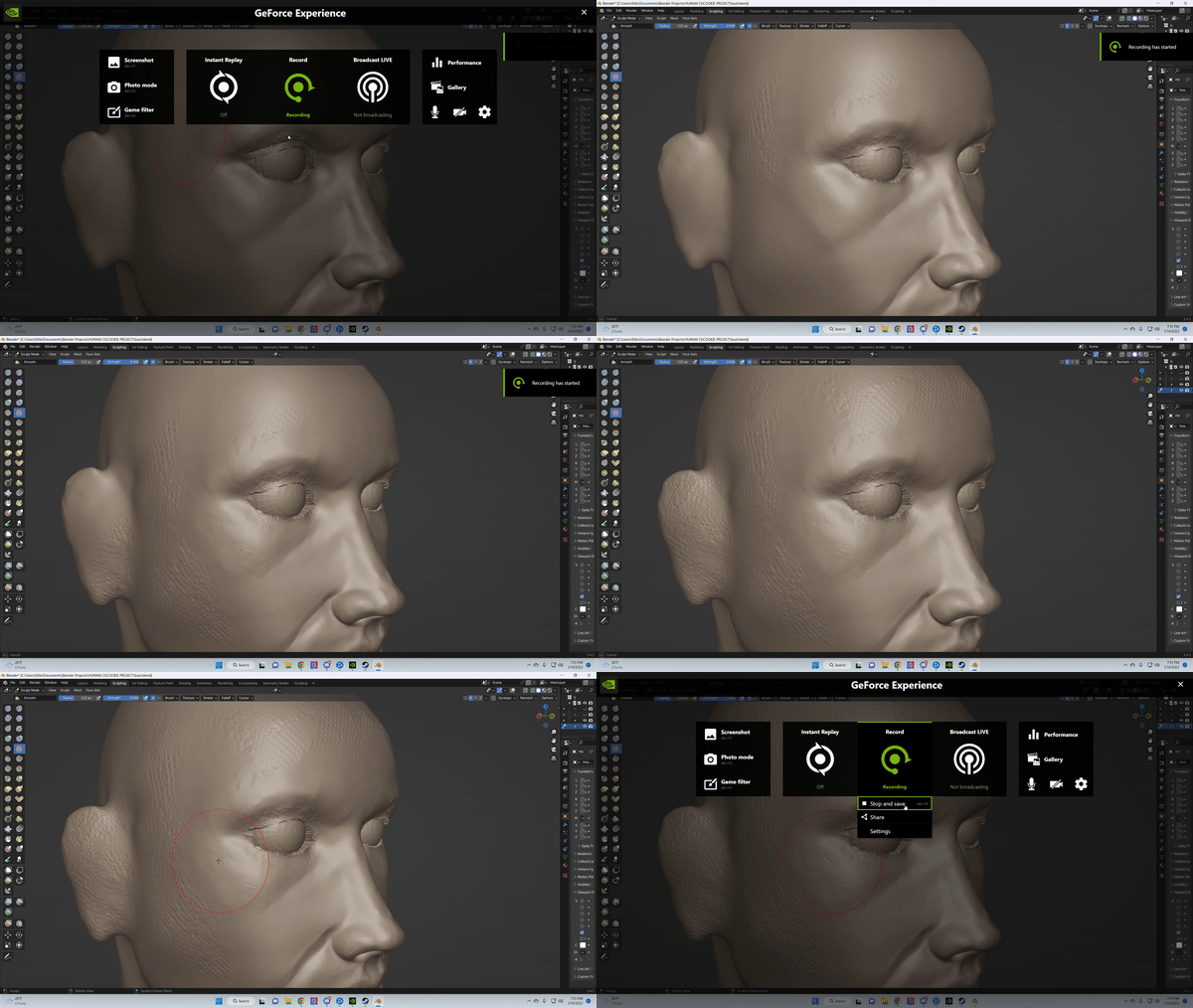
      Absolutely love the course so far. I’ve been following along for quite some time and I am a bit stuck at the moment. My smooth brush seems to be doing the opposite of what it is supposed to do (already checked to see if I
      clicked the “-” by mistake, and I am not holding down control). It doesn’t do this in certain parts of the model either. 
      Here are some screenshots of what it looks like: 
      imgur link to screenshots

      om-gif-maker (1).gif

      If you have the time, please let me know how I can go about fixing this issue.

      Thank you !

      #77191
      Omar Domenech
      Participant

        I’m thinking your dyntopo method is set to collapse instead of subdivide. Also try lowering your detail size so you have more resolution. Perhaps in the other parts of the model your details is on par of what you have on the settings and that is why is not collapsing it. 

        #77192
        Adrian Bellworthy
        Participant

          Omar is correct with the Dyntopo settings, also from your gif above and screen shots, I can see Dyntopo is disabled at some point.

          #77193
          Kent Trammell
          Participant

            Omar and Adrian make great suggestions. I’ve also seen similar artifacts if:

            • My brush has one or more axes locked for sculpting
            • My brush has a texture
          Viewing 4 posts - 1 through 4 (of 4 total)
          • The topic ‘Using the smooth brush makes surface of model look rough’ is closed to new replies.