Using Blender 2.81a, but My displacement does not show up on Cycles

Forum Archive Using Blender 2.81a, but My displacement does not show up on Cycles

Viewing 9 posts - 1 through 9 (of 9 total)
  • Author
    Posts
  • #11305
    Monica Freire
    Participant

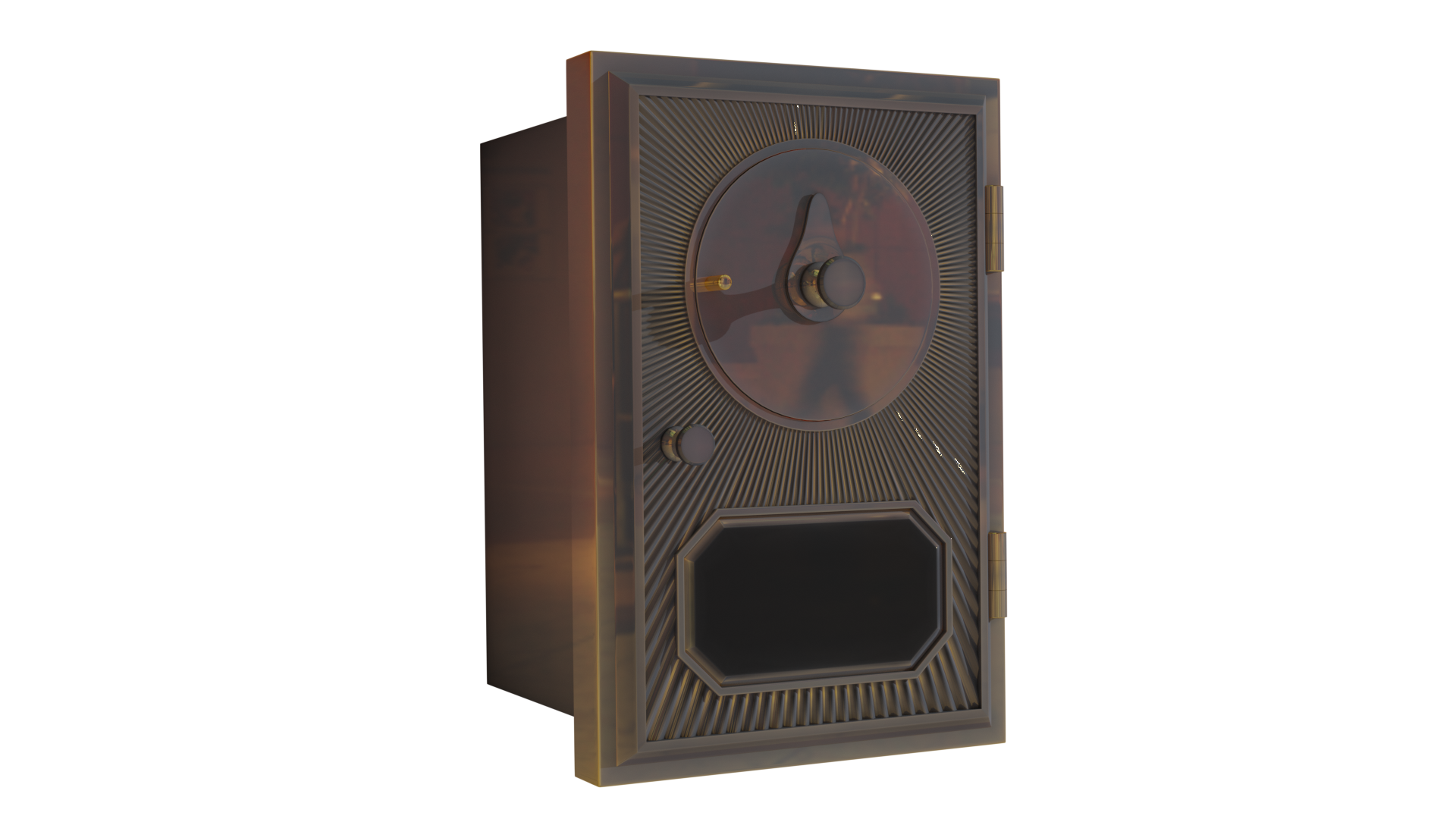
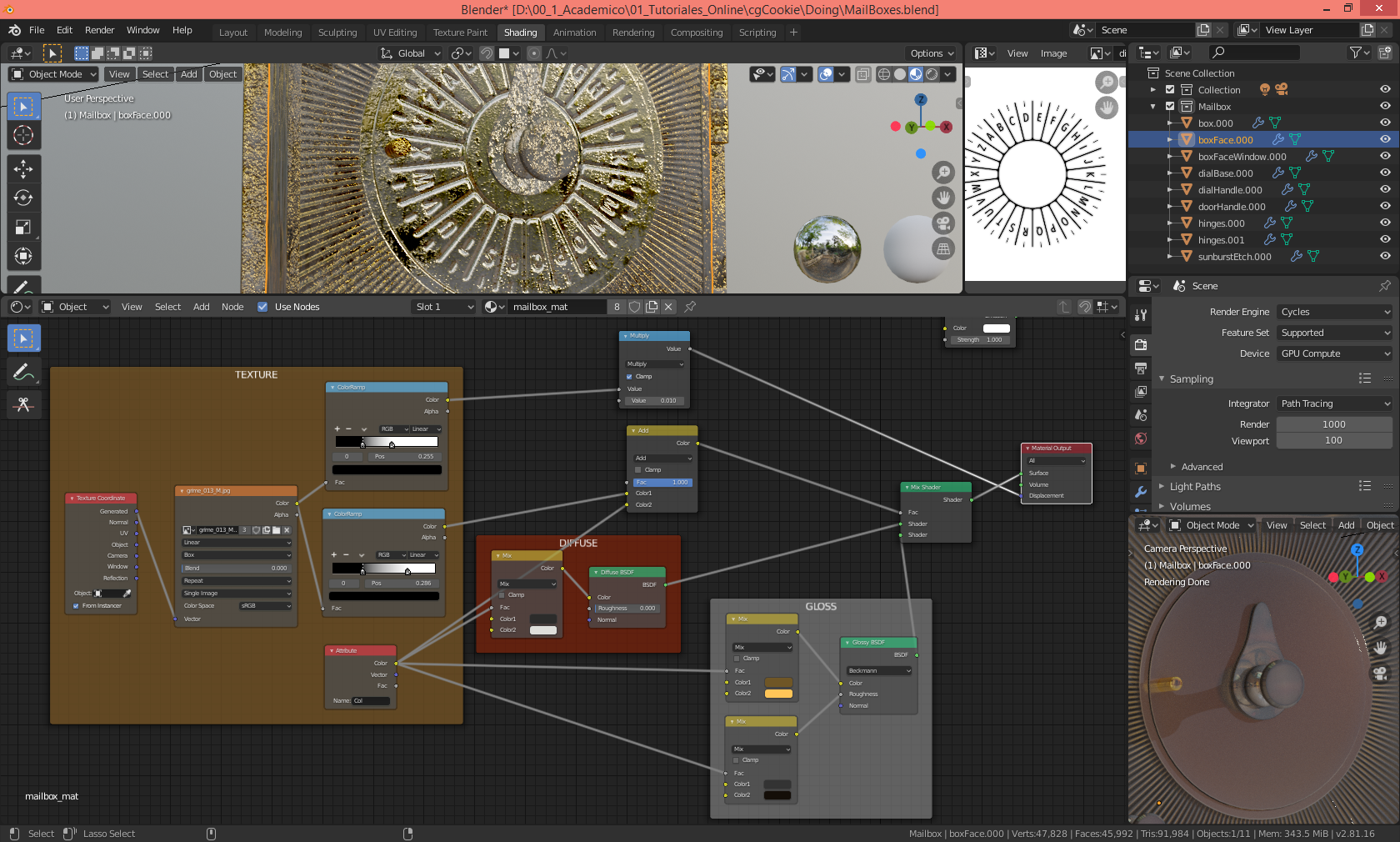
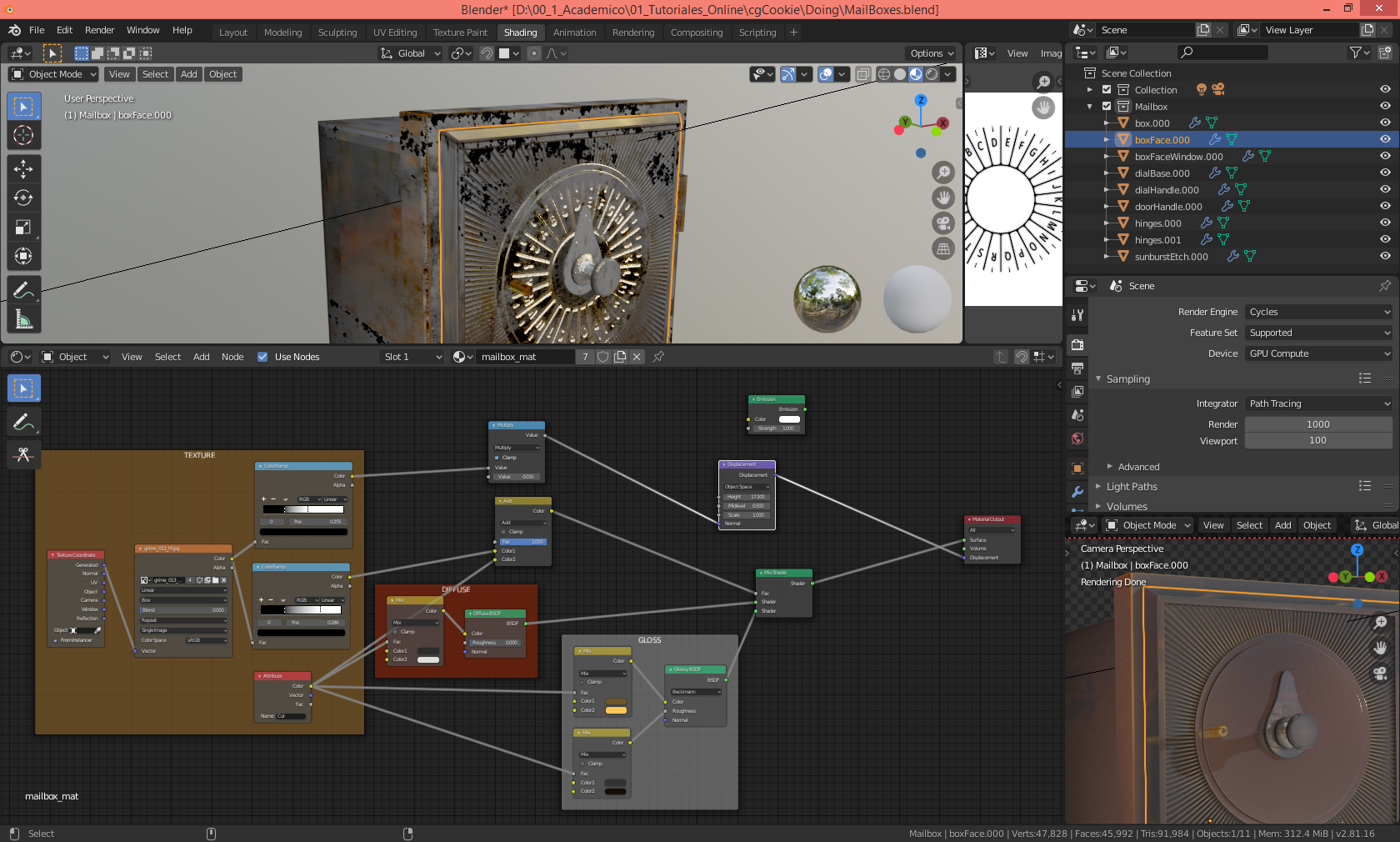
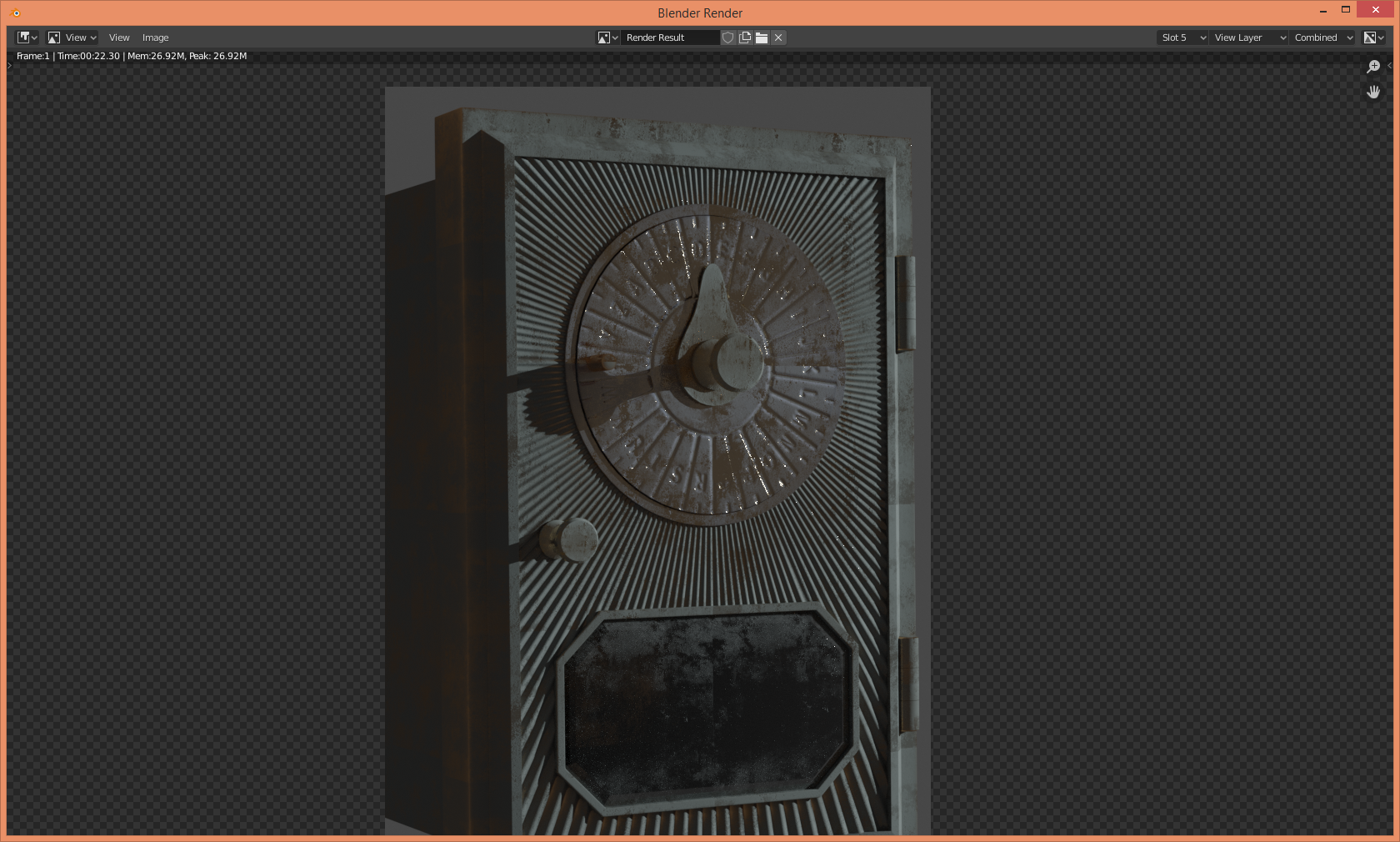
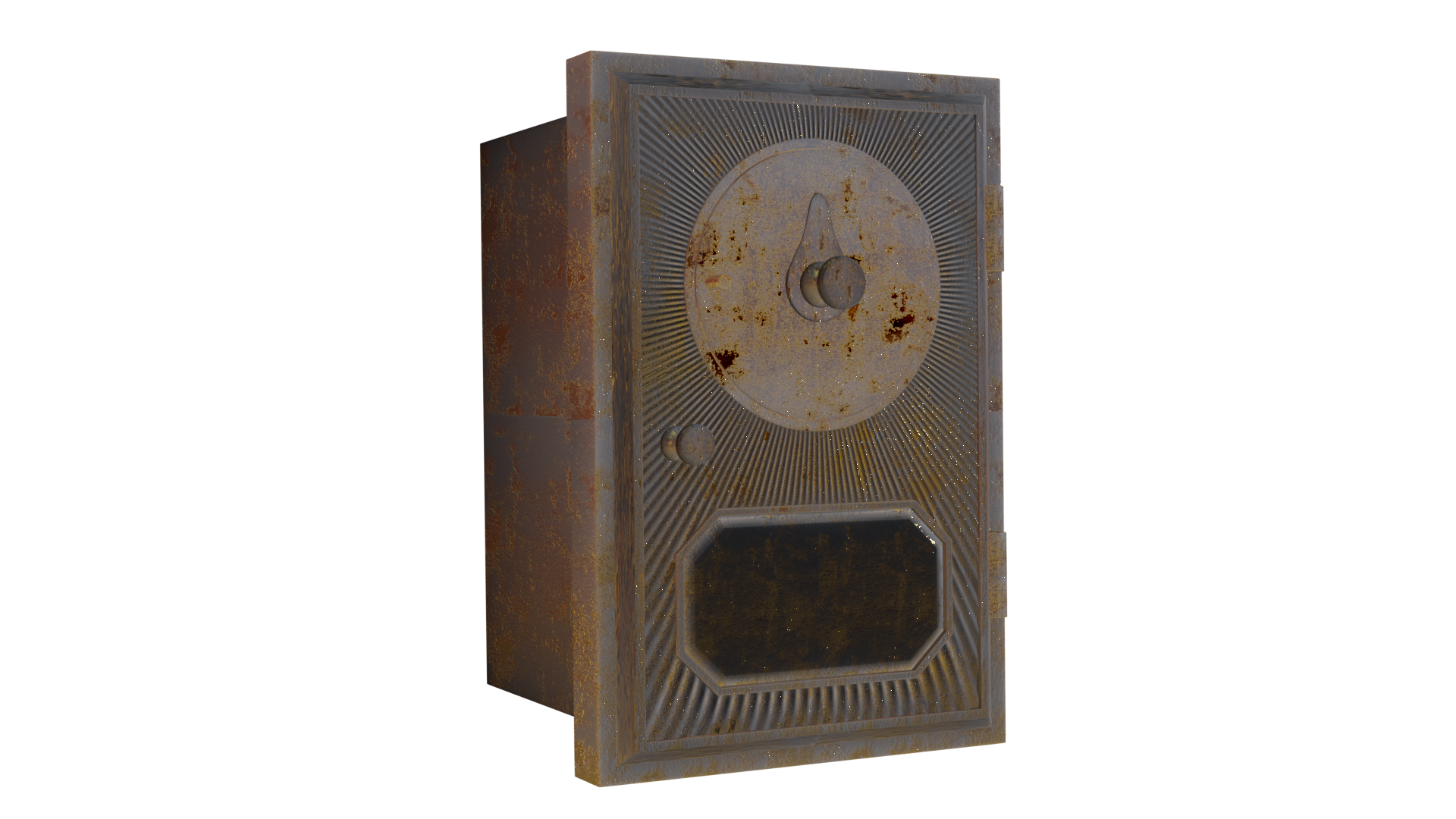
      It does show up using Evee but I’d like to know what I’m doing poorly, because I really want to be able to achieve the goal of making believable brushed metal on both engines. The 1rst is a render with Evee, and the second Cycles, and finally a screenshot of my blender files where you can see how Cycles is completely ignoring my displacement.

      #53001
      Tomas Plasil
      Participant

        Hey….looks like youre missing a Displacement node, right between the Multiply and Material Output. Seems weird that its showing up in Eevee though 😀  I guess Eevee doesnt need it

        #53002
        Monica Freire
        Participant

          Thank you very much for looking into this, but after I place the Displacement node it’s still showing up. Anyway, Thank you!!

          #53003
          Tomas Plasil
          Participant

            Plug the output from multiply into the height value, not normal

            #53004
            Monica Freire
            Participant

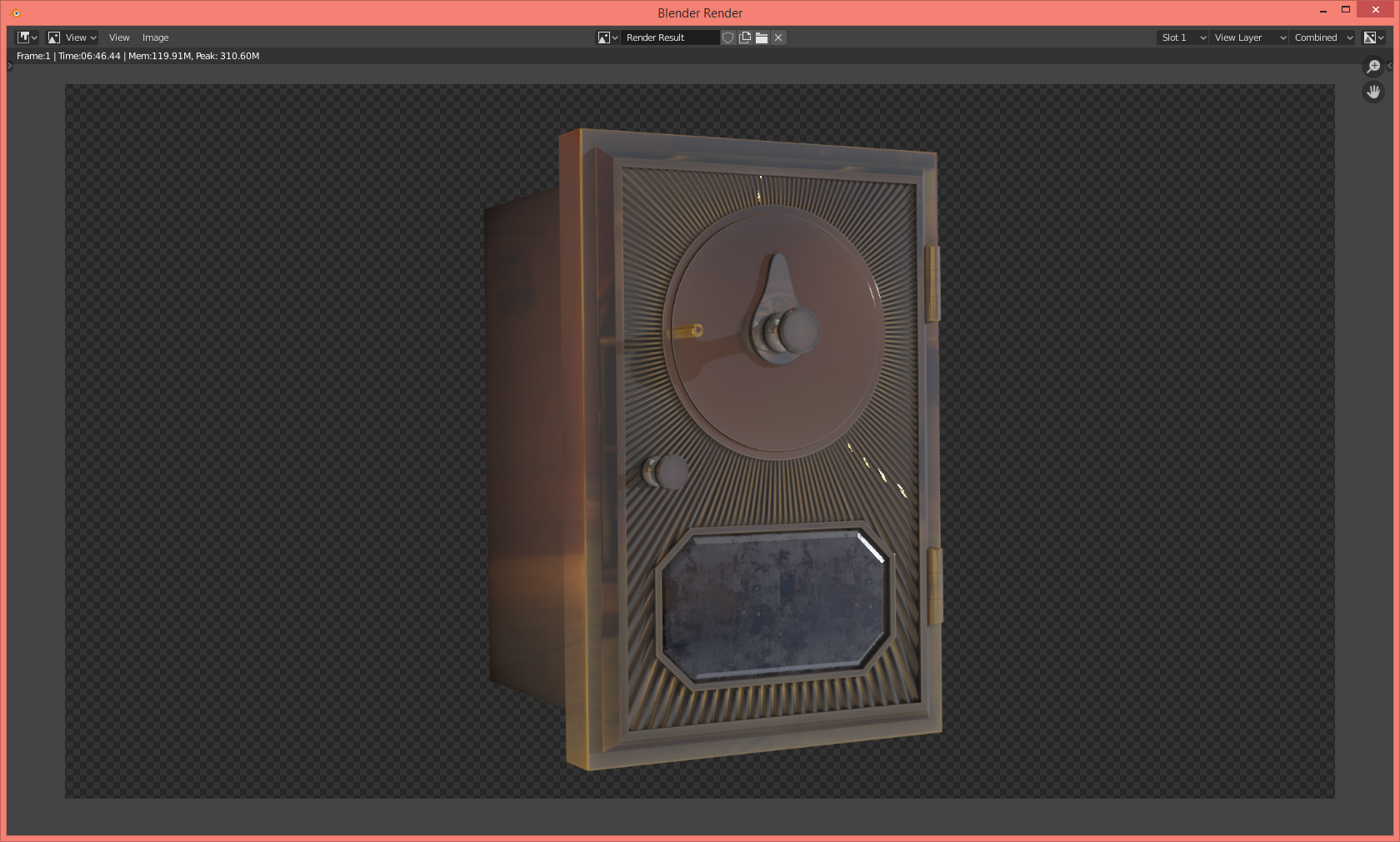
              Yes, I just saw that after pasting my answer. Stil not working. I’ll show you a Cycles render. As you can see neither are there dial numbers nor the small bumps of the metal. Is it me or this is really weird?

              #53005
              Tomas Plasil
              Participant

                that is weird, can you pack the textures into the file and post it here?

                #53006
                of Nodes & Noodles
                Participant

                  I see that the Feature Set option is set to Supported, so you won’t get true micro-polygon displacement. Perhaps your material is set to use Displacement Only in its settings. Try changing the Displacement method to Bump Only, OR, if you want true displacement, change the Feature Set to Experimental, add high subdivision or adaptive subdivision to the object, check that the material settings are set to use Displacement Only or Displacement and Bump, and try a render.

                  #53007
                  Monica Freire
                  Participant

                    Thank you for your help!! Actually it was a problem with my PC I just installed blender 2.82 and the project works! 

                    Thanks again for all your answers Tomas Plasil and gcs_dec!!!

                    #53008
                    of Nodes & Noodles
                    Participant

                      You’re very welcome! I’m glad you got it working.

                    Viewing 9 posts - 1 through 9 (of 9 total)
                    • The topic ‘Using Blender 2.81a, but My displacement does not show up on Cycles’ is closed to new replies.