Unwrapping a cube and baking an Image Texture is not working as expected

Forum Archive Unwrapping a cube and baking an Image Texture is not working as expected

Viewing 3 posts - 1 through 3 (of 3 total)
  • Author
    Posts
  • #17577
    Deepak Jai
    Participant

      Hi,

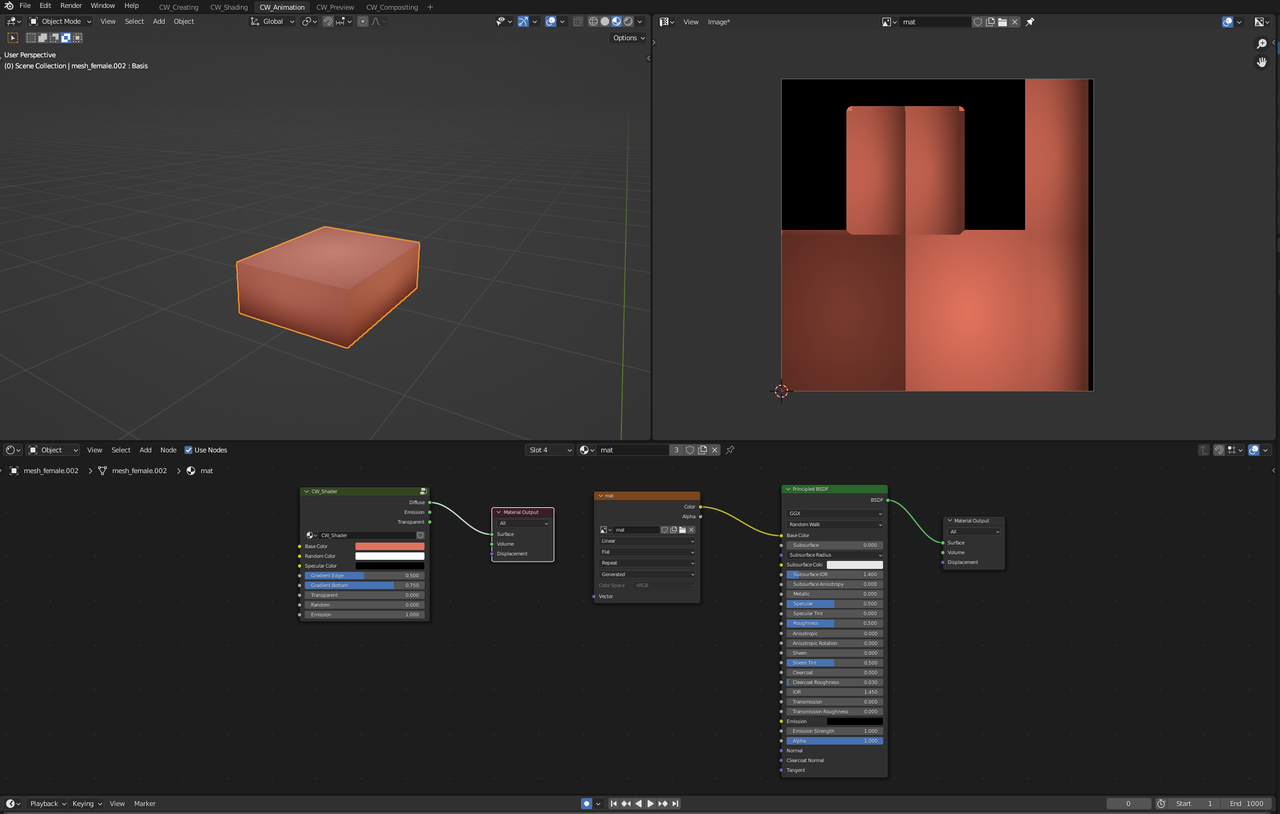
      I’ve have a simple box shape with a custom shader that I unwrapped. I then baked the custom shader into an Image Texture. When I use the Image Texture on the box shape, the result is not as expected.

      1. The following image shows the cube with the custom shader

      P1.png

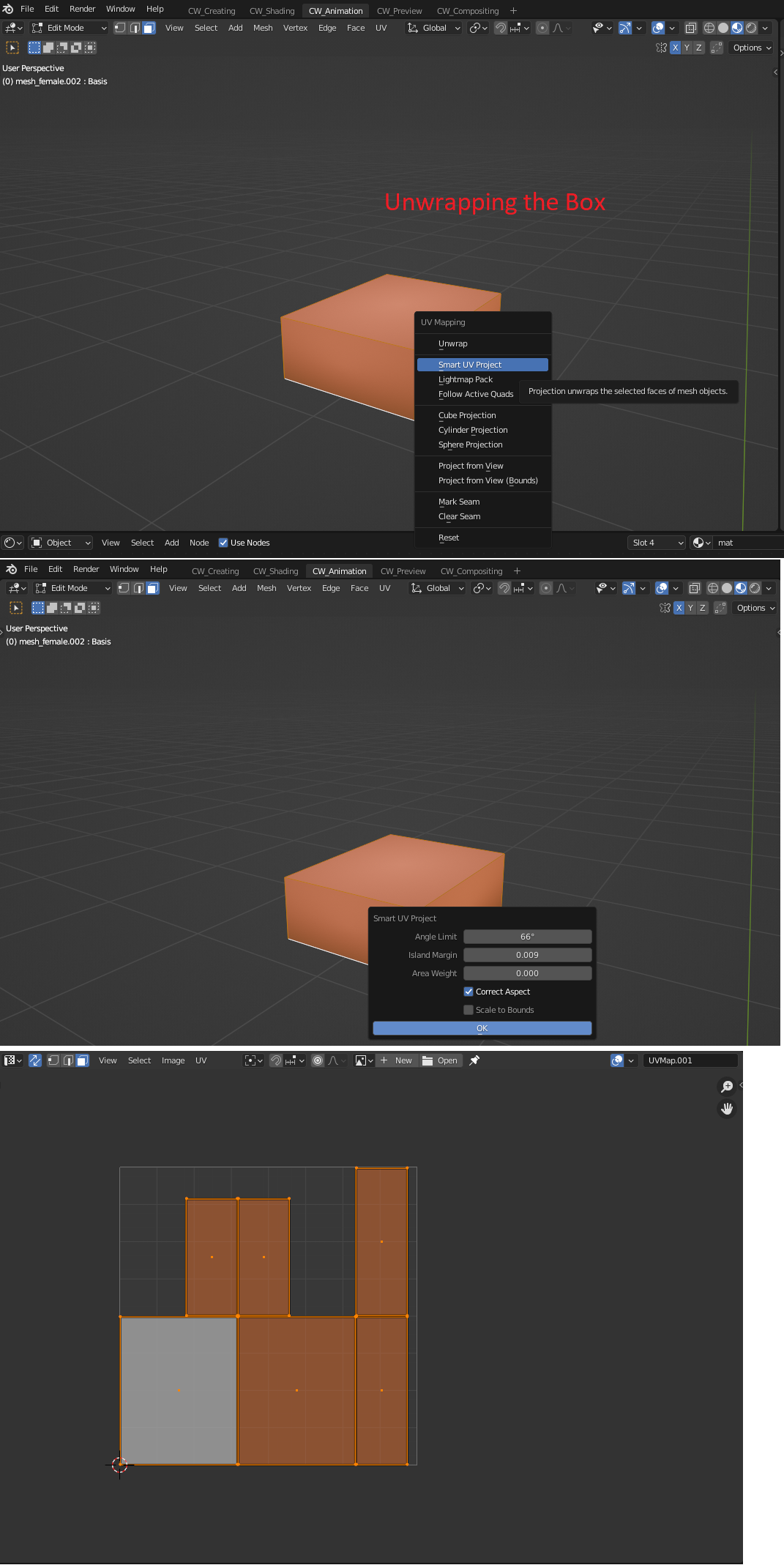
      2. Here I unwrapped the Box

      P1-5.png

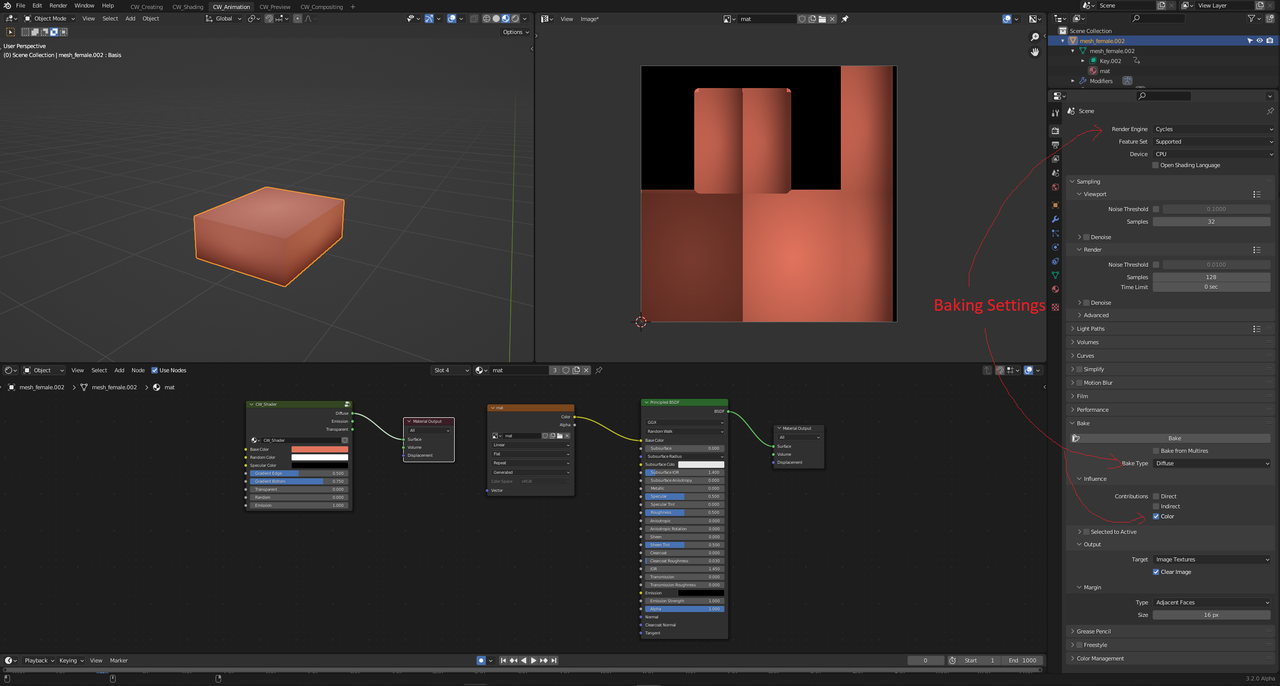
      3. Here, I have baked the custom shader into an Image Texture

      P2.png

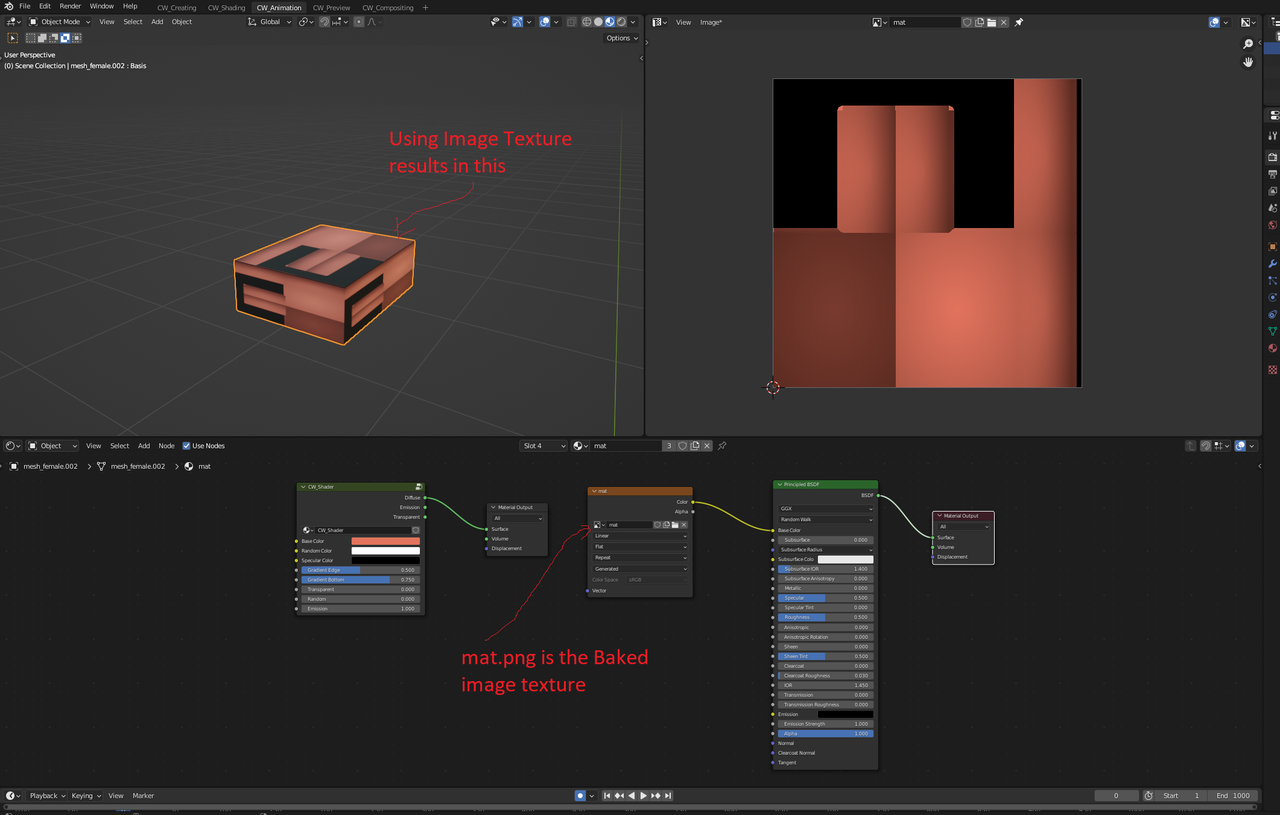
      4. Here, I have applied the Image Texture on the Box

      P3.png

      The Blend file could be found at:

      https://wetransfer.com/downloads/5227d76a41091fb961eb6191a089810320240222192750/10ab69

      Could you please tell me what I am missing in this process? Why isn’t the Image Texture on the Box looking like the Custom Shader on the Box?

      Thank you.

      #84453
      Omar Domenech
      Participant

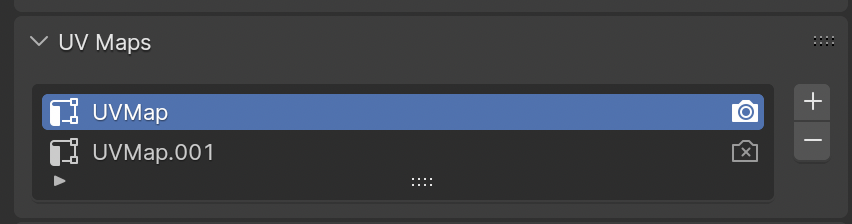
        You have two UV maps and you’re using the wrong one that is just one big UV face, change to the UV map that has the correct unwrap. The one that ends with .001 is the correct one, the camera icon should be set to On in that one.

        Cube.png

        #84454
        Deepak Jai
        Participant

          Thank you so much. It fixed the issue.

        Viewing 3 posts - 1 through 3 (of 3 total)
        • The topic ‘Unwrapping a cube and baking an Image Texture is not working as expected’ is closed to new replies.