unwanted geometry changes on changing shape keys

Forum Archive unwanted geometry changes on changing shape keys

Viewing 15 posts - 1 through 15 (of 19 total)
  • Author
    Posts
  • #17049
    Arshdeep Singh
    Participant

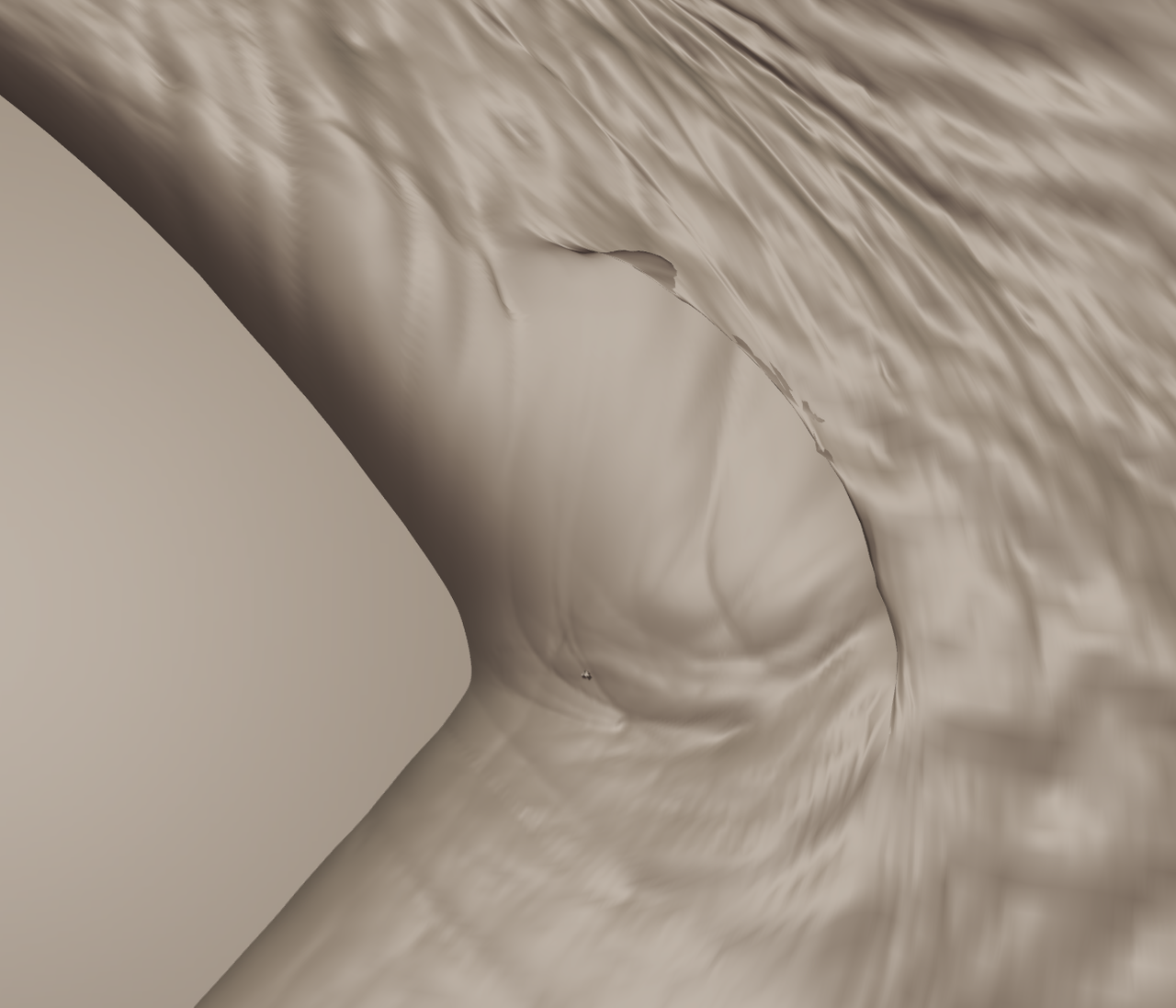
      Hello! I am getting an error at corner of eye, when I am trying to change the shape key I get unwanted geometry changes mainly where the geometry overlaps like the corner of eye, corner of lips and at tight creases. (silly bug fix does not work)

      #82036
      Omar Domenech
      Participant

        Can you post screenshots or a screengrab video? Just to get a better idea of what’s going on. 

        #82037
        Arshdeep Singh
        Participant
          #82038
          Martin Bergwerf
          Participant

            Hi Arshdeep @Arsh ,

            The corner of the eye is a bit funky as is with overlapping Geometry,, (even without the Shapekey):

            Eyes.png

            Maybe you can Smooth that area and redo the details?

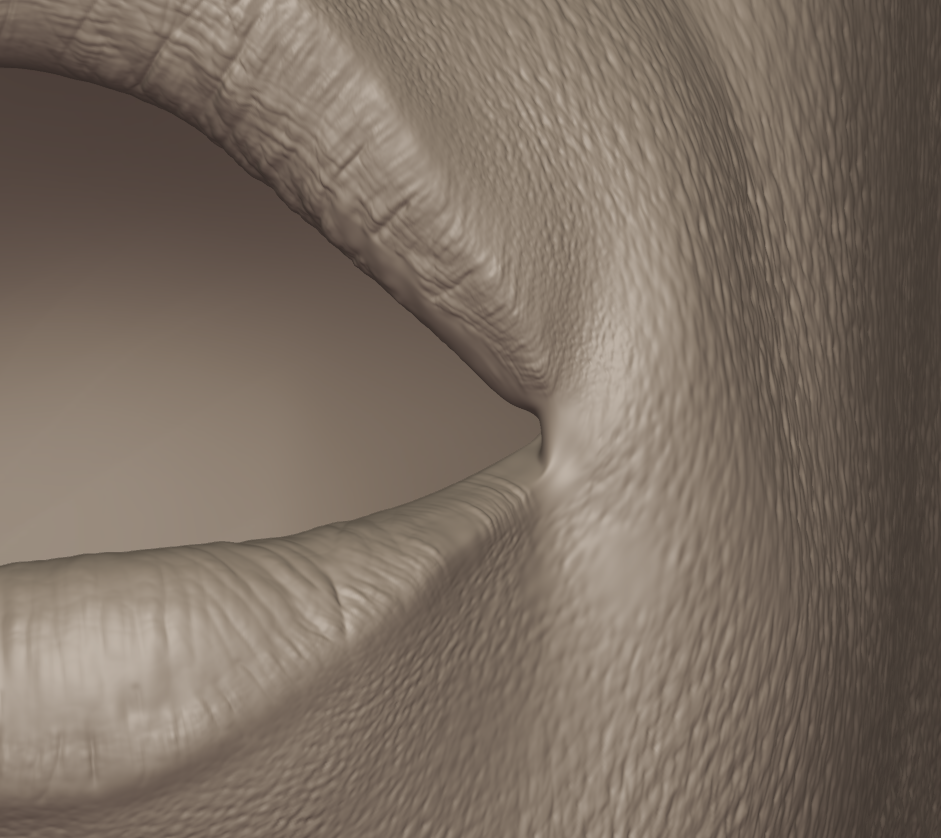
            The mouth corner only has two spikes, I think; you should try to carefully remove them by clicking on the points a few times with the Smooth Brush (full Strength) (you need to get inside the model at some point):

            Mouth.png

            Furthermore: try to avoid switching between Multires Levels. Also (I am not sure about this one) I would try not to (simple) Save your File anymore: only Save iIncrementally.

            #82039
            Arshdeep Singh
            Participant

              I already fixed the mouth but the problem is with the eye, When I try to fix it with smooth brush it works but when we switch between shape keys it automatically generates spikes again every time (this is not the issue with mouth).

              #82040
              Arshdeep Singh
              Participant

                And Thankyou Martin Bergwerf for helping me every time.

                #82041
                Martin Bergwerf
                Participant

                  Hm,

                  I tried smoothing the eye corner and with me it doesn’t create spikes, when then switching between the Shapekeys…

                  I don’t know, maybe you didn’t smooth enough?…try smoothing, with Face Orientation Overlay on…

                  #82042
                  Arshdeep Singh
                  Participant

                    can you tell what blender version you are using

                    #82043
                    Martin Bergwerf
                    Participant

                      I tried that on an ‘old’ one: 3.6.1, but there shouldn’t be any difference with 3.6.5

                      But this sort of thing can be really tricky to solve. I had about 30 spikes on both the mouth and the eyes (on my own model)….I managed to fix them eventually, but it was a lot of going back and forth between smoothing, switching Shapekey and smoothing again…In my experience, smoothing, then Saving and then switching seemed to make it worse.

                      #82044
                      Arshdeep Singh
                      Participant

                        man, sorry for disturbing you but can you send me a video of you solving it. Because I can’t figure it out.

                        #82045
                        Arshdeep Singh
                        Participant

                          please use my .blend file for this

                          #82046
                          Martin Bergwerf
                          Participant

                            @Arsh,

                            Sure, I can do that, but it’ll have to wait until tomorrow.

                            #82047
                            Arshdeep Singh
                            Participant

                              Martin Bergwerf ,

                              Thanks

                              #82048
                              Martin Bergwerf
                              Participant

                                Sorry arshdeep @Arsh

                                I hadn’t paid attention yesterday and was looking for huge spikes. The eyes closed doesn’t get completely clean, but, as long as you are not going to pose the portret with closed eyes, the result should be fine; the main part of the eyelid is already detailed and the edge can be done with open eyes, I think.

                                This is what I got after Smoothing (full Strength of the Brush):
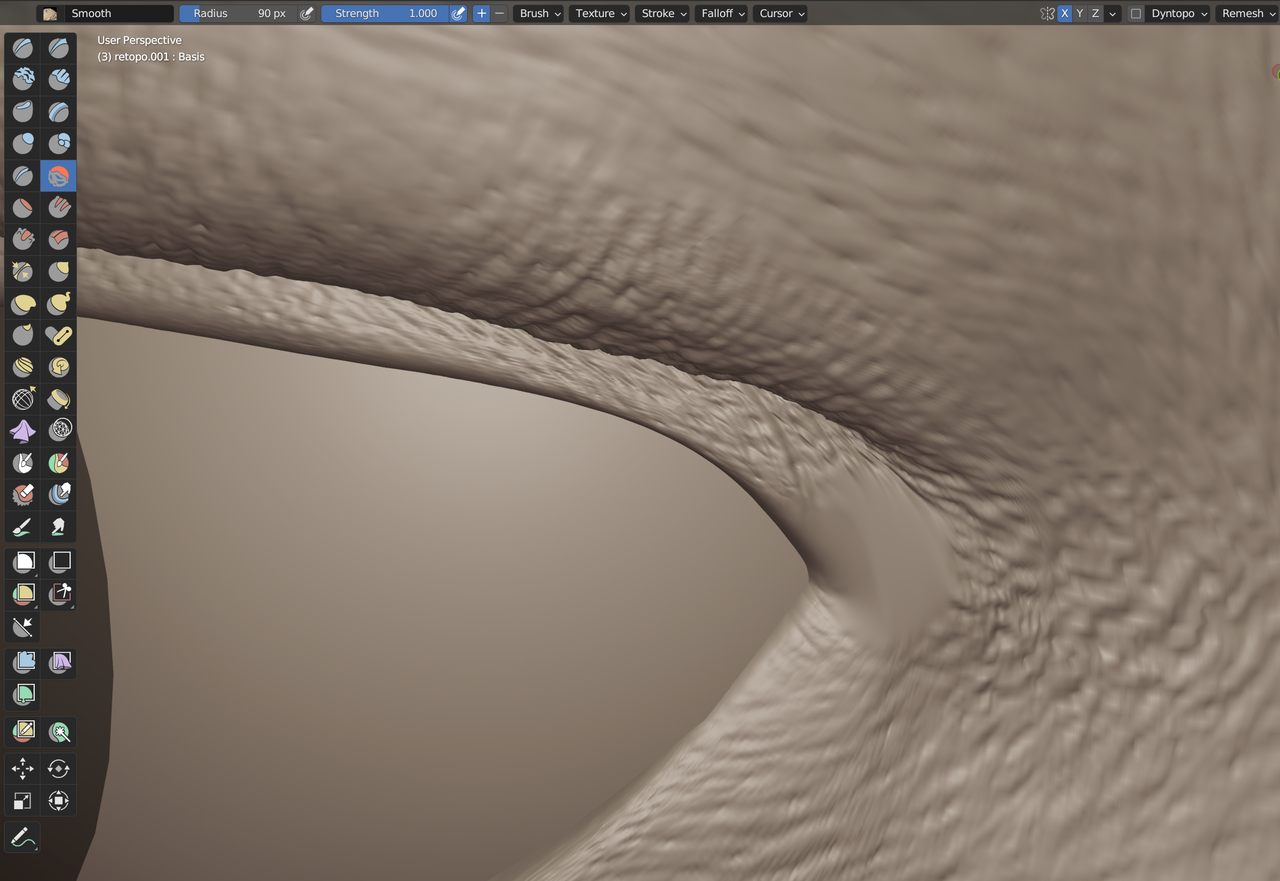
                                Head_1.png

                                And this is what that looks like with the Shape Key enabled:
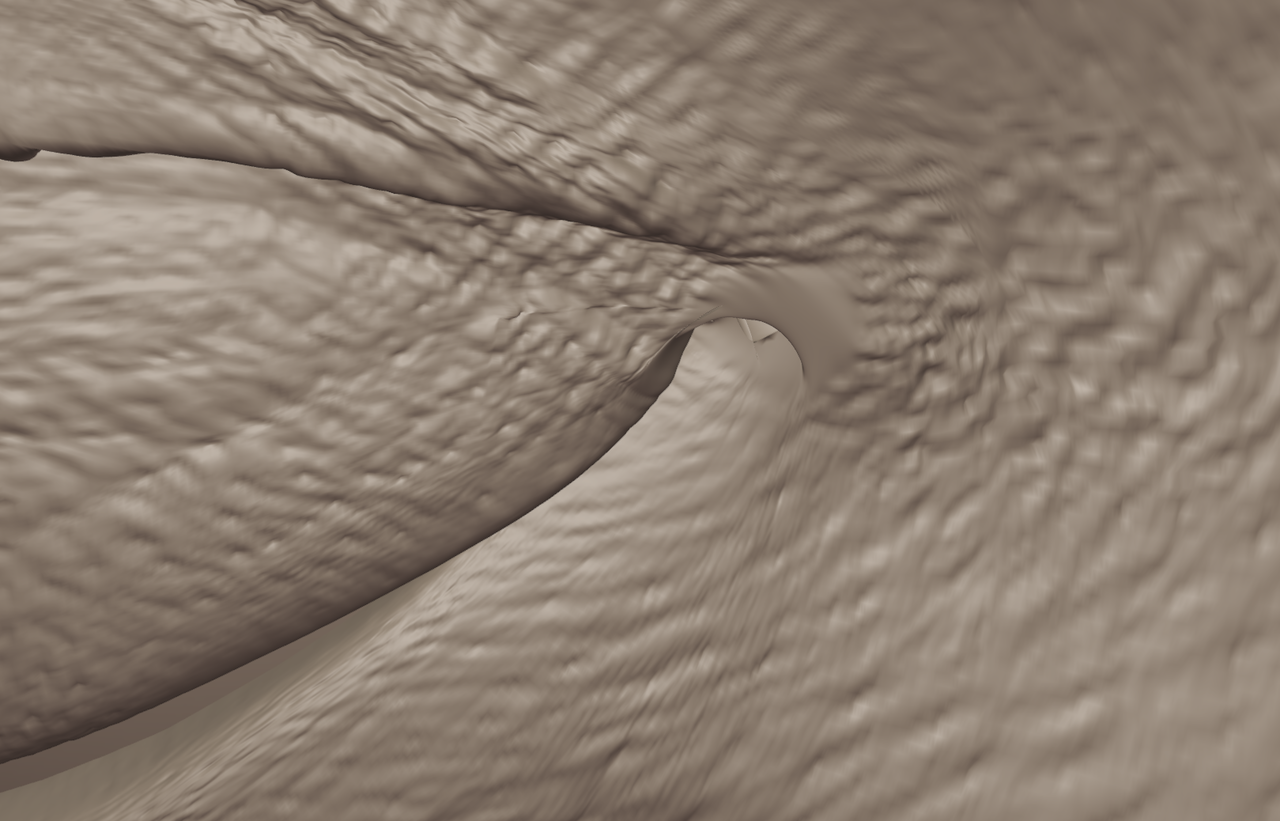
                                Head_2.png

                                I didn’t think it was worth making a video, it’s really only a few strokes with the Smooth Brush (done with the Mouse even).

                                #82049
                                Arshdeep Singh
                                Participant

                                  Yes, but the real problem was when you try to change shape keys it creates errors automatically. (It would be really helpful if can the solution to make it ok) (It is still ok if not)

                                Viewing 15 posts - 1 through 15 (of 19 total)
                                • The topic ‘unwanted geometry changes on changing shape keys’ is closed to new replies.