unselected channels in graph editor (can be) difficult to see

Forum Archive unselected channels in graph editor (can be) difficult to see

Viewing 8 posts - 1 through 8 (of 8 total)
  • Author
    Posts
  • #19753
    Harris Clook
    Participant

      graph brightness.pngIs it possible to change the brightness etc of unselected channels in the graph editor?

      In this screenshot, they’re not entirely difficult to see, but I do have to look for a second to find them. I think I would have a better (and faster) time working if I could see them just a little more. Especially when a particular channel is moreorless in line with the frame and value grids.

      I’ve tried looking in the preferences, but I’m not so sure what I should be looking for?

      #93374
      Martin Bergwerf
      Participant

        HI Harris, I totally agree; that would be great if we could change the Opacity or brightness of them.

        Unfortunately I can’t find a Setting in the Preferences either. You can change the background color, but that’s not helping much.

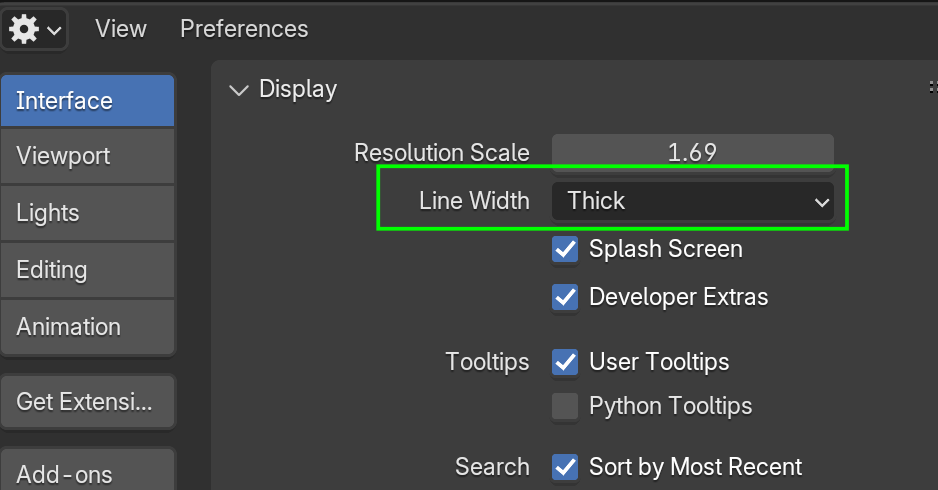
        One little thing that might help a bit is changing the Line Width:

        Lines.png

        Maybe someone else knows.

        #93375
        Harris Clook
        Participant

          I’m away from my PC till tomorrow but I’ll try changing the line thickness and background colour! If it works as I assume it does, I ought to be able to make it a darker or lighter grey at least. Cheers Martin

          #93376
          Dwayne Savage
          Participant

            Go to preferences->animation-f-curve->sorry don’t remember the name of the top of my head. I think it’s unselected opacity or curve alpha. Something like that. Adjust that to make it brighter. You can also change curve colors thru the n-panel(technically called sidebar). Just select the channel on the left and then set the color on the right to custom. I like to mess with people and change it to rainbow. It may be called random now. 

            #93377
            Martin Bergwerf
            Participant

              Thanks Dwayne @dillenbata3 ,

              That’s where it is! I was looking in Themes.

              #93378
              Harris Clook
              Participant

                Perfect Dwayne, that worked!

                #93379
                Dwayne Savage
                Participant

                  @spikeyxxx I voted for it to be switched to themes, but alas we where out voted. For people who don’t know you can go to https://blender.community/c/rightclickselect/?sorting=hot and vote(up or down) or present ideas for making Blender better. The developers actually pay attention to the things here. Right now they may not since they just spent the last 3 months focused on stability and bug fixes. The next few months they are meeting with studios to work on better integration with medium to large studios. So they may not be as active for the next few months, but they are still keeping an eye on this don’t you worry. 

                  #93380
                  Harris Clook
                  Participant

                    Hey guys just back on this topic – @spikeyxxx ‘s note on changing the line thickness works in a way. But is it possible to have more control over the thickness of the channels in the graph editor? Changing the line width is almost too thick, whereas default is too thin for me.  Idk why it’s an issue for me only now, but alg if not!

                  Viewing 8 posts - 1 through 8 (of 8 total)
                  • The topic ‘unselected channels in graph editor (can be) difficult to see’ is closed to new replies.