Unable to link to a .blend file

Forum Archive Unable to link to a .blend file

Viewing 5 posts - 1 through 5 (of 5 total)
  • Author
    Posts
  • #14939
    Deepak Jai
    Participant

      Hello @waylow, Thank you for such an amazing course.

      I’m following the lesson 2D Baker Rig Demo and at around 4:25 you showed how to open a new blender file and link to an existing 2d_baker_rig.blend file by opening 2d_baker_rig.blend/Group/2d_baker group. When I follow those steps, I end up with this:

      1. Opening the File Menu and selecting Link to link to a .blend file
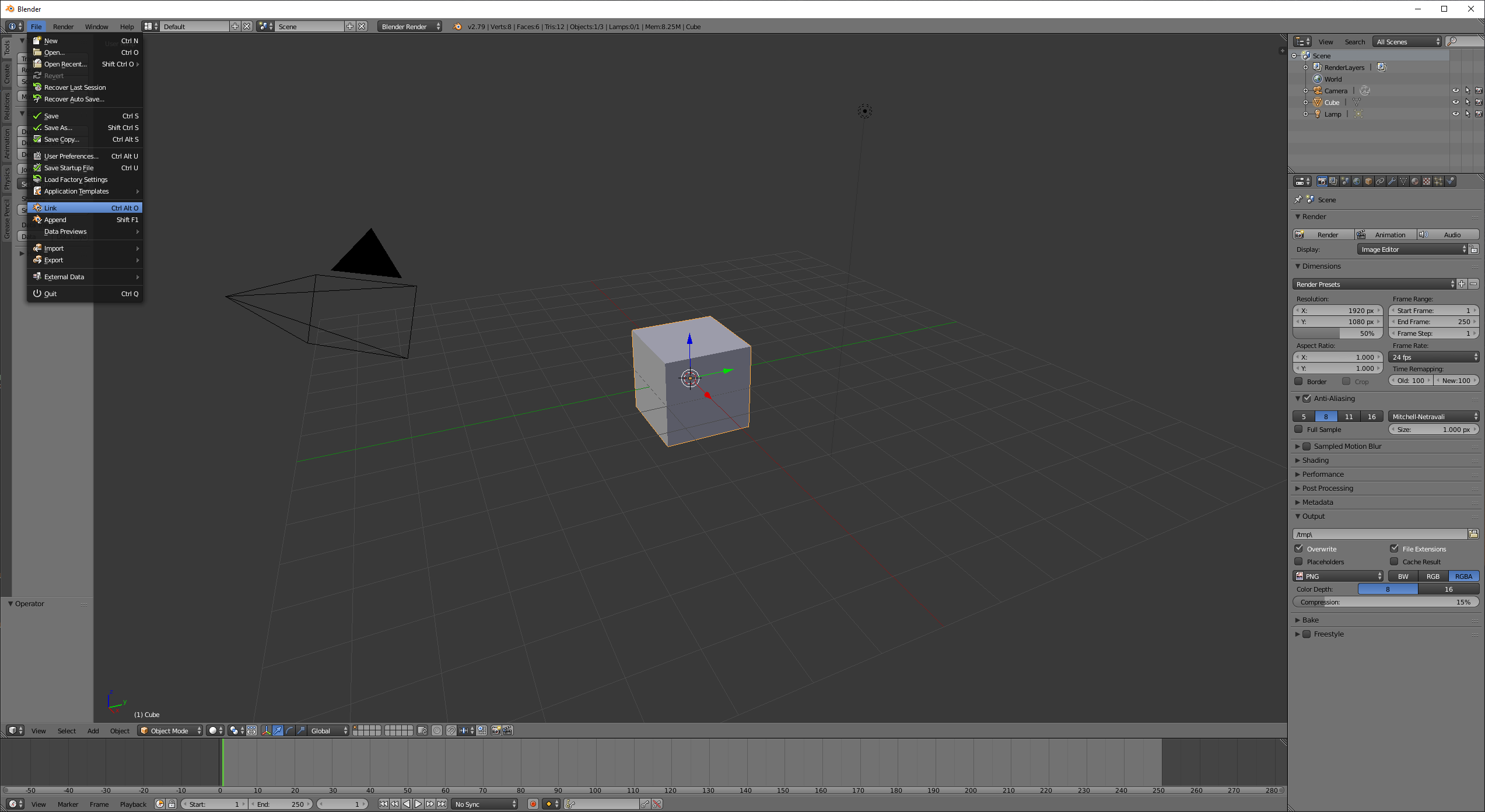
      2. Selecting 2d_baker group that is under 2d_baker_rig.blend/Group

      3. I get the following (which does not match with what you get in the tutorial) where I cannot see the smiley and the various mouth images
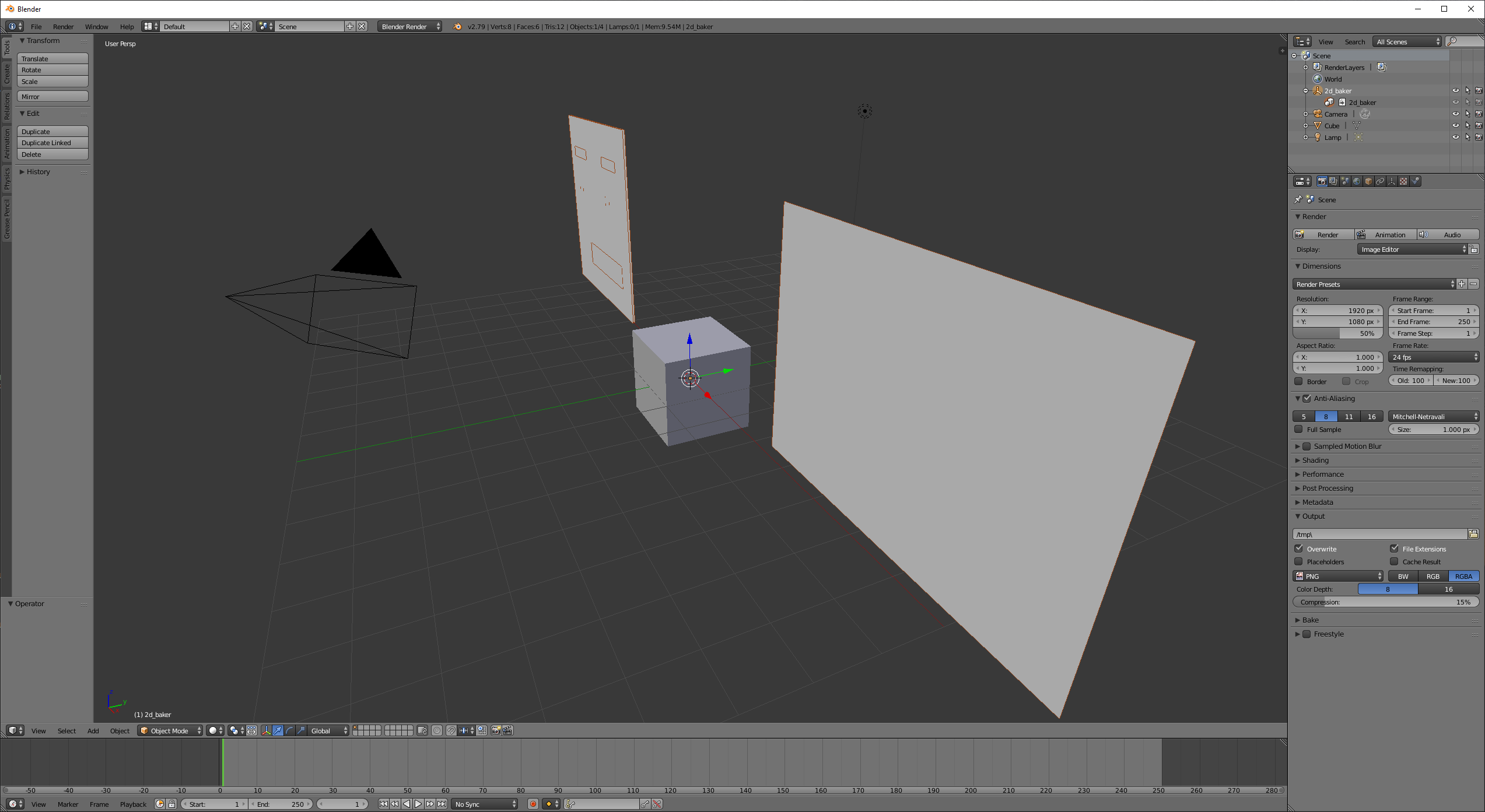
      I see that you are able to view the linked .blend file but I am not able to. Could you please tell me what I am missing here

      #73715
      tanya
      Participant

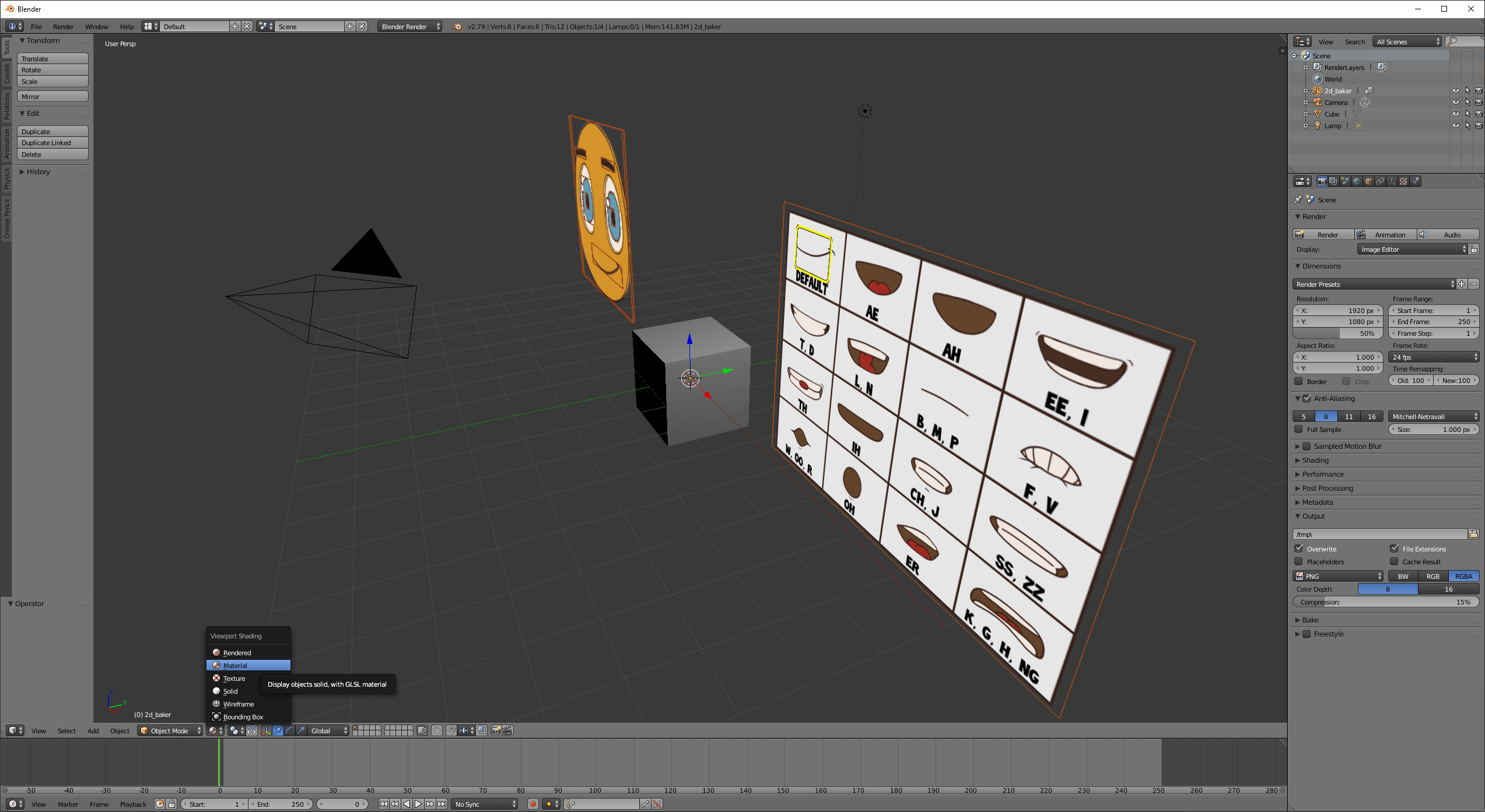
        I think you need to set. the viewport shading to material or render preview not solid view.

        junkme.png

        #73716
        Deepak Jai
        Participant

          Thank you so much @tanya53. It shows as expected now.

          #73717
          tanya
          Participant

            @deepaky you can also change the material to texture under the viewport shading tab, if you do it that way I think it might run a little faster if it starts to lag for you, after thinking about it that is the better way.  Have fun. 

            #73718
            Wayne Dixon
            Participant

              Glad you got it sorted, Deepak.

            Viewing 5 posts - 1 through 5 (of 5 total)
            • The topic ‘Unable to link to a .blend file’ is closed to new replies.