
Treasure Chest / Mimic progress thread
Forum Archive › Treasure Chest / Mimic progress thread
- This topic has 10 replies, 4 voices, and was last updated 4 years, 4 months ago by
spikeyxxx.
-
AuthorPosts
-
March 16, 2022 at 11:10 am #14931
Hello everybody,
I’m following the Treasure Chest course, but want to have my own version at the end.
As a concept I have found this cute mimic chest from Franco Ghiacetti.
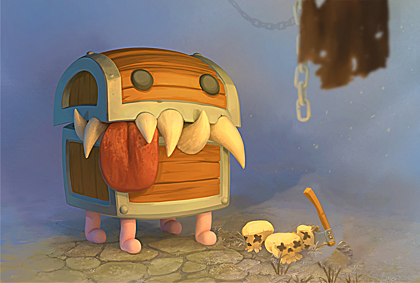
My goal is to have a game ready asset in the end, and go through all the steps:
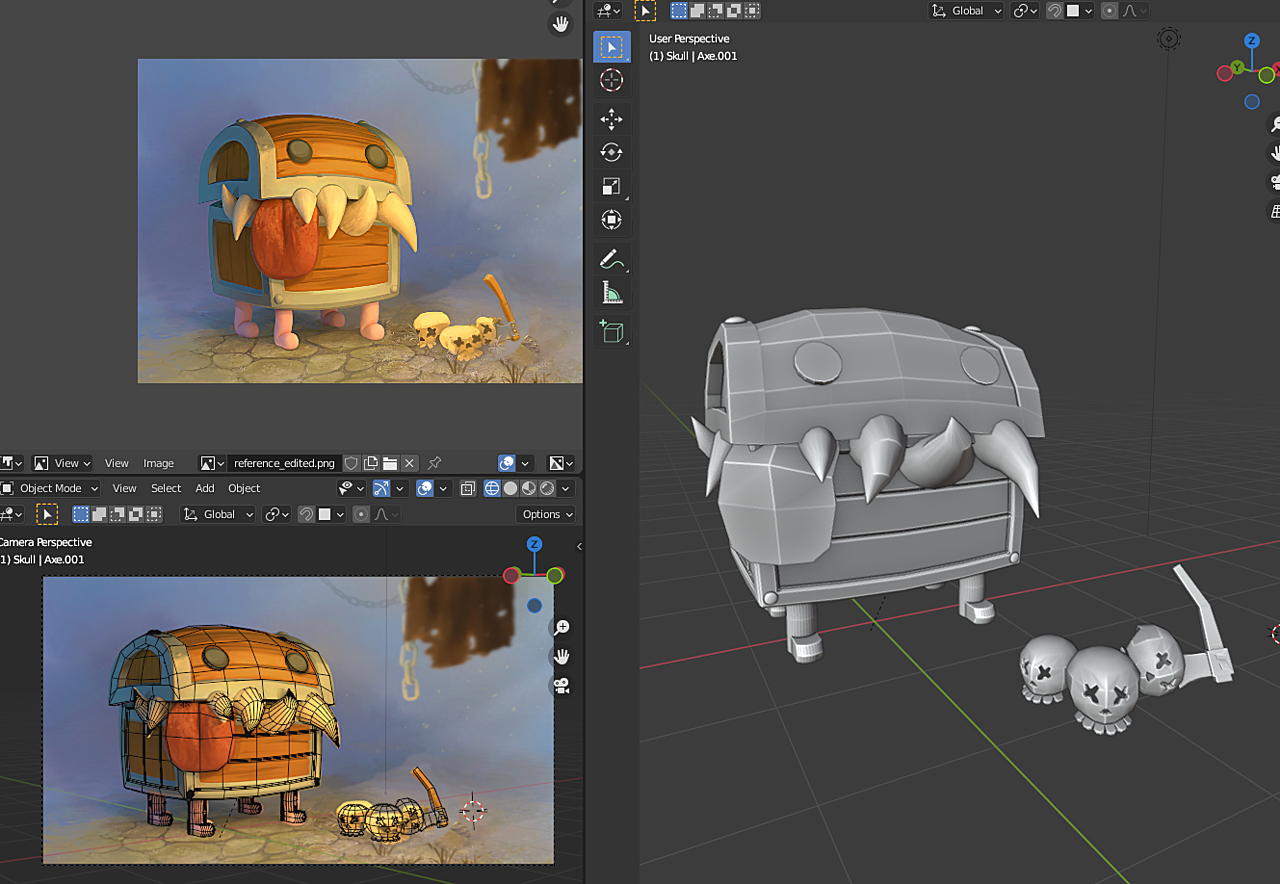
block-out, high-poly model, low-poly model, unwrap, baking, texturing, lighting.
This is my block-out, it’s a bit messy, just to get the proportions right.
 March 16, 2022 at 11:27 am #73664
I am working on the high-poly version. In the course the model was beveled and irregularities were added by hand. Because my reference is rounder, I am using a subdivision modifier followed by a bevel modifier, with the edges creased and with an added weight.
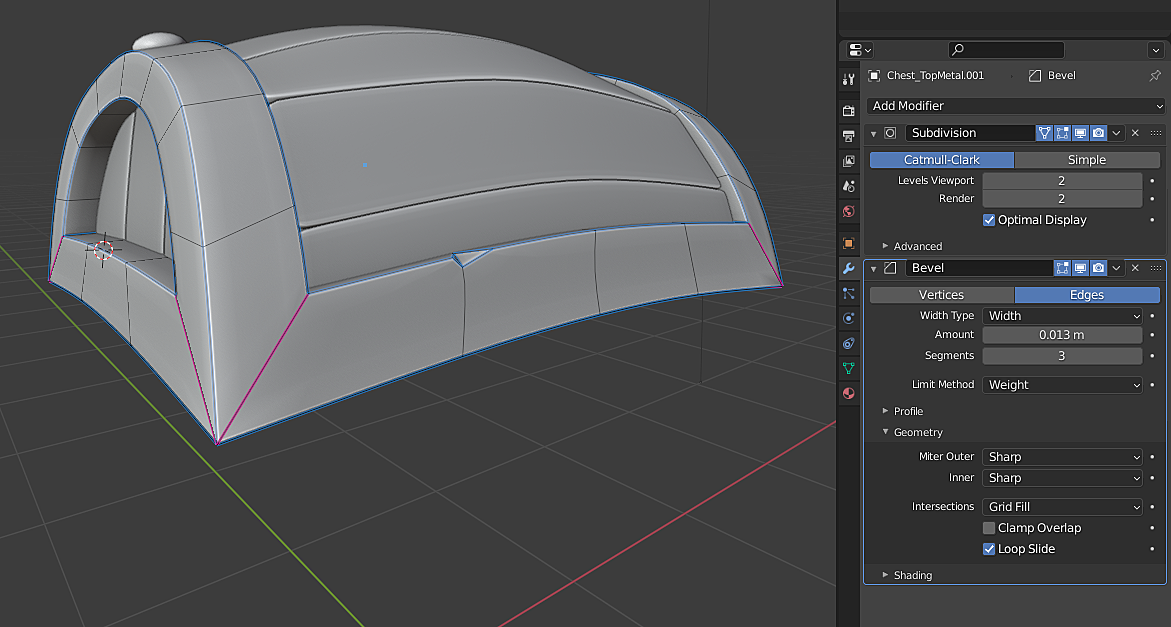
However I am getting shading artifacts. Any ideas how to fix the artifacts?
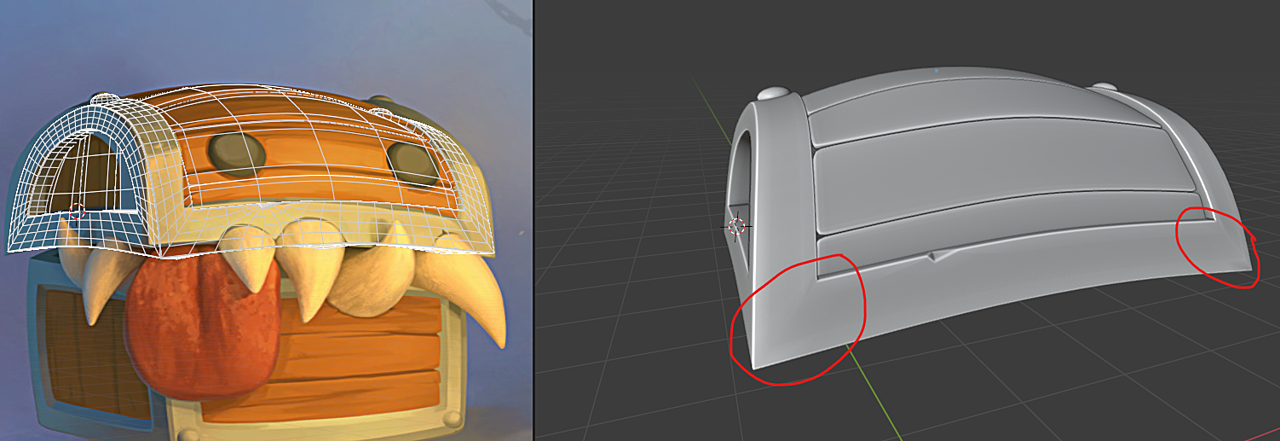
Also, adding irregularities is a bit complicated, I was thinking in sculpting them afterwards.
Is my approach wrong? Should I just add more cuts to the base model and bevel/sharpen edges before adding any subdivision modifier?
Thanks!
I’ll keep posting my progress.
March 17, 2022 at 6:43 am #73665Hi @nemernick ,
Cool work so far!
One thing I would change which should help a little with the shading artefacts.
Remove the mean crease from the edges on those corners, and any where else you have them.
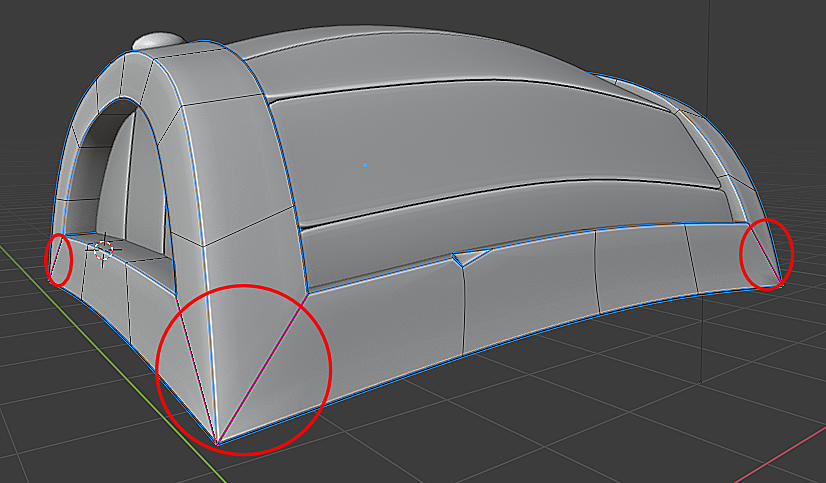
Add the bevel weight to those same edges, then move the bevel modifier above the subdiv modifier.
The order of the modifier stack is important, and can vary the result quite dramatically.
Adjust the bevel modifier amount until your happy. I personally would probably keep the segments to 2.
You will still have some shading variation, but this is due to the difference in angle of the adjacent faces.
Hope this helps.
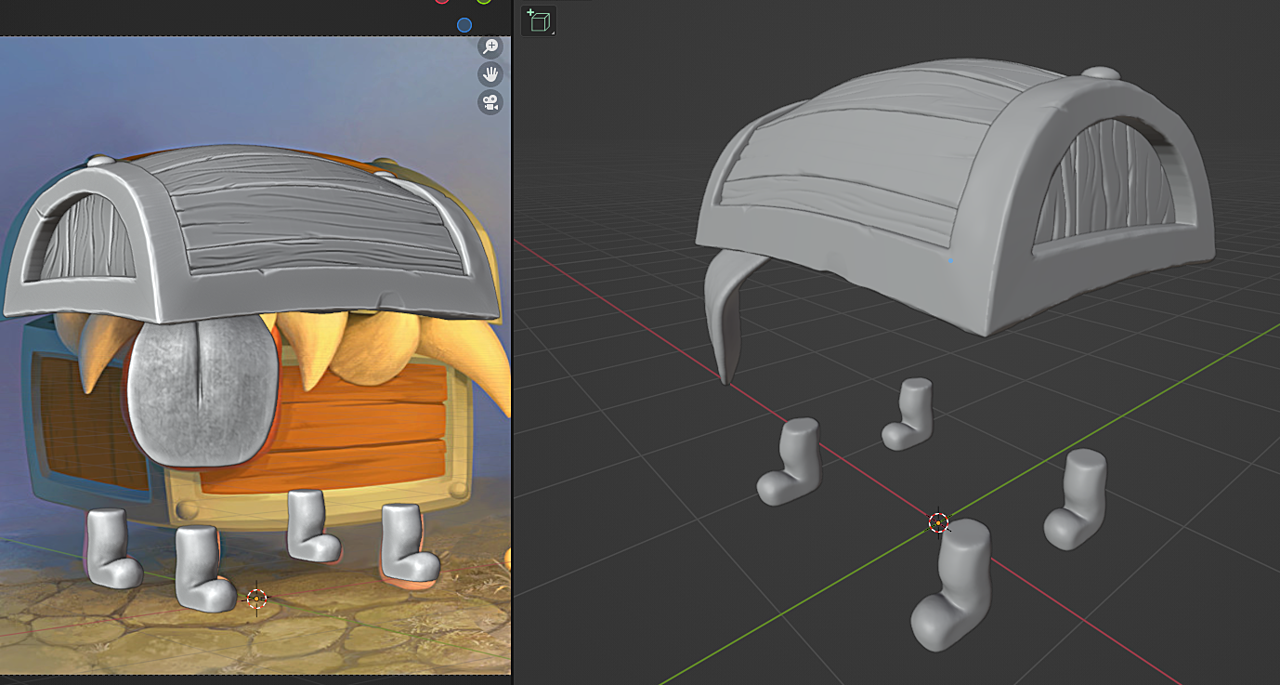
March 17, 2022 at 11:46 am #73666Hi Adrian, thank you for the tip. I followed your instructions, the visible edge isn’t completely removed, but I have to play with the settings some more.
This is the sculpt progress so far.
 March 18, 2022 at 6:13 pm #73667
Today’s update:
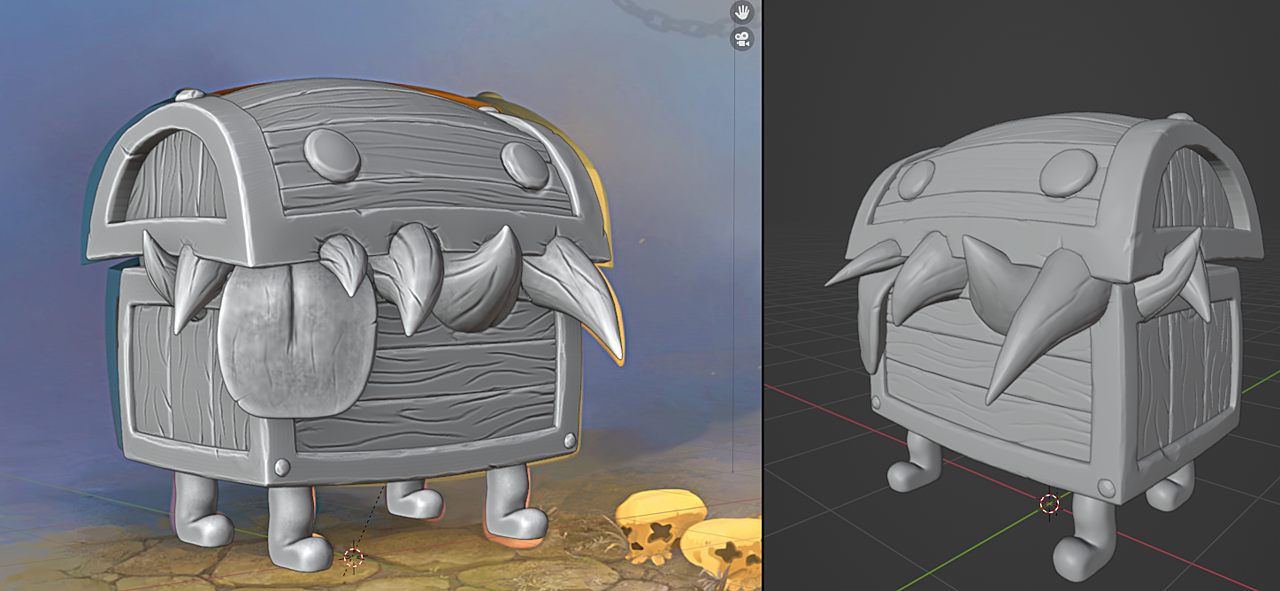
I learned to keep the details simple when following a stylized style. I was using a photo of a saber-tooth as reference and ended up with too many details. I had to start from scratch, luckily it was just the first tooth when I noticed that.
Also, I forgot the planks on the backside were instances of the front planks, so the cutout details around the teeth appeared on the back as well 🙂
By the way, feedback and comments are welcome.
March 22, 2022 at 10:15 am #73668Really nice work @nemernick! You’re hitting a homerun with this.
March 24, 2022 at 11:26 am #73669Thank you @theluthier for the encouragement, it means a lot.
Update:
I realized the reference picture was horizontally stretched so I rescaled all the elements to match. The teeth were a bit harder to match, as they had to fit the reference and the sculpted outlines on the wood.
The skulls and axe got a first sculpt pass. Made the first version of the chain.
By the way, I hope I’m not spamming by posting these updates here.
 April 4, 2022 at 12:14 pm #73670
Some updates to the project:
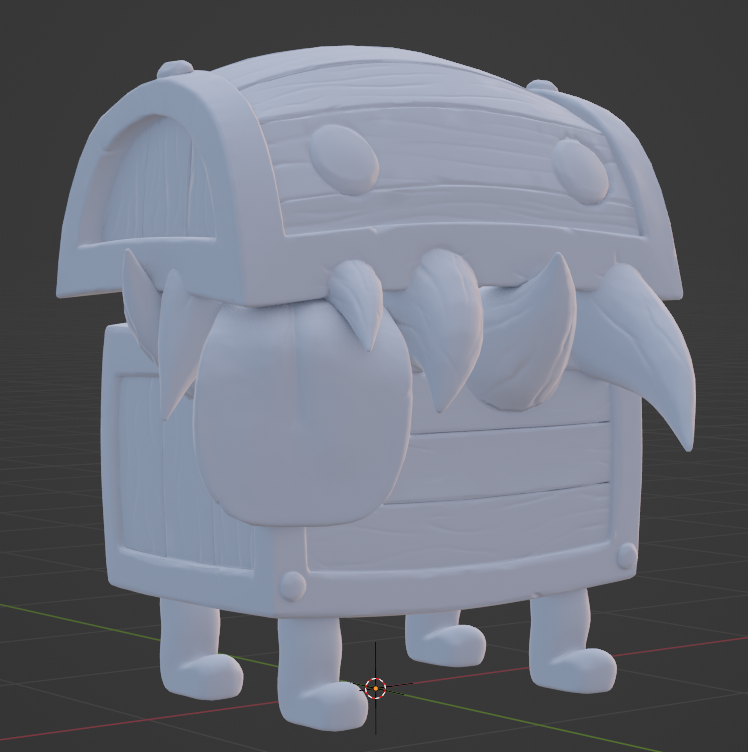
This is the low-poly version. I’m not sure if there too many polygons, but it’s just the first level of the subdivision modifier.
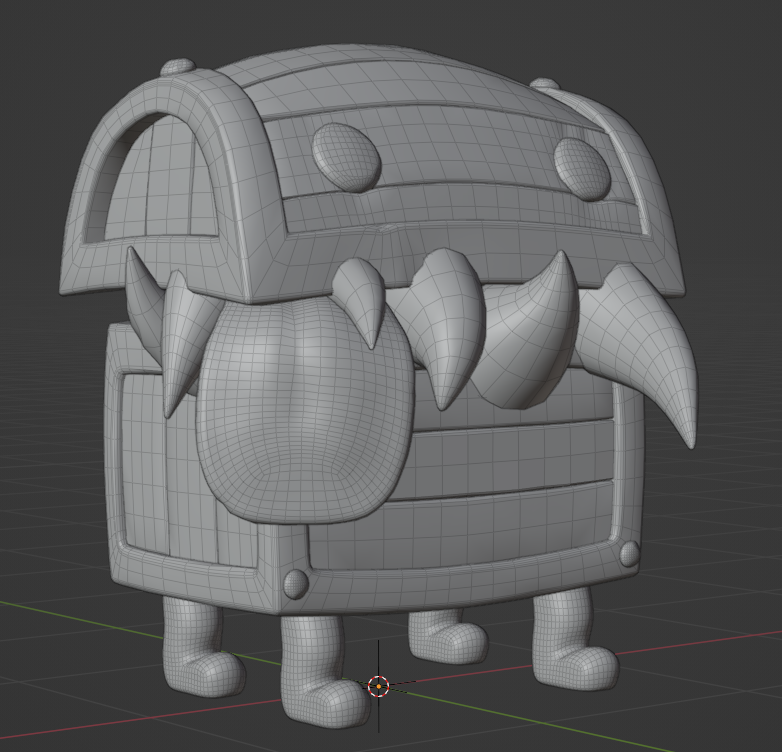
I have spent more time than I planned on having the low-poly model fit the sculpt so that the baking looks ok,
Here the baked normals are applied to the model.
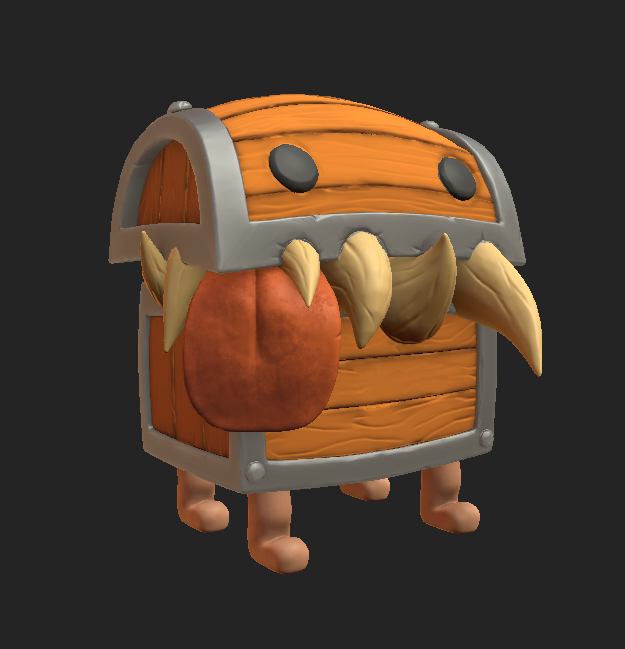
And this is the first color pass from Substance Painter,it needs more work 🙂
 April 4, 2022 at 2:53 pm #73671
I like where this is going Felix 🙂
April 23, 2022 at 2:41 pm #73672Just wanted to post some updates. I simplified the geometry for the low-poly wooden part, instead of actual planks, it is now just one thin sheet with baked normals.
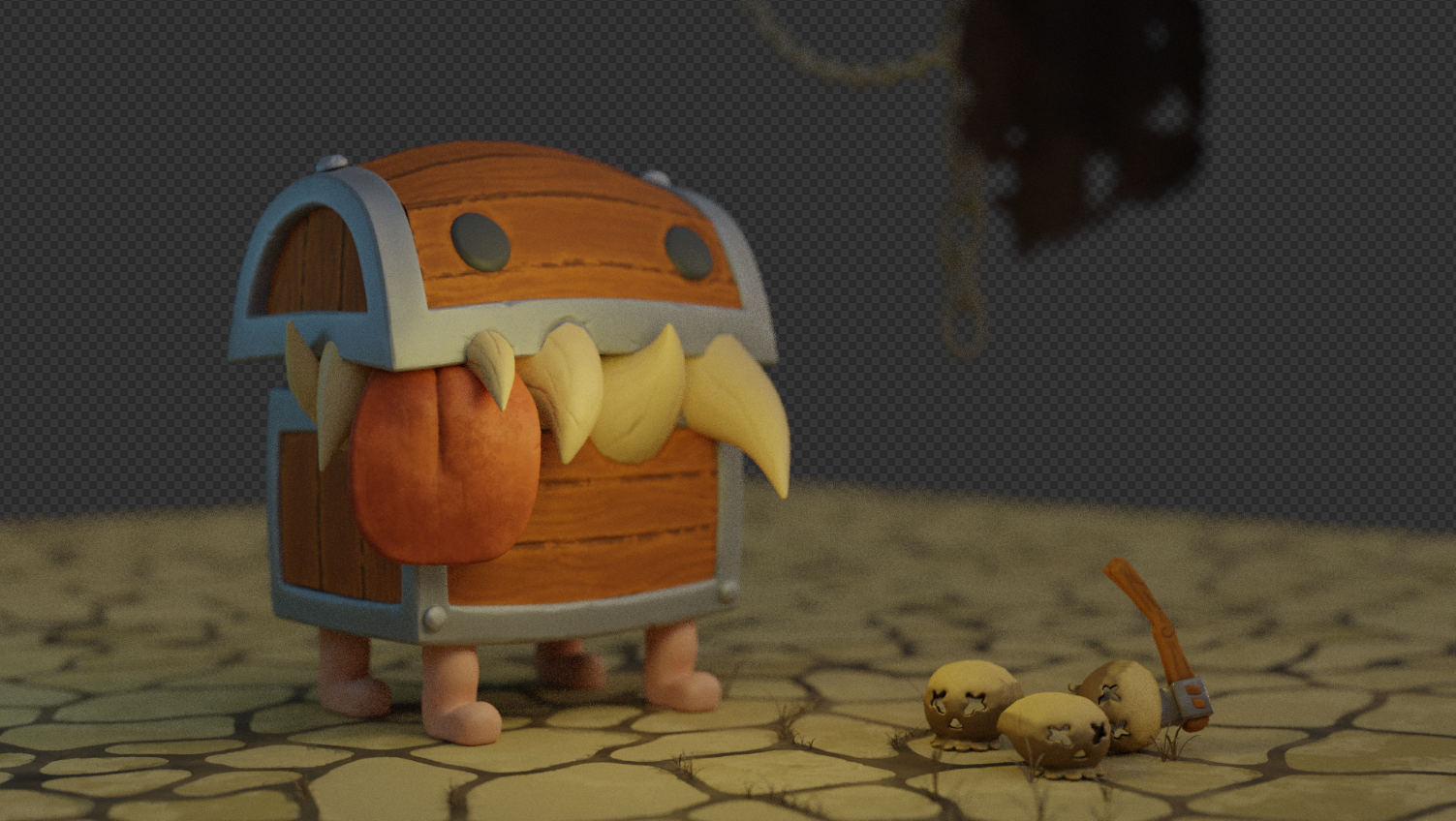
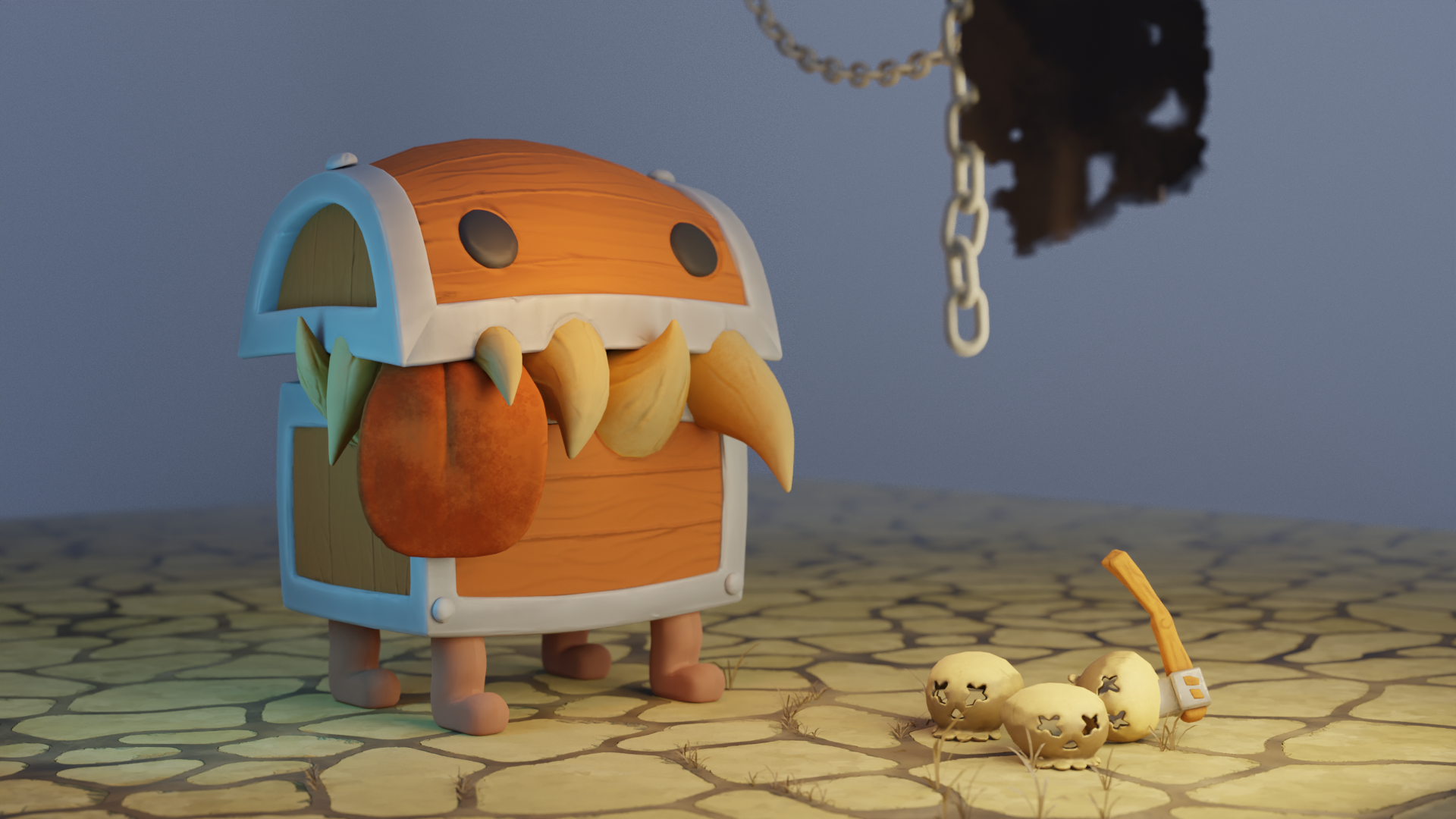
Here I have added fog and a color to the background. Still need to work on lighting, the fog and the ground fading into the distance.
 April 24, 2022 at 1:23 am #73673
The fog is a nice touch, but at the moment it washes out all those beatiful details of the chest. But as you said, it still needs work 🙂
-
AuthorPosts


- The topic ‘Treasure Chest / Mimic progress thread’ is closed to new replies.