Toggle X Ray turns on automatically

Forum Archive Toggle X Ray turns on automatically

Viewing 8 posts - 1 through 8 (of 8 total)
  • Author
    Posts
  • #14131
    Martin Starchel
    Participant

      Dear CGCookie Community

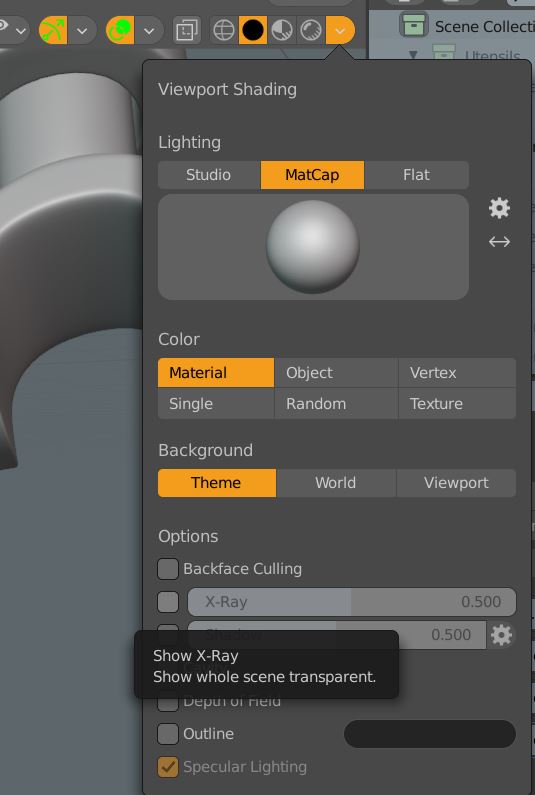
      Every time I change from “Object Mode” to “Edit Mode” the Transparent Scene Display goes on. I unchecked in “Shadin”  “Options”  the x Ray but it has no effect…..it is a pain, has anybody a clue what this could be?

      thank you very much

      #69355
      Adrian Bellworthy
      Participant

        Hi @masta,

        I’m trying to understand your problem, when you enter edit mode your scene is in x-ray mode, you turn off x-ray, then go to object mode and back to edit mode and x-ray mode is on again?

        Or is it that x-ray is on in edit mode and you can’t turn it off?

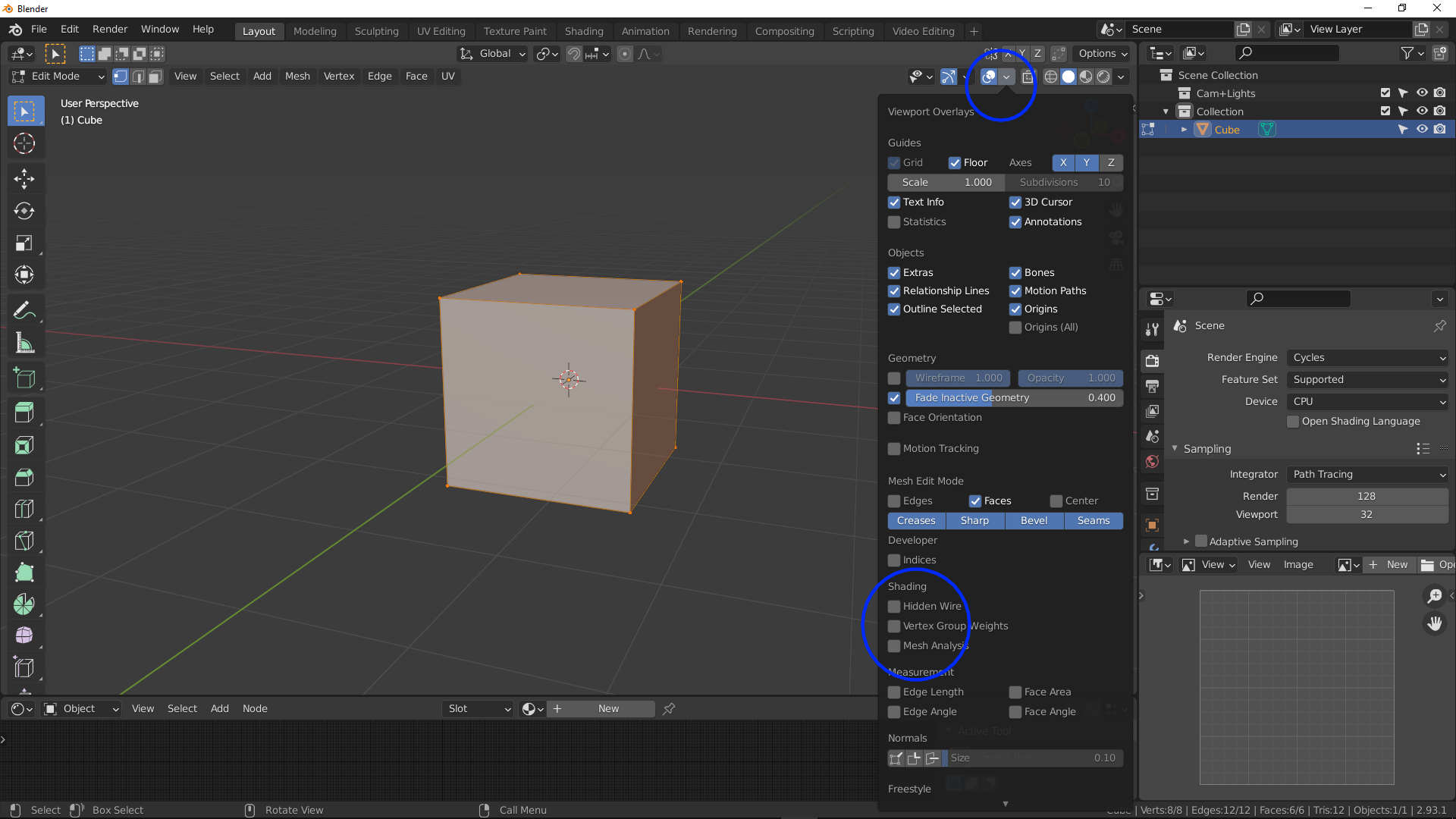
        To start with, in the overlays dropdown menu, under shading be sure none of the items are checked on, particularly ‘Hidden Wire’

        Let me know if this solves the problem or not.

        #69356
        Martin Starchel
        Participant

          Hallo Adrian

          exactly

          when I enter edit mode the scene is in x-ray mode, I turn off x-ray, then I go to object mode and back to edit mode and x-ray mode is on again… 

          #69357
          Adrian Bellworthy
          Participant

            I don’t know of any setting in the preferences that would do this, but I know a couple of people that may, @spikeyxxx and @jlampel .

            May I ask what version of Blender you are using? and what theme are you using and where you got it? I’m wondering if it is something to do with the theme, but I’m not sure.

            #69358
            Adrian Bellworthy
            Participant

              I meant to post this image with the first answer

              #69359
              Martin Starchel
              Participant

                I have it all set like you.

                I have “BoxCutter” and “HardOps” installed but also checked ther and nothing seems to be wronng. Also checked “preferences” but coudn’t find anything that would change that behavor.

                I have 2.93.0 

                thank you for your time 👏

                #69360
                Martin Starchel
                Participant

                  I kept searching on the internet and found out that it is “Machin3tools ” that causes this Problem. When I turn it of in AddOns the problem is solved.

                  Guess Machin3tools  needs an update.

                  Thank you very much for our help

                  #69361
                  Adrian Bellworthy
                  Participant

                    Your welcome my friend, I’m happy to help if I can, glad you solved the problem.

                  Viewing 8 posts - 1 through 8 (of 8 total)
                  • The topic ‘Toggle X Ray turns on automatically’ is closed to new replies.