THE SHIFT + Brush to smooth is too strong

Forum Archive THE SHIFT + Brush to smooth is too strong

Viewing 8 posts - 1 through 8 (of 8 total)
  • Author
    Posts
  • #16648
    Bach Vu
    Participant

      I’m using Blender 3.6, and brushes in sculpt mode has shift function to smooth the surface, but my “smooth” is way too strong when i apply it, i have all same settings as the video, I changed strength, unchecked pressure,…. Non of them has different results. It all ended up my smooth is too strong, everytime i apply it, it does smooth out but also make my sculpture shape smaller and sharper ( when i do the shark fins ). Can I change the strength of this Shift Smooth function? 🙁 

      #80358
      Martin Bergwerf
      Participant

        Hi Bach Vu @iliwys_7 ,

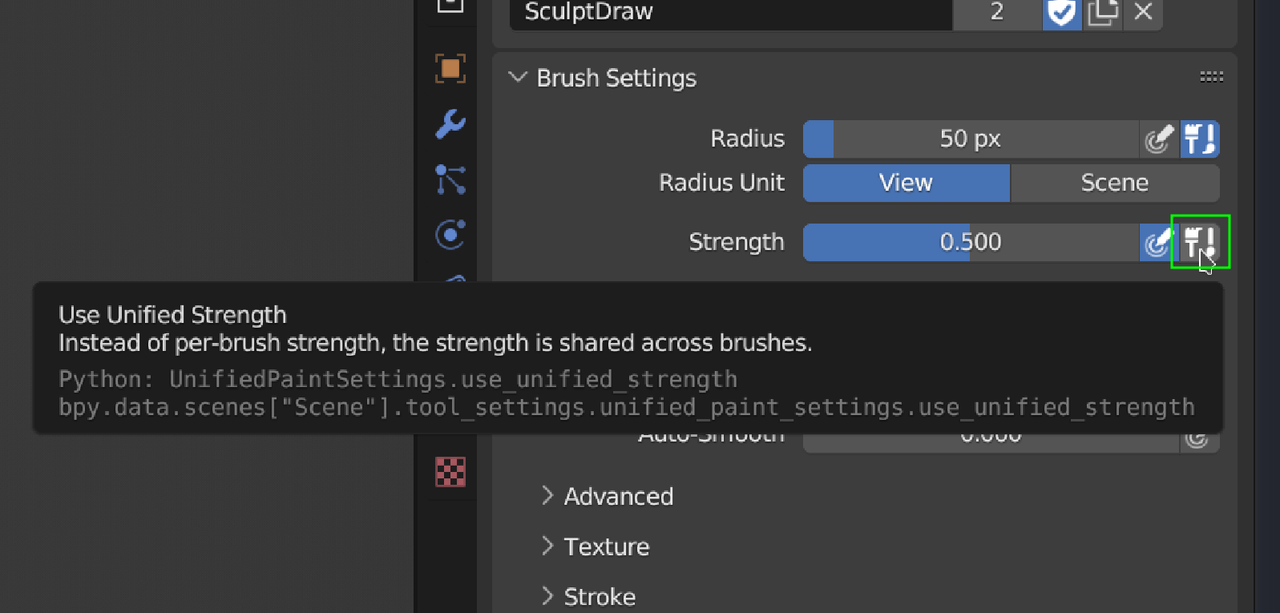
        The SHIFT+Brush Smooth uses the Strength of the actual Smooth Brush (0.700, by Default), unless you enable the Unified Strength button:

        Strength.png

        So you can change the Strength in the Smooth Brush Settings.

        #80359
        Bach Vu
        Participant

          ohh, i got it, thank you so much!!

          #80360
          Bach Vu
          Participant

            i also have this problem, my annotate tool cursor is not pen icon, it’s brush shape icon by default, the pen icon only appear when i’m start to drawing. Can i change my cursor icon to pen icon?

            18 at 2.39.43 PM.png

            #80361
            Adrian Bellworthy
            Participant

              It looks like no, you can’t change it to a pen, at least not with a simple setting. You probably could with a script.

              Annotations in Object mode displays as a pen, but sculpt mode displays as a brush. Personally I think the annotations should display as a pen in all modes.

              #80362
              Martin Bergwerf
              Participant

                Well,

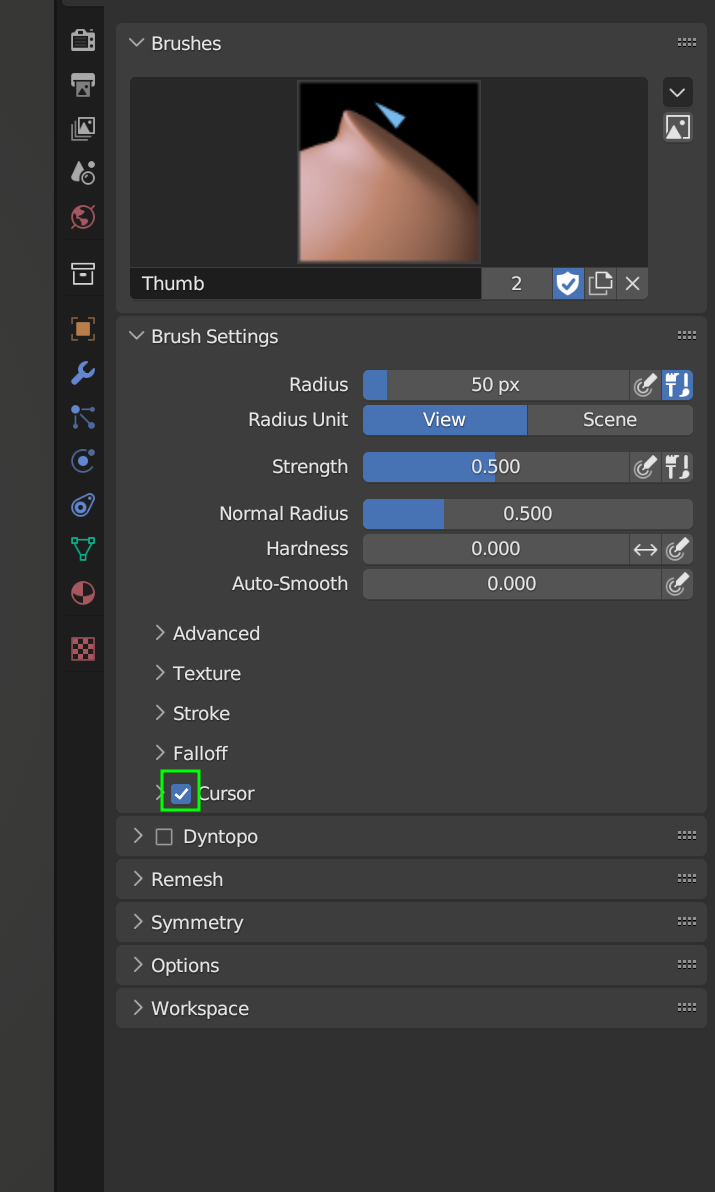
                You can disable the Cursor display in one of the Brushes, before using the Annotate Tool:

                Cursor.png

                Un-check that and then press D, will probably be the fastest…

                Or write a small Python script that disables the Cursor, when switching to the Annotate Tool and enables it again when you switch back…

                #80363
                Martin Bergwerf
                Participant

                  | Personally I think the annotations should display as a pen in all modes.


                  I agree with Adrian there!

                  #80364
                  Adrian Bellworthy
                  Participant

                    I thought that if anyone can, Spikey can, find a way.

                    not too much of a chore to turn it back on again, 

                  Viewing 8 posts - 1 through 8 (of 8 total)
                  • The topic ‘THE SHIFT + Brush to smooth is too strong’ is closed to new replies.