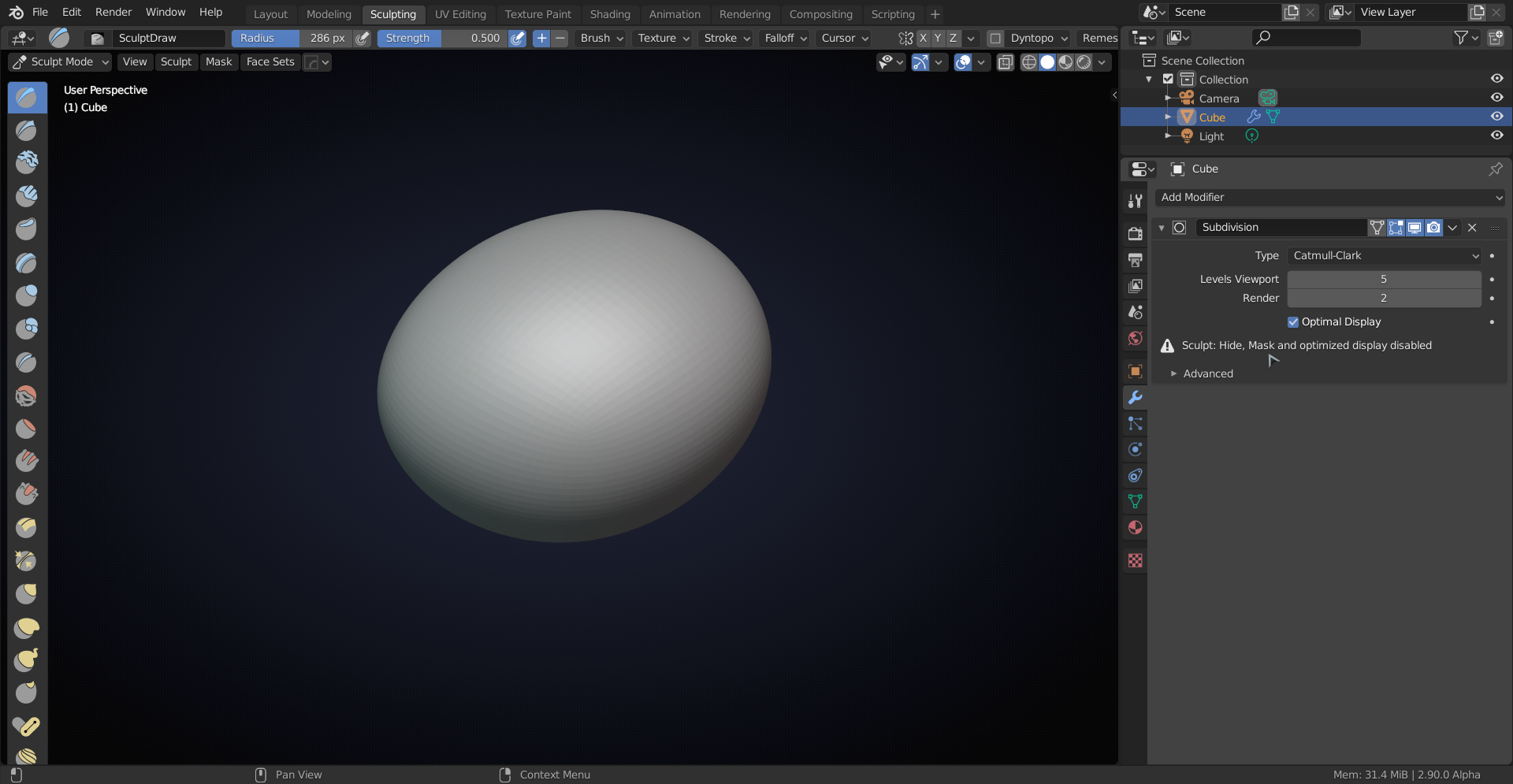
the sculpting is not showing …

Forum Archive the sculpting is not showing …

Viewing 10 posts - 1 through 10 (of 10 total)
  • Author
    Posts
  • #12244
    heinzmezagmail-com
    Participant

      hi,

      i followed everything but in 3:06 my sculpting is not showing at all. what I’m doing wrong? I’m using blender 2.82. Thanks

      #58420
      Kent Trammell
      Participant

        Are you sure the object is selected as the Active Object whenever you switch to sculpt mode? It looks like it is based on the outliner, but the way you can know this is if it’s outlined in a lighter orange color in Object mode.

        #58421
        spikeyxxx
        Participant

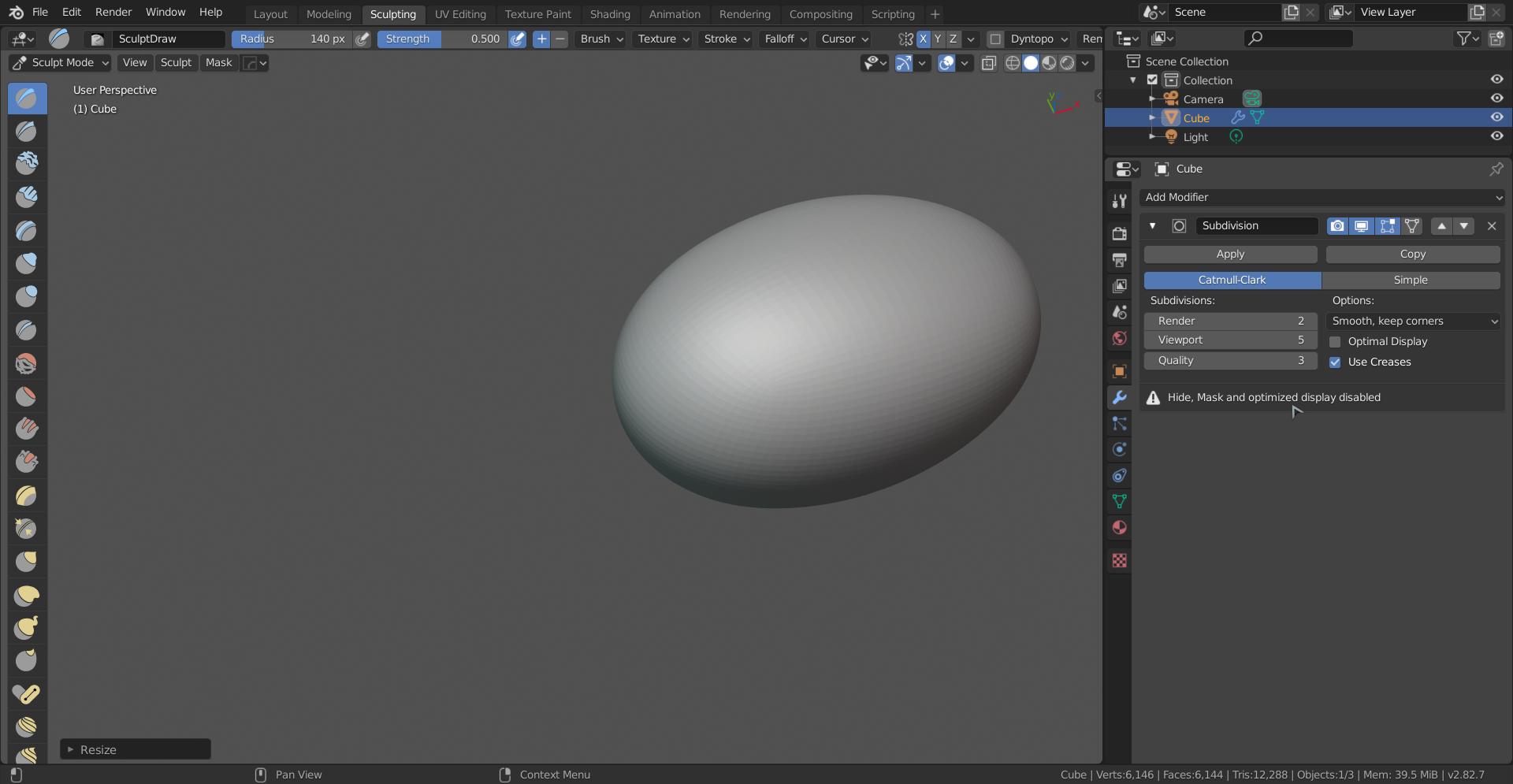
          You have a Modifier on your Cube. My guess is that that’s a Subdivision Surface Modifier. That needs to be applied! There is also a warning in the Modifiers Tab:

           Apply the Modifier  and try again.

          #58422
          Kent Trammell
          Participant

            @spikeyxxx with the eagle’s eye 👁️

            #58423
            spikeyxxx
            Participant

              And just in case you get confused; here’s the 2.82 version:

              #58424
              heinzmezagmail-com
              Participant

                you’re right. I forgot to apply the modifier. now it works.  Thank you!

                #58425
                zsavior
                Participant

                  Just in case somebody looks at this question, because they can’t figure how to click apply. In Blender 2.9 for some odd reason in the modifier tab, the apply button is gone. Click the arrow next to the camera which is the render button to get the option to click apply.  Now when you go to sculpt mode the brushes will work and the warning message will disappear.

                  #58426
                  spikeyxxx
                  Participant

                    Or just hover over the Modifier and press CTRL+A to Apply.

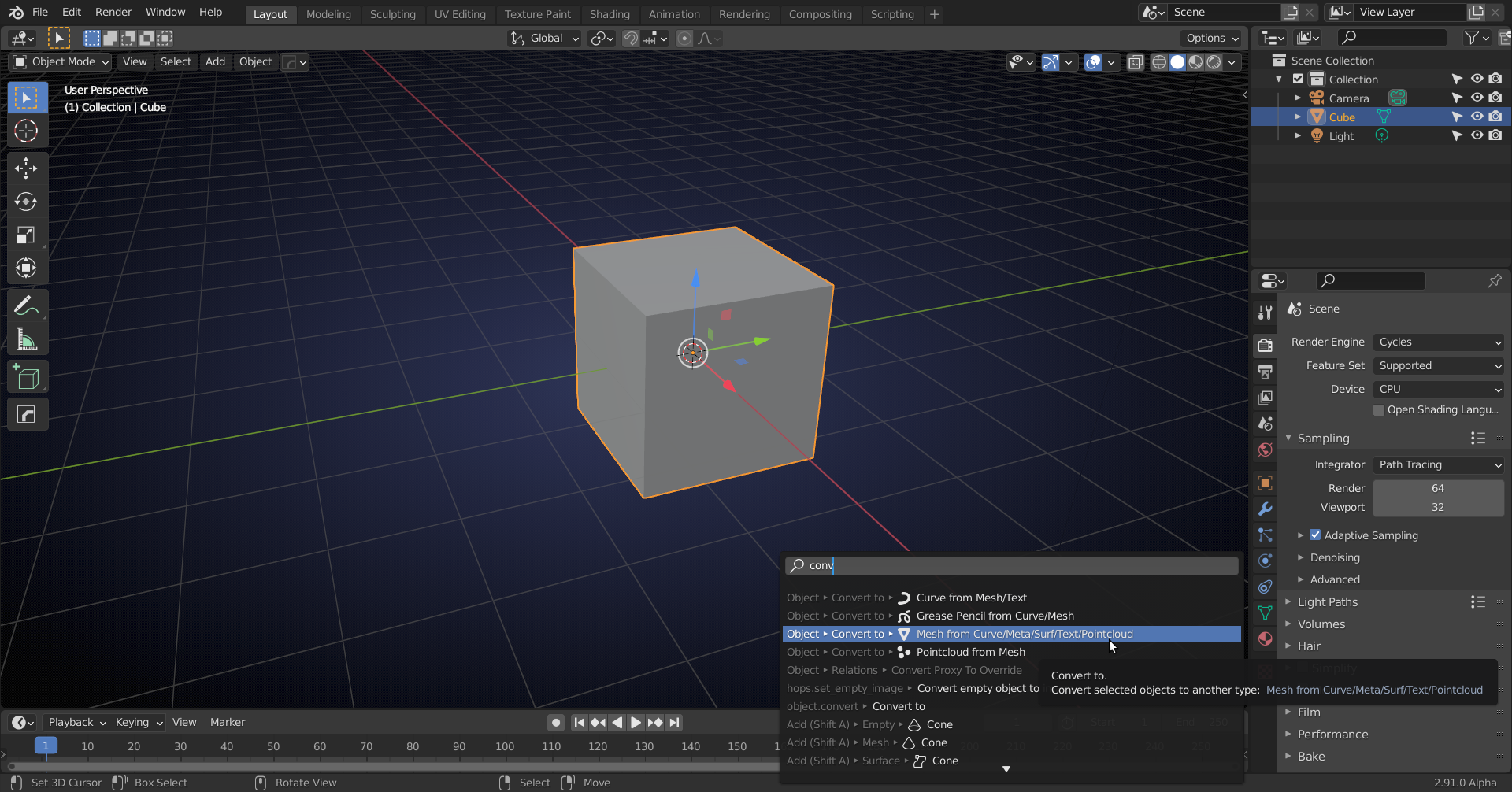
                    If you want to Apply all Modifiers on an Object at once: 

                    This will apply all the modifiers. If you find yourself using  ‘Convert to’ a lot (like I do), you can put it in your Quick Favorites…

                    #58427
                    zsavior
                    Participant

                      Thanks for this info, it’s really helpful.  Did not remember Ctrl-A short cut.

                      #58428
                      spikeyxxx
                      Participant

                        CTRL+ A is used for applying in several cases (e.g. Object Mode > CTRL+A > Apply Transforms: Scale, Rotation, Location, etc)

                        That makes it easier to remember 😉

                      Viewing 10 posts - 1 through 10 (of 10 total)
                      • The topic ‘the sculpting is not showing …’ is closed to new replies.