the last part: Video in image/sequence

Forum Archive the last part: Video in image/sequence

Viewing 15 posts - 1 through 15 (of 15 total)
  • Author
    Posts
  • #17563
    Cayetano Parra
    Participant

      Hello,
      First thank you so much for these amazing tutorials.
      When I rendered it in eevee and cycles (here only until frame 98) my Robot-butterfly but when i created the video adding in image/sequence the version of cycles was perfect but in eevee was choppy the whole video. Do you know why not working with eevee imagines?
      Thanks again, and sorry for my english.

      #84371
      Martin Bergwerf
      Participant

        Hi @cayetano ,

        Your English is fine, but there is not a lot of information here…

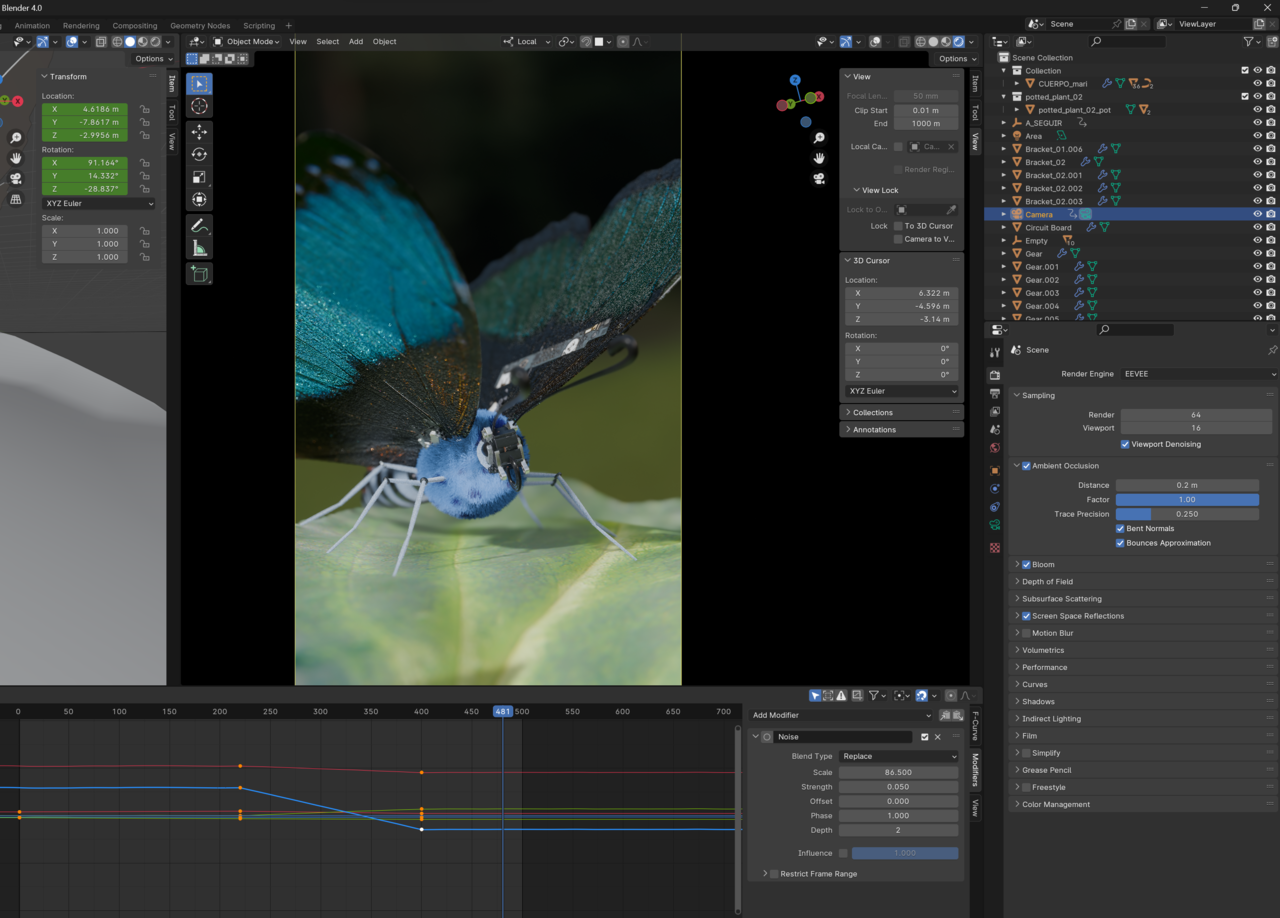
        Can you show your EEVEE Render Settings and the choppy result?

        #84372
        Cayetano Parra
        Participant

          024-02-19 123422.png

          #84373
          Cayetano Parra
          Participant

            #84374
            Martin Bergwerf
            Participant

              And does the choppiness appear in EEVEE, in the Viewport playback, or when you have rendered out your .PNG’s and make that into a video?

              #84375
              Omar Domenech
              Participant

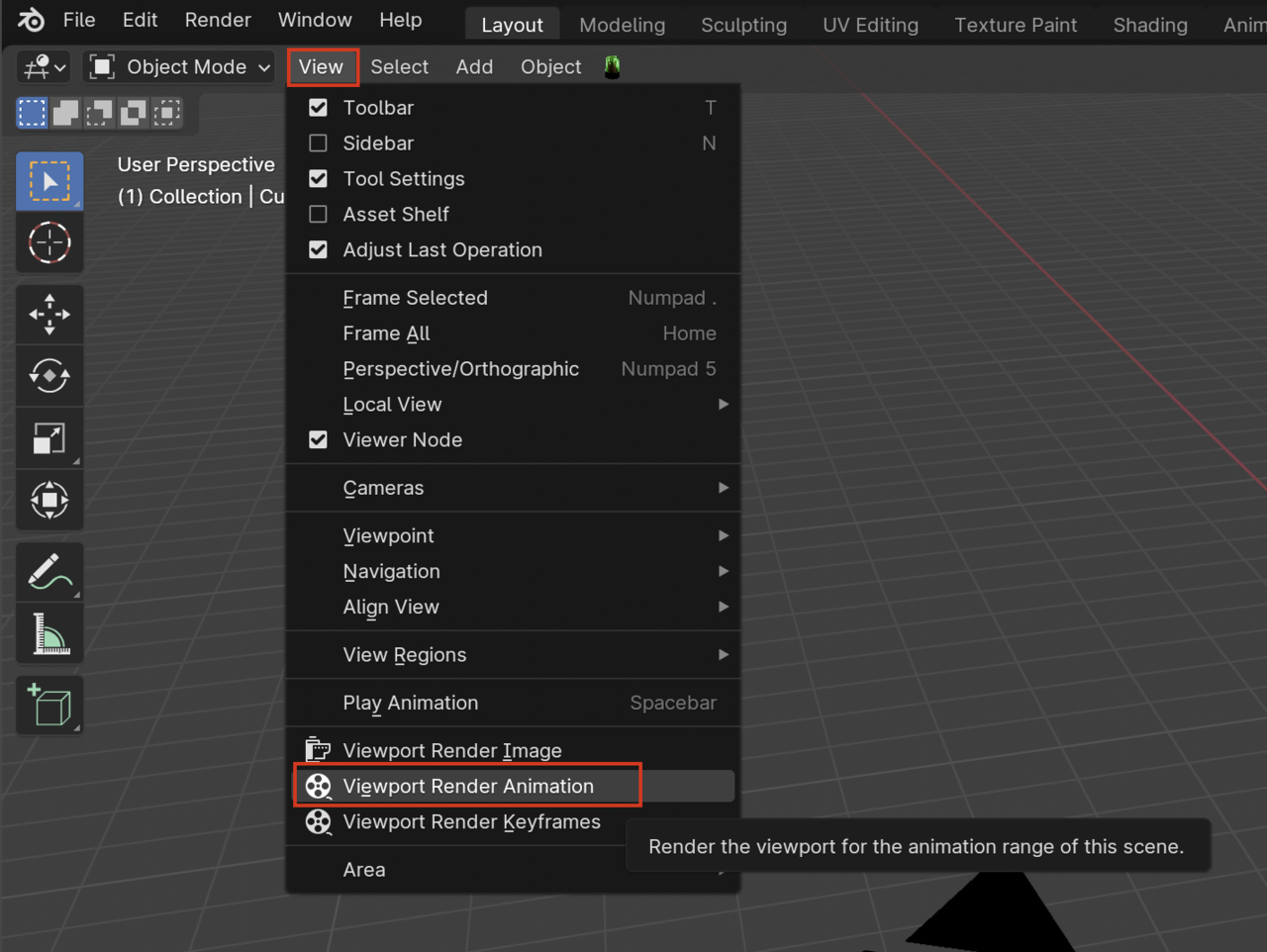
                If you have both render videos, you can post them to see what’s the difference you mean. Because it should be the other way around, normally Cycles is the hard and slow one and Eevee is easier when it comes to renders. There could be a lot of things going on. But just to rule out being a problem with keyframes and animation, do a play blast first and also post that. A Play blast is a viewport render animation, you can render your viewport here:

                Viewport-Render.png

                #84376
                Cayetano Parra
                Participant

                  in the Viewport playback everything runs/appears perfectly but when I render out all of the PNGs into a video, the video appears choppy.

                  #84377
                  Omar Domenech
                  Participant

                    Can you upload the videos and post them? If the playblast works, then it could be something in the render settings. Can you describe your settings, post screenshots and walk us through on what you’re doing?

                    #84378
                    Cayetano Parra
                    Participant

                      Sorry i thought i had sent the videos. About the settings i think you can see it in the video. THANKS

                      the video 

                      #84379
                      Martin Bergwerf
                      Participant

                        Hi Cayetano @cayetano ,

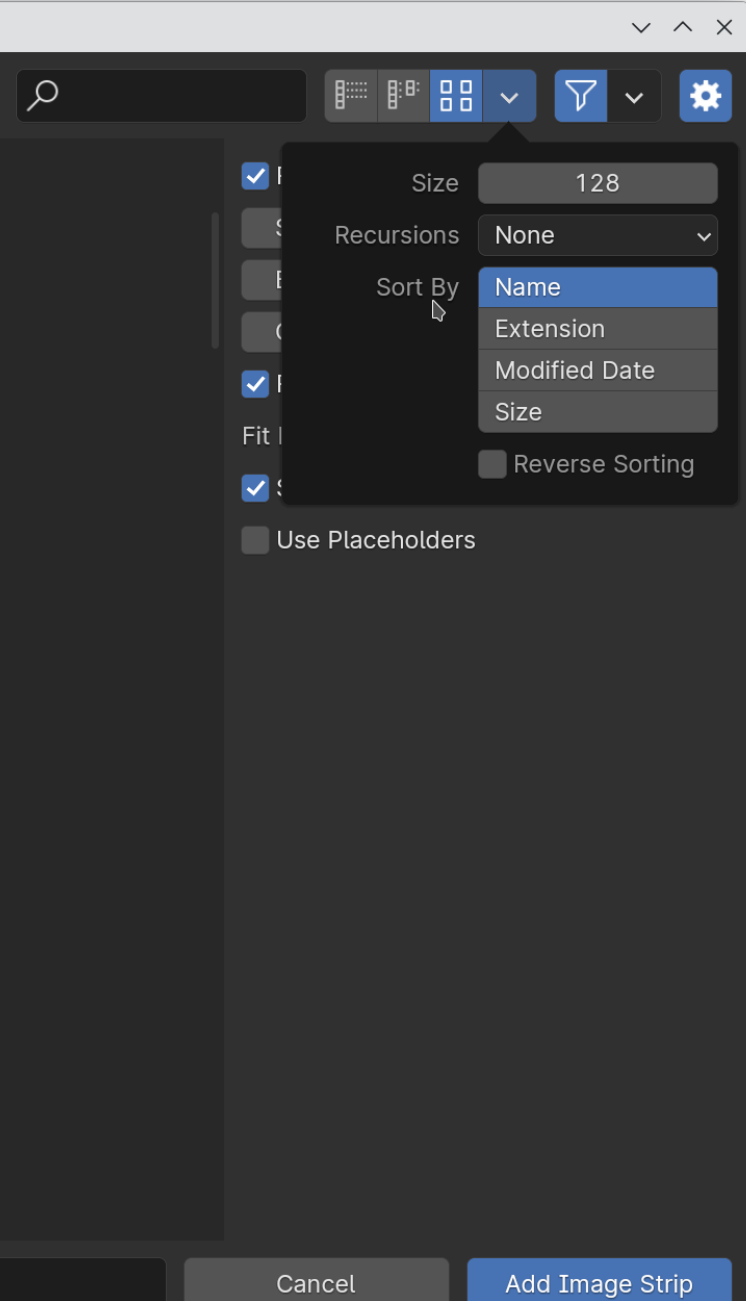
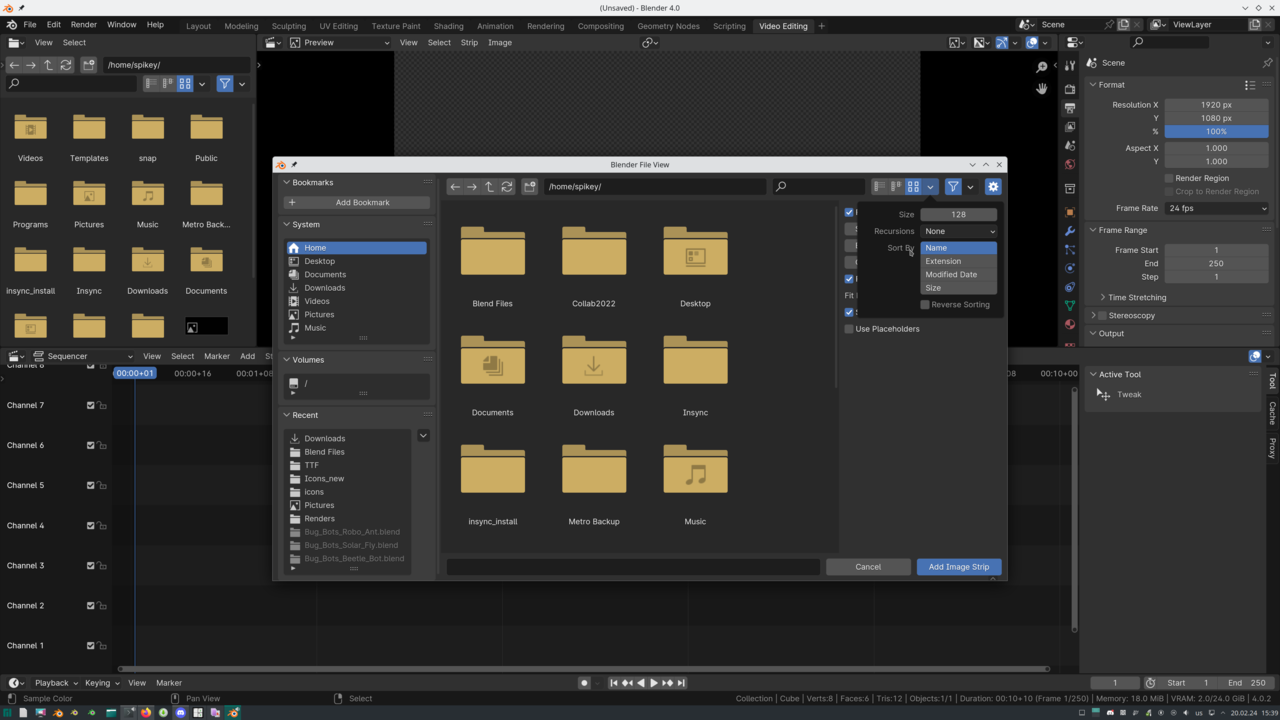
                        The choppiness is, because the Image sequence is in the incorrect order; they are sorted by time (when they were Saved) and with short Render times, that can be different from the order in which they were Rendered.

                        You can change the display in the File Browser to Sort by Name instead of by the default Modified Date, when you Add the Image Strip to the VSE:

                        Sort.png

                        #84380
                        Omar Domenech
                        Participant

                          Yeah that would explain why the Eevee render is the one affected. Hopefully this is it. Let’s see what Cayetano says. Finger’s crossed 🤞🏼

                          #84381
                          Cayetano Parra
                          Participant

                            Hi, Thanks for your help guys. I rendered in Eevee again and I did what Martin wrote me and it still didn’t work. So instead of using VSE from blender, I used PREMIERE PRO and it worked perfectly. It’s odd that it worked with cycles and not with Eevee in the VSE of Blender.024-02-20 135851.png

                            #84382
                            Omar Domenech
                            Participant

                              Well, it’s sort of a problem solved? And the issue is pinned down to the VSE then. Might be some quirk, either way, it’s good the renders or Eevee are not the problem 🤘🏼

                              #84383
                              Martin Bergwerf
                              Participant

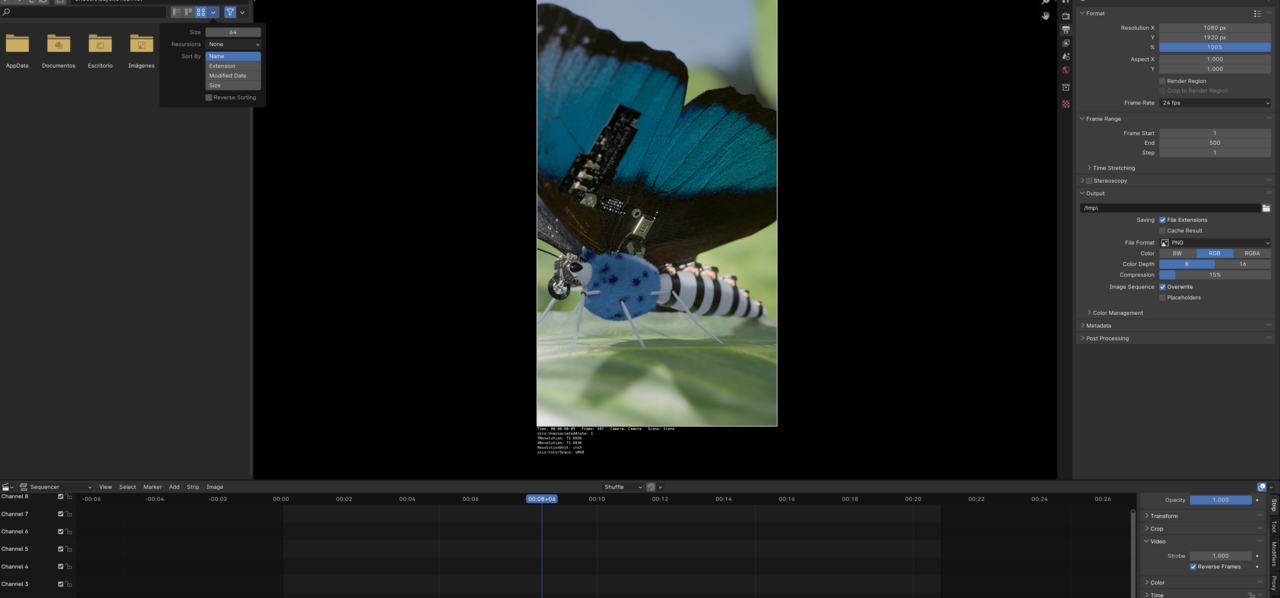
                                I  think you did something wrong @cayetano ..I think you set the Filter at the wrong File Browser? (I didn’t make that clear enough, my bad!)

                                The window that opens, when you Add Image Sequence in the VSE, here (Blender File View):

                                Sort_01.png

                                It’s not a Blender bug 😉

                                #84384
                                Cayetano Parra
                                Participant

                                  YESSSSS!!!! NOW it WORKED!!! haha thanks guys 

                                Viewing 15 posts - 1 through 15 (of 15 total)
                                • The topic ‘the last part: Video in image/sequence’ is closed to new replies.