The chair is not showing on blender

Forum Archive The chair is not showing on blender

Viewing 12 posts - 1 through 12 (of 12 total)
  • Author
    Posts
  • #17157
    Jimmy Montiel
    Participant

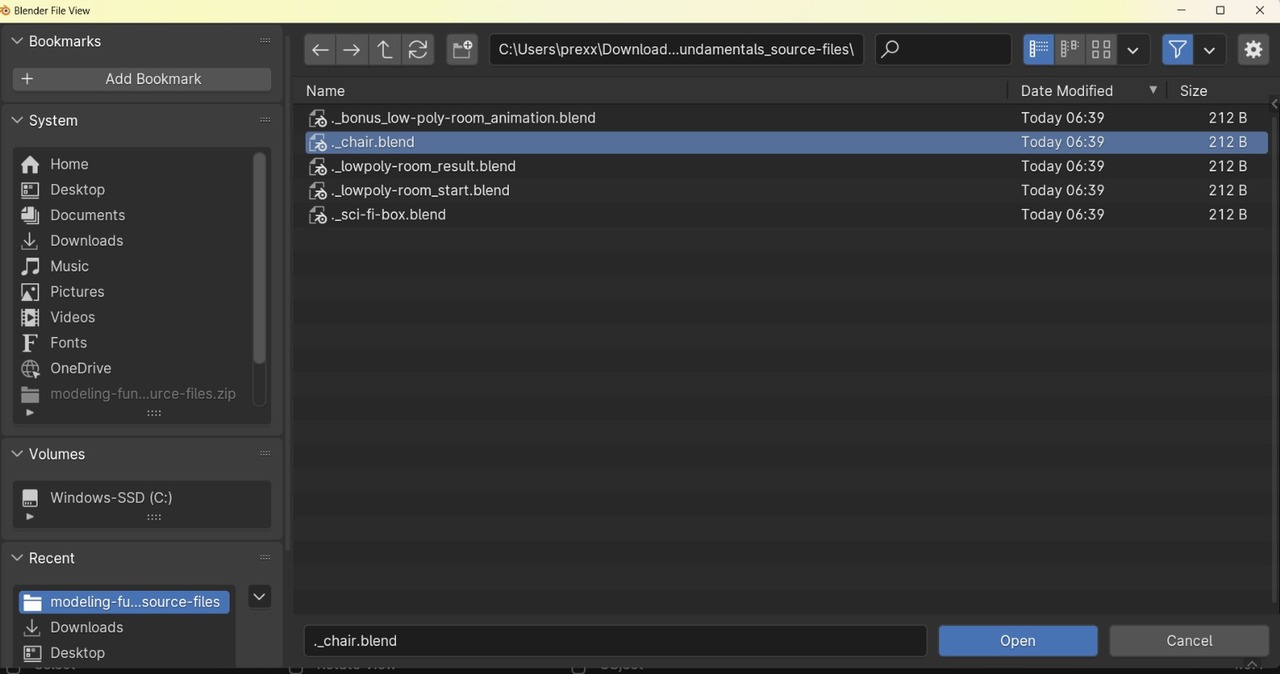
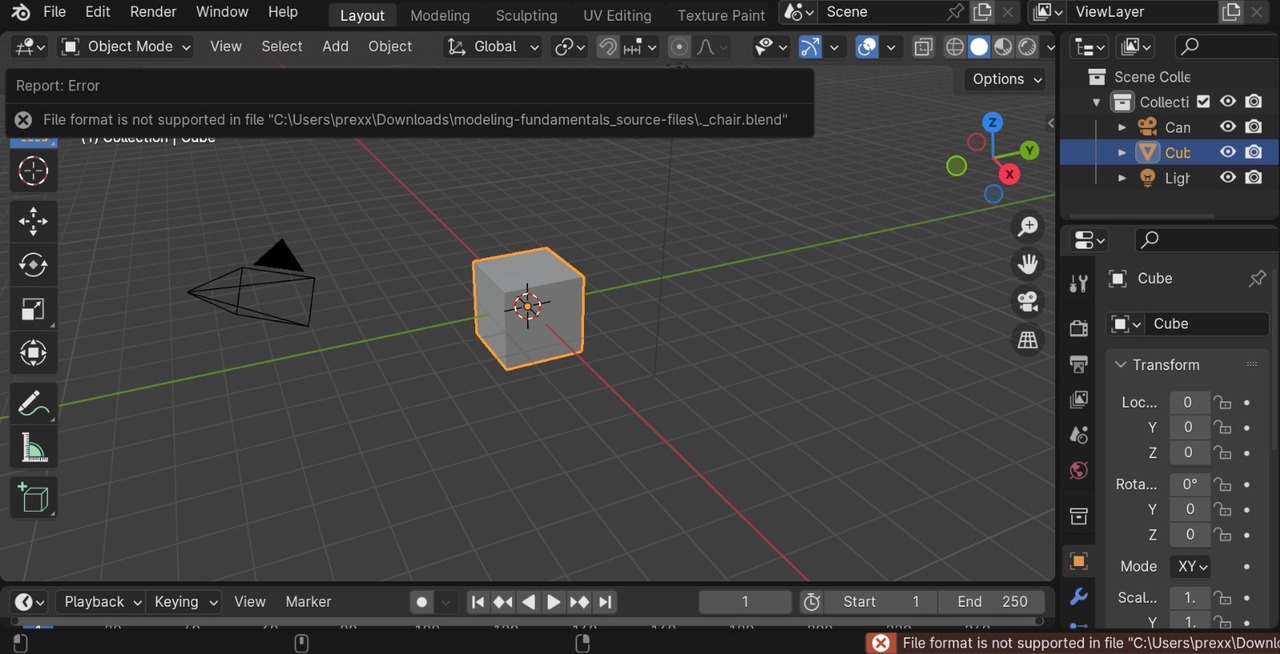
      I did download the chair, but it doesn’t show up on blender. What it says “file format is not supported in file…” How can I make this work? So, I can follow the course along. I have 4.0.1.

      #82501
      Martin Bergwerf
      Participant

        Hi Jimmy @jimmym. ,

        What exactly did you do? That ‘file format is not supported…’ message sounds weird.

        Did you try to open the chair.blend file from the course files in 4.0?

        Because that should work fine. (I tested it , just to be sure.)

        #82502
        Omar Domenech
        Participant

          Can you upload a screenshot? Or even better a video screen recording. Never heard of a Blend file not opening in Blender, this could be an interesting one. 

          #82503
          Rob Ot
          Participant

            Did you make sure to open it in Blender? Because if it opens with, say, Paint 3D it might say that.

            #82504
            Jimmy Montiel
            Participant

              Thank you so much for answering so quick! This is how it shows when I tried to upload it on Blender. I will be honest I don’t know what exactly I can do I am totally new on Blender. 
              blender1.jpegblender2.jpeg

              #82505
              Dwayne Savage
              Participant

                You need to unzip/extract the files from the zip file. Either that or you are in the __MACOSX folder. Those files shouldn’t have the “._” in front of them. also the chair.blend is larger than 212 bytes. 

                #82506
                Jimmy Montiel
                Participant

                  Dwayne Savage how can I unzip/extract the files? The folder that all the files are is on modeling-fundamentals_source-files.  I downloaded the 2nd link on the course files

                  #82507
                  Dwayne Savage
                  Participant

                    In windows, right click the folder and click extract files if I remember correctly. or it may be right click the file and click extract. 

                    #82508
                    Jimmy Montiel
                    Participant

                      This is a video. I can’t open the files on _MACOSX folder. 
                      #82509
                      Martin Bergwerf
                      Participant

                        So, it’s working!

                        You can’t open files on the _MACOSX folder (and you don’t need to), because you are on Windows, not on a Mac.

                        #82510
                        Adrian Bellworthy
                        Participant

                          Also, you unzip the first folder you clicked on, the one with a zip on it.
                          And it’s Right click > Extract All on Windows.

                          #82511
                          Omar Domenech
                          Participant

                            I am totally hungry now from all the microwave sounds. 

                            Apart from all the tips, I see an error that pops up in some part of the video when you open the full room animation. Sometimes Blender changes so much from one version to the other that you’ll get an error at some point. In this case it’s about a directory, seems like the animation is using linked in files. That to say it’s not the same error for when opening the MacOs Files. There should be a lesson about linking on a course, you’ll eventually learn everything to do about that. 

                          Viewing 12 posts - 1 through 12 (of 12 total)
                          • The topic ‘The chair is not showing on blender’ is closed to new replies.