Textures are not applying in a simple mode

Forum Archive Textures are not applying in a simple mode

Viewing 3 posts - 1 through 3 (of 3 total)
  • Author
    Posts
  • #11374
    happybirthday
    Participant

      Dear friends,

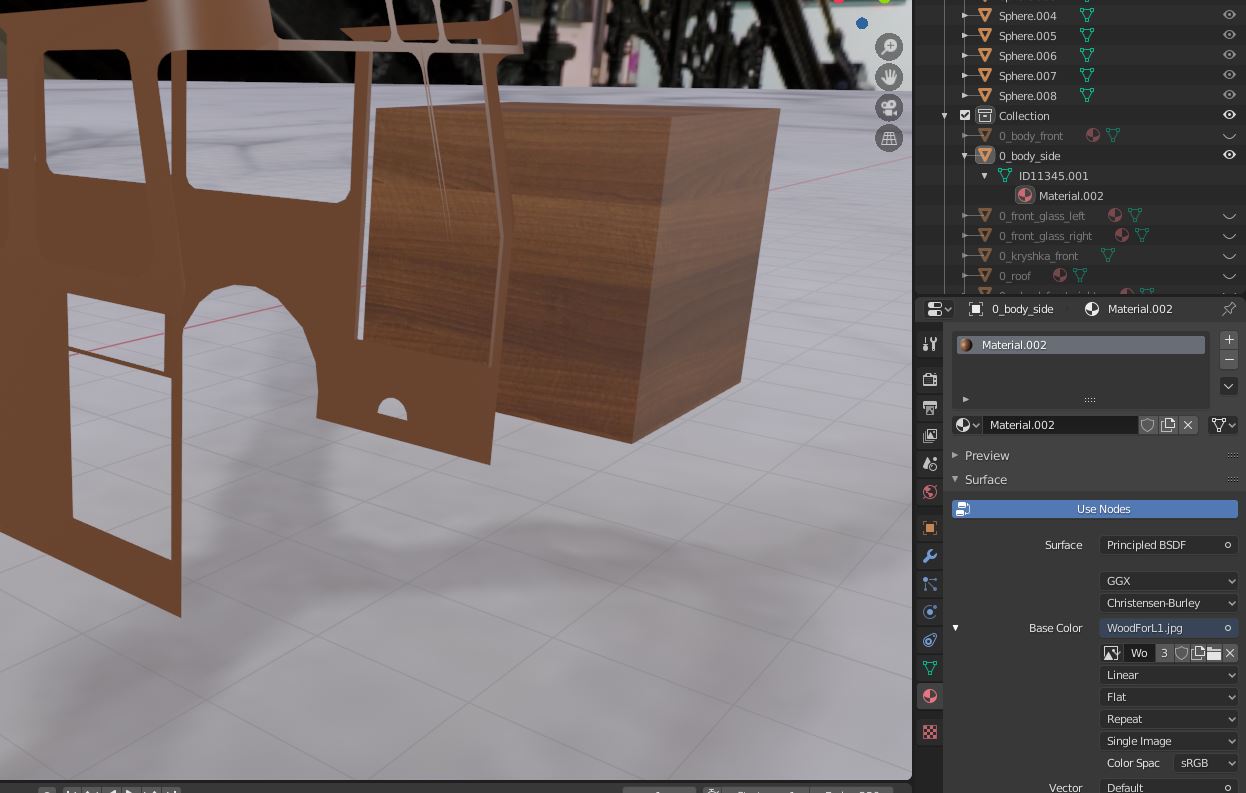
      I am trying to apply texture to the model imported from Sketchup, but with no progress. 

      I’m applying easiest way, via Base color: Image texture.  

      You can see the Cube next to the model, with textures applied the same way and looks well. 

      Problematic model at left, correct cube at right.

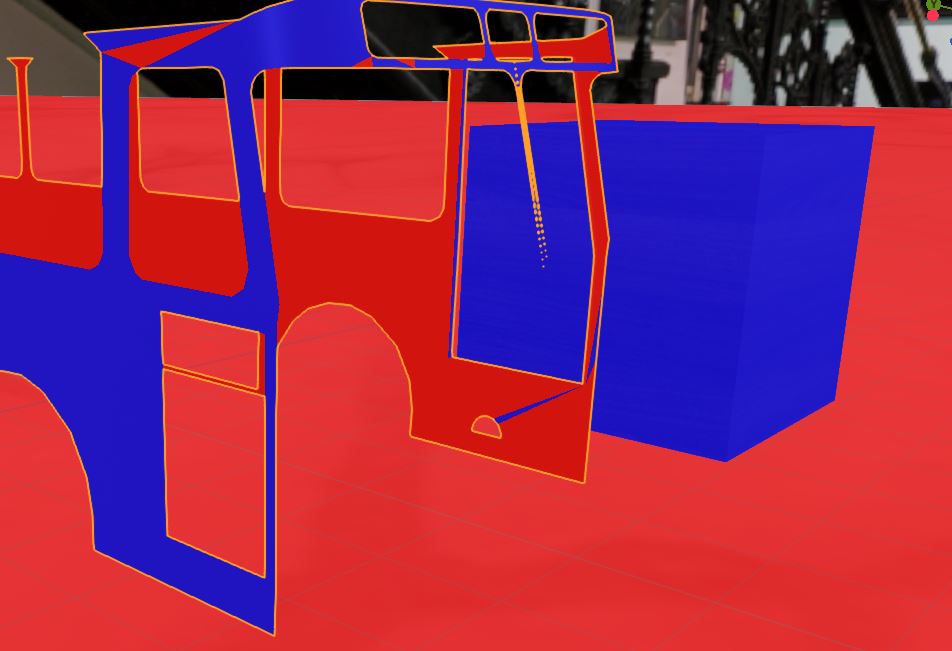
      Normals of the model seems OK:

      Any ideas what can I do?

      #53214
      spikeyxxx
      Participant

        l Hi happybirthday, it looks like the model isn’t UV unwrapped.

        Select the model, go into Edit Mode, select all (A) and U > Unwrap. Then there are a few options, I’d suggest Smart UV Project for testing purpose. See what happens. (The Default Cube is already unwrapped, hence the difference.)

        #53215
        happybirthday
        Participant

          Thank you very much! Seems it helps!

        Viewing 3 posts - 1 through 3 (of 3 total)
        • The topic ‘Textures are not applying in a simple mode’ is closed to new replies.