
Texture problem when voxelizing
Forum Archive › Texture problem when voxelizing
- This topic has 16 replies, 2 voices, and was last updated 3 years, 3 months ago by
Kris Cannon.
-
AuthorPosts
-
June 3, 2023 at 9:42 am #16441
Hey,
This is how my original model looks like – https://i.imgur.com/lyQ46sA.jpeg
This is how shading looks – https://i.imgur.com/4pZSeES.png
It has one UV Map – https://i.imgur.com/vmEVioa.png
——
But when I voxelize it using the script I get to this – https://i.imgur.com/xtHV3Ds.jpeg
Any idea what the issue is and how to correct it?
Thanks!
June 3, 2023 at 10:12 am #79493Hey Kookie,
a link to your .blend file would be useful in this case (File > External Data > Pack Resources)
June 3, 2023 at 10:14 am #79494My first guess would be that ‘your’ model isn’t Unwrapped (properly).
June 3, 2023 at 11:34 am #79495Here is the file – https://drive.google.com/file/d/1j0TItR0zWoz-GFD_xDjzMHq_6jY-05aD/view?usp=sharing – let me know if something is missing.
Thanks!
June 3, 2023 at 12:09 pm #79496Hm,
I don’t know, but I suspect, that one of the problems is, that there is Animation Data on the Model and the Rotation and Scale didn;’t get Applied on the Duplicate because of that:
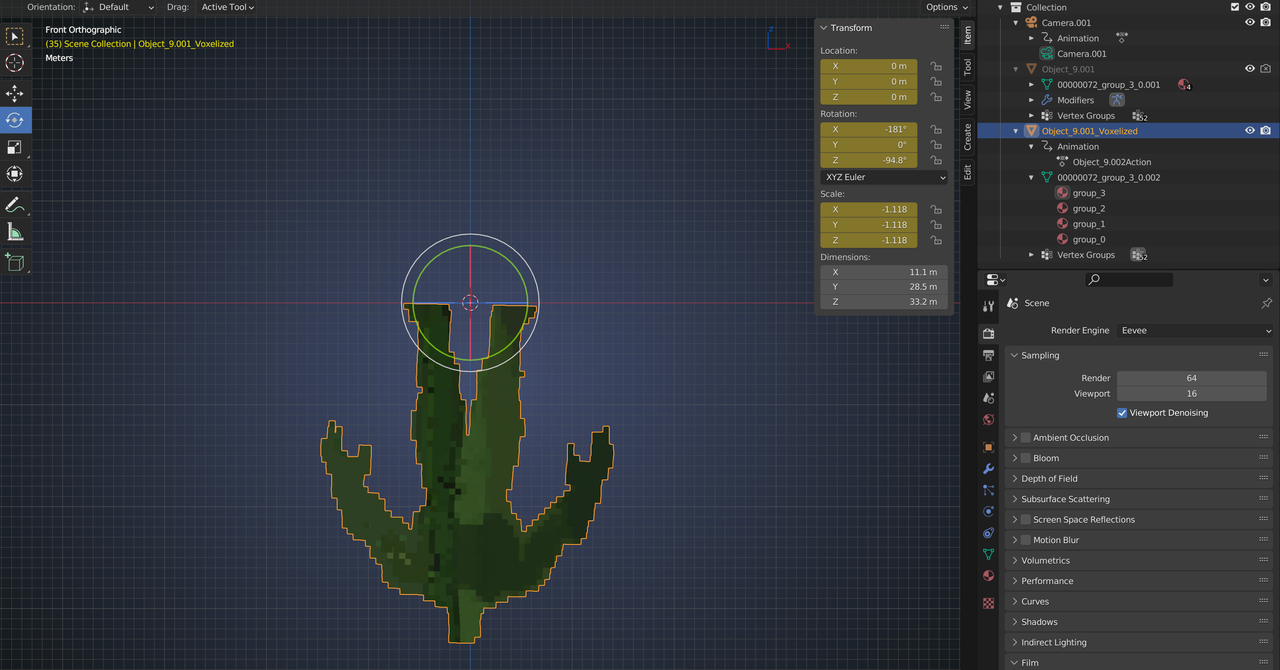
I tried to remove the Keyframes from the original model, but, as you can see, there is still an Action (Animation) on the duplicate..
I don’t have much experience with Import/Export, I gave up on that, because of all the problems you run into…like this…hopefully someone else can shine a light on this issue and how to resolve it.
June 3, 2023 at 1:09 pm #79497Thanks for giving it a shot!
I removed as animations, some mixamo vertex groups and made it as basic and condensed as possible, but the problem persists – texture gets messed up and rotation gets applied.
I’ll keep testing, but if any one has an idea of what the problem is, that will save me a few hair pulls 🙂
June 4, 2023 at 4:42 am #79498Hey Kris @bravecookie7 ,
I figured it out, I think. The UV Transfer goes wrong, because the Target is not where the Source is, but rotated, so it transfers part of the sole of the foot onto the whole model.
If you Rotate the original, so that it matches the result, it works:
This is Front Orthographic View (I moved the voxelized Hulk to the side):
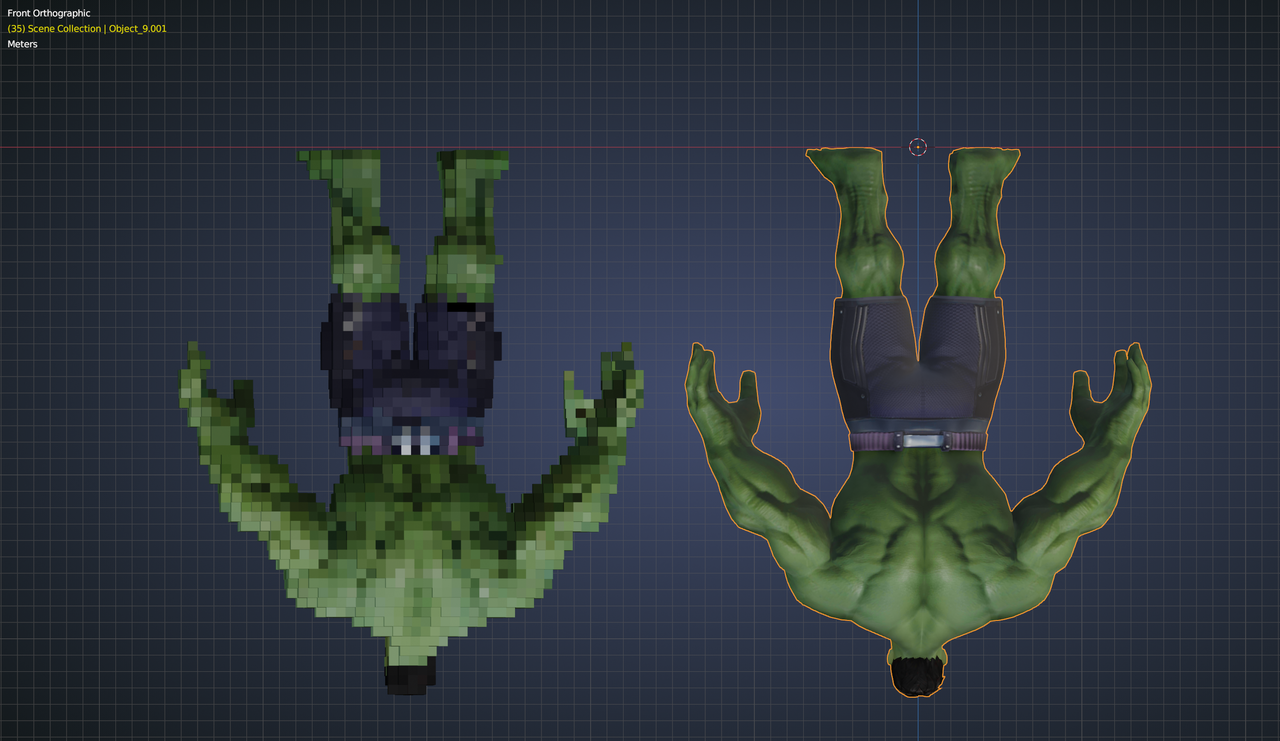
(I hope you still have some hair left)
June 4, 2023 at 8:28 pm #79499Thanks for continuing to trouble-shoot this odd issue, Martin!
I tried to replicate based on what I understand the proposed solution is but I cannot get it to fully match the texture – https://i.imgur.com/DGyy1qU.png – his face looks like he has seen the rough end of a bat.
Matching the rotation does improve things tremendously, so you are definitely on to something.
Is there a way to know if you are exactly matching the orientation of the result? It seems like the model is -180 X and -90 Z but is there way to know it is not -179.9 and that to throw off the whole thing?
Do you know of a way to strip down everything from a model to kind of “reset” it so whatever is causing this rotation can be removed? I tried exporting and importing in different formats, but garbage out, garbage in I guess, so didn’t help.
===================
I’m trying to figure out how to best troubleshoot these issues as I need to voxelize a few models. The best ones come from the same Sketchfab artist and all have the same issue. I can always find another Hulk, but this artist has hard-to-find models, so I want to figure out how to solve this problem across the board.
Thanks for all your help!
June 5, 2023 at 12:49 am #79500I used exactly 180° and 90°, but Iäm not sure if that’s correct (I expect it, but…) I don’t know what is causing that rotation in the first place…
Let’s try this: ALT+R and then Voxelize:
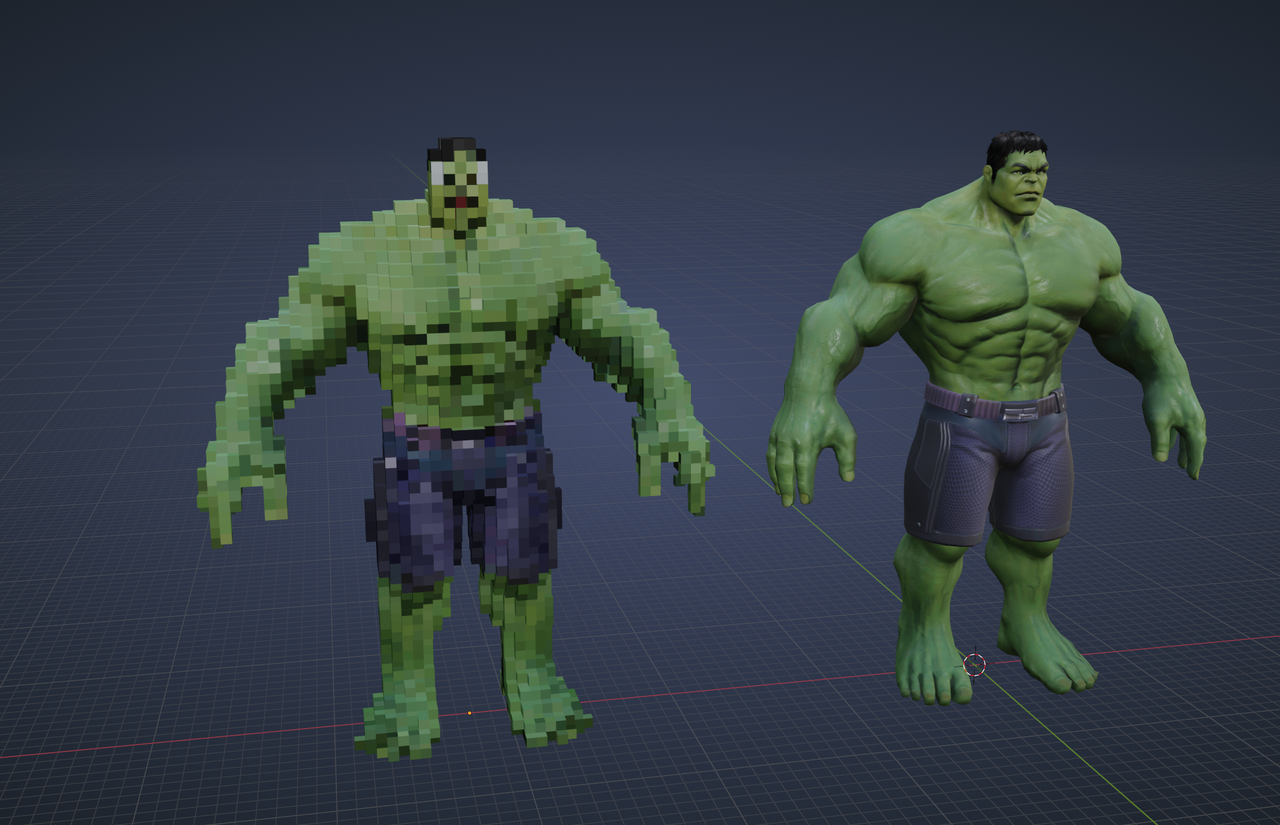
Maybe you should also look at the Scale? (Try removing the minus signs, or just use ALT+S, whatever gives the best result…if it makes a difference at all)
June 5, 2023 at 9:52 am #79501Alt+R was the magic solution!
Thank you, Martin, I owe you a coffee / beer!
June 5, 2023 at 10:30 am #79502Here is another head scratcher that does NOT have any rotation issues, but it messes up the face when voxelized – https://i.imgur.com/KvhLRqS.png
Here is my process in case I’ve contributed to the messing up –
1) I have a Captain America, posed in Mixamo
2) When voxelized as is, as somewhat expected the result is an abomination – https://i.imgur.com/F0ymfN6.png
3) Removed all animations
Ctr + A – apply all transformations
Alt +P – clear parent keep transformations
Convert Mesh to Mesh – apply all modifiers
Now, when voxelized, I get to https://i.imgur.com/KvhLRqS.png – which is a great improvement, but no idea as to what to do next to fix the face.
This is the Mixamo posed mode – download here
This is the stripped down model with the messed up face – download here
The only thing that I can think of to try is go through the tedious process of combining all textures to one.
Any and all help is appreciated! I’ll keep on testing.
June 5, 2023 at 10:57 am #79503Hi Kris,
I will have to look at this tomorrow, but at a first glance, compare the Transforms in those two files (spoiler: I do not like those Scales at all!):
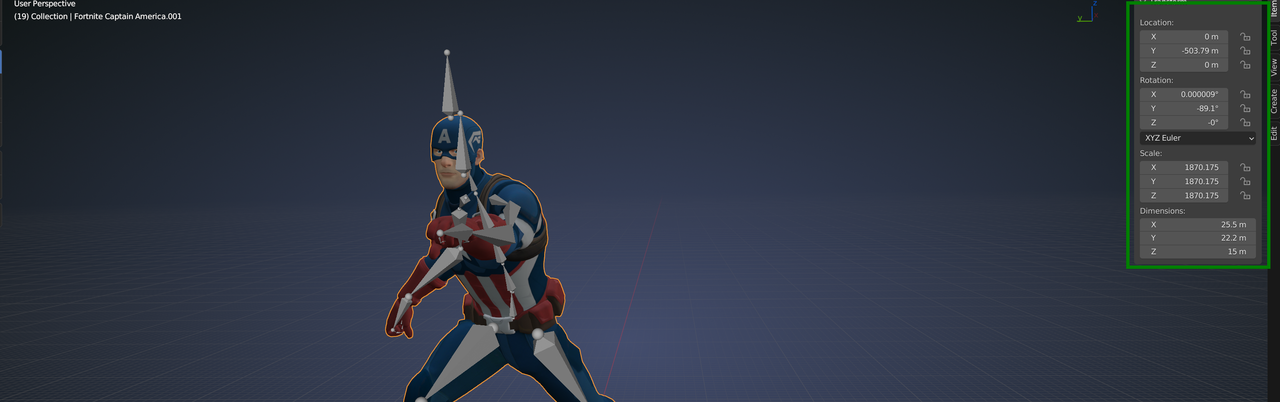
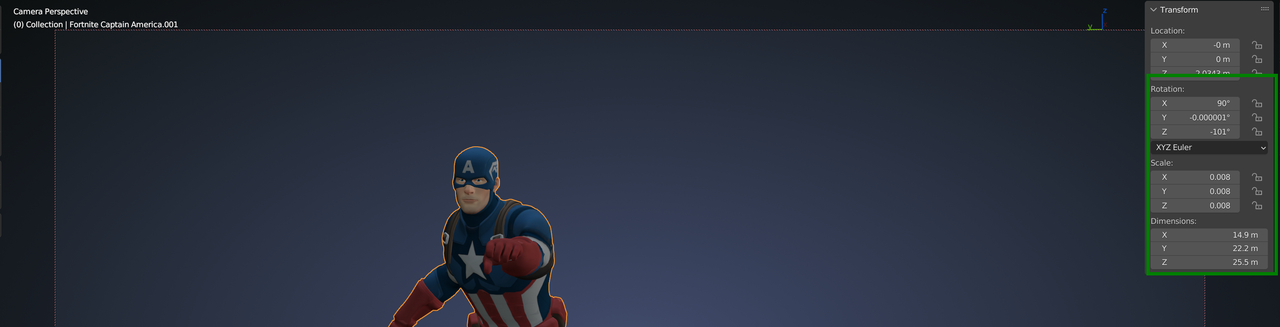 June 5, 2023 at 6:45 pm #79504
I tried a few different things, but nothing produced any results. I see the transforms are odd but could not figure out a solution with them.
June 6, 2023 at 2:46 am #79505Hey Kris,
The Head and Helmet have their own UVMap (and image):
 June 6, 2023 at 6:46 am #79506
Does that mean that the script only handles things when they are combined into one texture / uv map?
-
AuthorPosts


- The topic ‘Texture problem when voxelizing’ is closed to new replies.