Hi Legacy Of Wax;
I do not think it’s your tablet that’s causing this. Try painting with your mouse to see if it makes a difference. You can also try it with your tablet, but with pressure sensitivity turned of.
As far as the Airbrush is concerned, try changing the Rate:
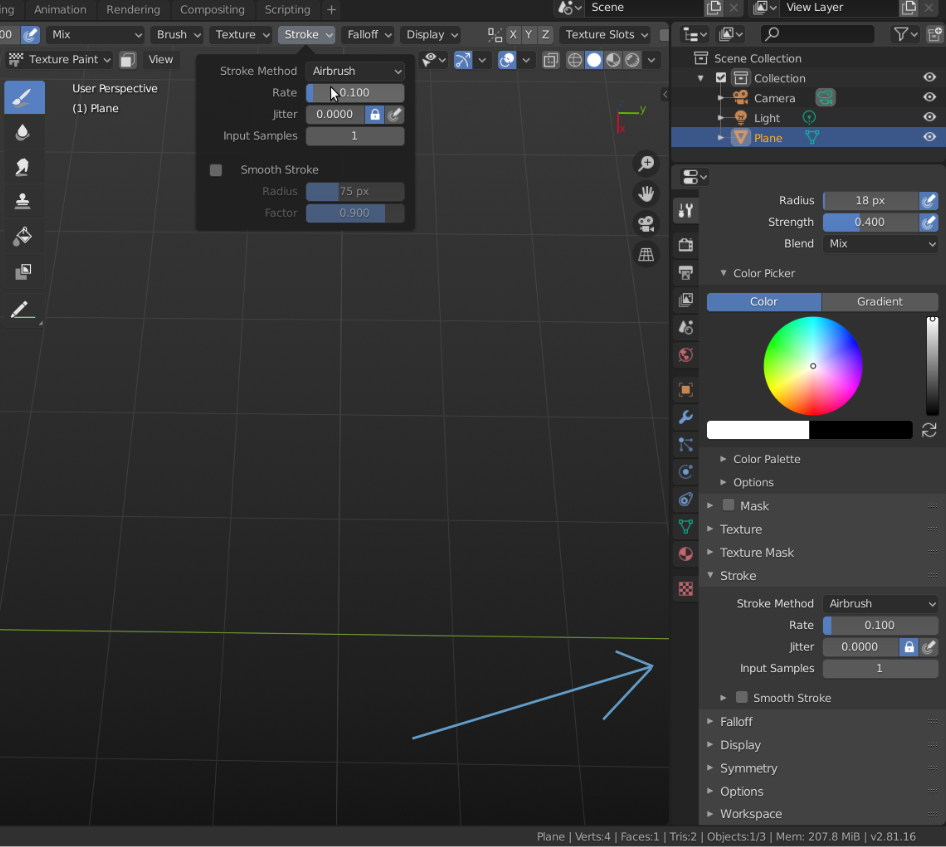
A smaller Rate puts the points closer together. It’s a time dependent rate, so also moving the Brush slower helps.
Can’t reproduce the double line issue. Maybe that’s because I have 2.81.
I have also tested this in 2.83 and in that version the Rate of the Airbrush doesn’t seem to work. (It behaves like the rate is always set to infinity..)
Just saying, they appear to be working on Texture Painting, so differences between versions are possible.
I highly recommend switching to the latest stable release: 2.81.

.

