Texture Painting, Closed Curves

Forum Archive Texture Painting, Closed Curves

Viewing 14 posts - 1 through 14 (of 14 total)
  • Author
    Posts
  • #13228
    Dana Williams
    Participant

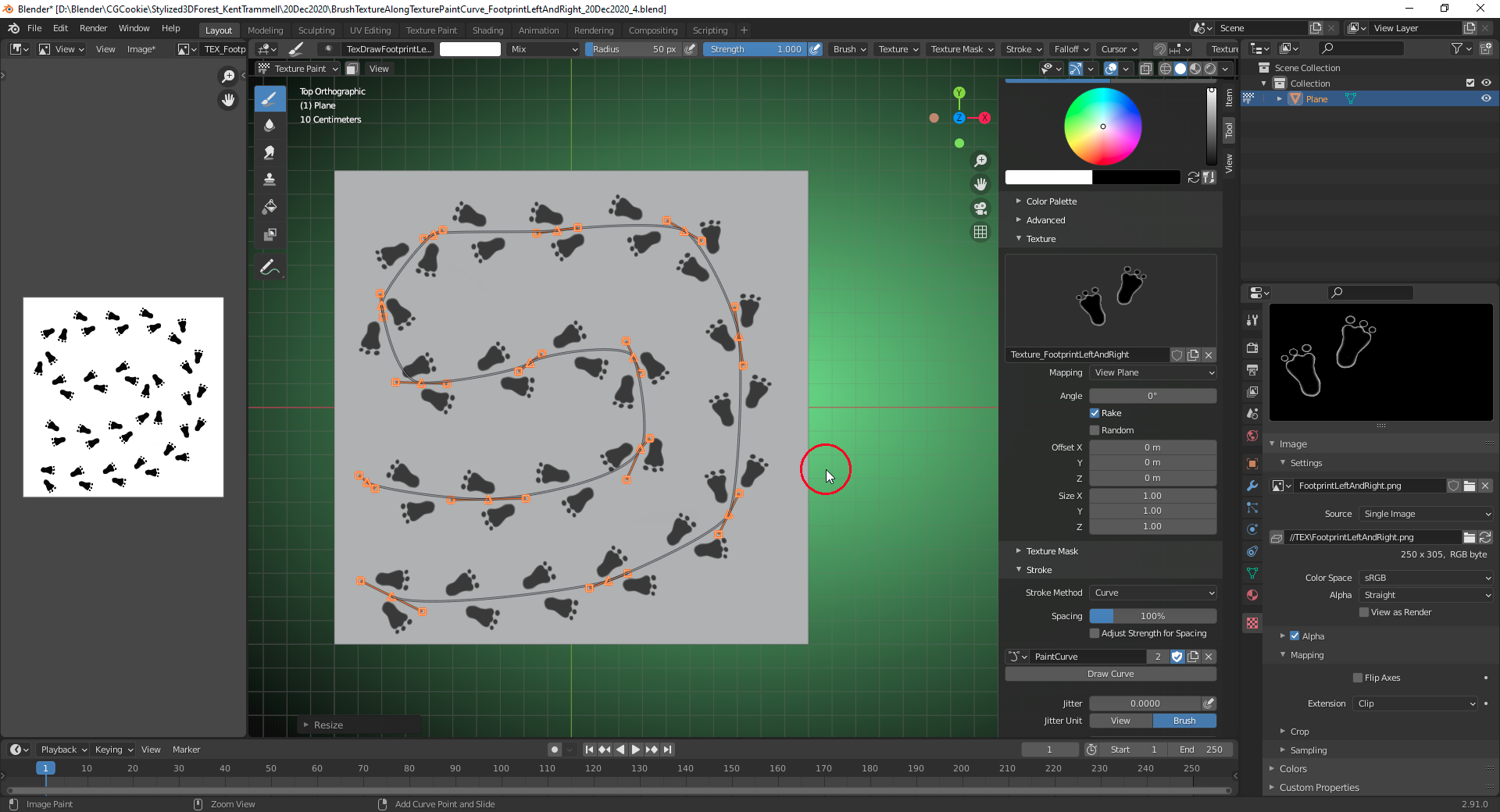
      Is there a way to close the Stroke Method Curve in Blender 2.91’s Texture Paint? Something like the Cyclic U option when you are using the Spline Tool? Or, do you just have to overlay the beginning and endpoints? 

      #62057
      spikeyxxx
      Participant

        As far as I know there is no cyclic option. The manual also doesn’t mention it. Here are the possibilities:

        https://docs.blender.org/manual/en/dev/sculpt_paint/brush/stroke.html?highlight=sculpt%20curve

        #62058
        Dana Williams
        Participant

          Thanks, spikeyxxx. I did actually check the manual and do 30 min of searching before asking. It just seems inexplicable that there isn’t a way to do it. I’ve never seen a curve tool that didn’t offer this feature. Also, some of the videos I’ve seen make it look like it is possible, but that is likely not the case.

          For example here at 1:31

          https://www.youtube.com/watch?v=YRwToPPGaZU

          #62059
          spikeyxxx
          Participant

            It does indeed look like ti in the video, but I also can’t see the option to close the curve at the bottom of the screen, so who knows…

            But I saw that you asked him in the comments, so hopefully he can clear that up ๐Ÿ™‚  

            #62060
            Dana Williams
            Participant

              The author of the video confirms that it only looks like he closed the curve. 

              #62061
              spikeyxxx
              Participant

                Thanks for letting us know.

                #62062
                Ingmar Franz
                Participant

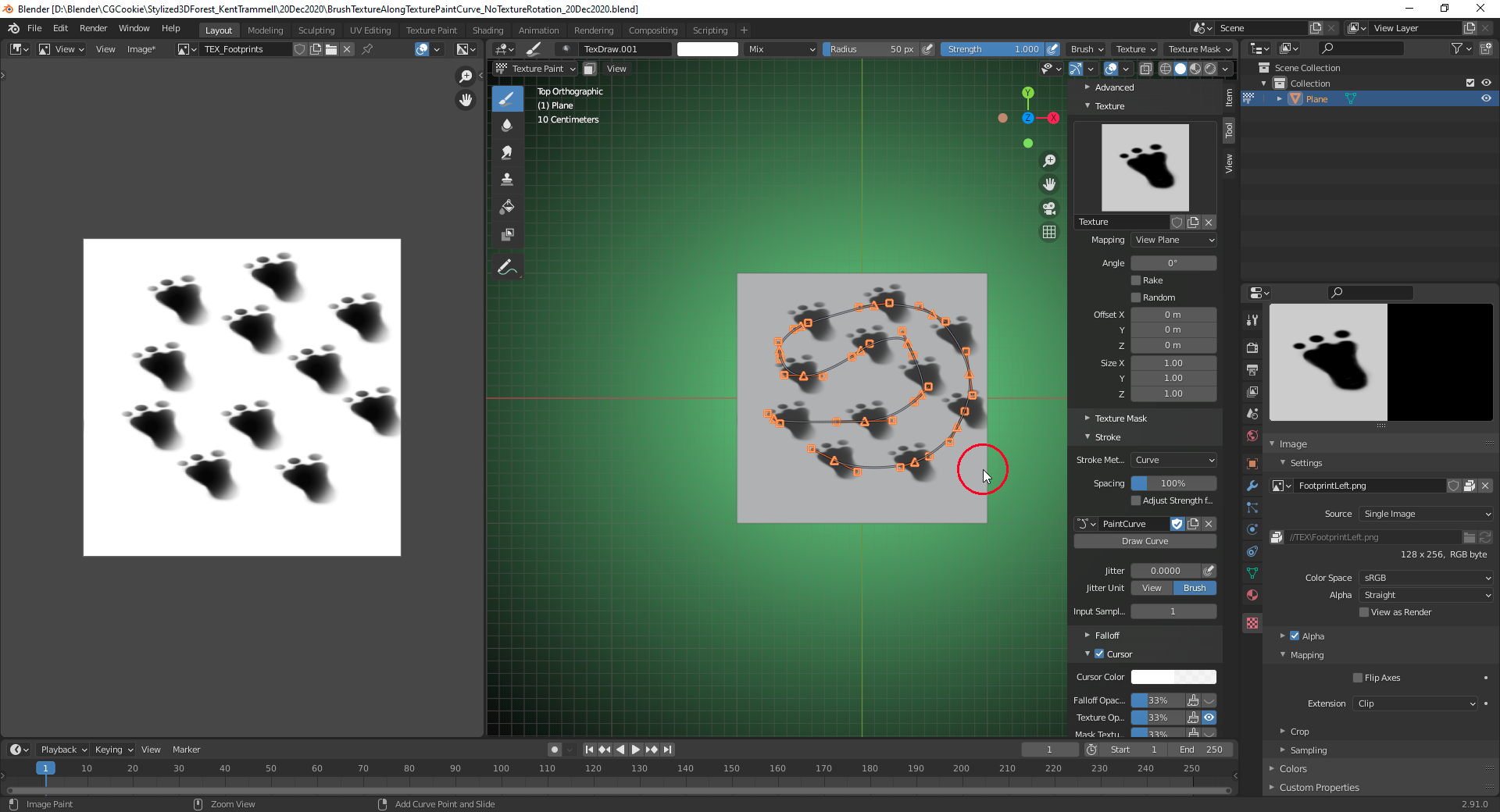
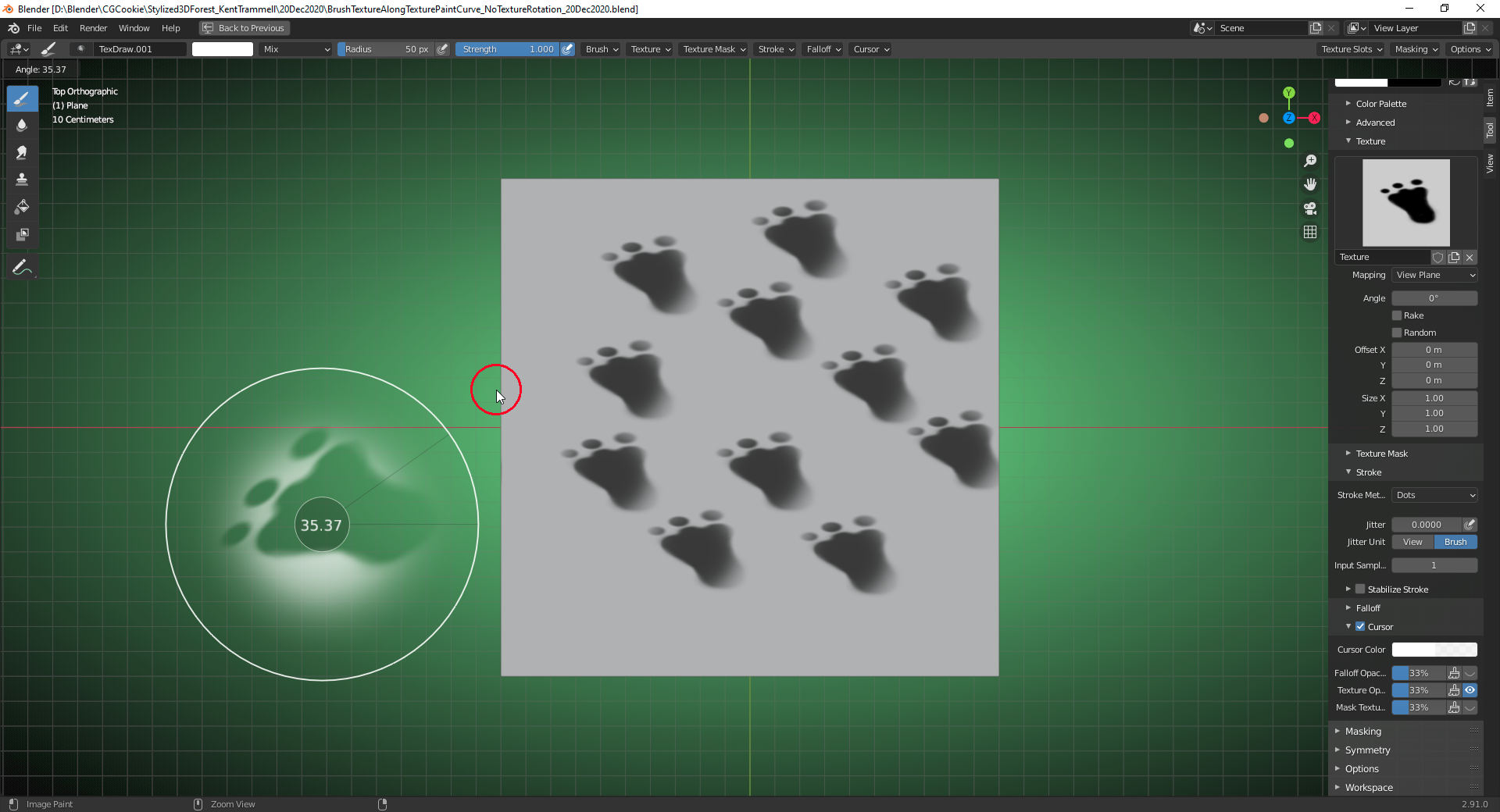
                  At least the result of a closed curved can be achieved in “Texture Painting” with very closely positioned starting and end points. What I’m wondering is whether a brush texture can be rotated automatically so that it follows the curve direction. I can duplicate this texture along a curve only in one direction:

                  Do I have to create this rotation step by step manually with “CTRL + F” (?):

                  #62063
                  Dana Williams
                  Participant

                    Ingmar Franz, Unfortunately, the Texture Paint curve seems to be only a Stroke Method and it only exists in two dimensions with beginning and end points.

                    #62064
                    spikeyxxx
                    Participant

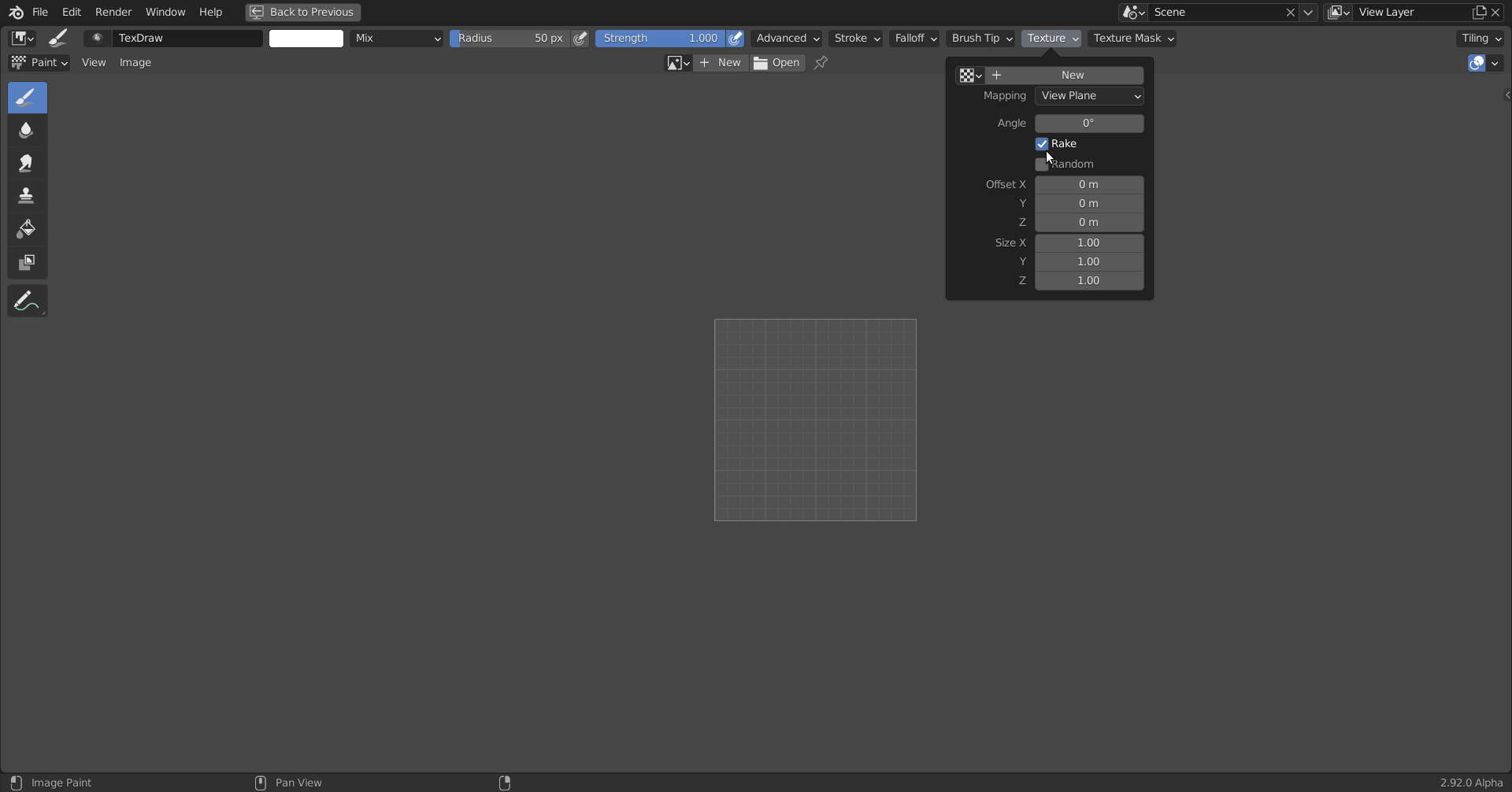
                      @duerer check Rake in the Texture settings:

                      #62065
                      Ingmar Franz
                      Participant

                        @dana_w You can rotate the “Paint Curve” using “Trackball Rotation” (pressing “R” twice) but as soon as you confirm the rotation the curve is projected onto your “Viewing Plane”. I’ve found an overview of the “Paint Curve Operators” for Blender 2.92 here. I don’t know what the operators

                        bpy.ops.paintcurve.slide
                        bpy.ops.paintcurve.add_point_slide
                        bpy.ops.paintcurve.cursor

                        are for. Maybe they are only working in “Sculpt Mode” where this “Painting Method” also exists. Blender crashed several times during my tests of these operators ๐Ÿ˜‰.

                        #62066
                        Ingmar Franz
                        Participant

                          @spikeyxxx Thanks a lot ๐Ÿ˜€๐Ÿ˜€๐Ÿ˜€!!! That’s great news (new at least for me ๐Ÿ˜‰)!

                          #62067
                          Dana Williams
                          Participant

                            spikeyxxx & Ingmar Franz, Thanks! That is very helpful. 


                            #62068
                            Ingmar Franz
                            Participant

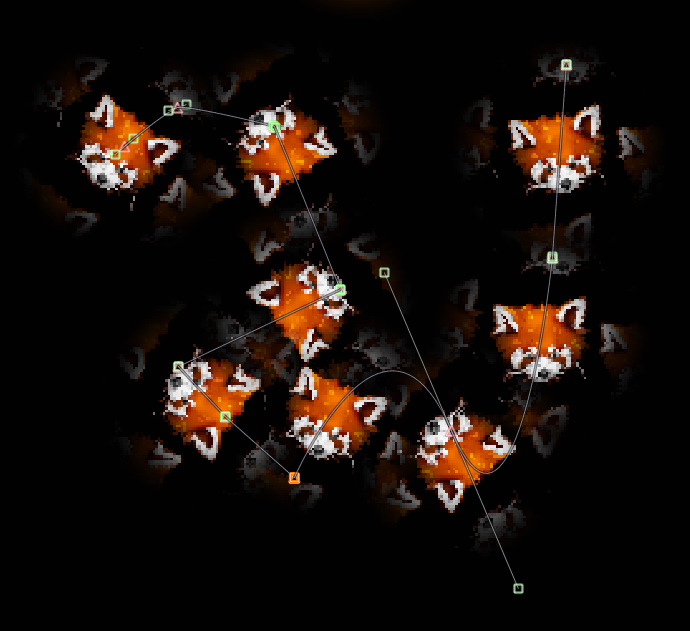
                              I like the “Rake” option ๐Ÿ˜‰:

                              #62069
                              Ingmar Franz
                              Participant

                                I’ve tried the two operators for “Paint Curve Slide” and “Paint Curve Cursor” in Blender’s “Python Console” while in “Sculpt Mode” and got these messages:

                                >>> bpy.ops.paintcurve.cursor()
                                {‘PASS_THROUGH’}

                                >>> bpy.ops.paintcurve.slide(align=False, select=True)
                                {‘PASS_THROUGH’}

                                They seem to have no effect. Or does anybody know what’s the correct usage of these operators? Other operators return a 

                                “{‘FINISHED’}” message, for example:

                                >>> bpy.ops.paintcurve.add_point(location=(100, 1000))
                                {‘FINISHED’}

                              Viewing 14 posts - 1 through 14 (of 14 total)
                              • The topic ‘Texture Painting, Closed Curves’ is closed to new replies.