Texture paint “project paint” option in Blender 2.8

Forum Archive Texture paint “project paint” option in Blender 2.8

Viewing 3 posts - 1 through 3 (of 3 total)
  • Author
    Posts
  • #10681
    Paul Vink
    Participant

      Hi all, 

      I just watched the Base Textures video in the course “Short Film Character Production“. There, the option ‘Project paint’ is used. With this turned on or off, it allows us to paint within the borders of a UV island or to paint on top of it. After starting Blender 2.8 to try this myself, I noticed that I couldn’t find this option.

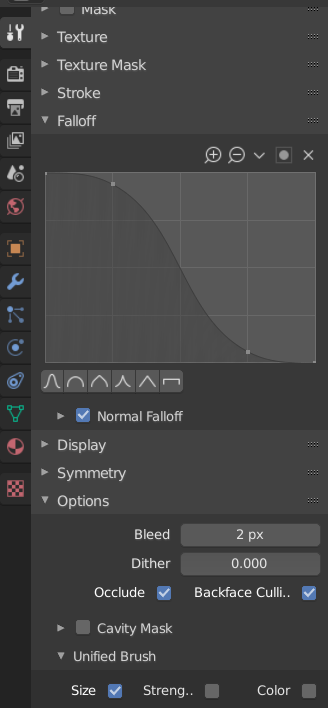
      Does anyone know where I can find the “Project paint’ option (with the sub-options occlude, cull and normal) in Blender 2.8?

      Thanks!

      #50790
      spikeyxxx
      Participant

        Hi @paulmcmxcii I am not sure about the old Project Paint option, it seems to be doing that always…

        The sub-options can be found in your Tool Settings:

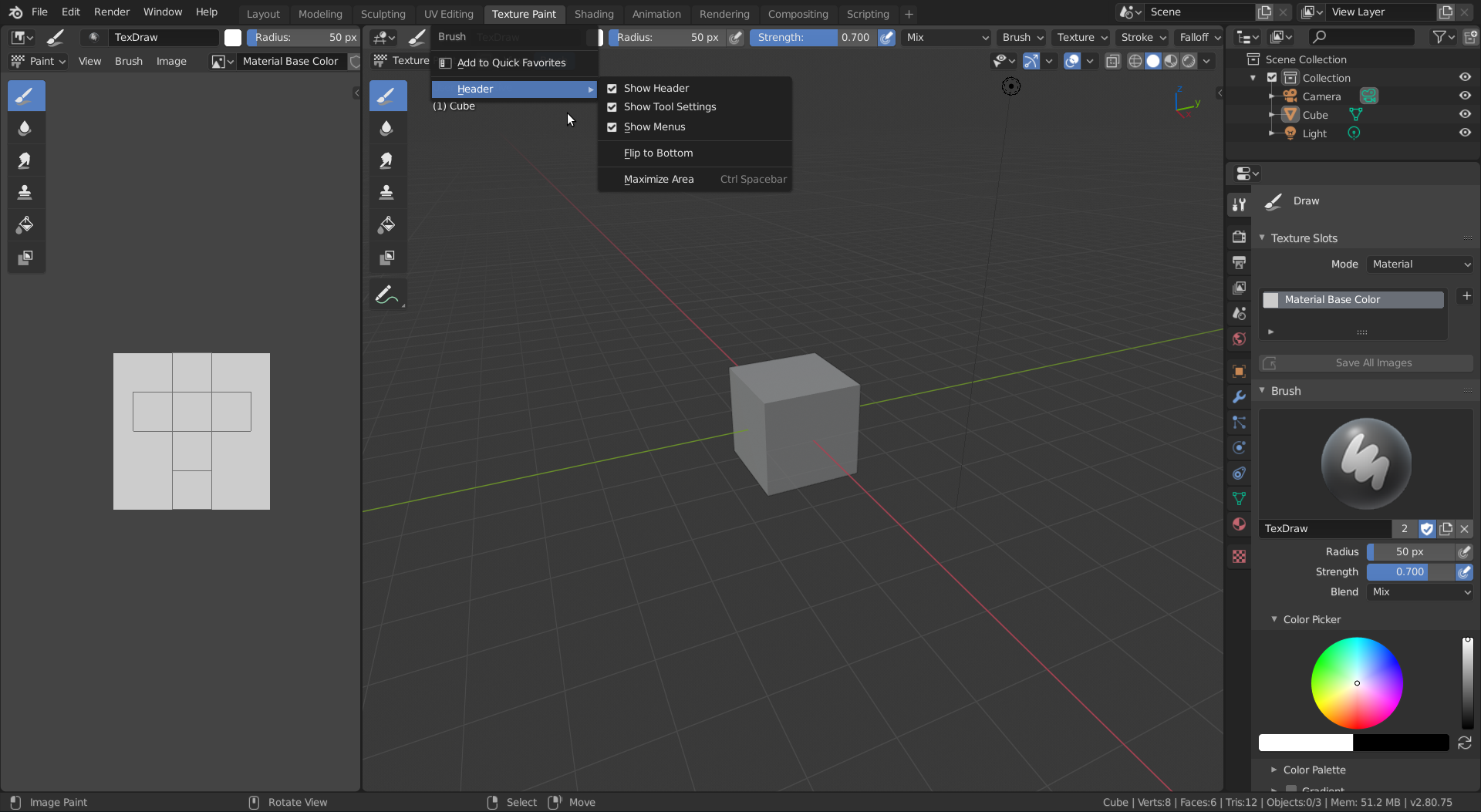
        You can also have the Tool Settings on top of the 3D View by right clicking on some icon or text on the Header and tick Show Tool Settings:

        #50791
        Paul Vink
        Participant

          Thanks again Spikeyxxx! This will help a lot 🙂

        Viewing 3 posts - 1 through 3 (of 3 total)
        • The topic ‘Texture paint “project paint” option in Blender 2.8’ is closed to new replies.