Texture – mask

Forum Archive Texture – mask

Viewing 4 posts - 1 through 4 (of 4 total)
  • Author
    Posts
  • #16182
    Roxana Moise-Dan
    Participant

      Hi, 

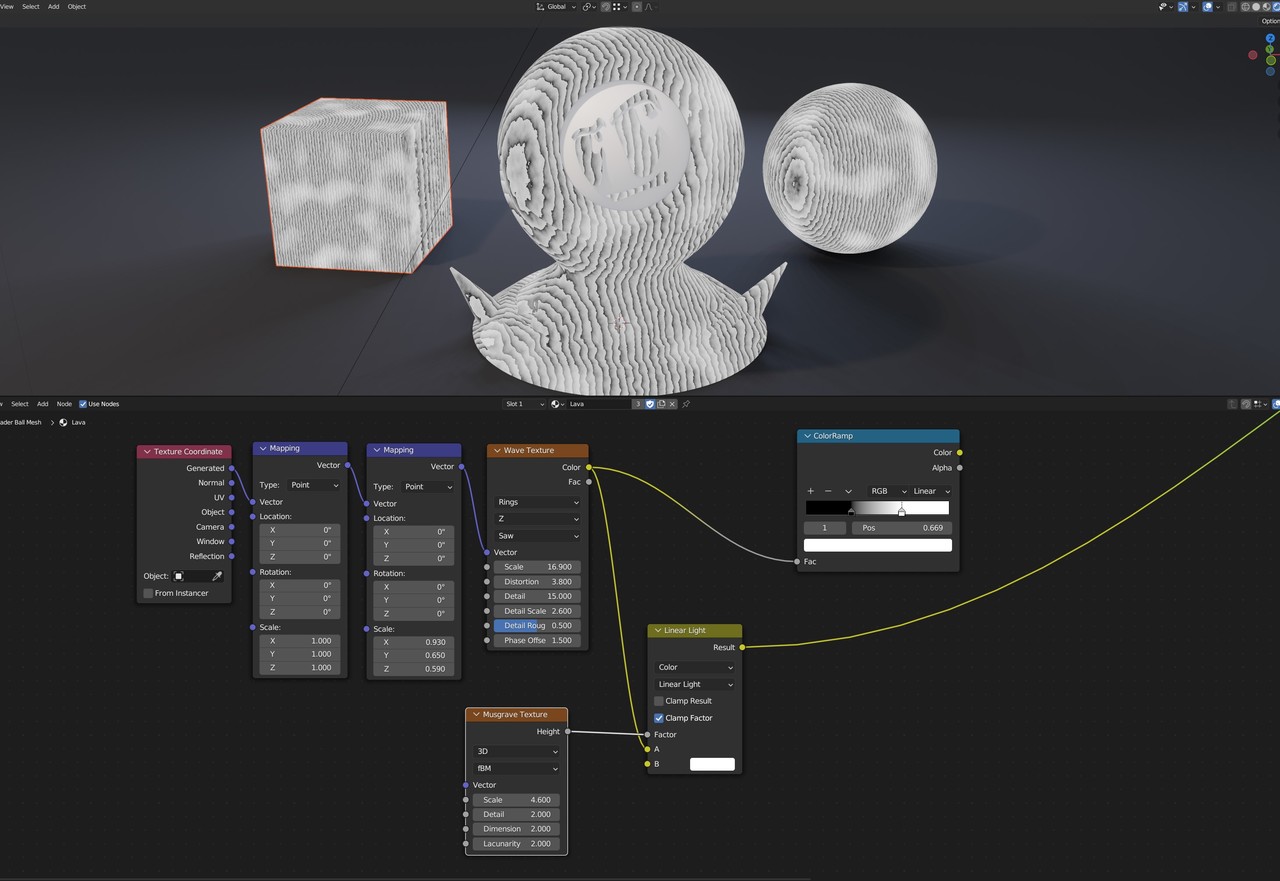
      I have this wavy texture and I want it to show only in specific areas of the object, so for that I created a mask with the Musgrave Texture, but I dont know how to continue. 

      hg.jpg

      #78440
      spikeyxxx
      Participant

        Hi Roxana @ox .

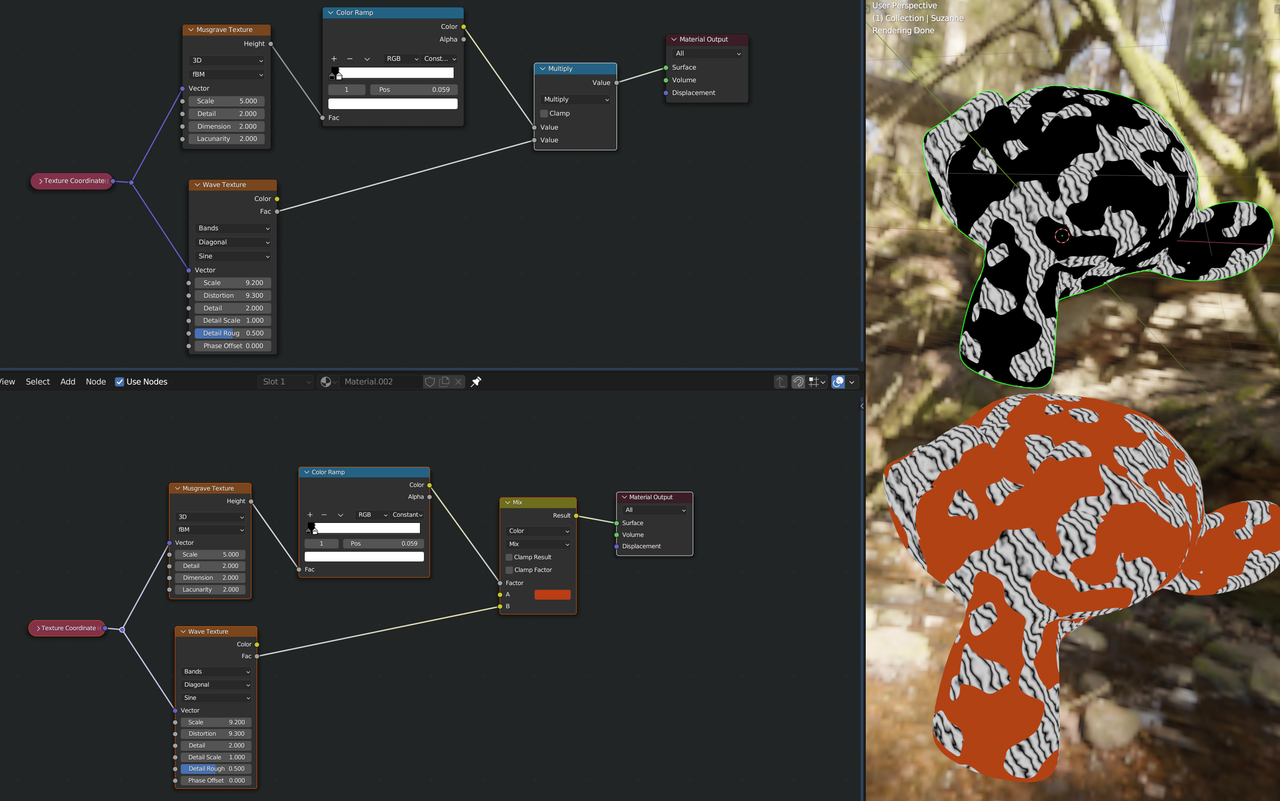
        If you feed the Musgrave Texture through a Color Ramp (new spelling), then the output is automatically Clamped to a [0, 1] range.

        You can then Multiply the result of the Color Ramp with the Wave Texture, where the Color Ramp is 0, the result will be black and where it is 1, it will be the unchanged Wave Texture.

        #78441
        spikeyxxx
        Participant

          Alternatively, instead of Multiplying, you can use the Color Ramp output as the Factor in a Mix Color Node:

          Masking.png

          #78442
          Roxana Moise-Dan
          Participant

            Thank you, @spikeyxxx!

          Viewing 4 posts - 1 through 4 (of 4 total)
          • The topic ‘Texture – mask’ is closed to new replies.