Substance painter normal map problems :(

Forum Archive Substance painter normal map problems :(

Viewing 7 posts - 1 through 7 (of 7 total)
  • Author
    Posts
  • #9553
    Henrique Celeste
    Participant

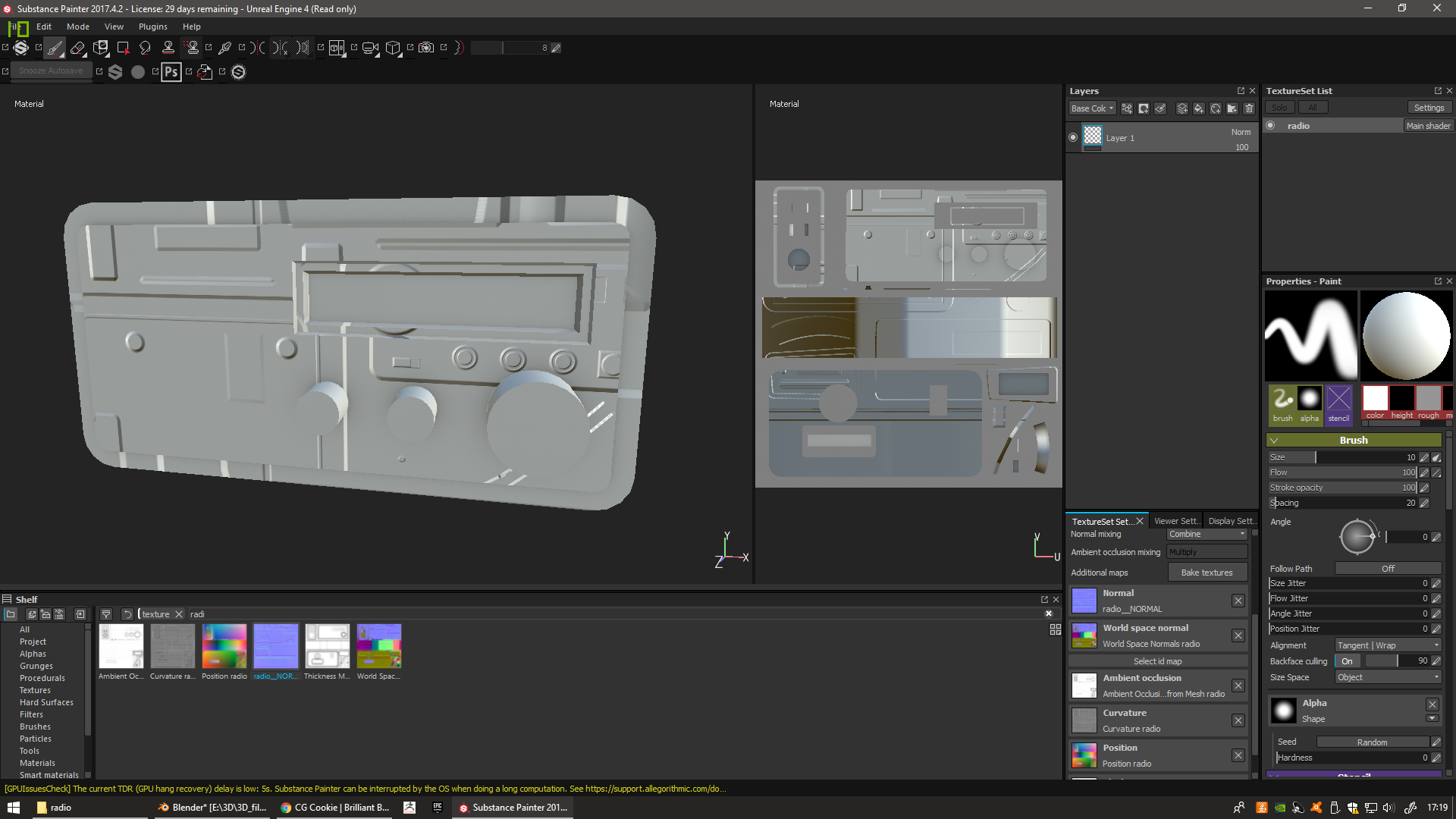
      Hello there, i am doing a radio game asset for a game i must do for school so i did the usual workflow to make assets for games and so i did a normal map, that normal map works out just fine in blender, it projects the details just the way i want it to, but when i put it in substance painter, it seems to me the normal map gets treated as a diffuse map.

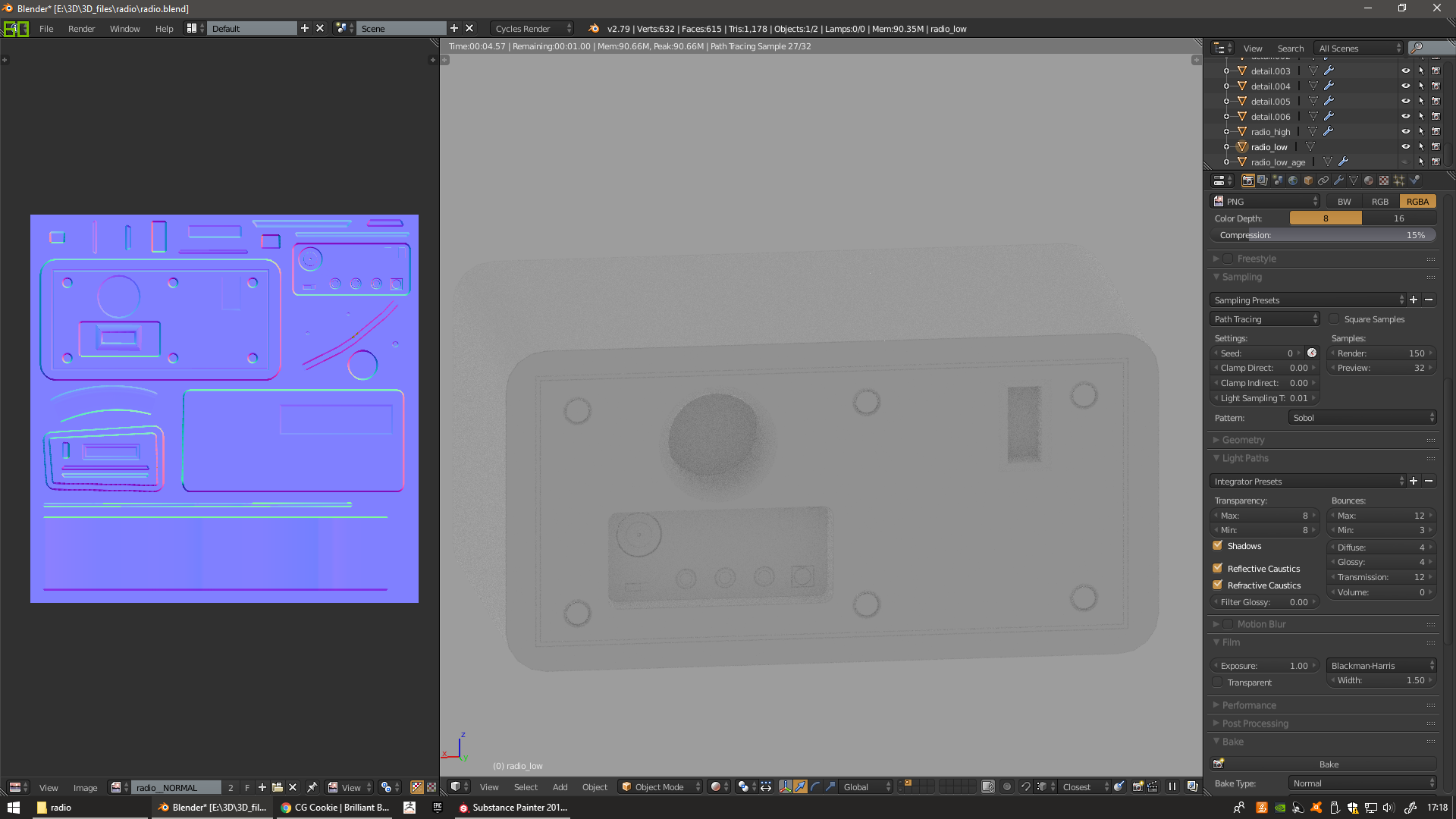
      In blender:

      In substance painter:

      I’ve never had this problem before, if anyone knows the answer to make the normal map work as it should i would be saved! Thanks in advance 🙂

      #34524
      Jonathan Gonzalez
      Participant

        It looks like the UVs were changed between what was used for the normal map and the UVs of the mesh. 

        #34525
        Henrique Celeste
        Participant

          Oh wow, I didn’t even notice that!
          The UVs shown substance painter are old though, i changed them, did the normal map again and exported the fbx of the radio again and put it in substance. So it looks like the model is being exported with UVs that i don’t think exist anymore?

          Print that shows that the UVs of the mesh in blender are the same as the ones in the normal map:

          #34526
          Jonathan Lampel
          Participant

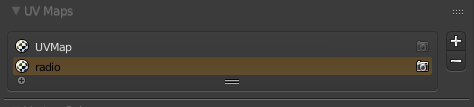
            That can happen sometimes, since meshes can have more than one set of UV’s. You can see the full list in this box (mine is empty since I haven’t unwrapped this particular object yet):

            If you delete any misc. UV Maps that may have come from Texture Atlas or some other thing, then you should be set. 

            #34527
            Jonathan Gonzalez
            Participant

              Also, the model in Substance Painter won’t automatically update. If you updated your mesh in Blender, you can update the FBX file you’re using in Substance Painter by going to Edit > Project Configuration then from there select your mesh again. You need to select the same mesh, even if it’s in the exact same location and with the same name. This will force it to update then you can use the updated UVs. Note that if you did bake anything within Substance Painter you’ll need to redo that process.

              #34528
              Henrique Celeste
              Participant

                You’re a genius Jonathan, you’re right I did indeed have 2 UV sets on the mesh and that was what caused the problem in substance, now it’s working correctly in substance! Thanks a lot both of you!

                #34529
                Henrique Celeste
                Participant

                  Awesome tip! I didn’t know that, the process i would do is just discard the bad substance painter file and start a new one with the the right mesh, that would cause to lose all the progress 🙁

                Viewing 7 posts - 1 through 7 (of 7 total)
                • The topic ‘Substance painter normal map problems :(’ is closed to new replies.