Stuck with shading issues on curved surface

Forum Archive Stuck with shading issues on curved surface

Viewing 14 posts - 1 through 14 (of 14 total)
  • Author
    Posts
  • #9466
    Eddie V
    Participant

      Hello everyone.

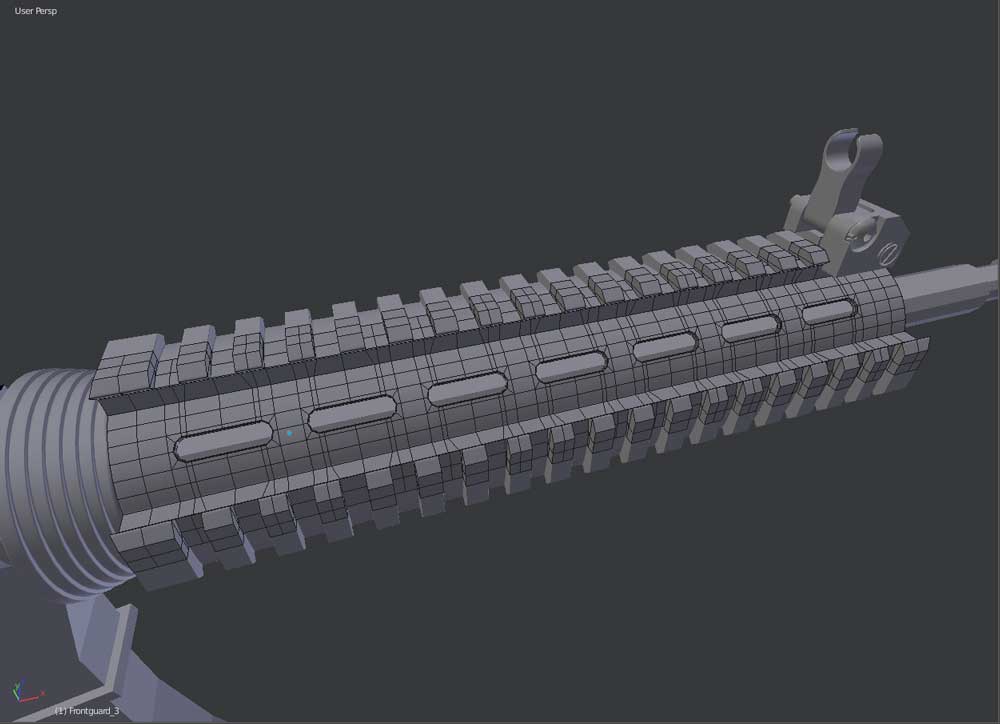
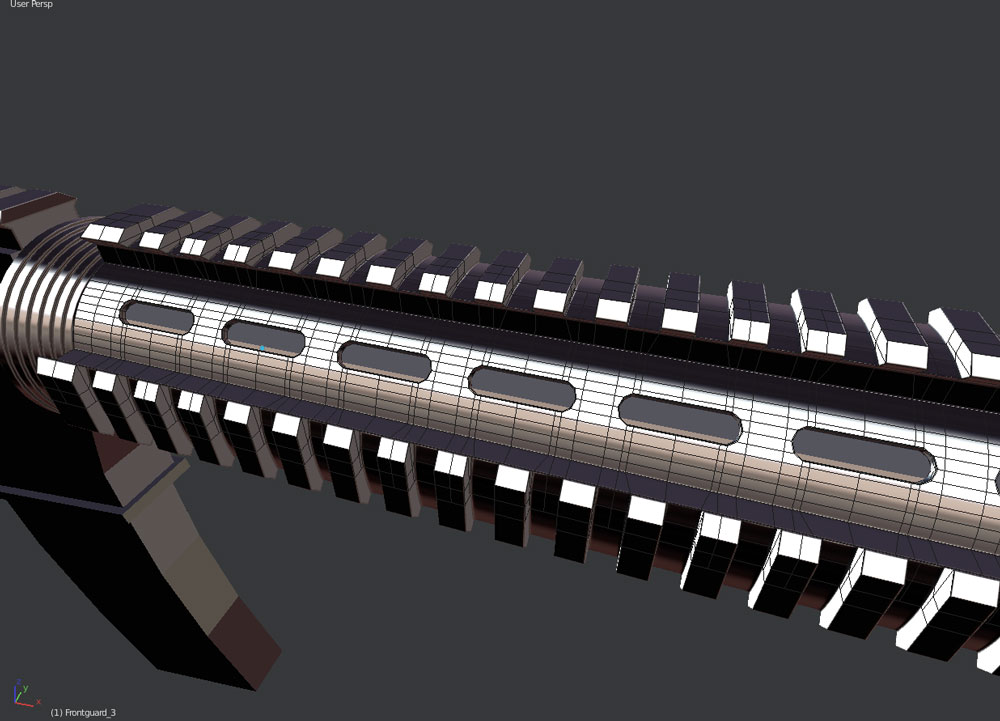
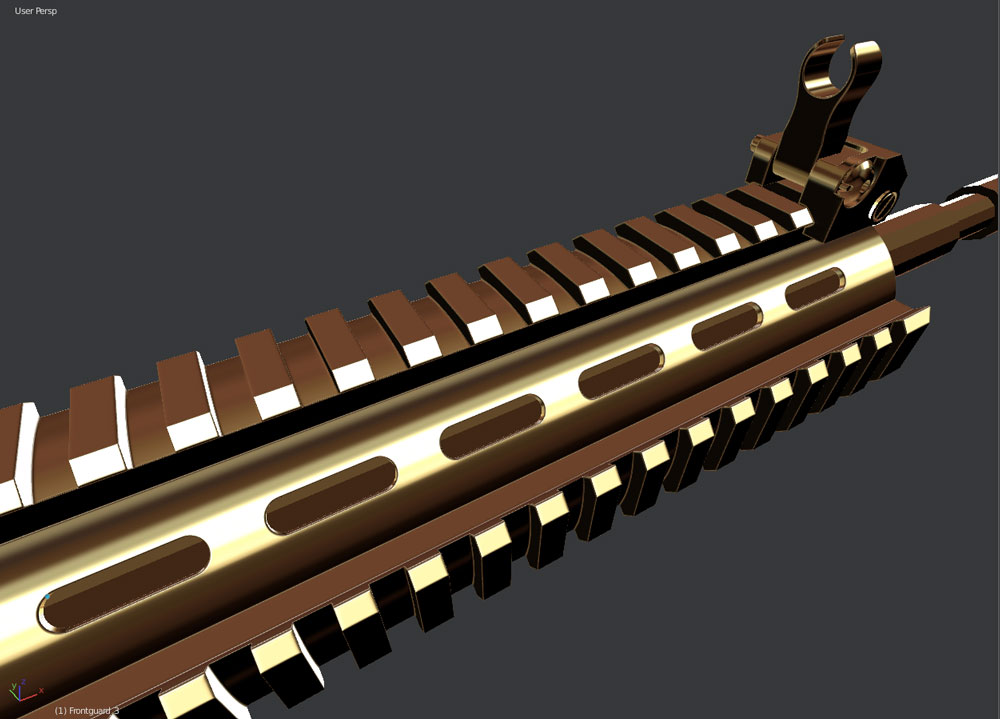
      I have a problem with a model I am working on. Please see the pictures.

      I have tried to fix the shading with Yet Another Vertex Normal Editor (Y.A.V.N.E.) and “Shrink Wrapping” it onto a cylinder with 32 sides and SubD on it… all the same. It did not change…

      I am using the golden shinny MatCap from the “N” panel.

      Thanks for the help.

      Cheers.

      #34104
      Jonathan Lampel
      Participant

        Hey @killzone , are you referring to where the highlights get narrower around the holes? That’s happening because there are two edges very close together in that area, and edges that are very far apart in between where it gets wider. 

        Try continuing your edge loops all the way along the gun instead, like so:

        It’s less ideal since it adds more geometry, but it should fix the shading. 

        #34105
        Eddie V
        Participant

          Hello Jonathan,

          Thanks for the reply. 

          I will take your suggestion and try it… do you think I should have “booled” it?

          Do you think it will make a difference when baking normal maps? It is barely noticeable in other MatCaps… but if I look at other models like the car from “Complete Vehicle for Production” from CG Masters… it is flawless.

          I would like to use my model as a FPS in-game model style animation.

          #34106
          Eddie V
          Participant

            Hello Jonathan,

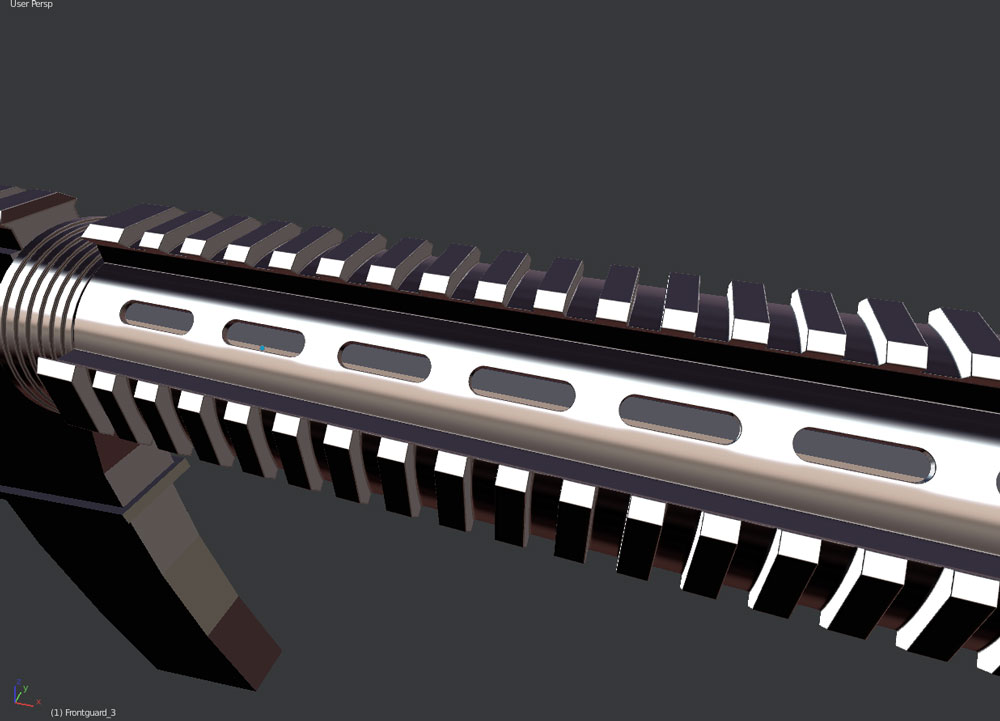
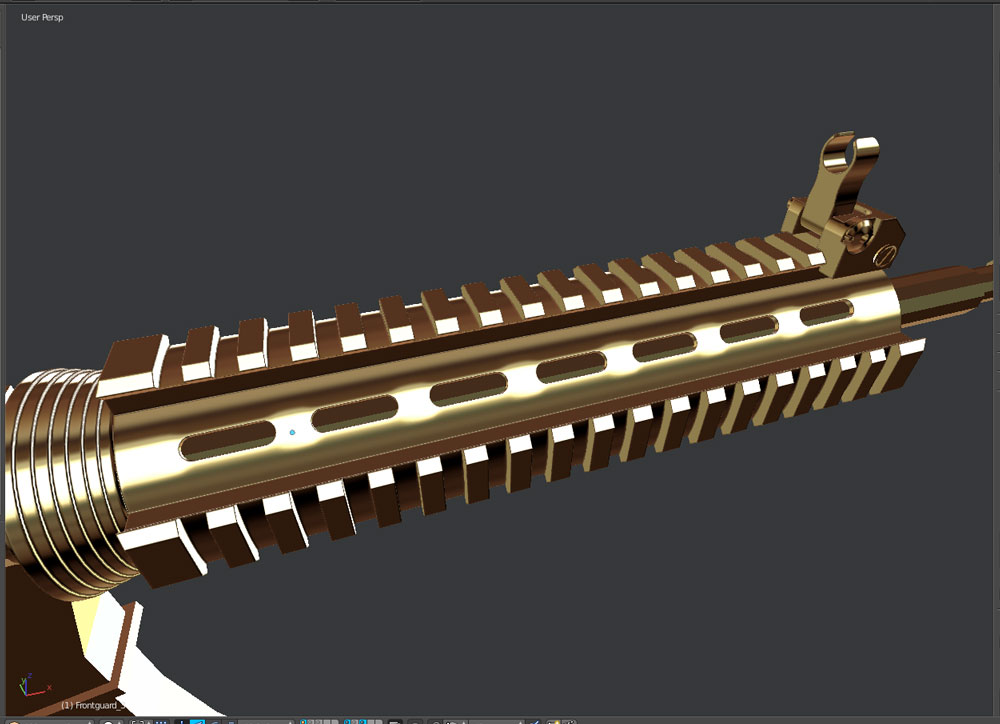
            Ok so I took your advice and ended up with this.

            I basically upped the resolution on the mesh, created a vertex group and made a cylinder the wrap onto… it is much better but it is still visible…

            Is there anything else I can do? I guess only up the resolution on the mesh even more, right?

            Please have a look:

            #34107
            Kaj Suominen
            Participant

              with sub-d you sometimes need to look the end result and not the wireframe. what you can try is to move the vertices that are between the holes upper. its all about the averaging sub-d, and between the holes the division is greater. or you could try adding loopcuts between the holes to even out the topology.. 

              #34108
              Dolores 74
              Participant

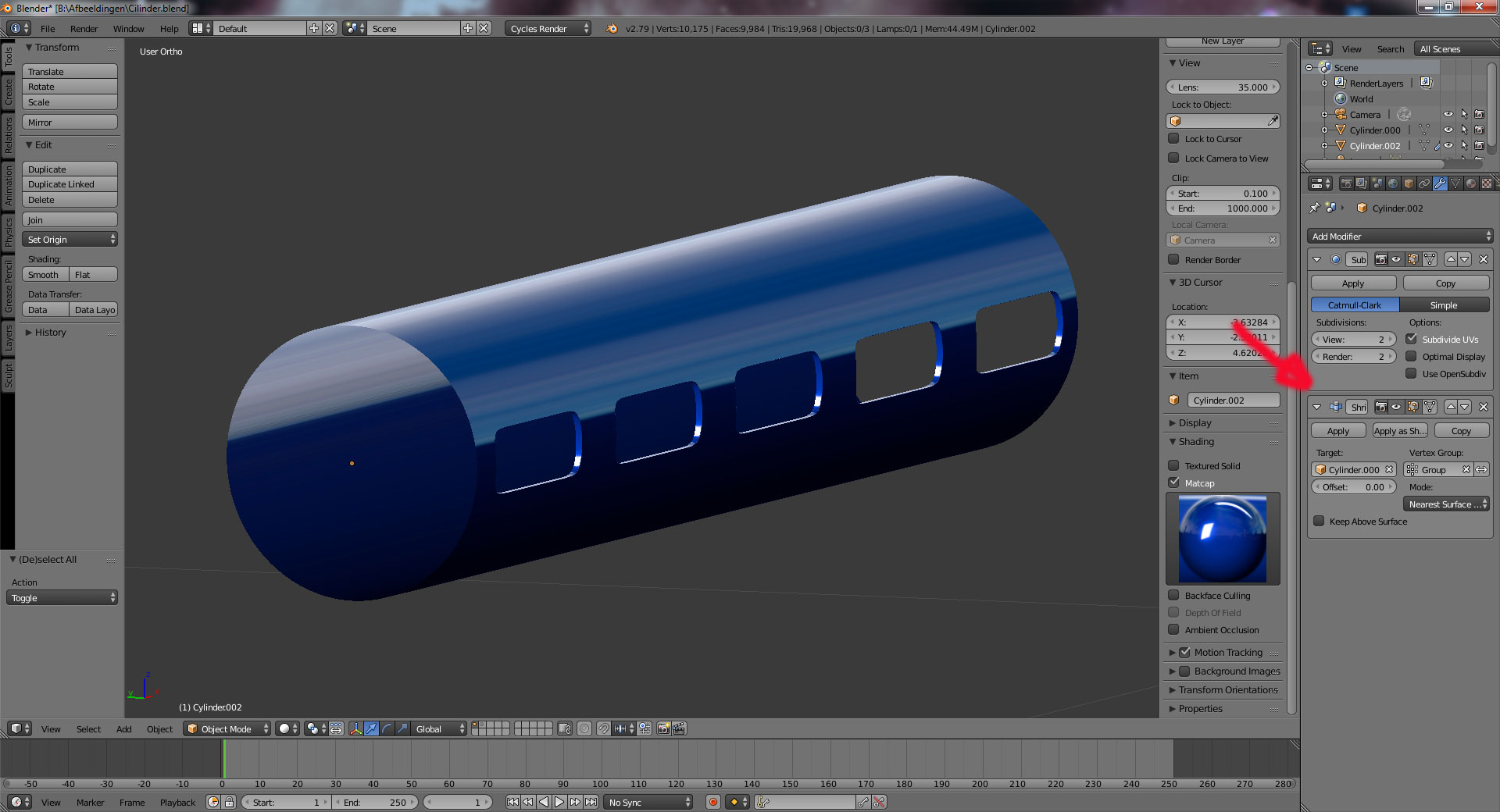
                The cylinder, used for the shrinkwrap, I gave it a subdivision level of 5, but 3 will do. (Layer 2)

                Also, the shrinkwrap has to come after the subdivision.

                To apply the shrinkwrap you will have to apply the subdivision first.

                Here’s the file.

                #34109
                Jonathan Lampel
                Participant

                  It does look better!

                  I would like to use my model as a FPS in-game model style animation.

                  Is this the high poly version or the low poly? If it’s the high poly, feel free to add as much geometry as you need, since the normals will be baked anyway. The low poly will match the shading of the high poly, even if the geometry is slightly off. 

                  #34110
                  Eddie V
                  Participant

                    OK!

                    Here we go… I did all you said and I didn’t understand why it would still be “UNCLEAN”!!!!!11111

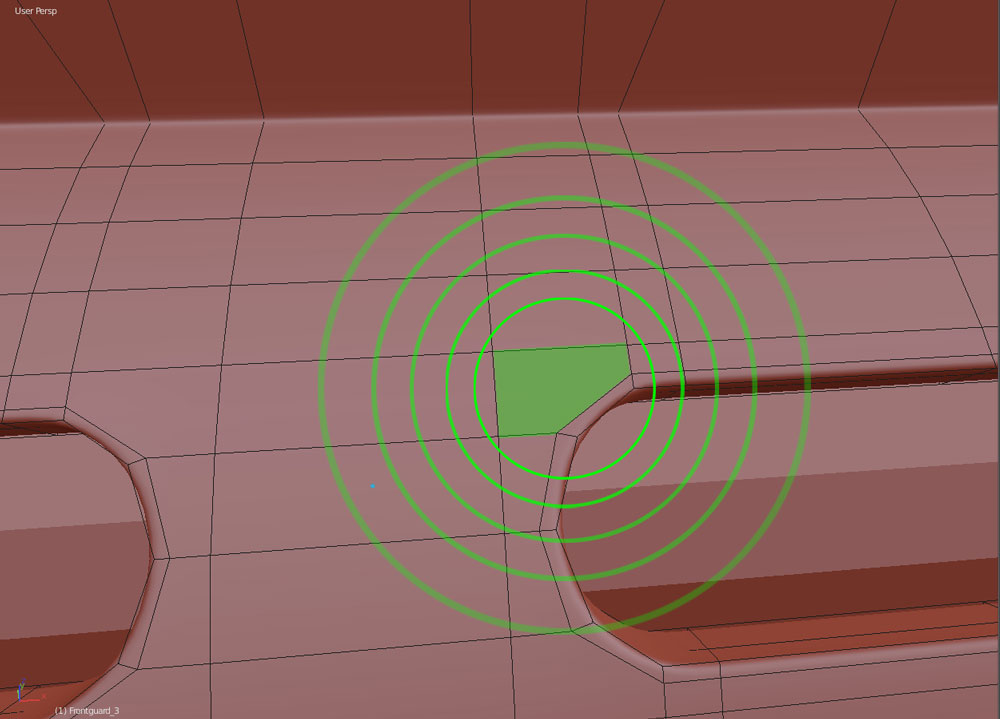
                    Now I tried a lot… and here is the SUSPECT! (And it was in front of me the WHOLE TIME!)

                    GOOD progress! 😀

                    Yes Jonathan… it is supposed to be the high-poly version! :'(

                    #34111
                    Kaj Suominen
                    Participant

                      🙂 glad you found it. those 5 sided ngons are worst to spot atleast for me. 

                      #34112
                      Jonathan Lampel
                      Participant

                        Excellent, that’s looking much better! I totally missed that too when looking at the mesh earlier. Keep up the good work 👏

                        #34113
                        Eddie V
                        Participant

                          Cheers… Yeah this is how we learn… “Next time you’ll better be lookin’ out for them damn n-gons, boy!”

                          😀 😀 😀

                          #34114
                          Ben Reynolds
                          Participant

                            Anyone know if MeshLint is still supported? It was an addon that scanned your mesh and highlighted tris, ngons etc. Haven’t tried it with 2.7x though.

                            #34115
                            Eddie V
                            Participant

                              Hi Ben,

                              Interesting… I will check that later! 😉

                              #34116
                              Kaj Suominen
                              Participant

                                its still suppported. sometimes has few issues with multiple objects selected. but 99% times works like a charm.

                              Viewing 14 posts - 1 through 14 (of 14 total)
                              • The topic ‘Stuck with shading issues on curved surface’ is closed to new replies.