Strange shading on top face

Forum Archive Strange shading on top face

Viewing 7 posts - 1 through 7 (of 7 total)
  • Author
    Posts
  • #16329
    Parker Muirhead
    Participant

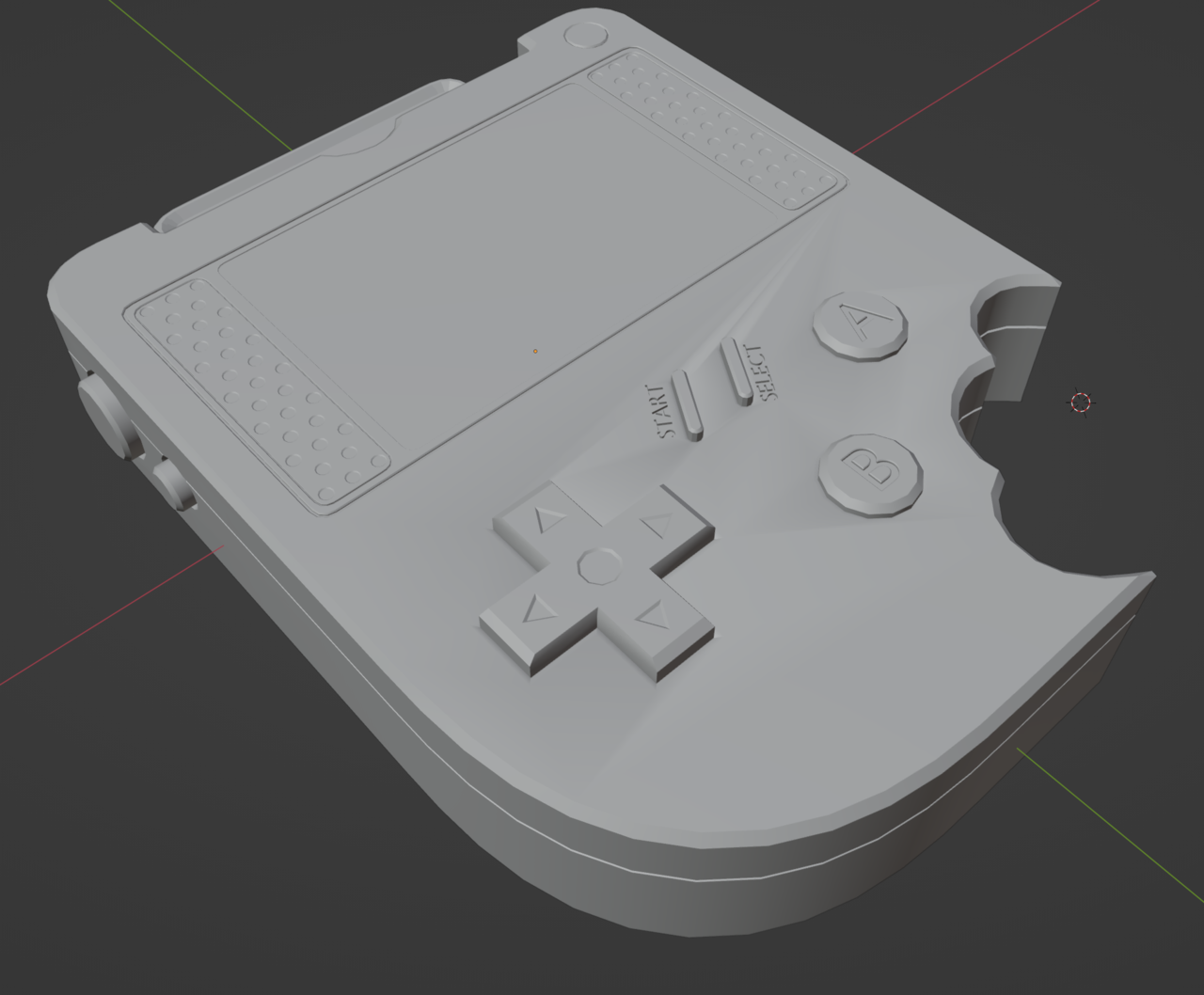
      Can anyone explain why I’m getting these weird shading errors? It started happening when I turned smooth shading on.

      All my normals are ok, and there are no duplicate verticies. All verticies on the top face are level with each other in the z-plane. I can’t seem to figure out what else it would be. Please help!

      I thought it might’ve been something to do with the text, but even when I delete the text it is still shaded weird.

      I have a screenshot but it won’t let me attach it for some reason?

      #79029
      Parker Muirhead
      Participant

        There we go, here is the screenshot

        023-05-08 155617.png

        #79030
        Martin Bergwerf
        Participant

          Hey Parker,

          Try changing your Auto Smooth (treshold) Angle…

          Or post a link to your .blend file (via any filesharing service you like), if you are really stuck.

          #79031
          Adrian Bellworthy
          Participant

            Its probably the inset of the button holes is not deep enough, and therefore the angle of the edges around the button being less than 30°, the default for the auto smooth.

            #79032
            Omar Domenech
            Participant

              And sometimes if the Ngon is too big and don’t have enough connecting edges, it tends to do that weird shading thing. So if the standard approaches of the auto smooth angle doesn’t work, try connecting a few more edges with J around the troubled area.

              #79033
              Parker Muirhead
              Participant

                I’m a bit late, busy with other things, but thanks Adrian! It was the the angle around the button indents causing the issue. Moved them down ever so slightly and it corrected the shading

                #79034
                Elaine Lin
                Participant

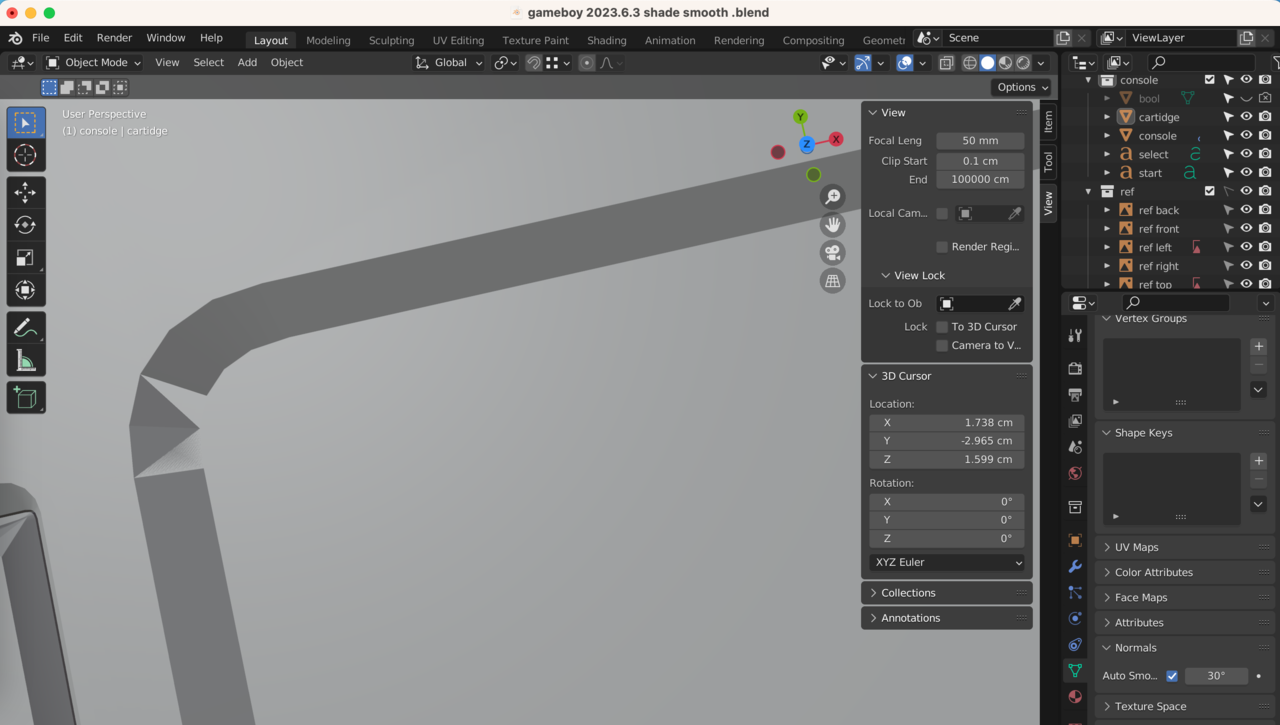
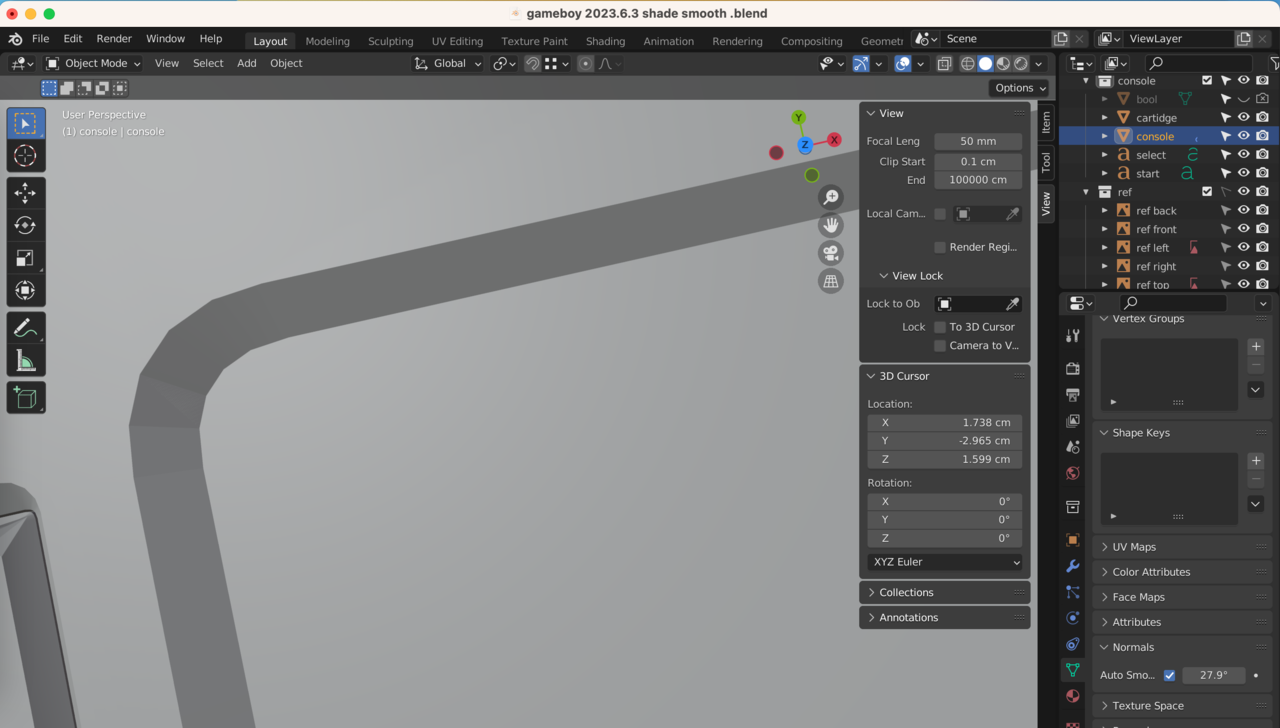
                  I also had weird shading after adding the auto shade, I tried lowering the angle but it wouldn’t fix this particular corner.

                  Pressing J and adding more verteces didn’t do anything.

                  In the end, pressing F on each of the two faces finally fixed it! 

                  just sharing in case someone is also stuck like me. 🙂

                  -06-03 下午2.59.37.png

                  -06-03 下午3.00.38.png

                Viewing 7 posts - 1 through 7 (of 7 total)
                • The topic ‘Strange shading on top face’ is closed to new replies.