SOLVED: Shadow at bottom.

Forum Archive SOLVED: Shadow at bottom.

Viewing 3 posts - 1 through 3 (of 3 total)
  • Author
    Posts
  • #12487
    mxssyo
    Participant

      Ground plane used for background was too close to the objects and the shadow was appearing. moved it down alot and shadow disappeared. i wouldve kept the shadow if the edges werent so hard but oh well. cheers

      #59231
      spikeyxxx
      Participant

        Hi mxssyo, glad you solved it.

        There are some (quite a lot actually) alternative ways to deal with this:

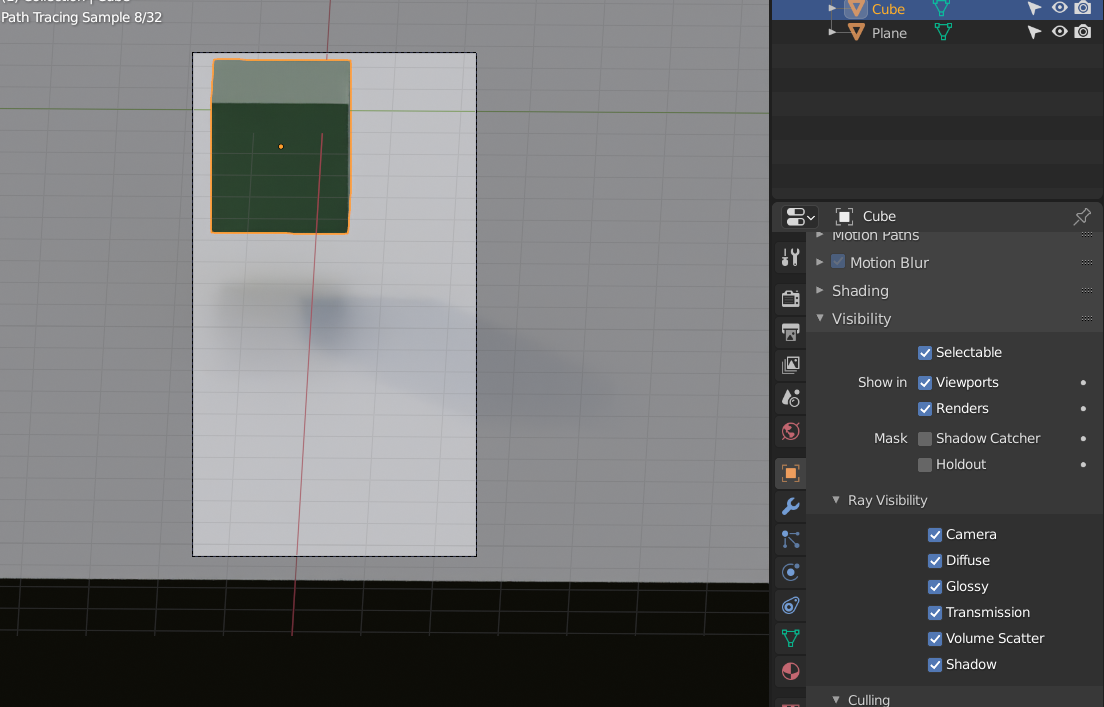
        1. Try using a different HDRI to get softer shadows (go to HDRI Haven, look for an overcast day):
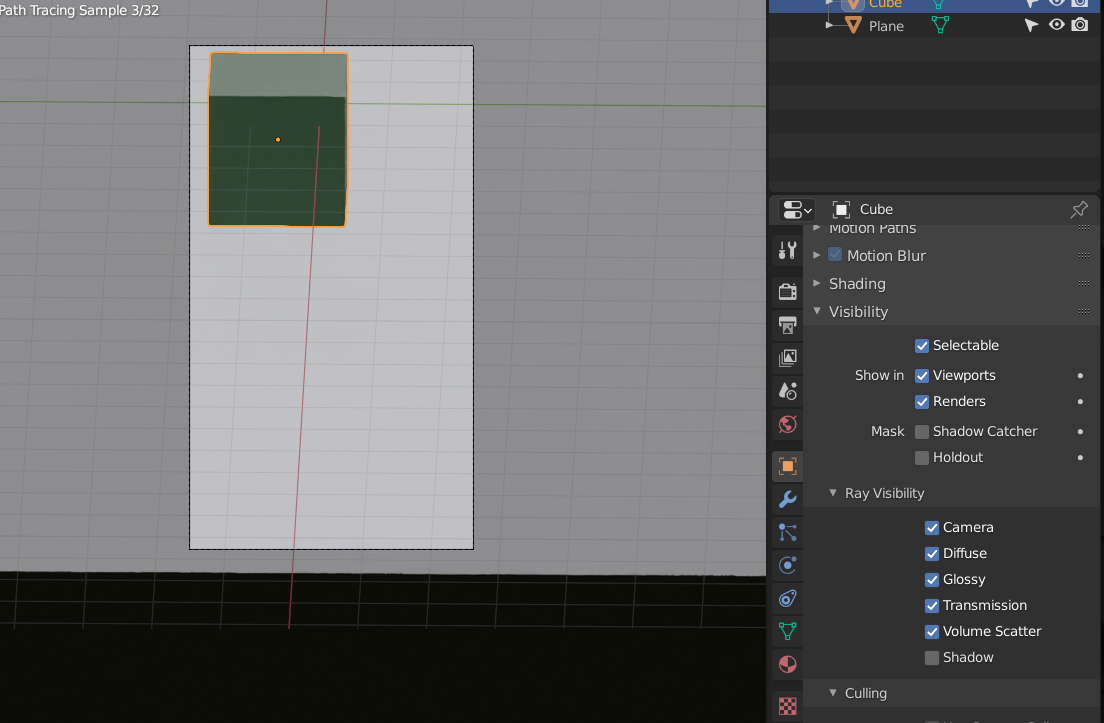
        2. Under Ray Visibility, turn of Shadow for the Object(s) casting the shadow.
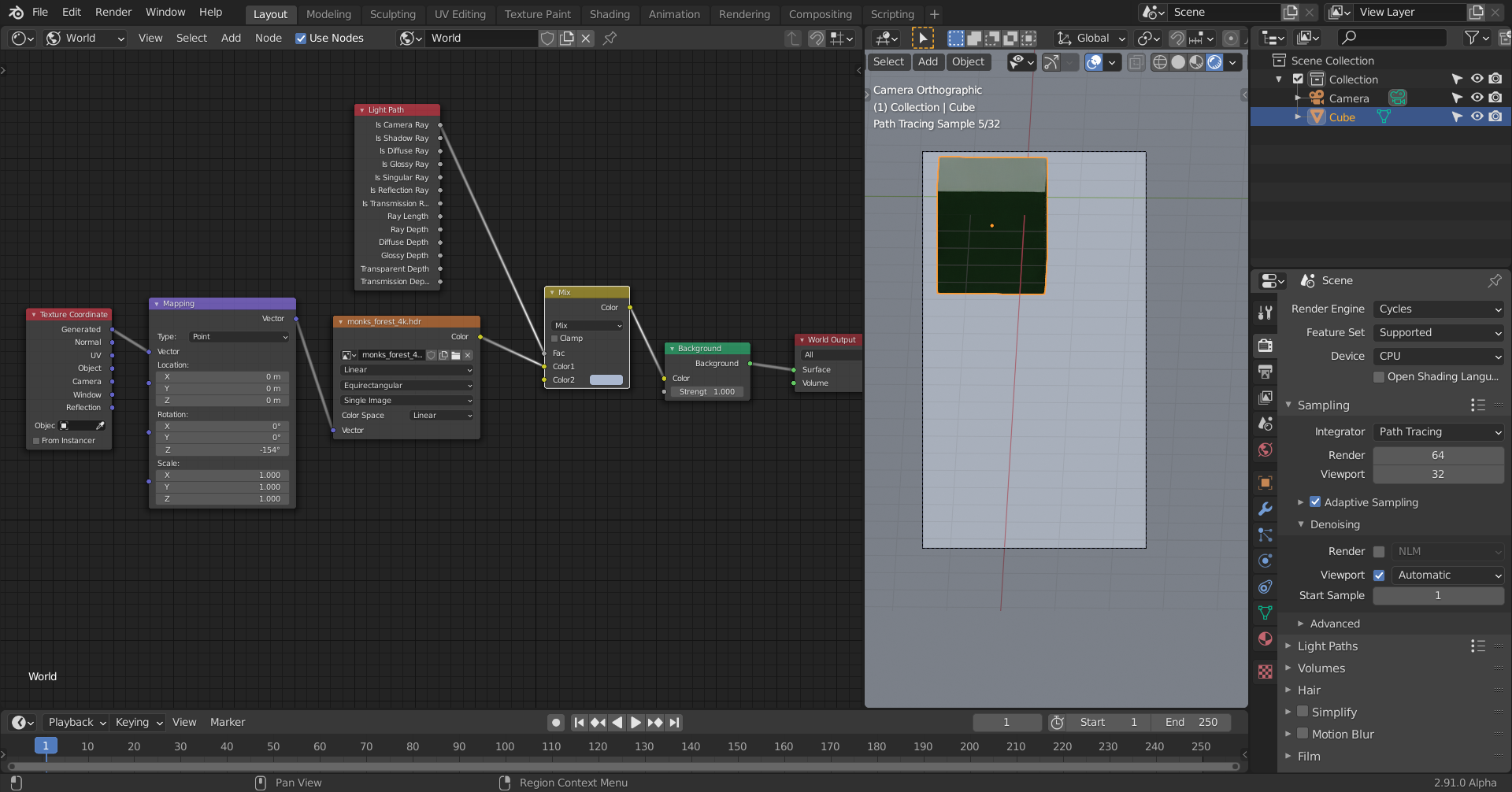
        3. What I usually do is, not to use a ground plane at all, but a single color for the background (you can also use a texture or an image as background) overriding what the Camera ‘sees’ (with the Input > Light Path Node in the Shader Editor (set to World)) while still lighting the scene with the HDRI:
        But of course your solution is totally legit as well!

        #59232
        mxssyo
        Participant

          WOW! thank you so much for the alternatives! that’s exactly what i needed. thank you for increasing my knowledge of the software 🙂

        Viewing 3 posts - 1 through 3 (of 3 total)
        • The topic ‘SOLVED: Shadow at bottom.’ is closed to new replies.