{SOLVED} Particle Hair appear black in Cycles Render

Forum Archive {SOLVED} Particle Hair appear black in Cycles Render

Viewing 12 posts - 1 through 12 (of 12 total)
  • Author
    Posts
  • #13087
    Ingrid Frank
    Participant

      Hey there! 

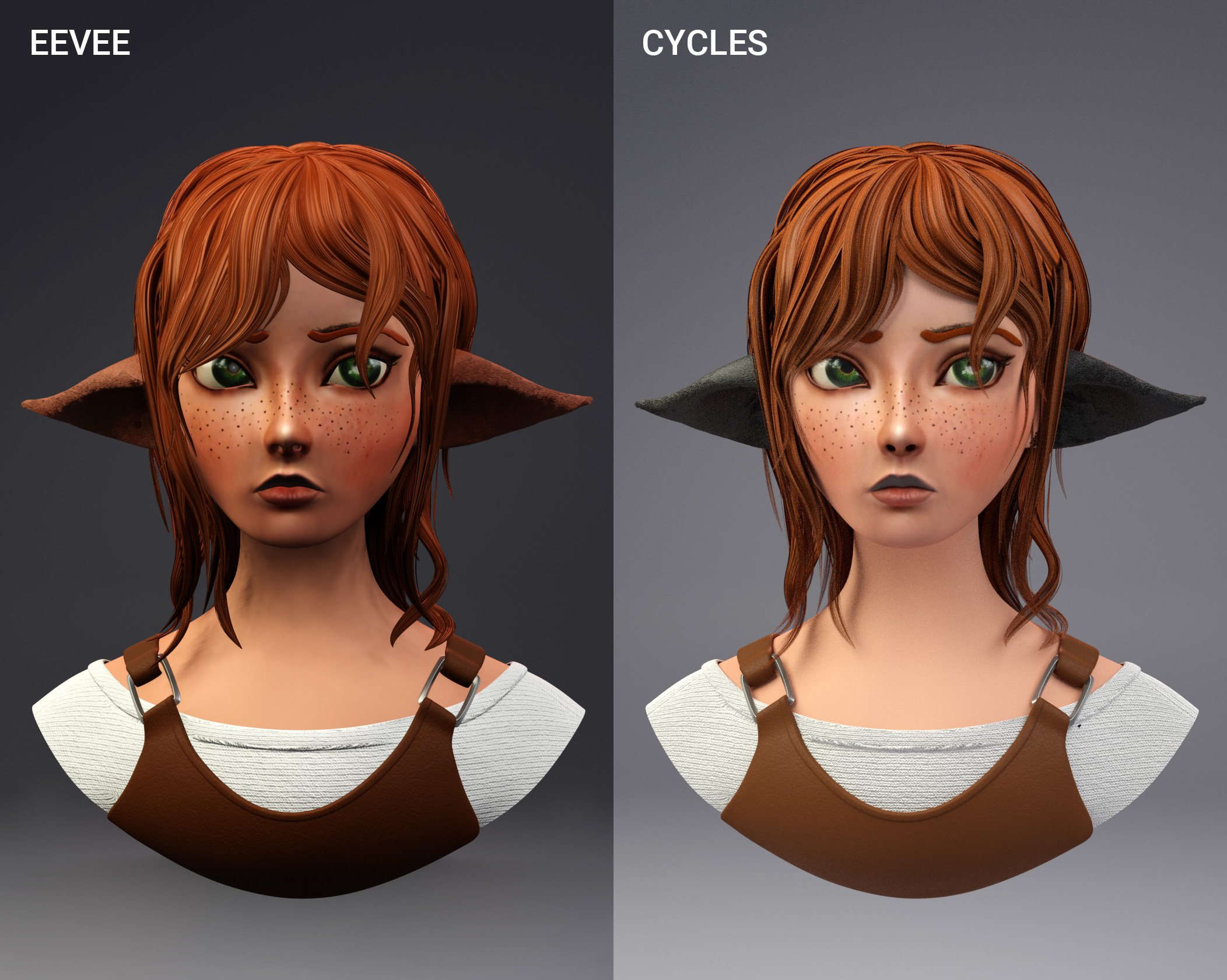
      Title says (almost) all. The particle hair are brown as they should be in Eevee, but are black in Cycles.

      Anyone has an idea what my problem could be?

      #61600
      Ingmar Franz
      Participant

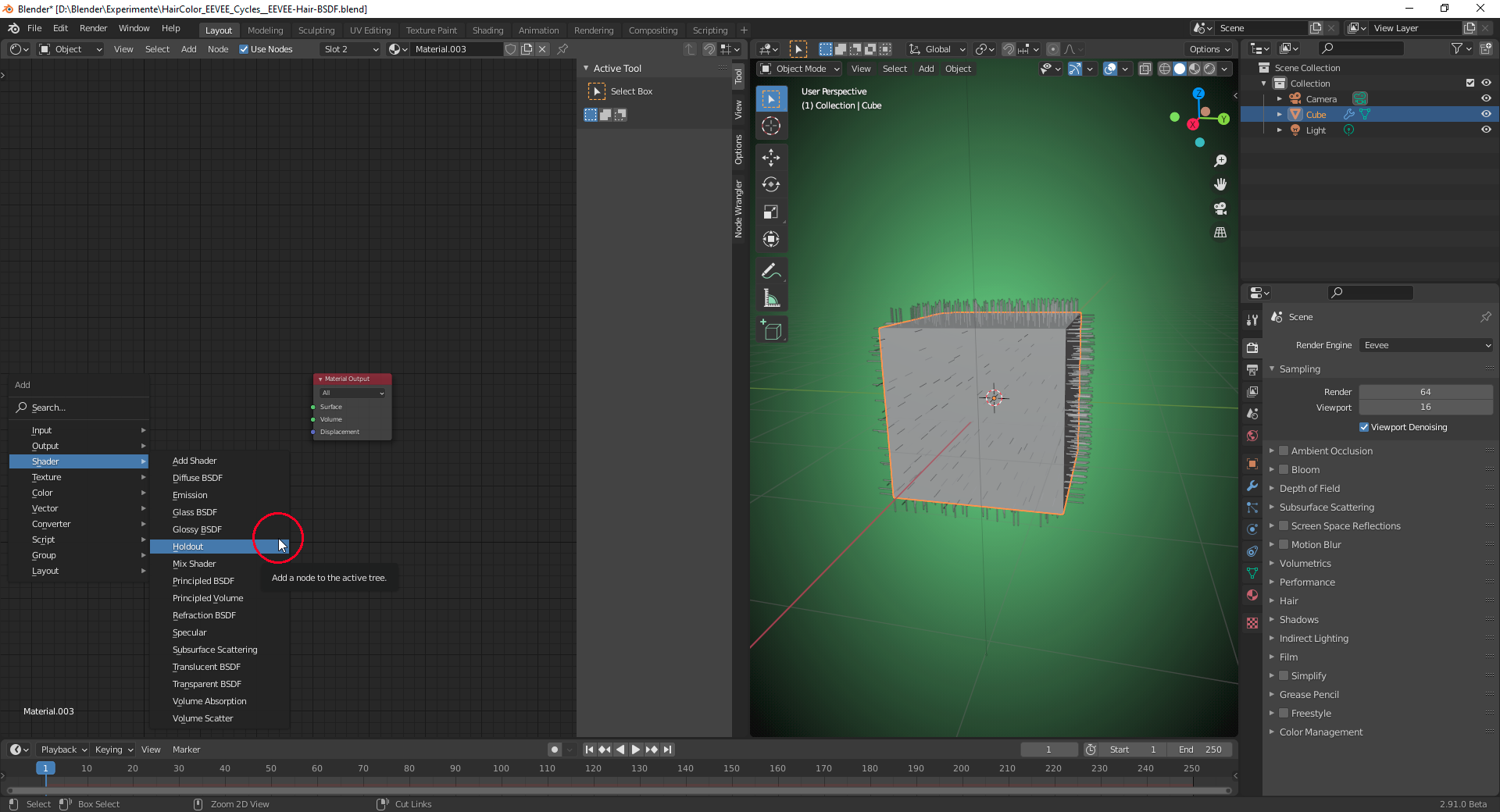
        What shader are you using? “Hair BSDF” is currently only working in Cycles (see “Blender 2.91 Manual” here).

        Therefore you can’t add this shader to your node tree with EEVEE being the active render engine:

        Although the  “Properties Editor” allows you to add a “Hair BSDF” under EEVEE, “Hair BSDF” doesn’t show up in “Preview Rendering” as well as in the final rendering (F12 key). The color of the hairs is black regardless your settings in the “Hair BSDF” shader.

        But your problem is in the opposite direction: colored in EEVEE and black in Cycles. Maybe it’s a similar problem that there is a shader or setting only being supported by EEVEE.

        #61601
        Ingrid Frank
        Participant

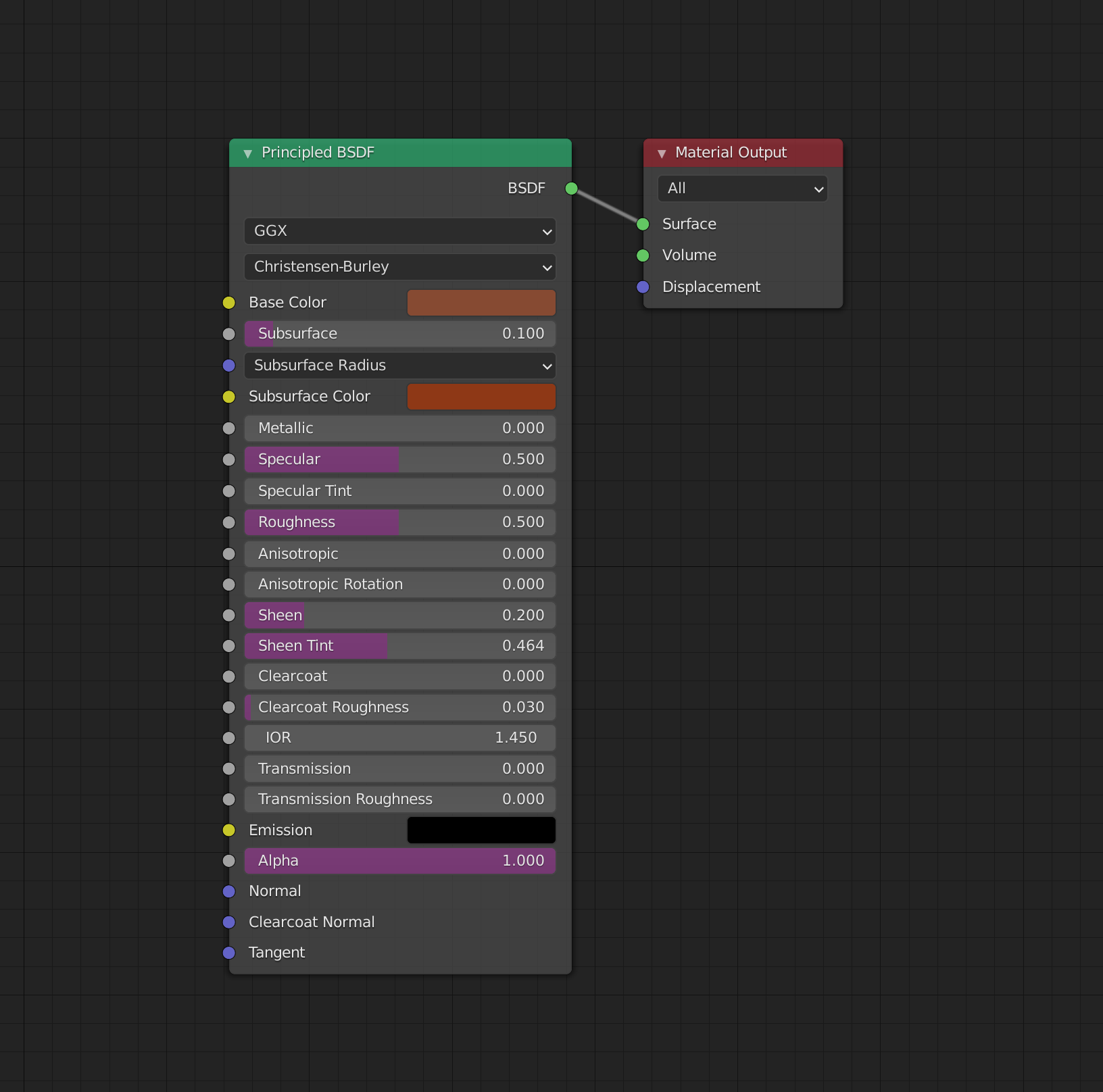
          That´s the material for the ears. Nothing fancy or special :/

          #61602
          Ingmar Franz
          Participant

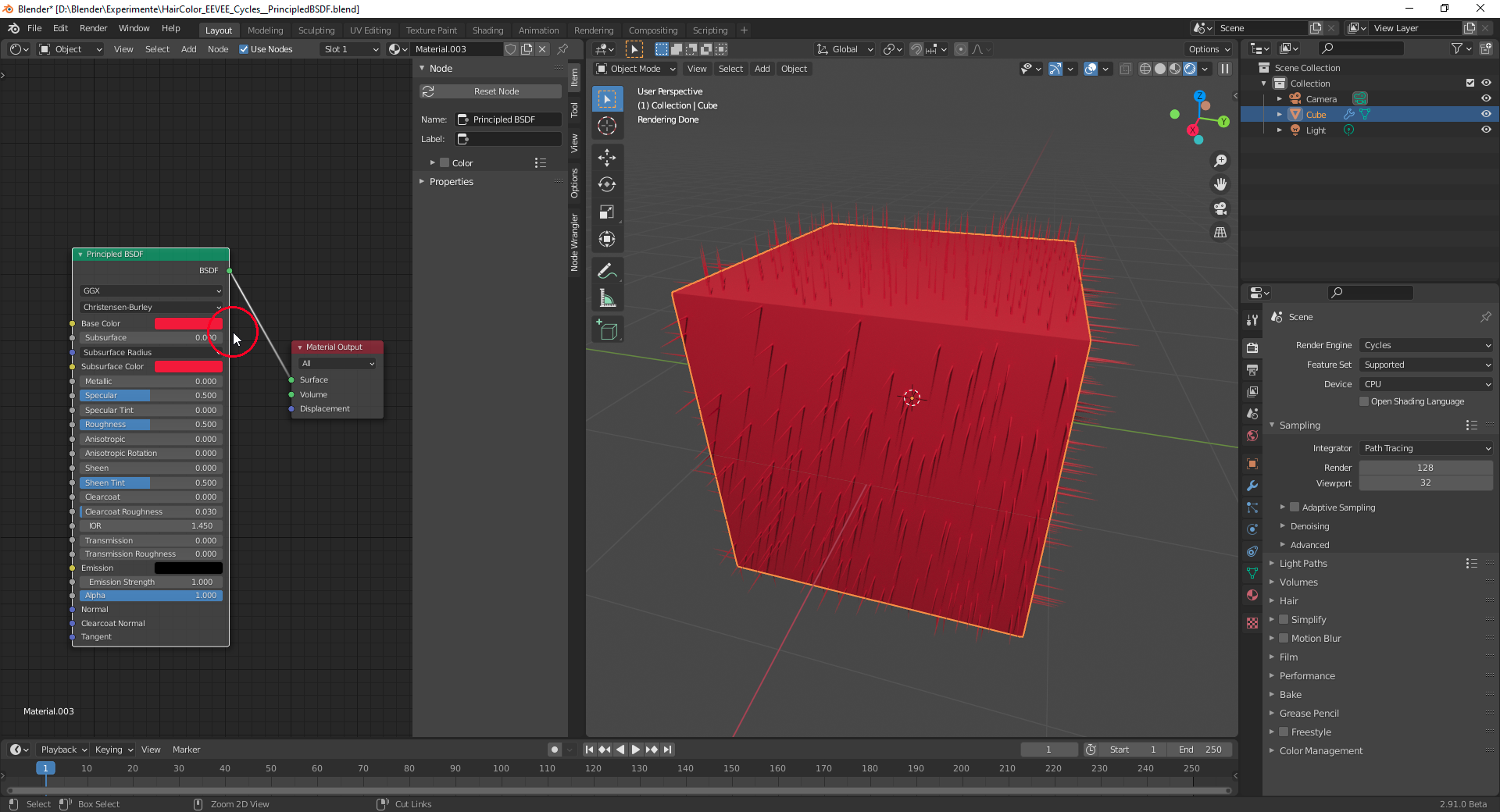
             “Subsurface Scattering” doesn’t work with hairs. Set the “Subsurface” mix value to “0” and it works:

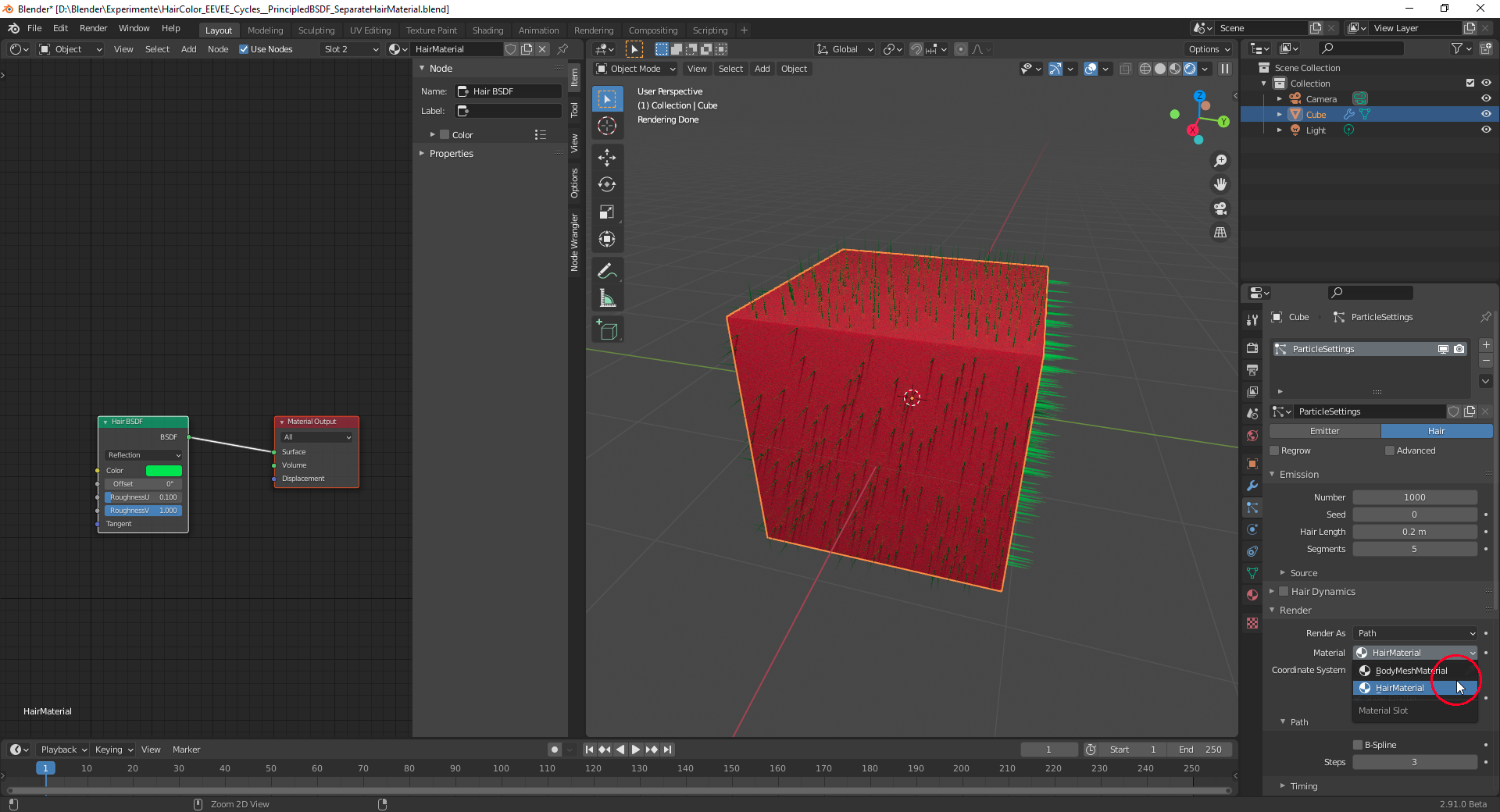
            If you wish to keep “Subsurface Scattering” for the body mesh, then simply create a separate material for the hairs in the material list of the hair emitter mesh and choose a different material in the “Render” panel of the “Hair Particle System”:

            #61603
            Ingrid Frank
            Participant

              Oh, I didn´t know that. Thank you! It´s rendering just fine now 🙂

              #61604
              Ingmar Franz
              Participant

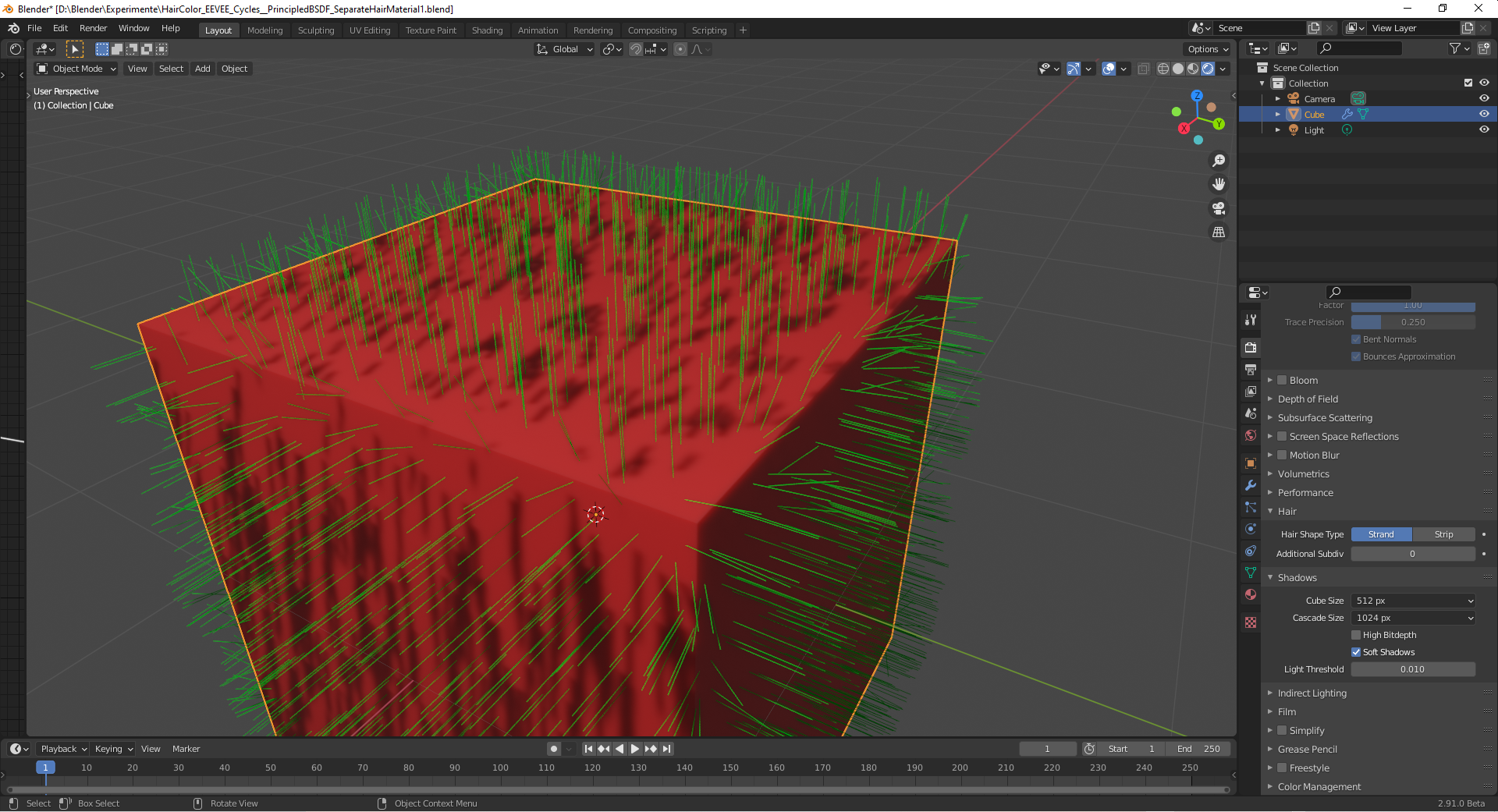
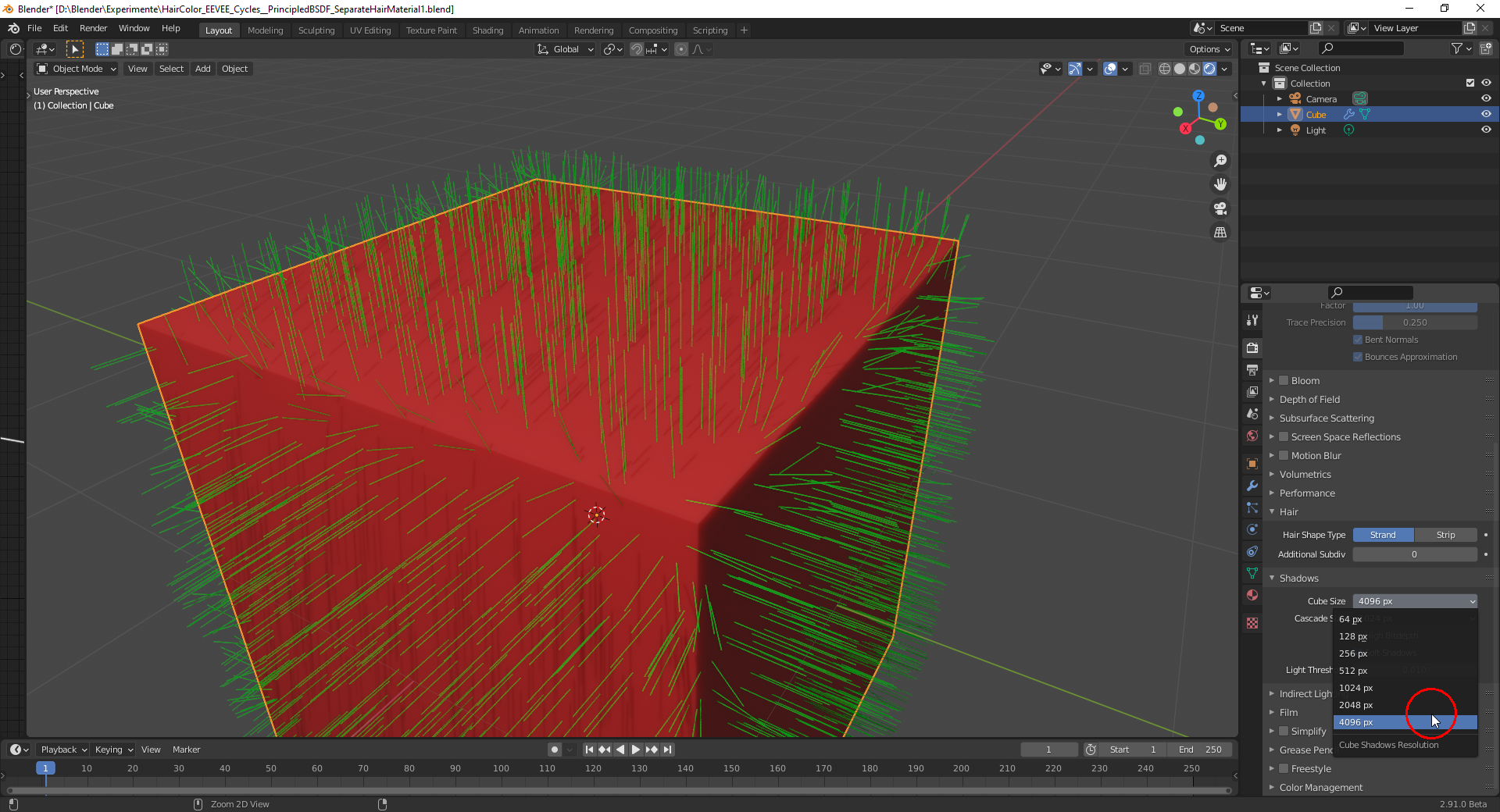
                If you render the hairs with EEVEE it also helps to adjust the “Cube map size so that the shadows of the individual hairs are much thinner:

                Cube Map Size 512 Pixels:
                Cube Map Size 4096 Pixels:
                Some maybe useful hair and fur tutorials and one breakdown with Blender 2.8:

                (Note: Some turorials don’t have the best sound or a nerving background music, but I think it’s the information that counts. I haven’t seen them all but as far as I have seen them, they could maybe help with the creation of hair and fur in Blender 2.8 and 2.9)

                Skin Texturing And Hair Grooming Tutorial Series
                https://www.youtube.com/watch?v=qA59GdGdVtw&list=PLEsrV69Gx1KJ1XlU2ydiiC8L9SW9ADWBP

                Blender 2.8 Hair Beginner Tutorial
                https://www.youtube.com/watch?v=Oq0q8AmTnDU

                Blender 2.8 Eevee – hair shading tutorial
                https://www.youtube.com/watch?v=wiYk0I3_xss

                Blender Detective Pikachu Tutorial Part 2: Fur
                https://www.youtube.com/watch?v=Sl-eoGuhpvE

                Blender 2.8 Hair Tutorial
                https://www.youtube.com/watch?v=0m7uCkUhrZo

                Tiger – Breakdown – Blender 2.8 Eevee development test
                https://www.youtube.com/watch?v=CSc_aH25cUY

                For using the “Principled Hair BSDF” in Blender 2.8, I can recommend @jlampel ‘s tutorial:

                https://cgcookie.com/tutorial/using-the-principled-hair-bsdf-in-blender-2-8

                And a tutorial by Danny Mac 3D

                How to CONTROL HAIR in BLENDER 2.8 – 2 Minute Tutorial
                https://www.youtube.com/watch?v=vu6MQC6qdRY

                #61605
                Ingmar Franz
                Participant

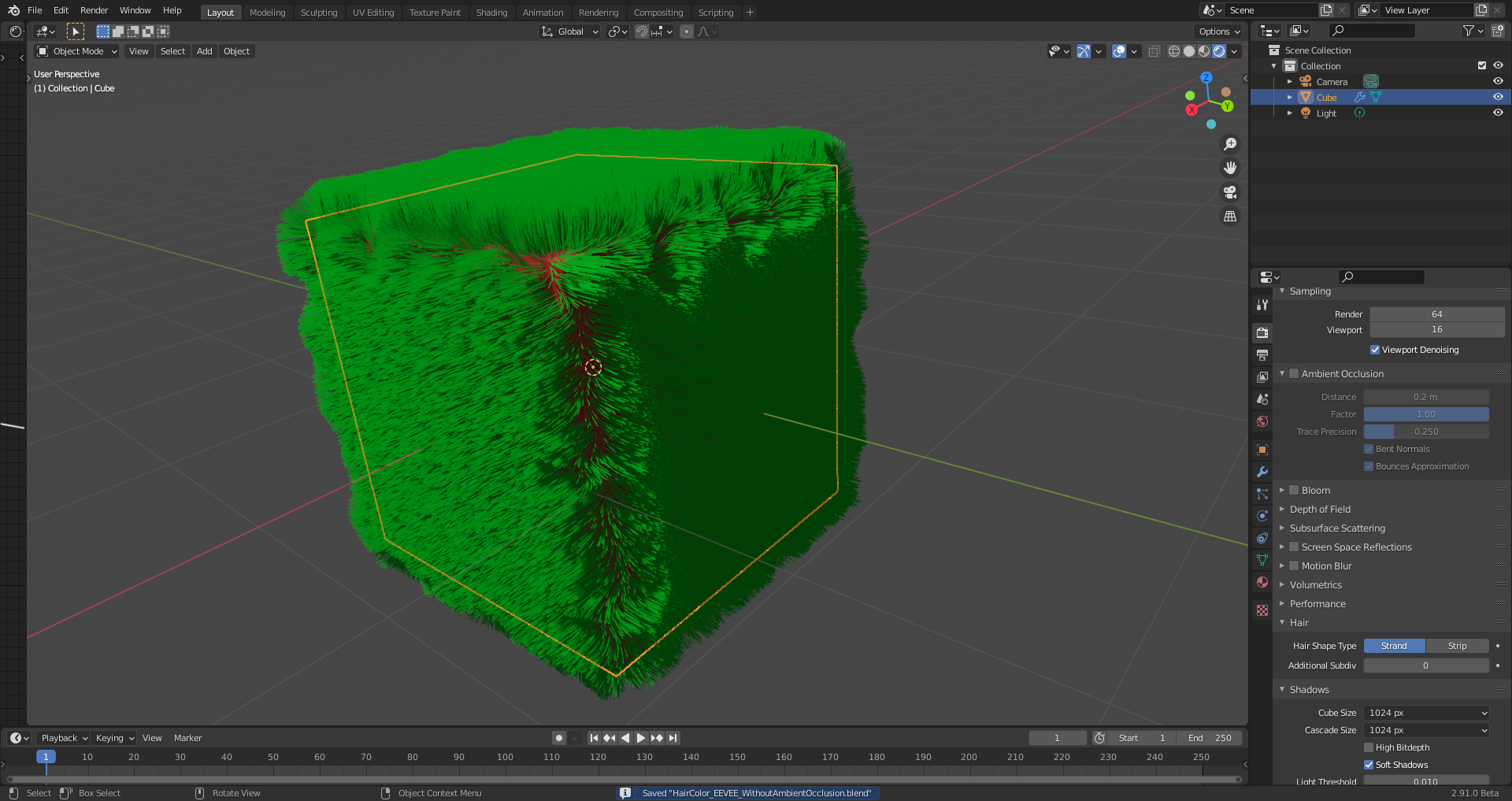
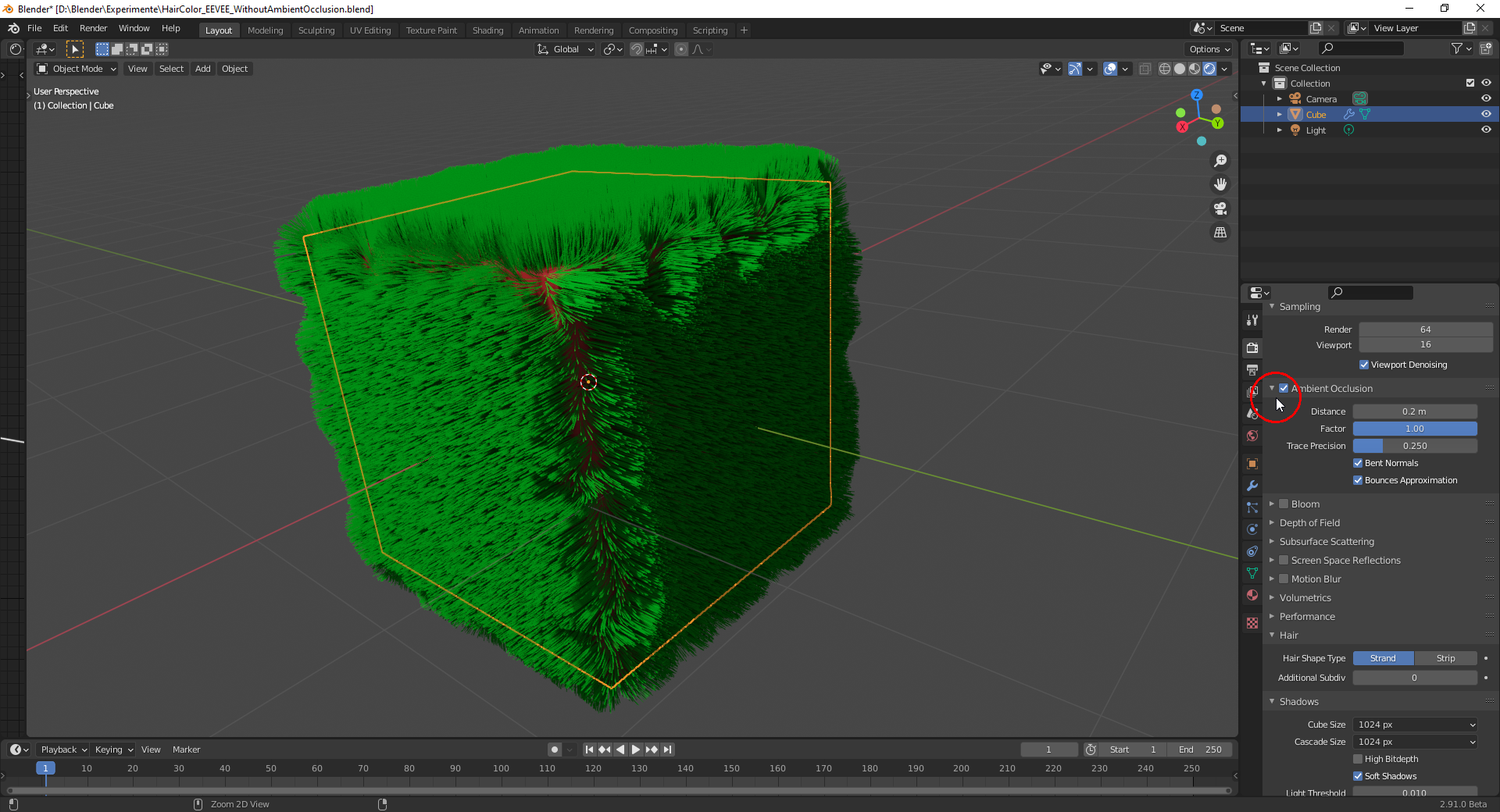
                  Ambient Occlusion (AO) also helps to achieve a better visual definition for the hairs in EEVEE:

                  Without AO:

                  With AO:

                  #61606
                  Ingrid Frank
                  Participant

                    awesome! thank you

                    #61607
                    Shawn Blanch
                    Participant

                      That is looking really good @fide I’m excited to see how it turns out.

                      #61608
                      Ingrid Frank
                      Participant

                        Thank you 🙂 I finished it. 

                        You can look at the endresult in the gallery or in my polybook

                        #61609
                        Shawn Blanch
                        Participant

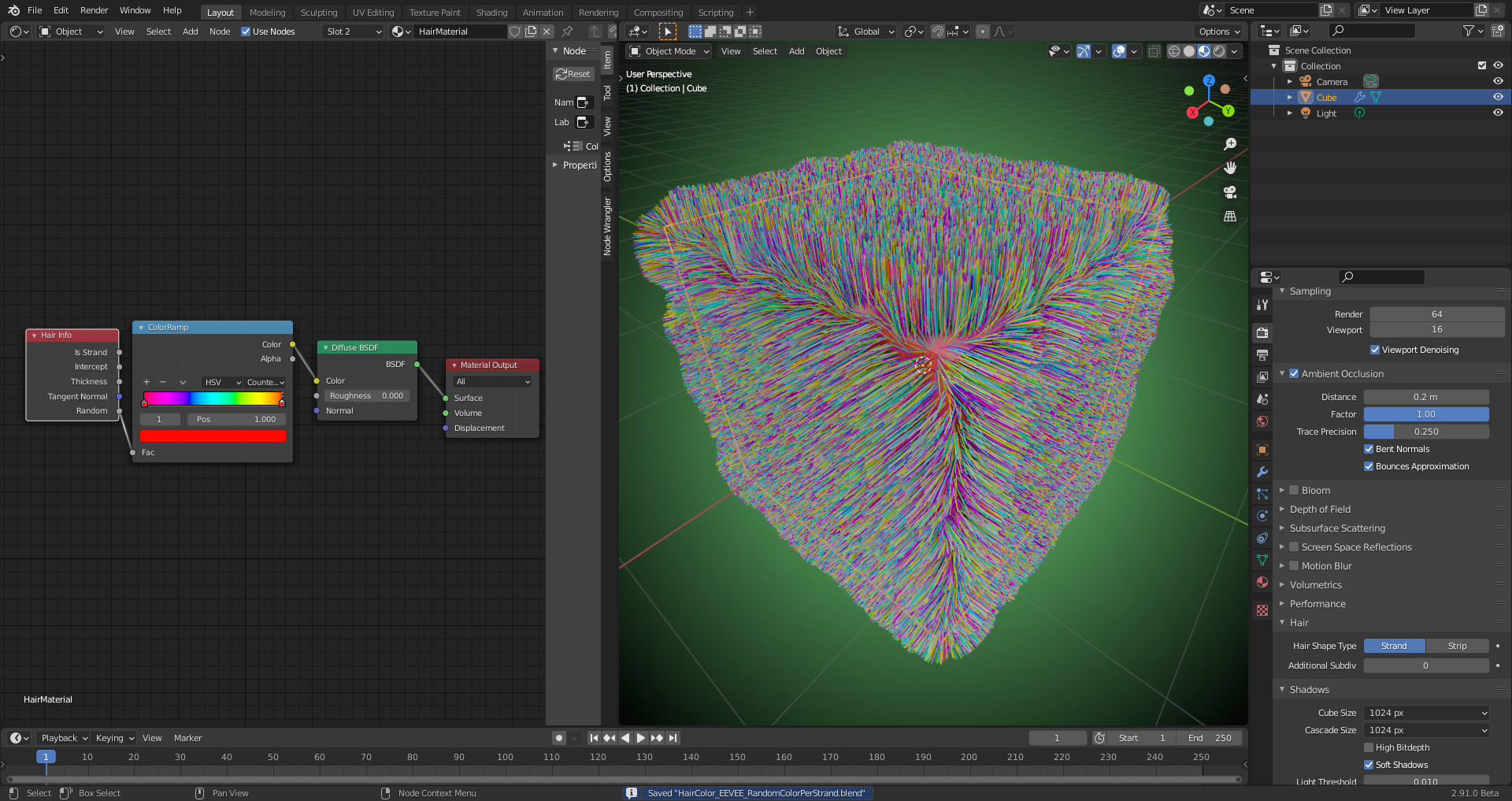
                          Or in cycles you can add an AO node with a multiply RGB tied to the color input.

                          #61610
                          Ingmar Franz
                          Participant

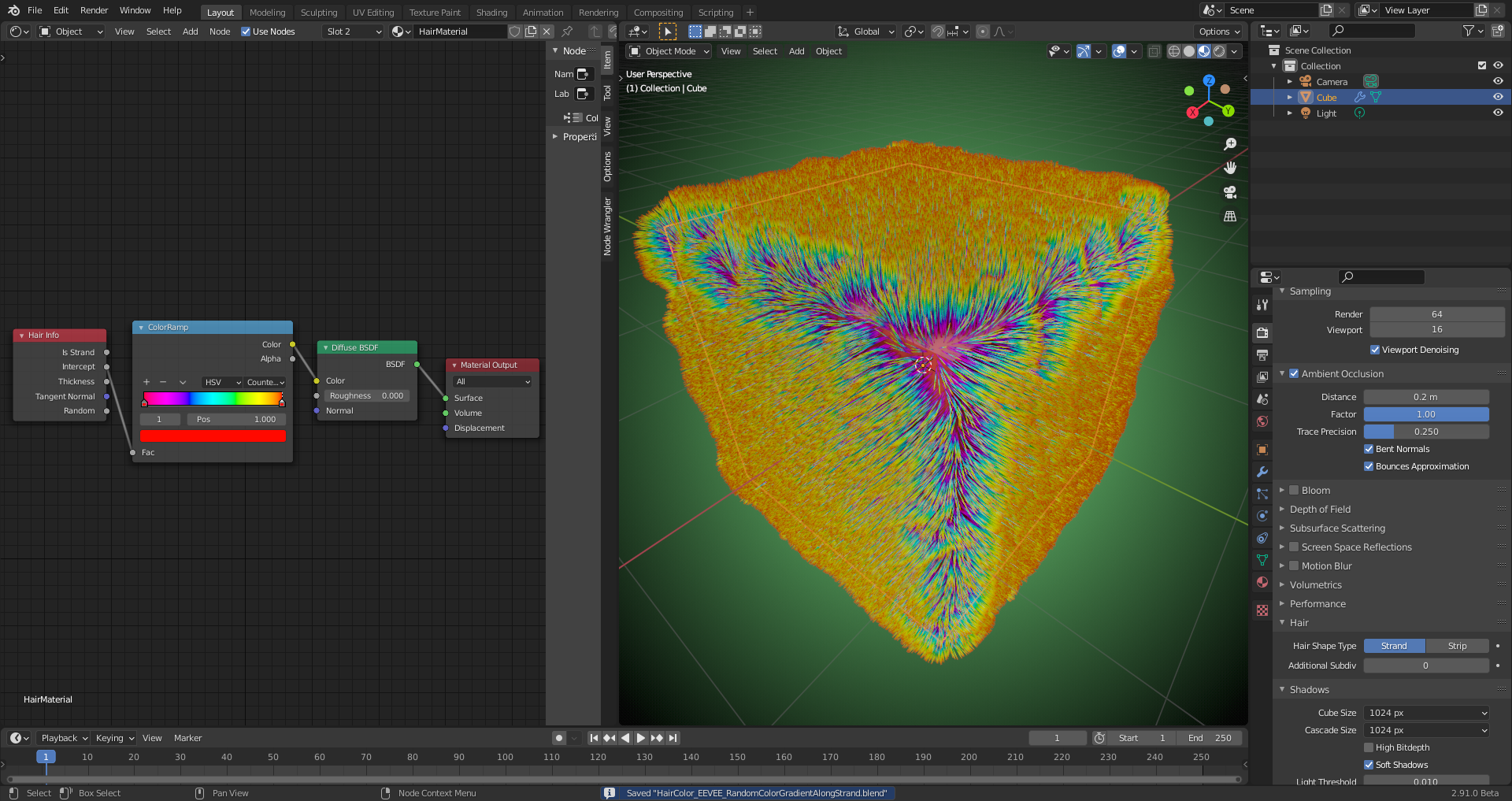
                            @blanchsb I like colors 😉😁:

                          Viewing 12 posts - 1 through 12 (of 12 total)
                          • The topic ‘{SOLVED} Particle Hair appear black in Cycles Render’ is closed to new replies.