
Solidify without overlap
Forum Archive › Solidify without overlap
- This topic has 12 replies, 2 voices, and was last updated 1 year, 10 months ago by
cooljjj33.
-
AuthorPosts
-
September 14, 2024 at 8:38 am #18744
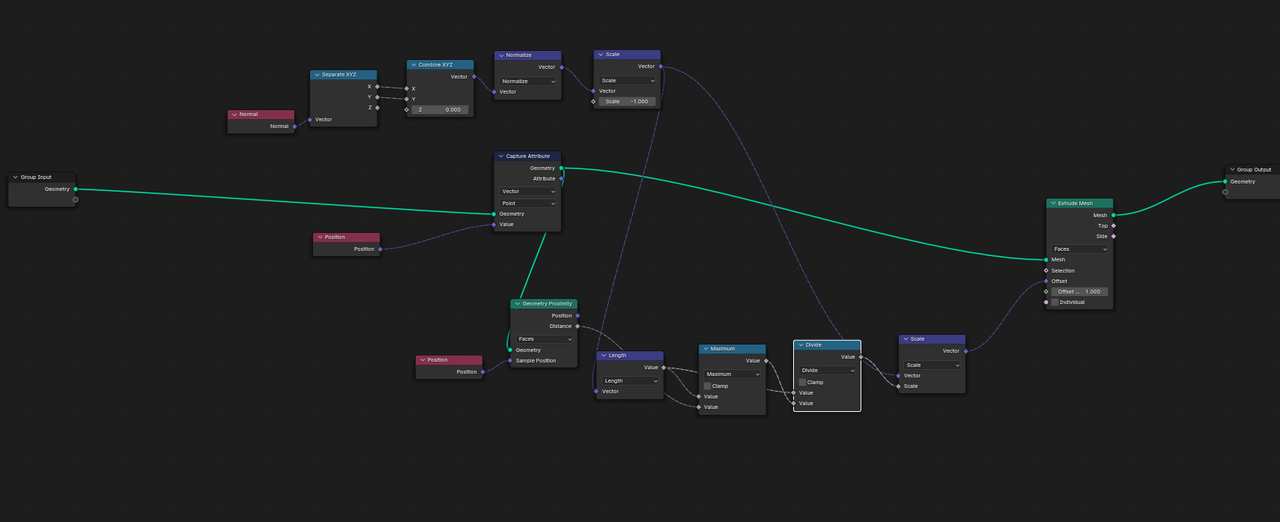
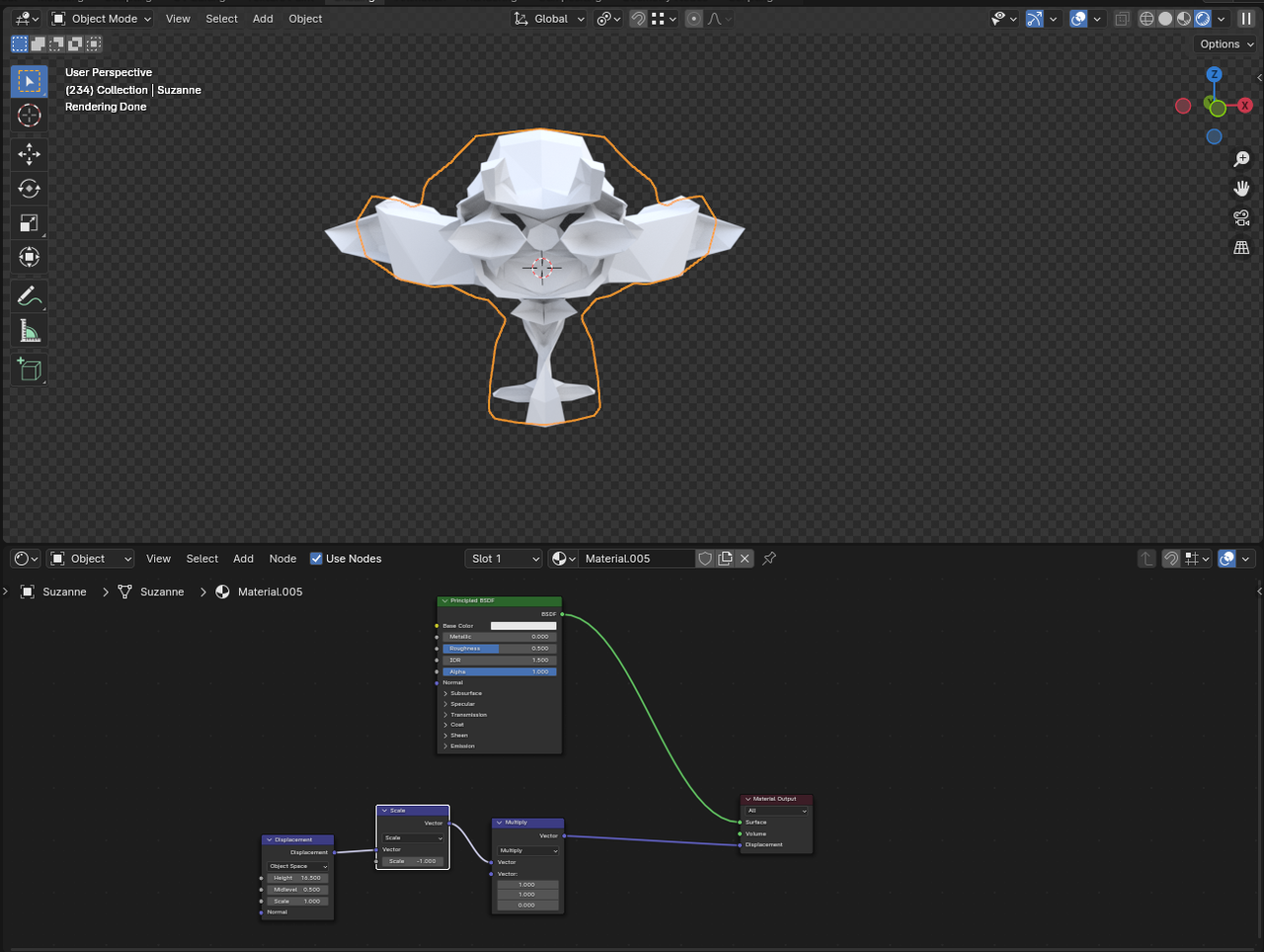
Hi, I am trying to create a solidify type function that only solidifies on the x and y axis and without overlap. I have managed to get it right apart from the overlapping part. For that I tried to use a proximity node to limit the extrusion amount but it has been days and hours of trying and I have still not gotten it right. Here is my node setup, I am not sure what I am doing wrong?
 September 14, 2024 at 9:44 am #89404
Hi @cooljjj33 ,
Here’s an overview (of some of the mistakes):
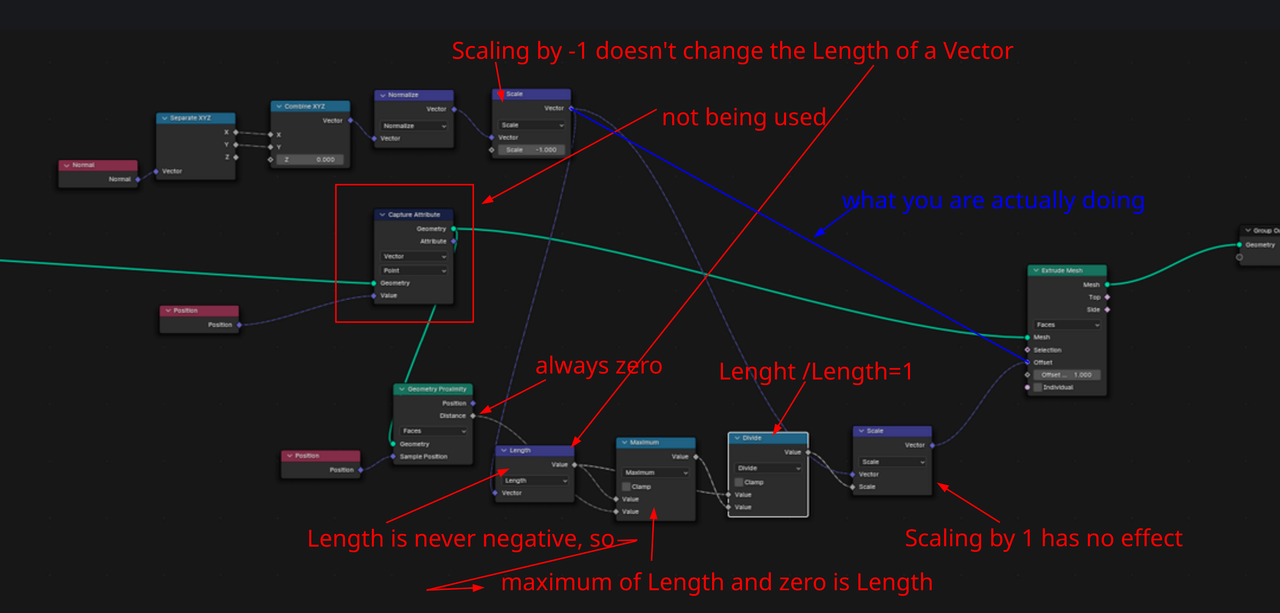
Oh, I just noticed I misspelled Length once 😉
September 14, 2024 at 10:17 am #89405…and what’s more, the Length of a Normalized Vector is 1 (exception: the null Vector (0, 0, 0) has a Length of 0).
September 14, 2024 at 6:30 pm #89406Thanks! Any suggestions on how to correct this? I have spent another 10 hours trying to get something working but no luck. I got close by using a raycast node but still struggling with the limiting bit. I previously managed to get it fully working using bpy but it is too slow and thus the reason for wanting to try the same in Geometry Nodes. This is my first time using it and it is a bit confusing.
September 15, 2024 at 1:11 am #89407Any suggestions on how to correct this?
I don’t even know exactly what you are trying to do, sorry.
This is my first time using it and it is a bit confusing.
Maybe start with something simpler first, there is a lot to learn and Geometry Nodes is very powerful, but in my opinion, not very intuitive.October 5, 2024 at 7:41 am #89408“I don’t even know exactly what you are trying to do, sorry.”
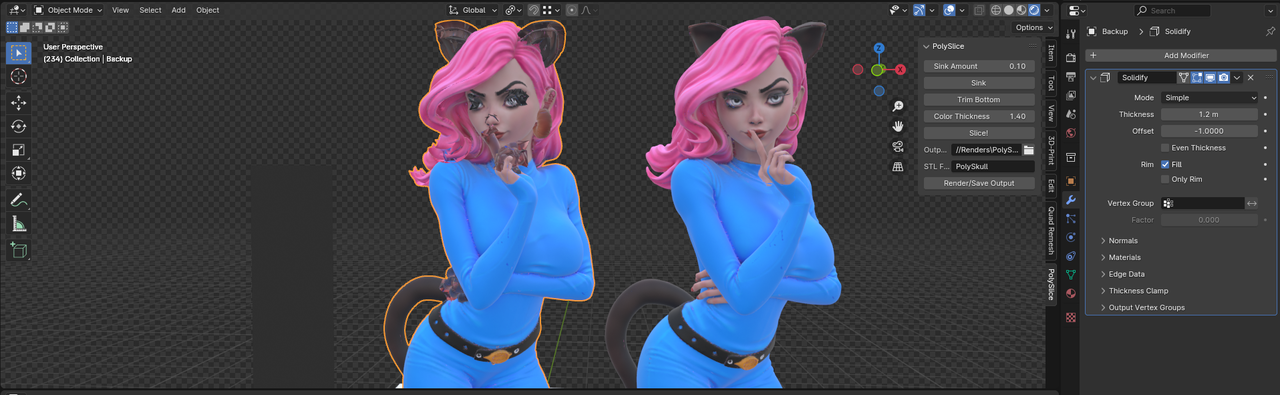
I am trying to add a solidify constraining the z axis and without all the overlap issues. The model on the left should not look like that after a solidify, the extrusion should not poke out everywhere.
“Maybe start with something simpler first, there is a lot to learn and Geometry Nodes is very powerful, but in my opinion, not very intuitive.”
My goal is not so much to learn geometry nodes but only to use it as a tool for another bigger project but unfortunately like you said it’s not intuitive and I have to learn how to build the hammer before using it which unfortunate.
Here is a picture of what goes wrong and what I’m trying to fix.
 October 5, 2024 at 11:57 am #89409
Hi @cooljjj33 ,
I still don’t understand what you are trying to do, sorry.
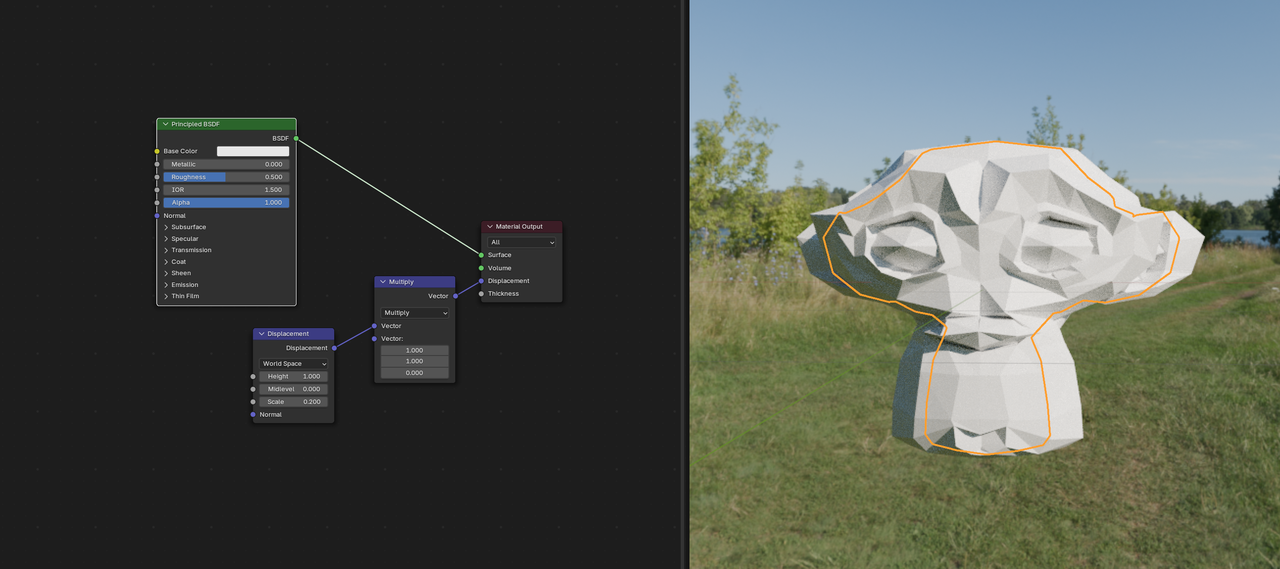
A Solidify, constraining the Z-Axis?Do you mean something like this (yes, I know this is not a solidify):
Why (and how) do you want to Solidify that girl anyway?
And what do you imagine with no overlap?
And what’s with the Poly Splice Addon? That almost sounds like you want to 3D Print this….(and I know absolutely nothing about that.)
October 5, 2024 at 12:45 pm #89410I am trying to create a resin-like image slicer that includes a color component for 3d printing.
Your example is similar to what I am trying to do yes except that I scale inwards which causes the issues.
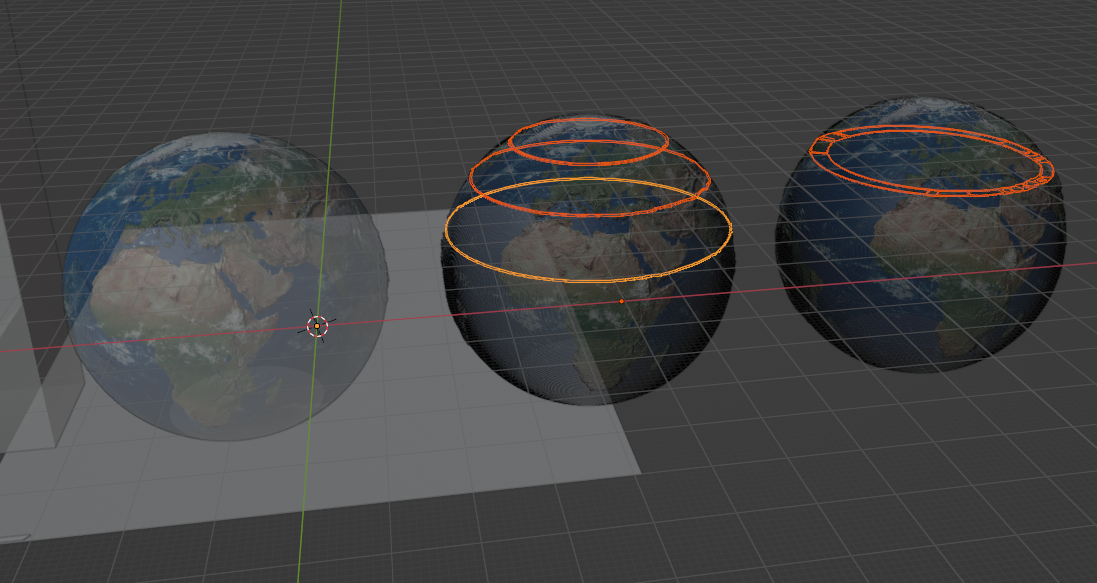
The end goal of what I am trying to achieve looks like the 3rd model. The 1st and second shows the steps before. I turn an objects into slices after which they need to be solidified inwards.
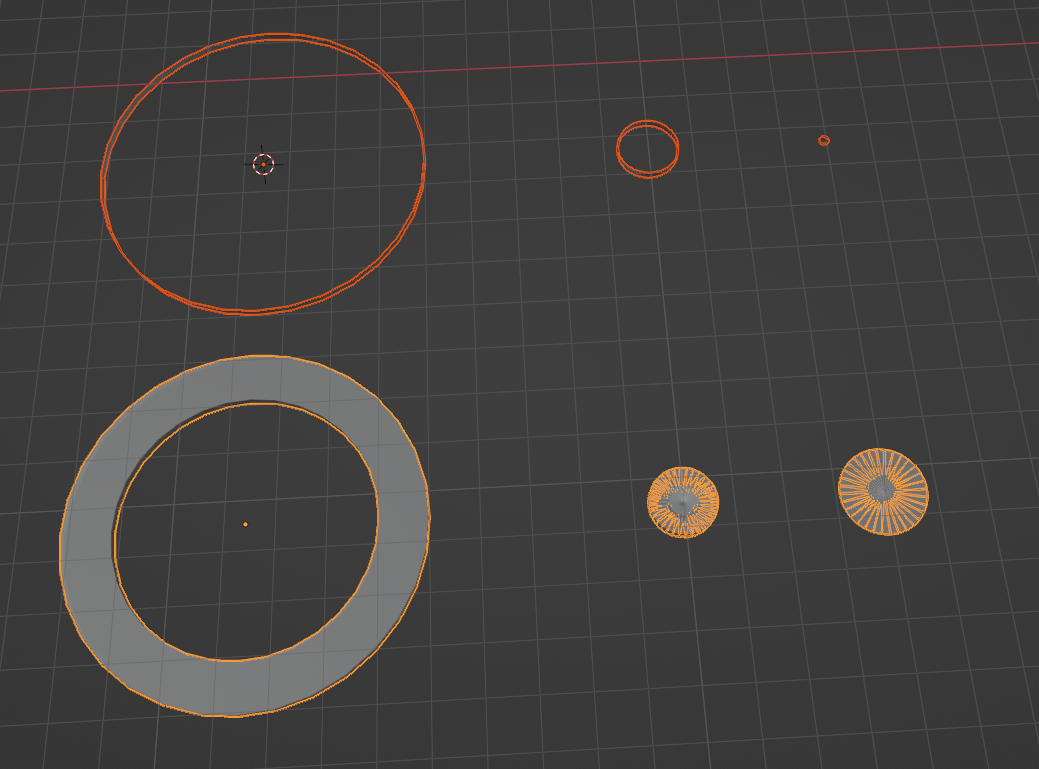
Below demonstrates what I mean by overlapping, top objects are without solidify, bottom is with solidify where you can see the last two objects overlapping and the small circle going out of bounds.
 October 5, 2024 at 2:14 pm #89411
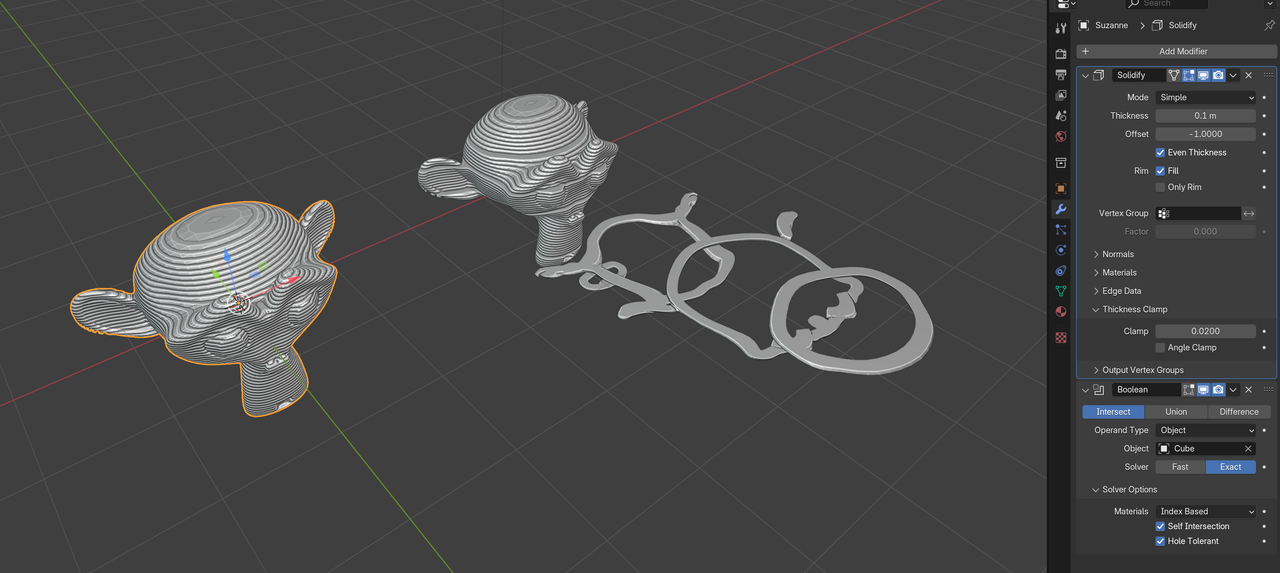
Well, can’t you just slice the model with a Boolean?
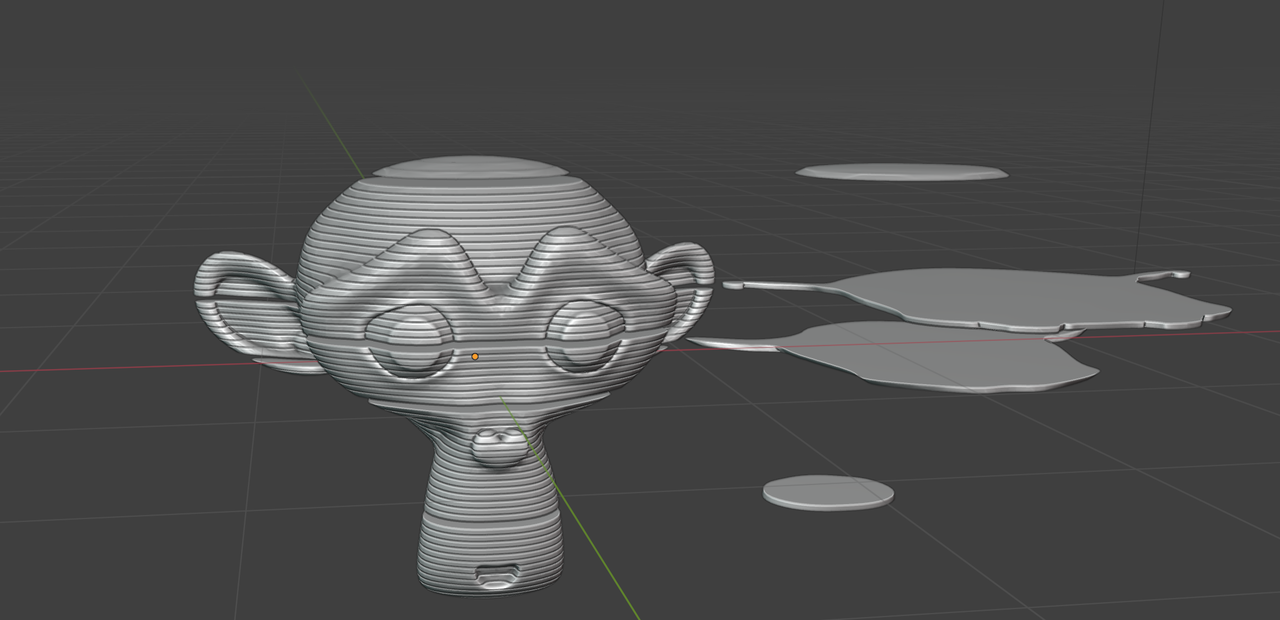
Of course, that wouldn’t give you a hole inside by default, but do you really want that? If so, there are certainly ways to do that, after the slicing this way…
October 5, 2024 at 2:29 pm #89412For instance like this:
 October 5, 2024 at 3:02 pm #89413
Exactly like that, how on earth did you do it?
October 6, 2024 at 1:21 am #89414The Trick is the Thickness Clamp Setting in the Solidify Modifier (first time I’ve used that 😉)…(and to do the Solidify before the Boolean.)
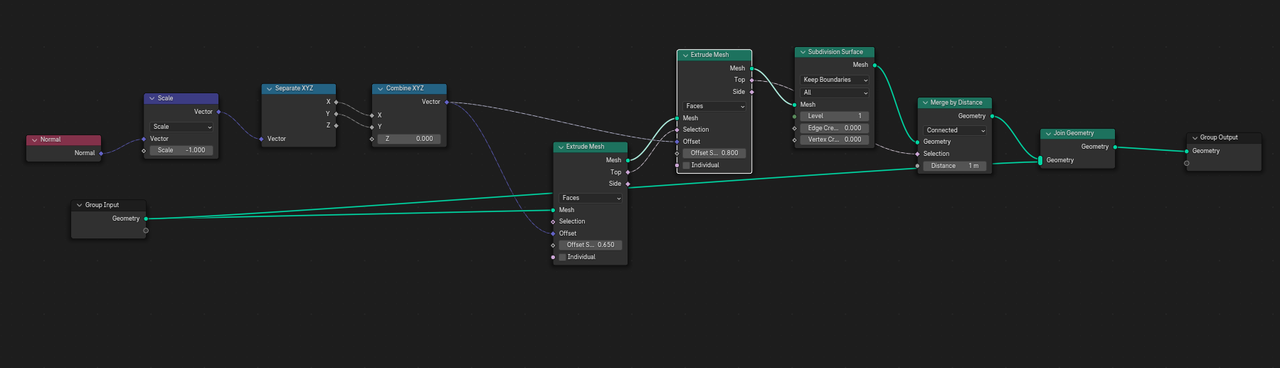
November 4, 2024 at 1:32 pm #89415Thanks for the help, I am definitely going to use that trick in the future :). For my application I had trouble with that method as the boolean would fail often so ended up writing a bpy function to do the slices and guarantee success. I then spent another couple of hours on the geometry nodes setup and it works fairly ok for now.
Here is the node setup I ended up with.
-
AuthorPosts


- The topic ‘Solidify without overlap’ is closed to new replies.