Solidify causing artifacts

Forum Archive Solidify causing artifacts

Viewing 4 posts - 1 through 4 (of 4 total)
  • Author
    Posts
  • #17685
    Zoltan Fodor
    Participant

      Hi guys,

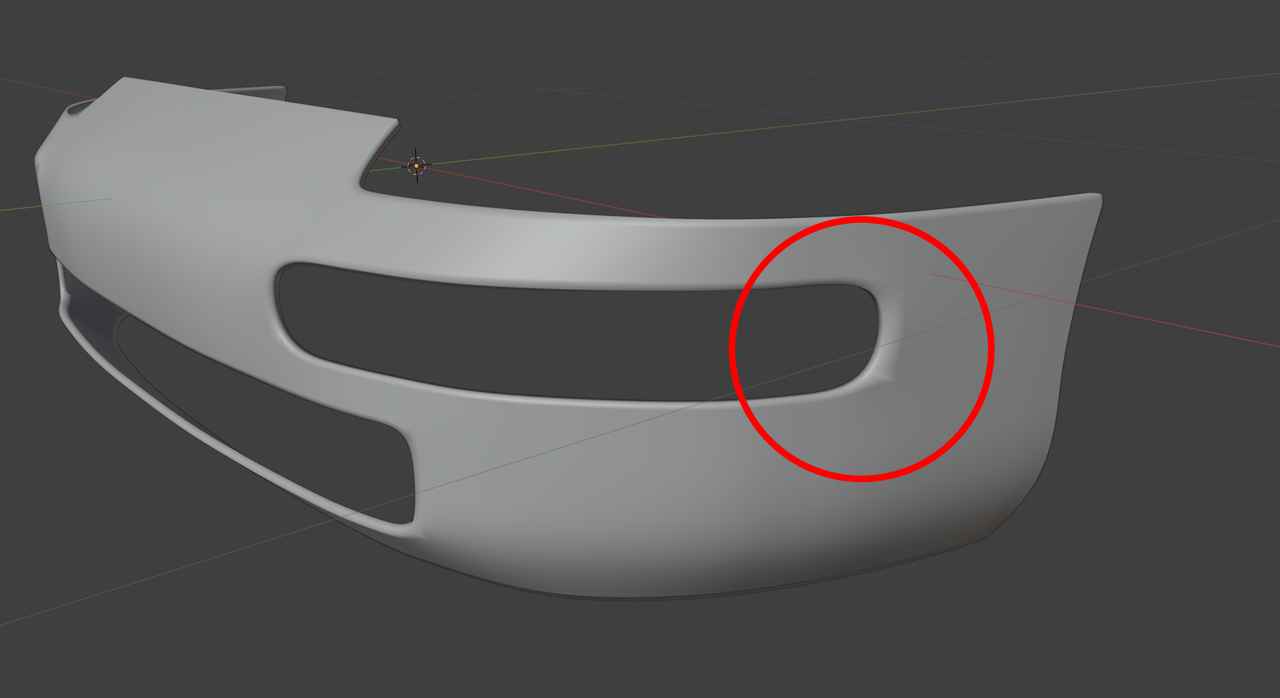
      I’m modeling a car and run into a weird problem, the solidify modifier causing artifacts.

      3-18 at 18.58.53.png

      I searched for solutions, checked if there are overlapping vertexes, normals facing the wrong way, all seems good but the problem still there.

      I’ve attached a blender file here if that helps finding out what am I missing:

      https://we.tl/t-ceiXCAkddb

      Any help would be much appreciated, thanks in advance.

      #84871
      Martin Bergwerf
      Participant

        Hi Zoltan,

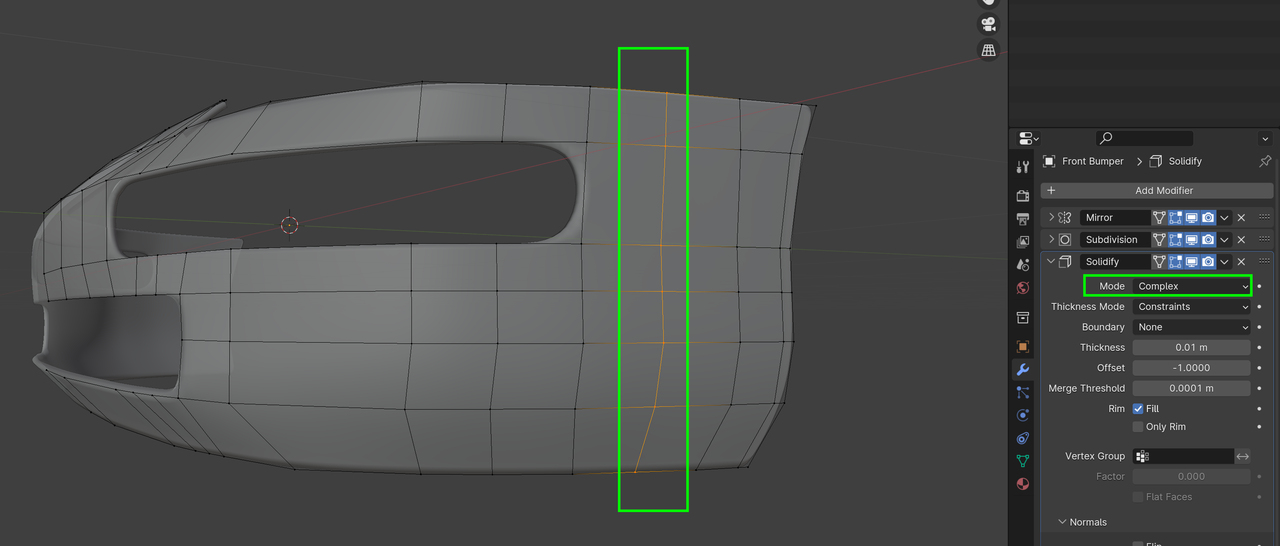
        You can reduce the shading artefacts, but switching to Complex and maybe Add some more Edge Loops:

        Car_01.png

        But better results are to be had, by Shrinkwrapping the Mesh to a higher resolution ‘helper’ Mesh, that has the same shape, but without the holes.

        #84872
        Omar Domenech
        Participant

          You can watch the Pothead course where JL models the pot and head to see how a guide or helper mesh helps with that:

          https://cgcookie.com/lessons/modeling-the-pot

          #84873
          Zoltan Fodor
          Participant

            Thank you both, I ended up creating depth by adding geometry and an extra edge, so it’s sharp enough. 

          Viewing 4 posts - 1 through 4 (of 4 total)
          • The topic ‘Solidify causing artifacts’ is closed to new replies.