Smooth tool Blender 2.81

Forum Archive Smooth tool Blender 2.81

Viewing 5 posts - 1 through 5 (of 5 total)
  • Author
    Posts
  • #11239
    amatsukaze
    Participant

      Hello Jonathan, I’m guessing the smooth tool in 2.81 is the same smooth (W) of the older versions? It acts differently because now I have to click hold and drag. Is this better than the old smooth?

      #52799
      spikeyxxx
      Participant

        Hi amatsukaze.

        The smooth tool is a so-called active tool. It indeed does basically the same as the ‘old’ W > Smooth Vertices, it just acts a bit different, like you said.

        You have now two ways of smoothing: 

        use the  smooth tool, or

        use the ‘old’ context menu.

        When you are using the now default ‘Left Click Select’, you can right click anywhere in the viewport and get the context menu.

        If you are using ‘Right Click Select’ you can access the context menu by pressing W, like in the old days.

        #52800
        amatsukaze
        Participant

          I’m using the default left click select. Thank you so much for the quick answer!

          #52801
          jasonhemi
          Participant

            is it the shade smooth option or the smooth laplacian option

            #52802
            spikeyxxx
            Participant

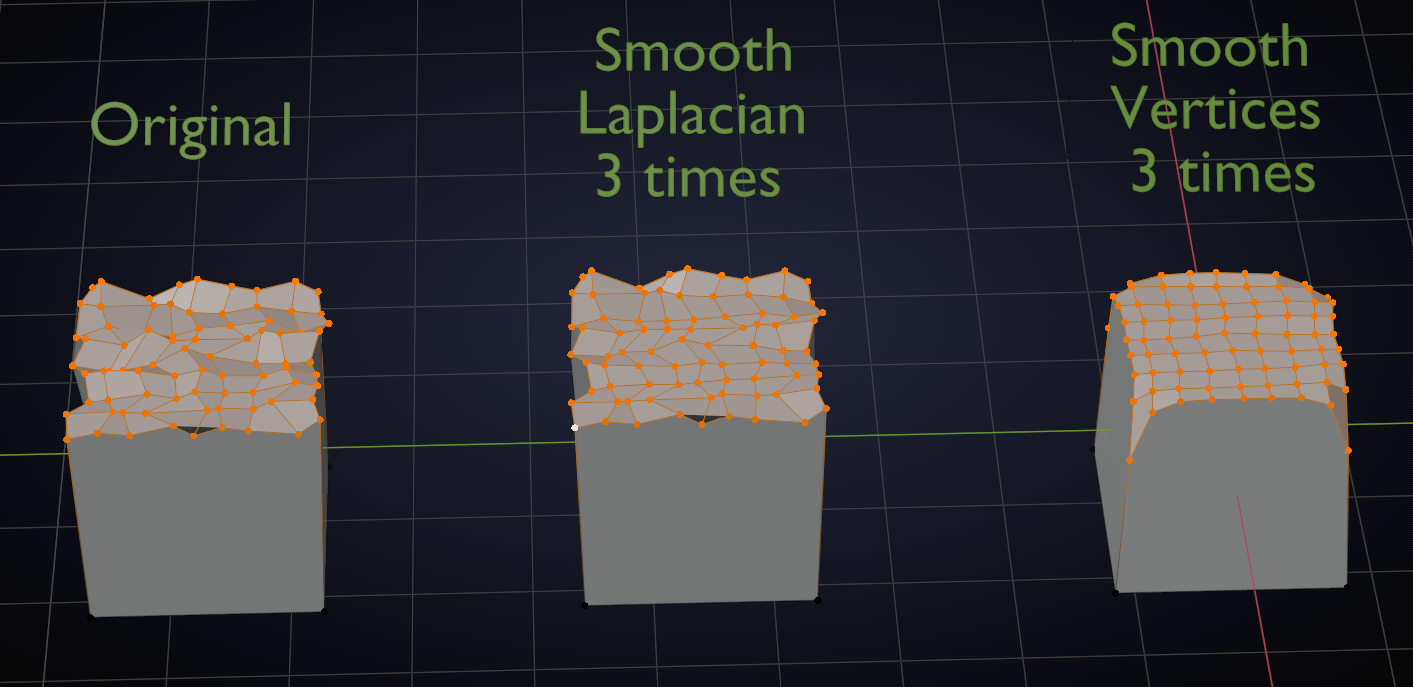
              Here the Smooth Vertices is meant (Edit Mode) Smooth Laplacian also smooths the selected Vertices of a Mesh, but with minimal changes to its shape:

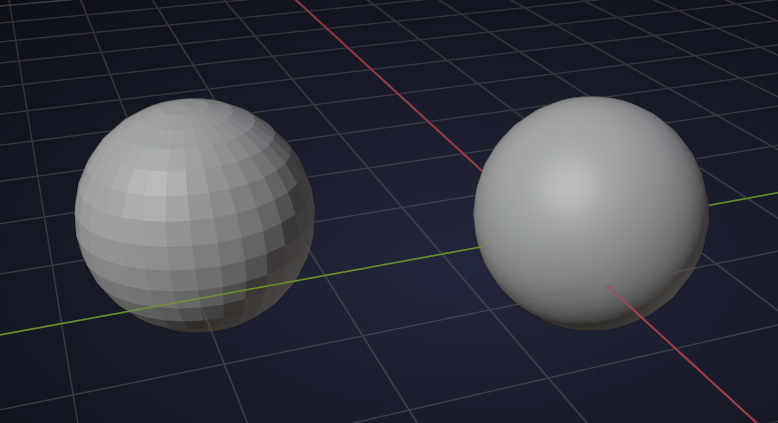
              Shade Smooth is an option in Object Mode and looks like this (right sphere is smooth shaded, left sphere is shaded flat, for the rest they are the same):

            Viewing 5 posts - 1 through 5 (of 5 total)
            • The topic ‘Smooth tool Blender 2.81’ is closed to new replies.