
Smooth shading
Forum Archive › Smooth shading
- This topic has 27 replies, 4 voices, and was last updated 1 year, 8 months ago by
Martin Bergwerf.
-
AuthorPosts
-
December 29, 2024 at 6:23 am #92329
To Martin, I must draw by hand. So this
December 29, 2024 at 6:25 am #92330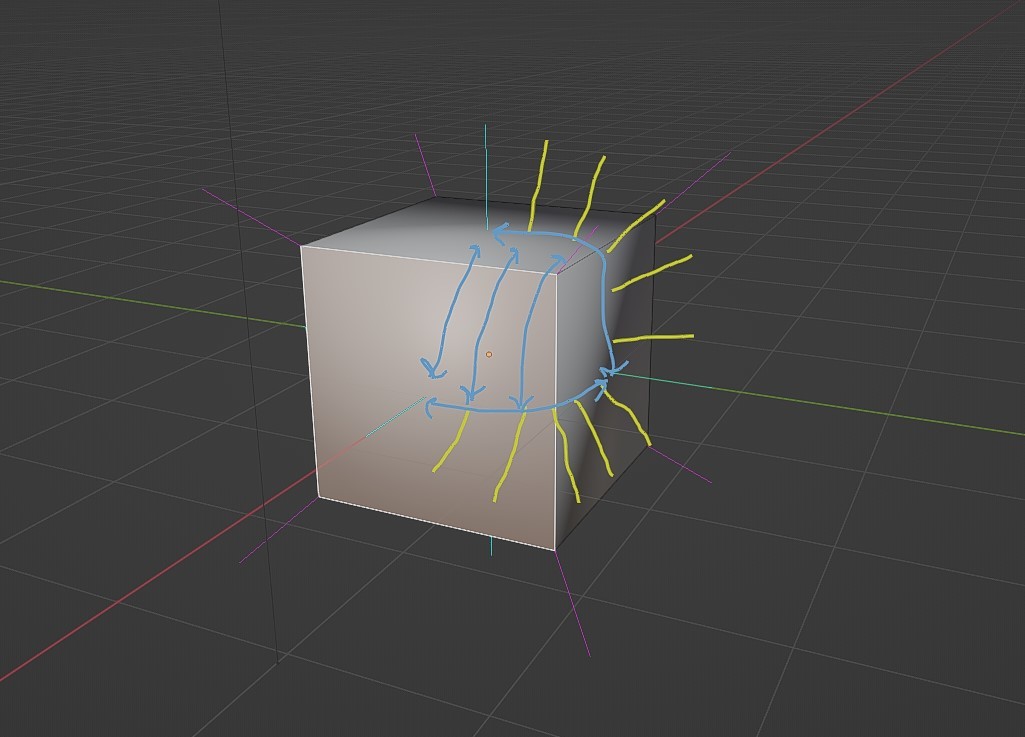 December 29, 2024 at 6:27 am #92331
Yes, exactly!
Don’t focus too much on the Vertex Normals, just interpolate between the Face Normals and the Vertex Normals ‘follow’ automatically.
December 29, 2024 at 6:27 am #92332is a simplified version of yours. Is this the ways the interpolations goes?
December 29, 2024 at 6:29 am #92333Okay great! Thanks Martin
December 29, 2024 at 6:48 am #92334Or in a ‘pretty’ picture, if you have 3 Face Normals (no matter what directions they are pointing), the interpolation looks something like this:
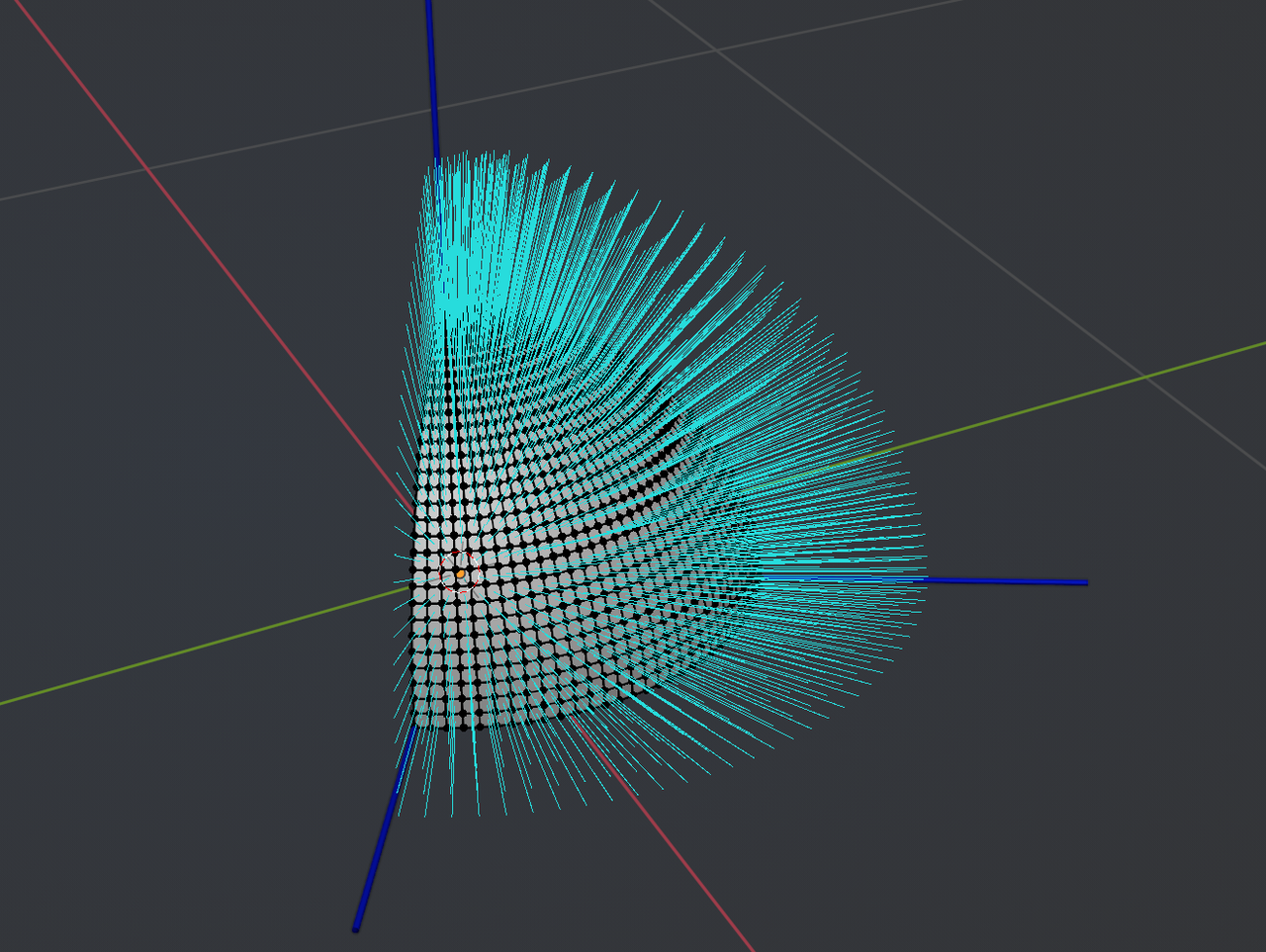 December 29, 2024 at 8:48 am #92335
I’m going to throw my 2 cents in. Blender uses Phong shading not Gouraud shading. Sorry, I don’t know which algorithm of Phong. I think it Blinn-Phong, but I could be wrong. Why does this matter to your discussion? Phong is calculating a weighted average between all vertices per pixel. This is why you can get strange results from Poles(N, E, 6+) and N-gons. Gouraud is more linear and the tessellation(Making it triangles) is included in the calculation.(Technically not true, but visually it is) You can get similar results in blender by adding a triangulate modifier. What’s my point? That the perceived interpolation changes based on angle of view, and that it’s not as linear as it appears to be.
Note: Poles in quad modeling are any non-terminating vertex that doesn’t have 4 edges connected. Think of a subdivided plane. The outer edges are terminating vertices. Nose poles(AKA N-poles) have 3 edges. Extrude Poles(AKA E-Poles) have 5 edges. 6+ poles…You guessed it have 6 or more edges.
December 29, 2024 at 10:00 am #92336Oh, that’s interesting, Dwayne! I am pretty sure that it’s indeed Blinn-Phong, but I don’t know what that is exactly (I just remember the name).
(Maybe not something a modeler needs to know/worry about too much…)
December 29, 2024 at 11:12 am #92337Found a nice picture at https://opengl-notes.readthedocs.io/en/latest/topics/lighting/shading.html
Doesn’t go too deep into the weeds, but makes it more clear, what we are talking about:
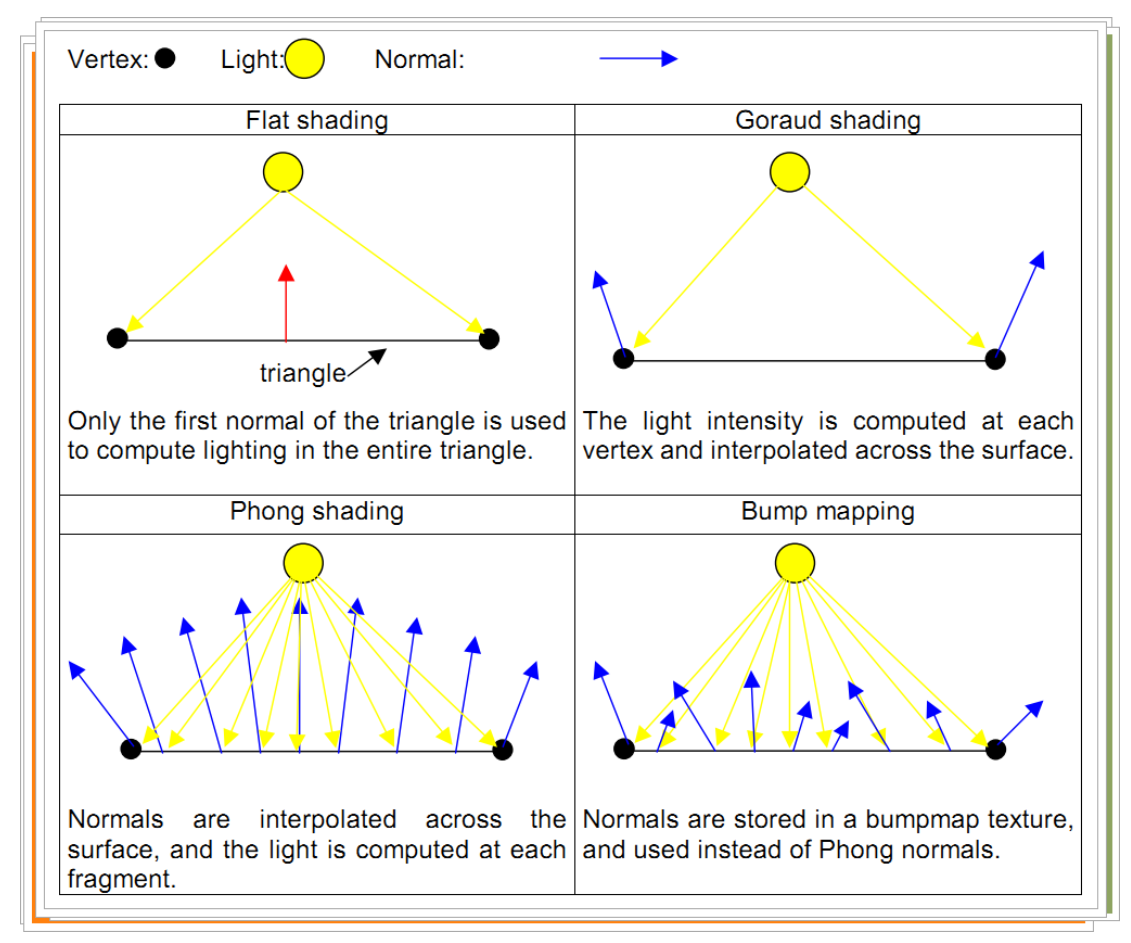 December 29, 2024 at 12:22 pm #92338
Nice image @spikeyxxx. I’ve been looking for a way to better explain it. I only started learning this as I’ve been looking into custom normals for NPR shaders. Although it might be a mute point since Dillon Goo(Creator of the Goo Engine) is now partnering with the dev team to create an NPR workflow/engine in main Blender. They have already created an NPR branch version.
December 30, 2024 at 1:42 am #92339Okay Tom @tfsuper3d ,
I think we figured it out now; I was wrong the first time, the Smooth Shading interpolates between the Vertex Normals,not between the Face Normals (I actually knew that, but thought it made no difference). So, to put it all together in one picture; the Vertex per Face Normals (used for Flat Shading) are averaged to make the Vertex Normals and then the Vertex Normals are linearly interpolated, something like this:
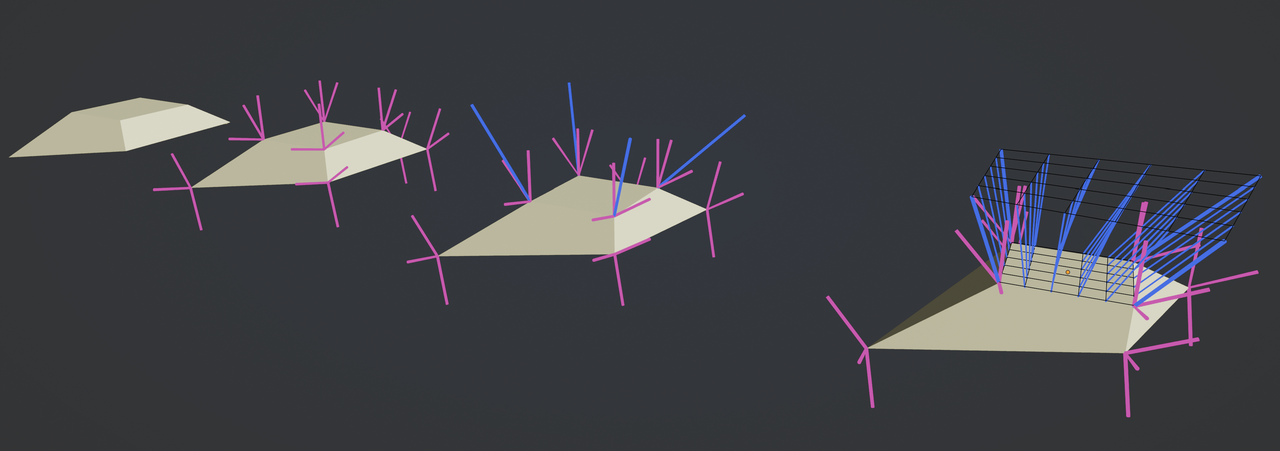 December 30, 2024 at 7:31 am #92340
No problem Martin I know you know. You showed me vertex interpolation in another post which I unfortunately deleted for a reason I don’t know. But it’s more than that I assume, as Dwayne was talking about if you look at it at the pixel level, but as you said a modeler doesn’t need to worry about it that much, unless you want to customize the directions with a python script. Then you should know the algorithm, I guess. Thank you both for all your help.
December 30, 2024 at 7:57 am #92341Here’s something fun (as you mention customizing the directions), among the many ways to change the direction of Normals, there is this little-known Shortcut:
in Edit Mode, R, N allows you to Rotate the Vertex Per Face Normals of your Selection.
-
AuthorPosts


- The topic ‘Smooth shading’ is closed to new replies.