Smooth by angle modifier no affecting my Boolean holes

Forum Archive Smooth by angle modifier no affecting my Boolean holes

Viewing 7 posts - 1 through 7 (of 7 total)
  • Author
    Posts
  • #19737
    Shawn Hopkins
    Participant

      Hi everyone,

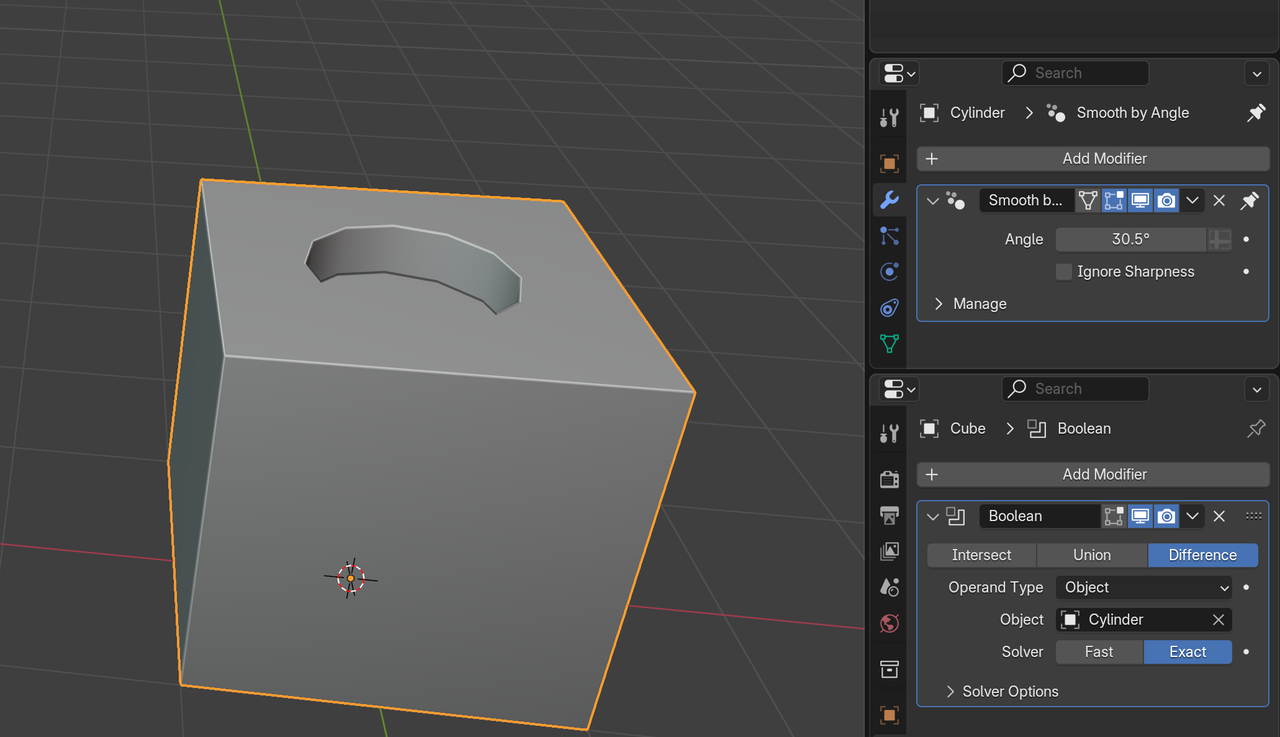
      I’m currently working in Blender 4.2.1 and ran into a bit of a snag. I used the Boolean tool in both fast and exact modes to punch my holes, but when I tried adjusting the angle in the smooth-by-angle modifier, it didn’t seem to affect the holes at all. I even switched between the fast and exact options in the Boolean, but still no luck. Has anyone experienced this or have any guidance on what might be causing the issue?

      Thank you so much in advance for your help!

      #93314
      Martin Bergwerf
      Participant

        Hi @ShawnOfTheDead207 ,

        Are you using the Smooth By Angle on the Cutters?

        Boolean_holes.png

        #93315
        Omar Domenech
        Participant

          Yeah it’s a classic issue and a bit counterintuitive, but you have to smooth the object that is making the cut for the hole to be influence. Even though your brain would tell you that since the hole is in that object, it must be in the object itself, but nop, it’s the cutter one.

          #93316
          Shawn Hopkins
          Participant

            The modifier is in the object being cut, in this case, the “Hard Drive” inner body. I am working on the Hard drive project in Johnathan’s Core course. Here is an image of the project with the modifiers of the body that I am cutting into, as well as 1 image of the cylinder row I am using to cut into the body and its modifiers [The second row of cylinders has the same modifiers and date, except for a difference of 1 in the count #. Thank you for your help…. I cannot seem to insert pictures, so here is a link to the images: https://drive.google.com/file/d/1lsHYEyaZ6ghlvQHNd7mhgbhzcaZgta7s/view?usp=sharing  &  https://drive.google.com/file/d/1umCiCvWWhAQQBgSngJip2NYTF_cJ4uUG/view?usp=sharing

            #93317
            Shawn Hopkins
            Participant

              Thank you, Omar and Martin, for your responses. According to the tutorial I am following, Johnathan said that we would normally do as you suggest, but because we’re using a smooth by angle after the Boolean modifier that is going to override the shading with those new settings, we should adjust it in the existing smooth by angle modifier in the object being cut. When I increase the angle, I have no success [on the video, this is working great for the instructor🙃]. I will try to add a modifier to my cutting object when I get back from work. Thanx again for the aid…

              #93318
              Martin Bergwerf
              Participant

                Hey @ShawnOfTheDead207 ,

                If you have the Smooth By Angle Modifier on the Hard Drive, after the Boolean, you might need to enable ‘Ignore Sharpness’ (in the Smooth By Angle Modifier).

                #93319
                Shawn Hopkins
                Participant

                  Thank you for the solution[s], and the speed of your replies to my request. The enabling ‘Ignore Sharpness’ worked after I moved the “Hard Drive’s” inside body away from the top of the outer body, enough so the pre-applied-bevel-modified top edges do not intersect at all [they do not intersect where they are beveled with the modifier, but the imaginary outline of the unmodified top edge of the inner object was jutting through the outside object’s edge]. So, once I apply my bevel modifiers, I should be able to move my beveled edges close again without it affecting my Boolean negatively. Thanx again… 

                Viewing 7 posts - 1 through 7 (of 7 total)
                • The topic ‘Smooth by angle modifier no affecting my Boolean holes’ is closed to new replies.