Smoke domain: scaling

Forum Archive Smoke domain: scaling

Viewing 3 posts - 1 through 3 (of 3 total)
  • Author
    Posts
  • #20009
    Kevin Mather
    Participant

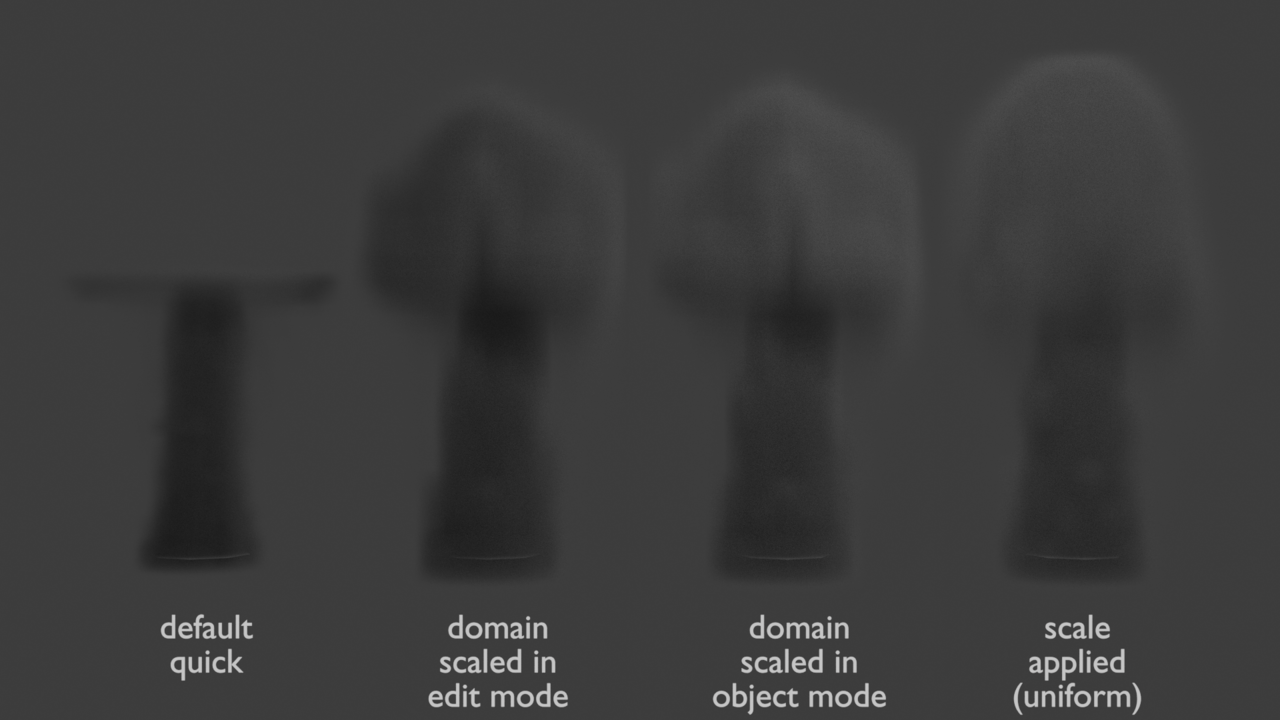
      [4.2 LTS] When using Quick Smoke, I typically get a Domain with non-uniform scale, not the dimensions I want. Scaling of the domain affects behavior – there are a few options:

      • Rescale in Object mode as desired – end up with new non-uniform scale (always seems to behave as expected)
      • Rescale in Edit mode as desired – end up with original non-uniform scale (behaves as the previous one? not sure)
      • Rescale in either mode, Apply Scale. This seems to produce distorted results – I guess you should never do it.

      (Creating a mesh i.e. Cube and assigning physics=Domain seems to give the same results as Quick.)

      I didn’t see anything in documentation, or anything obvious on the web. I’ve had issues/questions about it for quite a long time.

      results-01.png

      #94319
      Martin Bergwerf
      Participant

        Hi @techworker1 ,

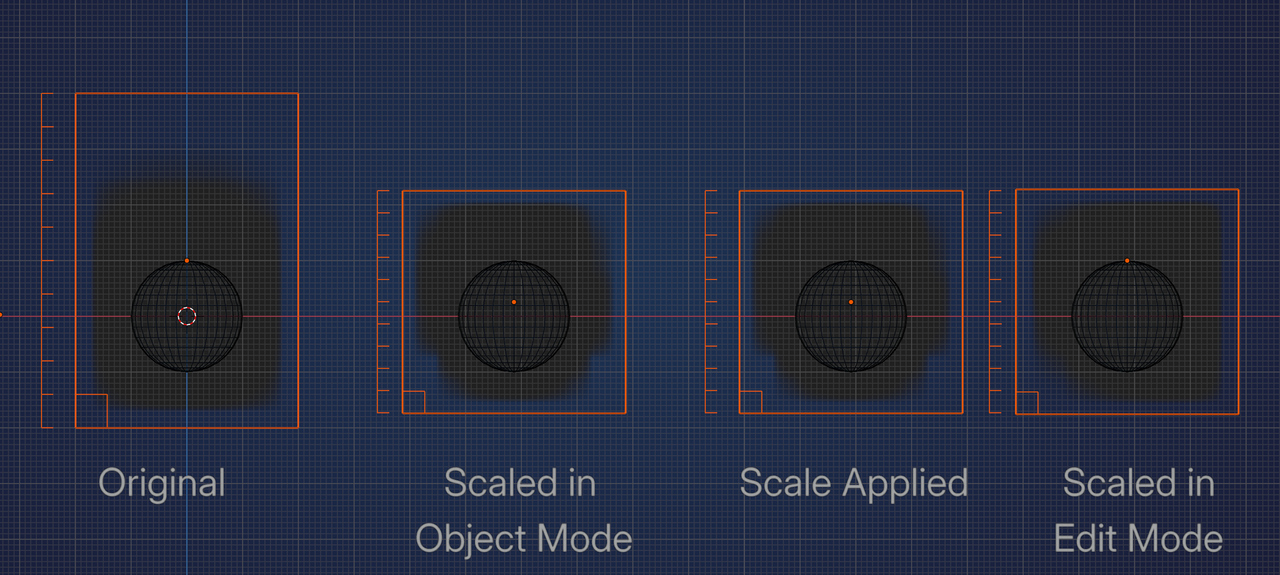
        As far as I know, it doesn’t matter, the only thing that matters, is the (World) Size of the longest Side of the Domain, that gets divided by the Resolution and thus decides how large the Voxels are. Here are a few Domains with a Resolution of 10.

        Domain.png

        The difference in Simulation you might get with same sized Domains, are probably due to the different Positions of their Origins.

        #94320
        Kevin Mather
        Participant

          Thanks @spikeyxxx . After trying a few more experiments, I think that you are right – it is the origin location that is the most critical. “Set origin to Geometry” after any scaling seems to make things work correctly. (When playing back, the little corner box on the domain jumps around weirdly sometimes, but the smoke itself looks correct.)

        Viewing 3 posts - 1 through 3 (of 3 total)
        • The topic ‘Smoke domain: scaling’ is closed to new replies.