Course Library
Learning Paths
Free Courses
Learn Blender 3D in the way that’s right for you.
Inner Circle
Where members share progress and help each other learn.
›
The Commons
A free Blender community open to artists of all skill levels.
Forum Archive › Slightly weird bevel in places when outlining around the console
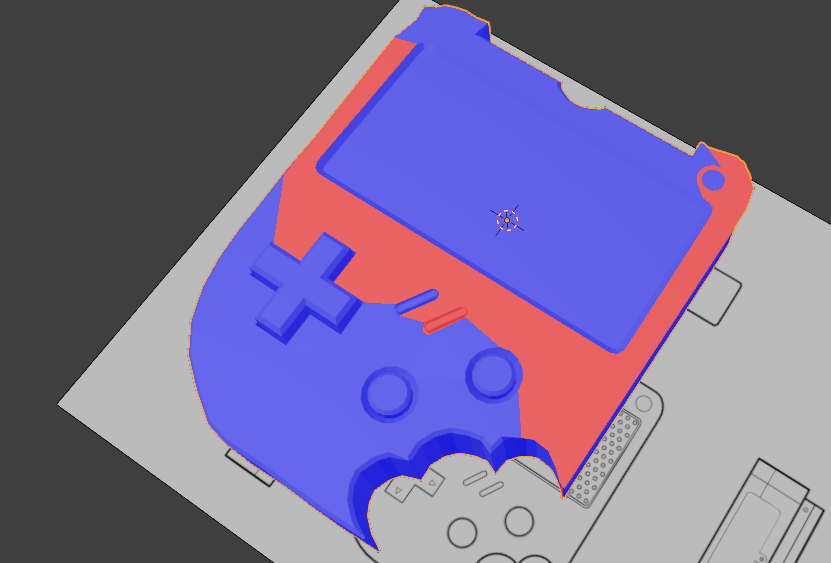
Sometimes the bevel acts a little weird for me for some reason.
Bevel modifier settings.
You may have double vertices or flipped normals. Try recalculation your normals, select all and the Shift + N and select everything and M to merge by distance.
yep. Could that be why? When I recalculated those outside, most of the bevel got fixed, tysm!
Yes, that’s your problem; inconsistent Normals! Like Omar already said:
In Edit Mode, Select everything (with A) and SHIFT+N. That should take care of it.
Won’t do any harm to M > Merge > BY Distance as well.