
Skin Modifier creating too much geometry. Alternatives?
Forum Archive › Skin Modifier creating too much geometry. Alternatives?
- This topic has 11 replies, 3 voices, and was last updated 5 years, 2 months ago by
saturnpolly.
-
AuthorPosts
-
June 27, 2021 at 4:53 pm #14117
I have a single (subdivided) edge that I am distorting with a couple of displacement modifiers driven by textures and that I am making solid with a skin modifier afterwards (I want the general form to be warped/distorted but the skin should not). The issue is that the skin modifier subdivides the edge by dividing its length by the average radius (i.e. long thin lines create a lot of resolution along the edge that you may not need): https://i.imgur.com/PcOjizA.png
A 10m edge with a radius of 0.001 will result in over 500 verts from just 2. I have a 4m line made of 28 verts and a radius of 0.001 that tapers off towards both ends, with the skin modifier I get over 8900 verts. Enabling the displacements and one subdivision (level 2) modifier brings me to around 17000 (from 110 or so with subdiv). I started noticing when I duplicated this line 15 times (supposed to be around 60 in the final scene) and my animations (and UI) started running at about 5fps because I had a quarter million verts all of a sudden.
Adding a decimate modifier does pretty much nothing, removing all that unnecessary geometry seems to take about as much time as rendering it. I cannot make the line shorter and scale it in object mode because this will mess up all the displacements as well.
Is there any way I can generate a mesh with faces around my line that works within the modifier stack? I basically want exactly what the skin modifier does but I want control over the resolution along the edge. I don’t have any experience with Geometry nodes but it seems that I can only use it to instance objects on generated points, not create a mesh. Edit: Well, I am an idiot. I could just instance small cubes and scale/rotate them to make my own line (https://i.imgur.com/xoUVW1T.png). But I don’t see a node that would allow me to access the next point so I can get the distance and rotation vector. Is that possible?
I know that I could always compile my own blender version, I have found the relevant code but that seems like total overkill.
June 28, 2021 at 3:40 am #69288Hey @saturnpolly ,
It may sound simple but have you applied the scale?
And try changing the order of the modifier stack, SubSurf above Skin. I’m not sure what you are creating but try a Solidify instead.
Can you post a screenshot so I can help you further?
June 28, 2021 at 5:21 am #69289I am experimenting with lightning / electricity. I have to start out with an edge and give it some thickness after because I want the profile to stay even (https://i.imgur.com/kR9Crt9.png). Solidify requires a mesh with faces, so that is not an option. Neither is object scale, as mentioned in my first post. Also ignore that I mentioned the SubSurf in my stack, it changes the magnitude of the problem a bit but it is ultimately irrelevant.
I’m not sure how to put it more clearly then in my first post: Is there any way I can generate a mesh with faces around my line that works within the modifier stack? I basically want exactly what the skin modifier does but I want control over the resolution along the edge.
Edit: I updated my original post regarding Geometry nodes, pasting it here as well: Well, I am an idiot. I could just instance small cubes and scale/rotate them to make my own line (https://i.imgur.com/xoUVW1T.png). But I don’t see a node that would allow me to access the next point so I can get the distance and rotation vector. Is that possible?
June 28, 2021 at 8:54 am #69290Have you tried using a Curve or NurbsPath?
In the object data properties you will find a geometry drop down with extrude , bevel and other options. With the curve you can change the handle type with the ‘V’ hotkey for different results. There are lots of different curves and Nurbs to experiment with. Sounds like one of these would be a better option. You can even add materials to them.
This would seem like your best option, have a look and play around. You will be surprised what you can do with curves.
June 28, 2021 at 9:28 am #69291I wanted to use curves initially but started using a mesh when I saw that there is no displacement modifier.
June 28, 2021 at 10:14 am #69292What about using the curve to get your base shape, then convert to a mesh and add displace modifier.
June 28, 2021 at 10:33 am #69293Sorry, I probably should have made it more explicit that I am animating the displacement, so manual intermediate steps also won’t do. It just seems like I have found the perfect edge case where a lot of the usual solutions that come to mind don’t work. ^^ Do you know if my understanding about Geometry Nodes is correct, that I can only do calculations on a point-by-point basis (so I can’t calculate the vector between two points in the Geometry “list”)?
June 28, 2021 at 12:04 pm #69294Now that maybe a question for @spikeyxxx
June 28, 2021 at 3:00 pm #69295I have no solution to this, but I think that modelling is not the way to go. It highly depends on what you want exactly, but maybe you could use Shaders (look at this: https://github.com/fletchgraham/nodevember#day-03-lightning).
When you want to have real geometry, then GN would probably the best way, but even then it won’t be easy….to get the Vector between two points is easy (as is to get the Distance):
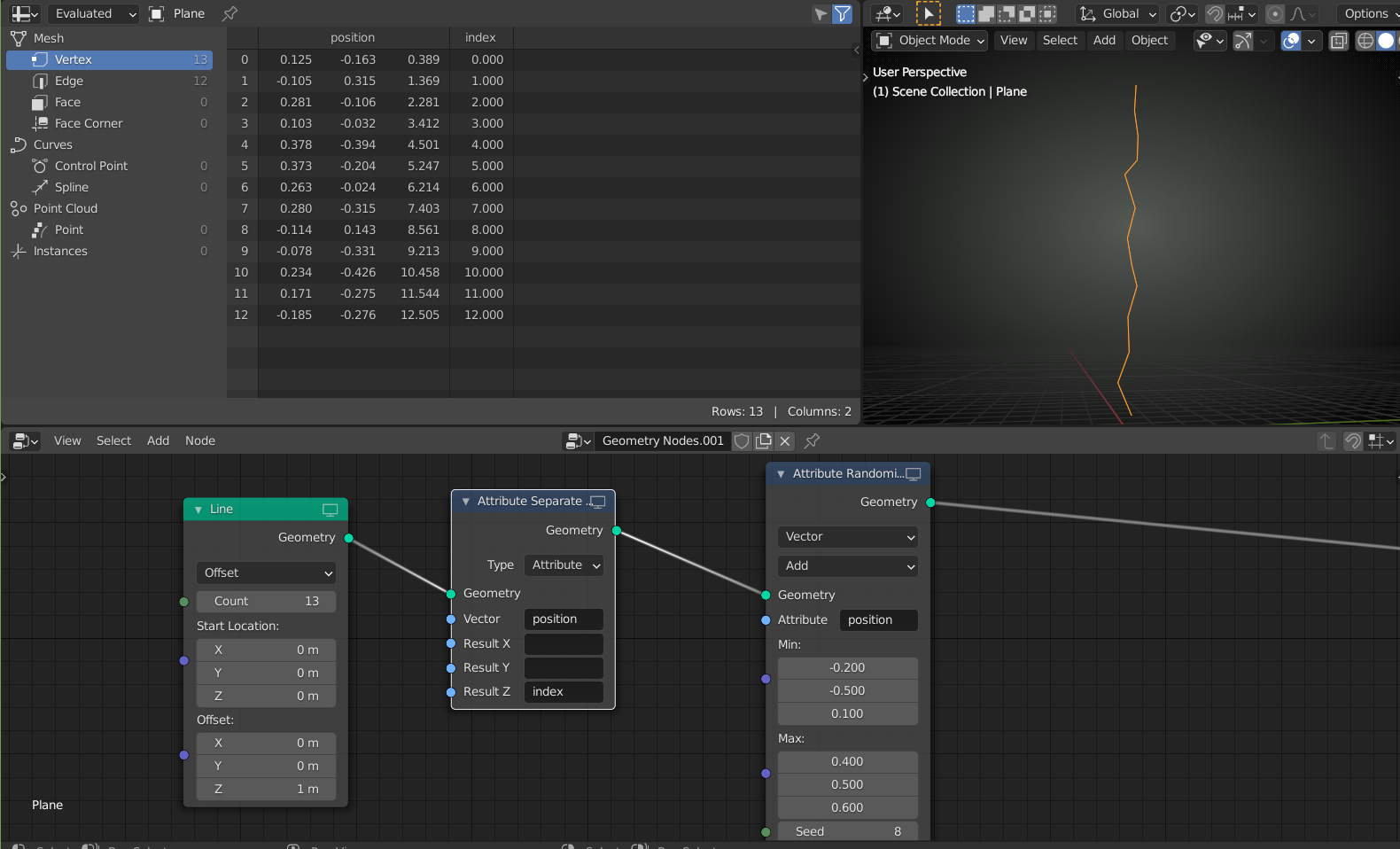
just subtract the two positions.
But there is no loop yet, so you’d have to do that for every pair of neighbouring points…Which means that you’d have to know the number of Vertices beforehand…
I am not a GN expert and maybe the latest (or near future) version can handle this…
June 29, 2021 at 2:37 am #69296Wow, that lightning looks pretty good. I was searching for examples of shader based lightning/electricity, apparently my google foo is weak because this one did not come up. It will probably take some time to digest and customize for my case but it looks really promising.
Re GN and not being able to calculate something between two points in the list: I meant I don’t know how to get the data for a specific entry in the dataset to calculate whatever I am interested in, e.g. if I have a dataset with 5 entries/points and want to calculate whatever for each pair of points by copy & pasting nodes because no loops, how do I get the data at index 0 and 1, 1 and 2, and so on.
June 30, 2021 at 12:48 am #69297It’s going to be messy, but for instance:

which gives you the first point, separated from the rest:
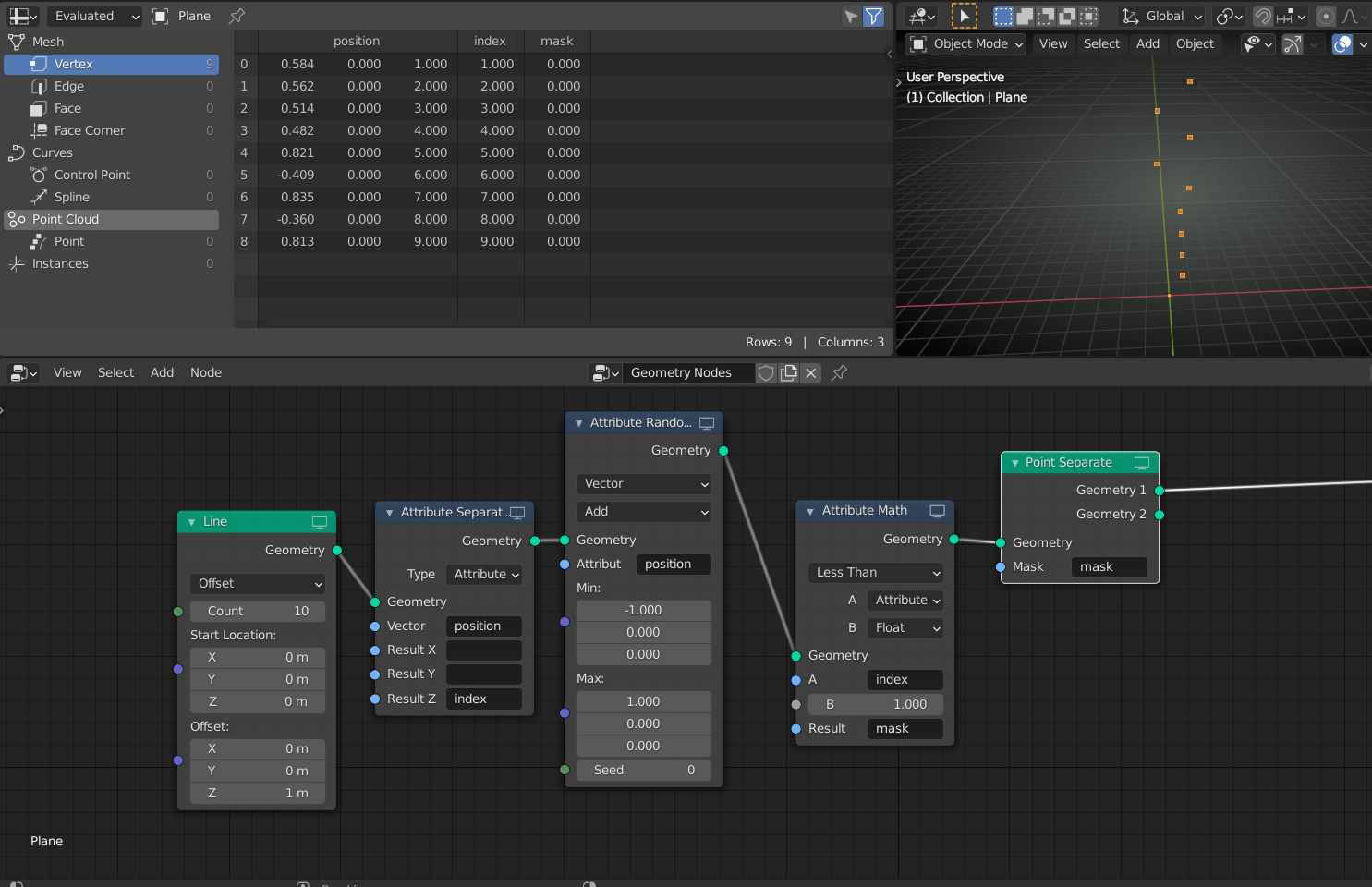 similarly, you can isolate each point. But you’ll have to know how many points there are!
I am sure that things like this will be easier in the future, but for now I’d stiick with using Shaders.
June 30, 2021 at 4:16 am #69298Haha, when I was looking for a way to “select” a specific row in the dataset I totally disregarded the Point Separate node next to the transform nodes in the menu, that is not the functionality I expected. As you said, doing it in shaders is probably the better avenue to explore. Thank you for the help.
-
AuthorPosts


- The topic ‘Skin Modifier creating too much geometry. Alternatives?’ is closed to new replies.