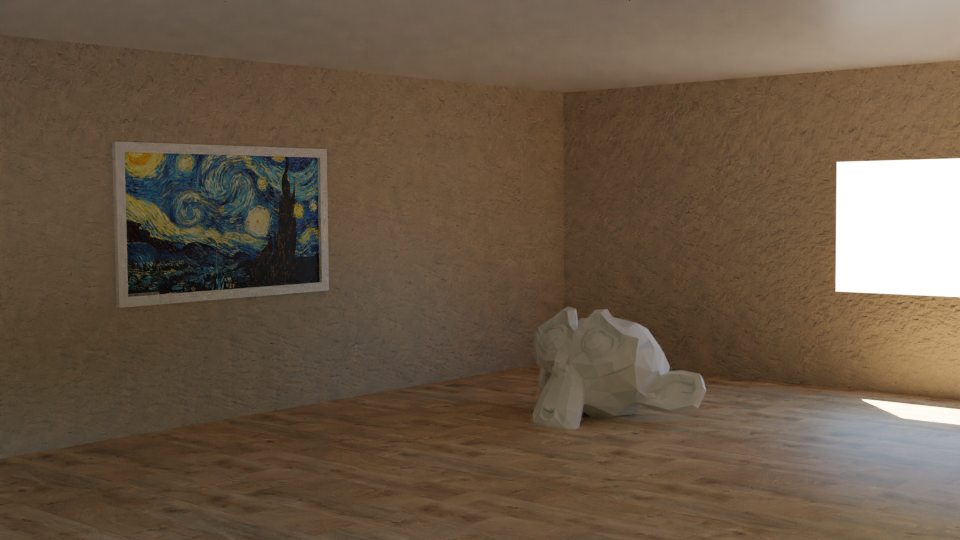
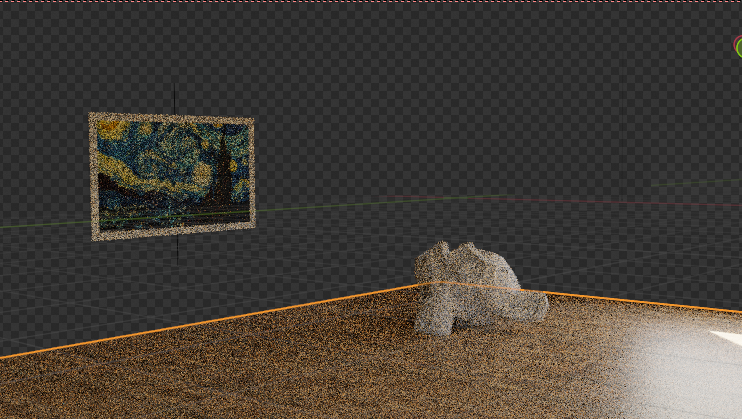
Shouldn’t the shadow catcher planes block the sunlight instead of letting it pass through?

Forum Archive Shouldn’t the shadow catcher planes block the sunlight instead of letting it pass through?

Viewing 7 posts - 1 through 7 (of 7 total)
  • Author
    Posts
  • #13691
    mishraka
    Participant

      Dear fellow artists,

      I did the following and ran into an issue:

      1. Create a room, carve out windows, assign material and use HDRI to light the scene.
      2. Add the objects on the floor and walls.
      3. Make all objects created in step 1 “Shadow Catcher”
      4. Render the scene.

      Here’s the rendered image. Please notice the strong shadow cast by the paintings and directly underneath the monkey.

      Removing the shadow catcher attribute from the wall, ceiling and floor planes, I see this rendering below wherein the shadow seems consistent.

      At this point, one of you VFX experts must be saying: “Ah, another noob mistake.” Please tell me what I’m doing wrong.

      #64631
      mishraka
      Participant

        @spikey since you had responded to my posts before and I have read your responses on the forum on other deep topics in Blender,  I’m wondering if it’s obvious to you what I’m doing wrong here. 

        I’ll appreciate your help!

        #64632
        spikeyxxx
        Participant

          I have seen this, but I couldn’t figure out what is going on here. It’s not something obvious to me.

          The lighting seems different in the two examples. I don’t know where the light is coming from; a cube with a window cut  out, lit by an HDRI doesn’t give the result as in the second image.

          If you could provide your .blend file (with all textures packed!), I might have a better chance to figure out what is going on.

          Simply changing the room to a Shadow Catcher shouldn’t change the shadows.

          #64633
          mishraka
          Participant

            Thanks for responding! 

            The second example is actually lit by an HDRI https://hdrihaven.com/hdri/?h=belvedere

            I have uploaded the .blend file with all the textures here in this gdrive folder: https://drive.google.com/drive/folders/1hp8JSoKK4ISykngS6NSBOttygp4bX-7K?usp=sharing

            I’m encouraged to hear that you agree “Simply changing the room to a Shadow Catcher shouldn’t change the shadows.” I’m anxious to learn what I might be missing here.

            #64634
            spikeyxxx
            Participant

              @mishraka it is a mystery to me!

              I can’t find any strange settings in your file. 

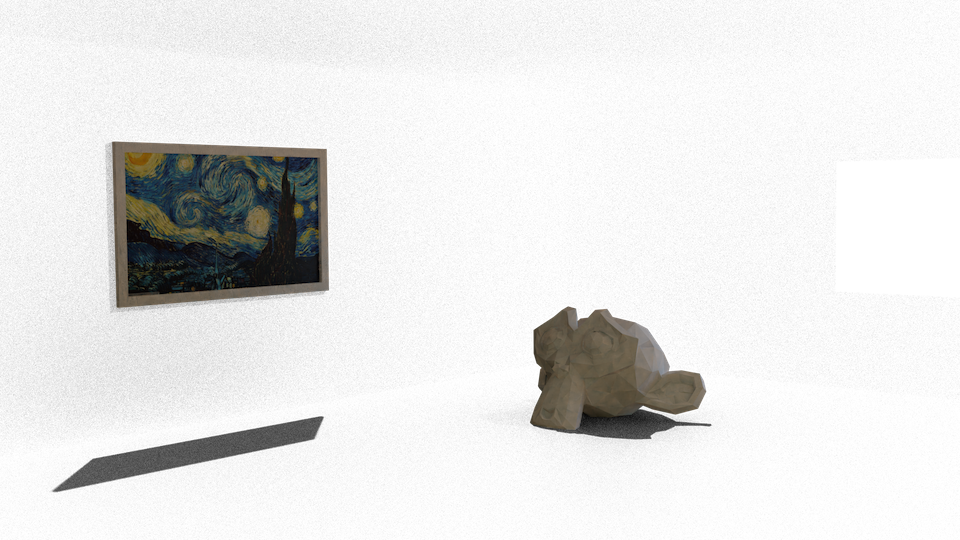
              When you don’t have your floor as Shadow Catcher (only Ceiling and Walls) it behaves as expected:

              But as soon as you also make the Floor a Shadow Catcher, the effect is as you already showed.

              There is not actually light coming through the Walls and Ceiling, otherwise the Monkey and Painting would be much brighter.

              I’ve tried a few different Blender versions, but that didn’t help.

              Maybe it’s a bug? 

              Does @jlampel know what is happening here?

              #64635
              Jonathan Lampel
              Participant

                I couldn’t think of an explanation for this either! I would try reporting it as a bug: https://developer.blender.org/

                #64636
                mishraka
                Participant

                  @spikeyxxx thanks for helping debug the problem! After reading @jlampel ‘s response below as well, it appears to be a bug to me. So I will file it as an issue. 

                  I’m still surprised that others haven’t run into this issue already as you would need to do these steps in any virtual staging project.

                Viewing 7 posts - 1 through 7 (of 7 total)
                • The topic ‘Shouldn’t the shadow catcher planes block the sunlight instead of letting it pass through?’ is closed to new replies.