Shift key will center the knife cut on both sides, is there way to center it only one side?

Forum Archive Shift key will center the knife cut on both sides, is there way to center it only one side?

Viewing 12 posts - 1 through 12 (of 12 total)
  • Author
    Posts
  • #18331
    Arek Nowakowski
    Participant

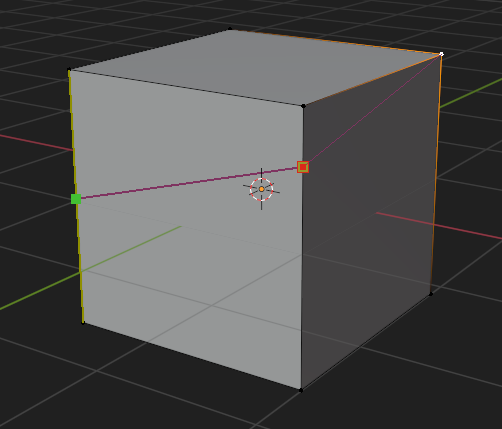
      If the starting point isn’t a vertex and you hold Shift, the cut will initially get centered only on the first edge, but once you press enter the first cut will snap to the middle. Can it be done only on the 2nd edge?

      #87537
      Martin Bergwerf
      Participant

        Hi Grzegorz @Kovalsky ,

        I don’t know what you mean exacctly, but Midpoint Snapping by holding SHIFT works on any Edge. Just hold SHIFT at the right time, when cutting the Edge you want. So you can start the cut anywhere on an Edge and then cut towards a second Edge (the first Edge cut is now fixed) and hold SHIFT and Cut the second Edge (click to confirm and then Enter).

        Admittedly, the Knife Tool does need a bit of practice!

        #87538
        Adrian Bellworthy
        Participant

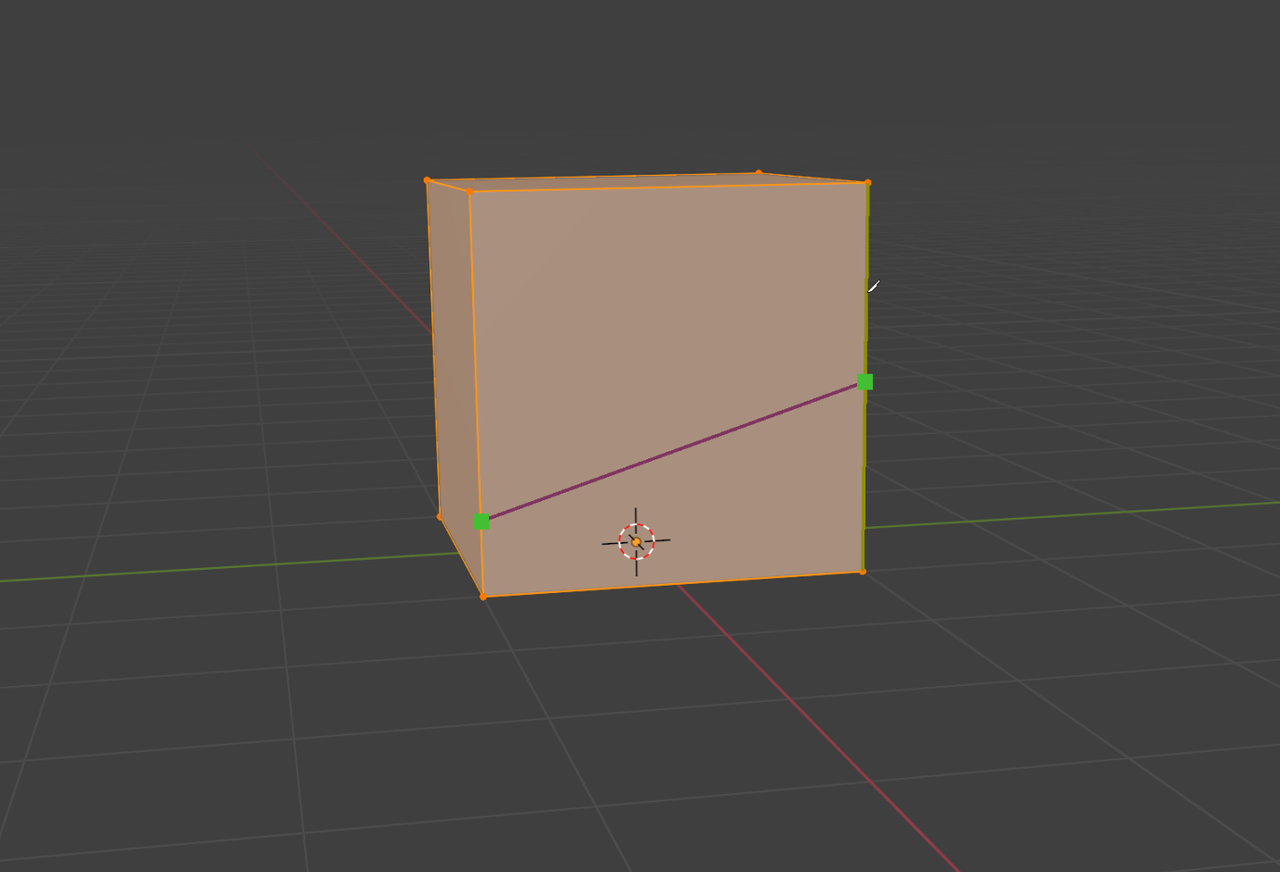
          Actually, midpoint snapping centres all unconfirmed points (green). So when starting a new cut the first and second point are centred on their respective edge.

          I suggest starting with a cut on the side face and then hold SHIFT when making the second cut. If needed you can always delete the first cut.

          Knife_Midpoint.png

          Or you can use midpoint snapping as you have, and then edge slide the vertex you don’t want at the midpoint.
          You could also loop cut and edge slide a vertex or two.

          Creating Ngons or triangles is not always ideal, but it will depend on the model and it’s use.
          The ideal solution is based on thinking ahead, and how it may affect things later.

          #87539
          Martin Bergwerf
          Participant

            “Actually, midpoint snapping centres all unconfirmed points (green). So when starting a new cut the first and second point are centred on their respective edge.”

            Hm, not when I try it 🤔 It only Snaps the second point when holding SHIFT and leaves the first where it is:

            Knife-Snap_01.png

            And it stays like that, when I hit Enter.

            #87540
            Adrian Bellworthy
            Participant

              Knife_midpoint.png

              All green indicators snap to the midpoint of the cut edge for me!

              #87541
              Martin Bergwerf
              Participant

                You must be doing something slightly different than I am…Don’t know what…I can not find a way to get your behavior.

                The Knife Tool is strange!

                #87542
                Martin Bergwerf
                Participant

                  Oh, I think I found it…

                  You are using 4.1 (or before?) in 4.2 it behaves as I mentioned! (Mind you, that might be a bug…in either version)

                  #87543
                  Martin Bergwerf
                  Participant

                    The behavior as you mentioned goes back to before 2.80, so it’s probably a bug in 4.2.

                    #87544
                    Martin Bergwerf
                    Participant

                      One of many other ways of doing this in 4.1 and before, would be to first Subdivide the second Edge and then start the Knife Tool (without holding SHIFT).

                      #87545
                      Martin Bergwerf
                      Participant

                        …or simply make the cut backwards, holding SHIFT for cutting the first Edge and then releasing SHIFT for the second.

                        #87546
                        Adrian Bellworthy
                        Participant

                          Yeah I am on 4.1 and the Blender Manual description implies all cuts (edges).
                          It is either a bug in 4.2 or new behaviour, I would of thought the description would of been updated though.

                          #87547
                          Martin Bergwerf
                          Participant

                            Yeah, the Manual is not always up to date…

                            But I think it’s a bug, at least I haven’t seen this mentioned as a feature anywhere.

                          Viewing 12 posts - 1 through 12 (of 12 total)
                          • The topic ‘Shift key will center the knife cut on both sides, is there way to center it only one side?’ is closed to new replies.