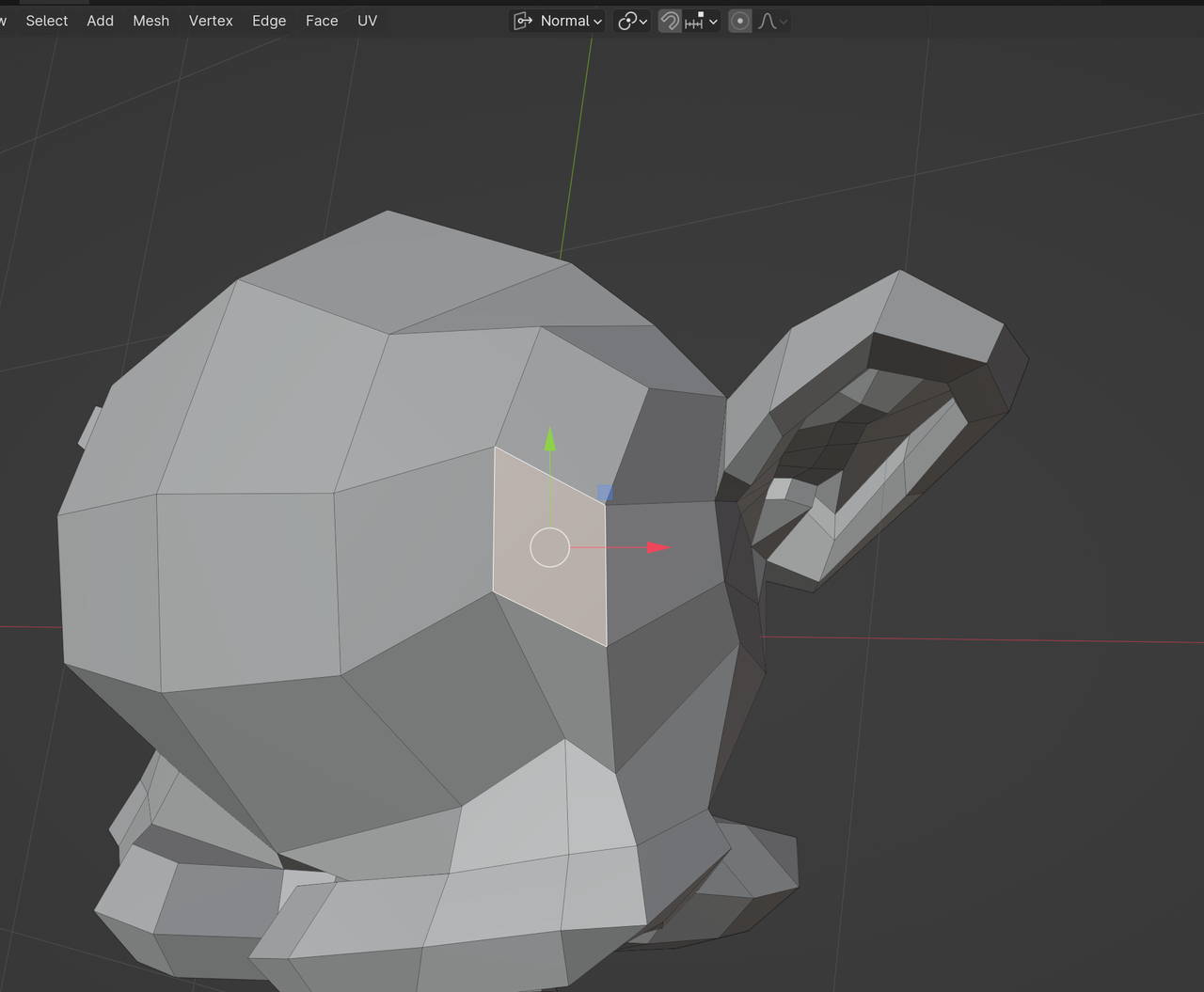
Not necessarily a problem, I’m just wondering why it does this.
@18:17 Jonathan selects a couple faces and hits Shift + 7 to rotate the viewport to the normals.
Initially I did that, but what I did that was slightly different where that the last selected face was different to the one he had selected (The face with the white outline as opposed the others with orange outlines – I forget the actual terms… ‘primary selected’ maybe?)
When I hit the hotkeys to rotate the viewport to the normals it flipped it upside down.
When I changed my selection so the last selected face was the same as Jonathans, it rotated the viewport to rightside up. All is good, I’m carrying on tickety-boo.
Quick note: I’ve tried other variations, and every last selected face bar the last that Jonathan selects seems to flip it upside down too.
Why might this specific shape be so special that it doesn’t do a summersault on me when it’s the last selected?
I know I can rotate the island in the UV editor and carry on sailing, but I’m just wondering what’s happening under the hood.
I’ll add screenshots for visuals

This is the special face that when hitting Shift + 7 rotates the viewport like you’d expect

This different last selected face then flips it upside down

Same boat, but with a last selected face thats right next to the “special face”

.