Sharp edges still showing on beveled normal maps

Forum Archive Sharp edges still showing on beveled normal maps

Viewing 4 posts - 1 through 4 (of 4 total)
  • Author
    Posts
  • #15045
    gbchubs3
    Participant

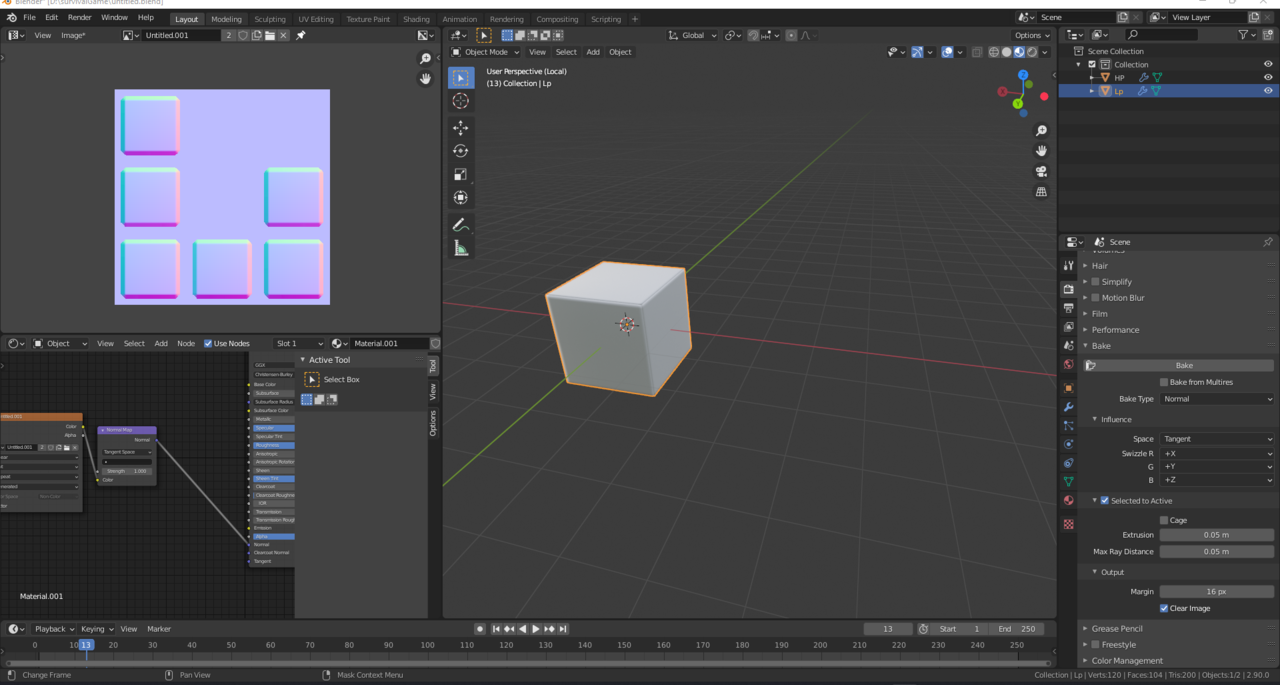
      Hello everyone. Recently I’ve been trying to apply baked normal maps to my models. It seems no matter how I arrange my uvs on my normal map it seems to show these hard lines on the mesh when I apply the normal maps on all of my models. 

      I have tried using the triangulate, edge split, and weighted normals modifiers as well before and after baking to my low poly model and that doesn’t seem to fix anything.  I have also marked the edges that have the bevels on them as seams and still no change. If anyone has an idea on how to fix this id appreciate it as ive spent a lot of hours just trying to figure out why this is happening. I have also baked my low poly mesh under sharp and smooth shading with still the same problem. Thanks!
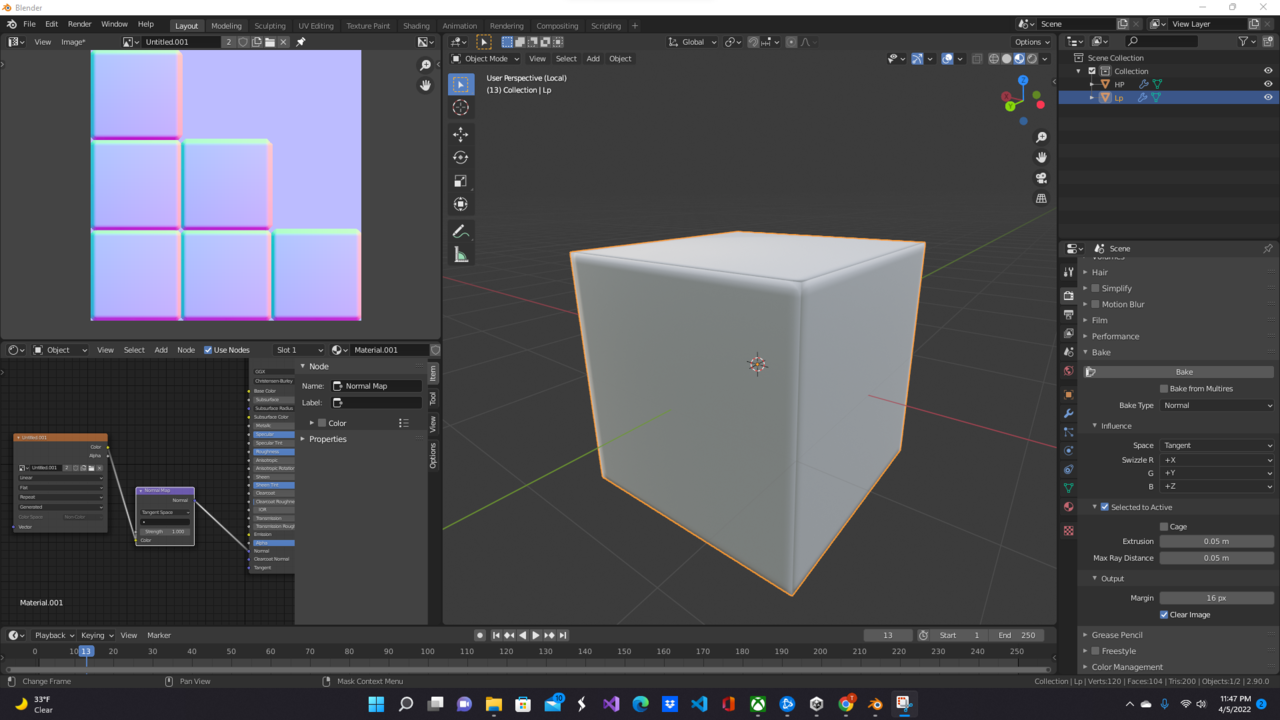

      Screenshot 2022-04-05 234715.png

      #74053
      spikeyxxx
      Participant

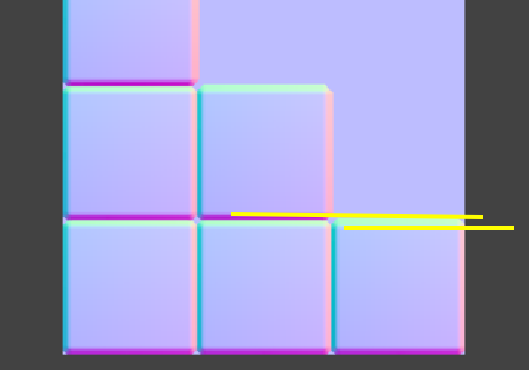
        Looks like a bad unwrap, but the main problem,I think, is that your 16 pixel Margin is intersecting:

        Intersection.png

        #74054
        gbchubs3
        Participant

          It looks like even without the overlap and making the uvs smaller seems to have the same issue. Do I perhaps need to make the margins smaller or bigger? Sorry perhaps I am just not understanding something with the unwrapping process.Screenshot 2022-04-12 081908.png

          #74055
          Adrian Bellworthy
          Participant

            Try using the cage option in the bake settings.

          Viewing 4 posts - 1 through 4 (of 4 total)
          • The topic ‘Sharp edges still showing on beveled normal maps’ is closed to new replies.