Shading problem.

Forum Archive Shading problem.

Viewing 4 posts - 1 through 4 (of 4 total)
  • Author
    Posts
  • #15468
    INUMAKI TOGE
    Participant

      hello. Whenever i am scaling down the splits of the plank there is appearing this shading problem. How can i fix this? Here is the image.

      wierd shading.png

      #75644
      Omar Domenech
      Participant

        Hello Inumaki. Can you post an image or a video of that shading problem? Just so we can see and troubleshoot from there.

        If I had to guess, it’s probably a problem with the topology. Maybe you have double vertices? Select all and “M” to merge by distance. Maybe your faces are too stretch? See if you can use “J” between two selected vertices to cut through them if you have a very elongated face. Maybe you have some flipped normals? Select everything and Shift + N to recalculate your normals.

        #75645
        Martin Bergwerf
        Participant

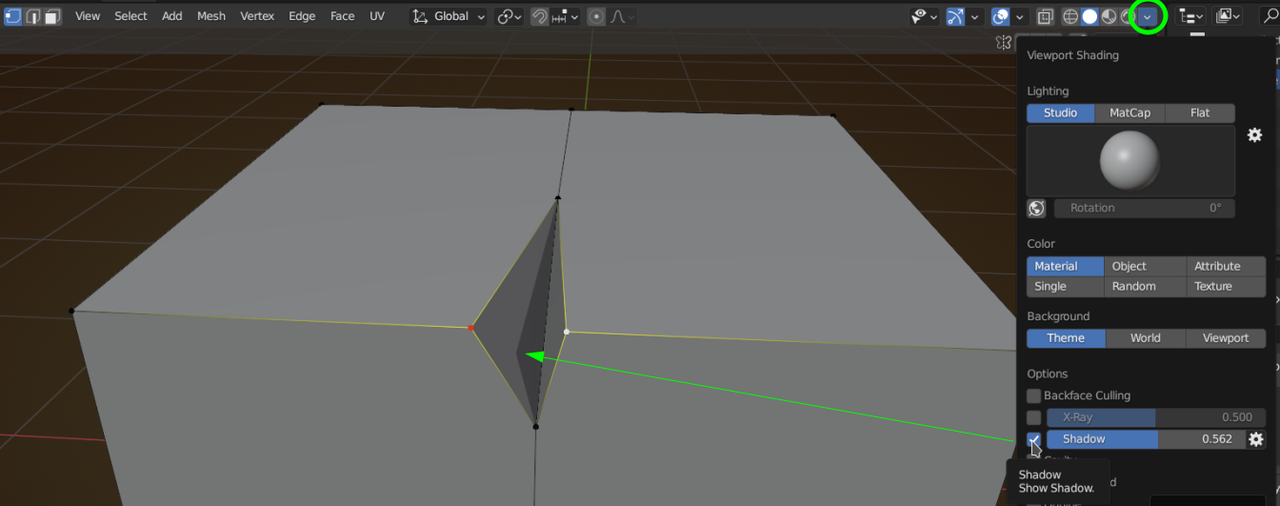
          It is also possible that it’s caused by your Viewport Shading Settings:

          Shadow.png

          #75646
          Omar Domenech
          Participant

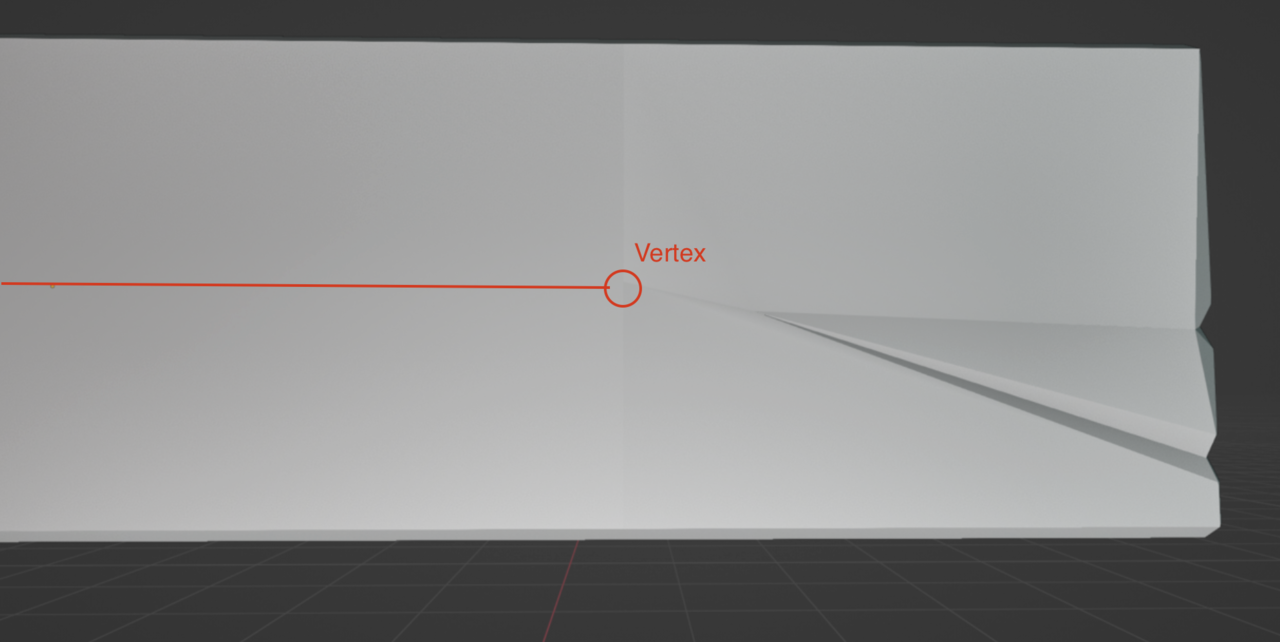
            Ok I see you posted an image. That looks like two possible things to me. First possibility you have a long Ngon there where that vertex terminates. Try continue it with a cut:

            Vertex.png

            Also perhaps that whole side is not entirely flat. Try selecting the faces you want to be flat and scale them in the X axis. So “S” then X then zero.

          Viewing 4 posts - 1 through 4 (of 4 total)
          • The topic ‘Shading problem.’ is closed to new replies.