Hi Nolan @Nuolong ,
First of all, it is indeed a hacky solution, but although there are other ways to do this, they will all be hacky.
Let’s get back to the problem: there are two ways the Inset tool can work: Insetting all connected Faces, or Insetting all Faces individually, which are both not what we want here.
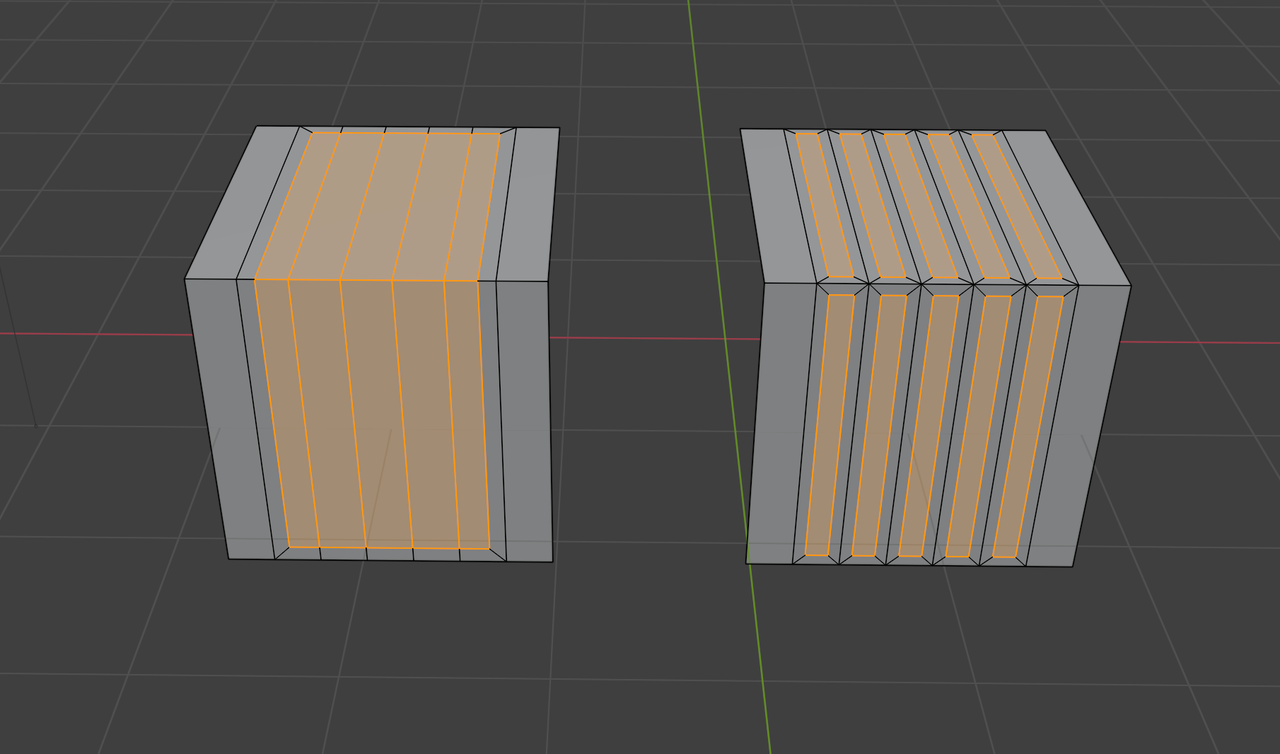
Now, the solution is to make sure that the Faces are not connected horizontally. Let me first show you an alternative way, that uses the same principle:
If you Select the Edge Loops like in the left Mesh, then press V, those Edge Loops ‘split’, so the Faces are separated, which is shown in the exaggerated right Mesh in the image:
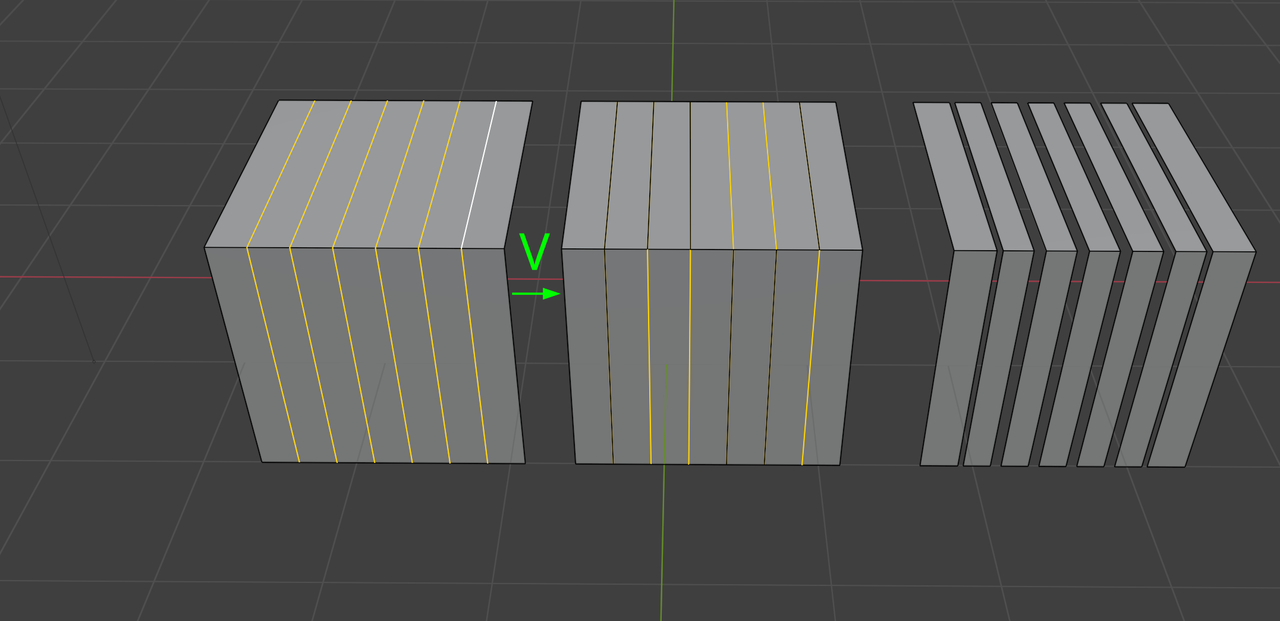
This would make the Inset work as we want, because those Faces are no longer horizontally connected. Then, after the Insetting, you’d need to Select all (with A) and run a M > Merge > By Distance, because you’d have created some so-called ‘Double Vertices’ with the V command.
Another way of doing this, is how it is done in the Tutorial, to Select every other set of Faces, so they are also not connected horizontally (because there are un-Selected Faces in between them).
Like I said before, there are other ways of doing this, but they’re all a bit hacky and these two methods are the easiest ones, that I can think of….

.


