Select an object in blender

Forum Archive Select an object in blender

Viewing 12 posts - 1 through 12 (of 12 total)
  • Author
    Posts
  • #9699
    Loopylou Sugarplum
    Participant

      This is a really basic question however Im struggling with it. How do I select something in blender? I would have thought clicking on it would have done it but no….. seems not! This is so complicated to learn. Can anyone help? Stumbling at the fist block here  🙁 thanks 

      #36609
      William Miller
      Participant

        You use the right mouse button to select by default.  (That will change in Blender 2.8.)  You should watch the Blender Basics course to learn more.  (You can change the selection mouse in the user preferences.)

        #36610
        plasmavoyage
        Participant

          //edit

          Start with the basics course that William posted, it’s completely free and will get you started in Blender.

          #36611
          William Miller
          Participant

            @elensanima I don’t get it; they’re the same.

            #36612
            Bauke Post
            Participant

              @williamatics In Blender 2.8 rmb will still be the default. However, you will probably be able to choose an “industry standard” keymap with lmb.

              #36613
              William Miller
              Participant

                @baukepost The latest experimental version uses the left mouse button for selecting.

                #36614
                Bauke Post
                Participant

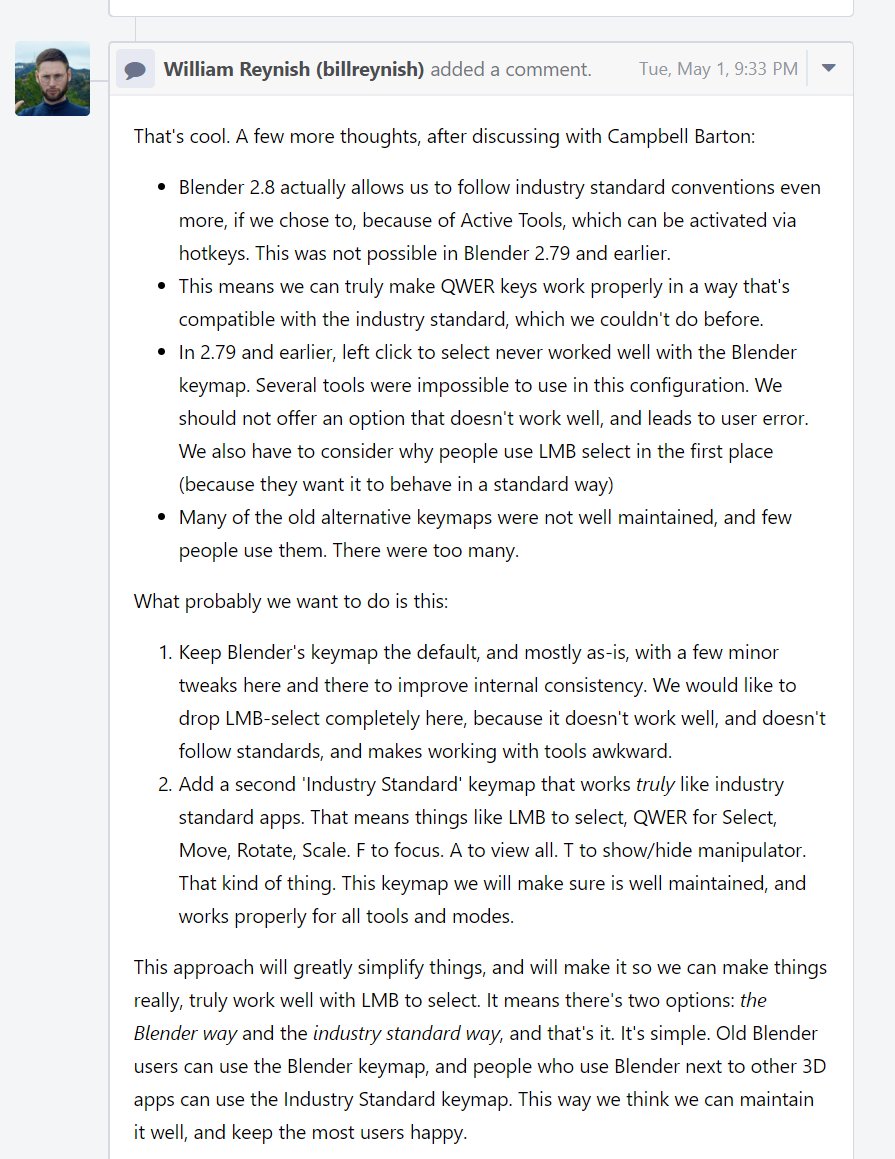
                  @williamatics I didn’t know that (I haven’t really tested a lot with 2.8), but I came across this on Twitter:

                  #36615
                  William Miller
                  Participant

                    Is Q to select, W to translate, E to rotate, and R to scale seriously industry standard?  That’s ridiculous!

                    #36616
                    Zach Zellman
                    Participant

                      @williamatics that’s how Maya is. I thought it was weird at first too, but it’s kind of like PC gaming. It’s the 4 keys above where your left fingers sit on a key board. That way if you are a traditional typer you don’t have to really move your hand. You don’t really have to move your hand with Blenders hot keys either, but I think in Maya or other apps the Blender hotkeys are used for other tools. Like setting a keyframe is “S” so instead of using S to scale or having to push alt, shift, or ctrl S to scale, they just put it on a different letter.

                      #36617
                      plasmavoyage
                      Participant

                        @williamatics Oh, weird. It shows different titles and preview images for me so I thought the course you posted was the one that talks about how to model with modifiers etc.

                        Sorry about that.

                        #36618
                        William Miller
                        Participant

                          I don’t get why people have such a hard time selecting things in Blender.  The first time I opened Blender, I left clicked.  Seeing that it didn’t work, I right clicked.  It worked!  Then, I saw the manipulator and guessed that it was used to move things.  I moved the cube and went off to find a tutorial.

                          #36619
                          Mark Smith
                          Participant

                            @williamatics if you consider that on the keyboard they are the top row of letters from left to right it makes better sense (QWER)…

                          Viewing 12 posts - 1 through 12 (of 12 total)
                          • The topic ‘Select an object in blender’ is closed to new replies.