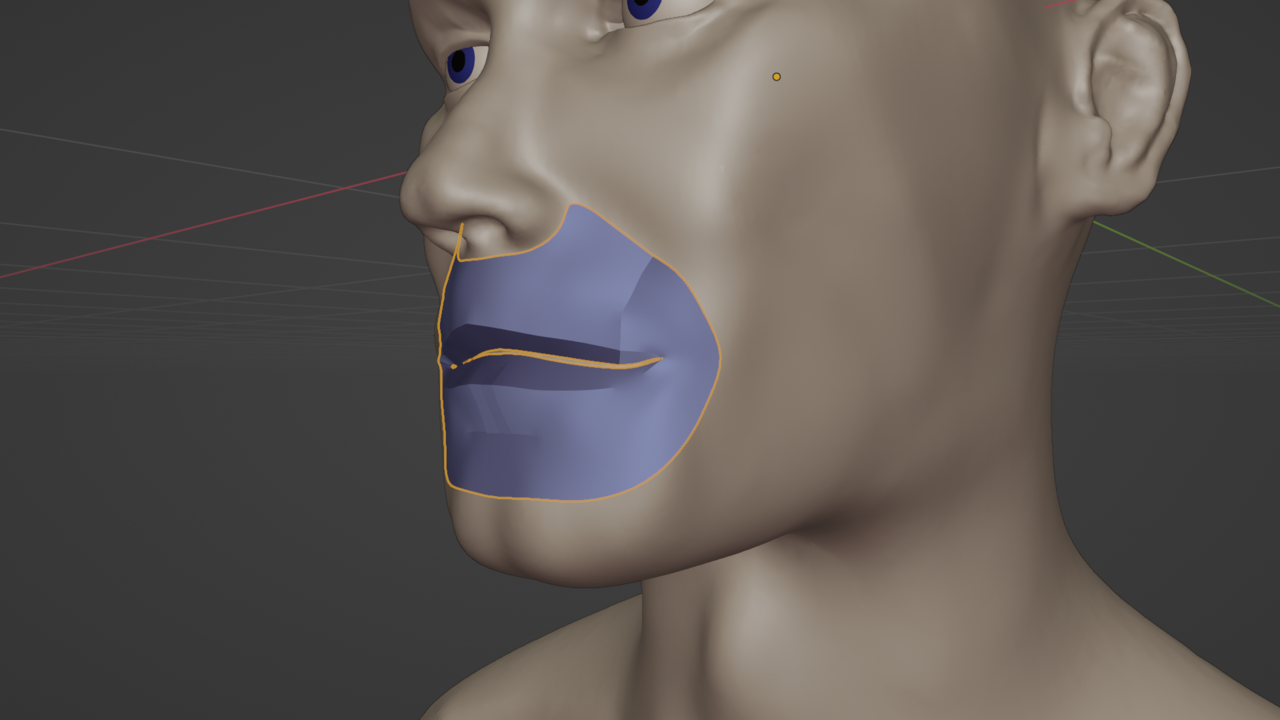
Seam created by retopology?

Forum Archive Seam created by retopology?

Viewing 5 posts - 1 through 5 (of 5 total)
  • Author
    Posts
  • #15349
    dstevens
    Participant

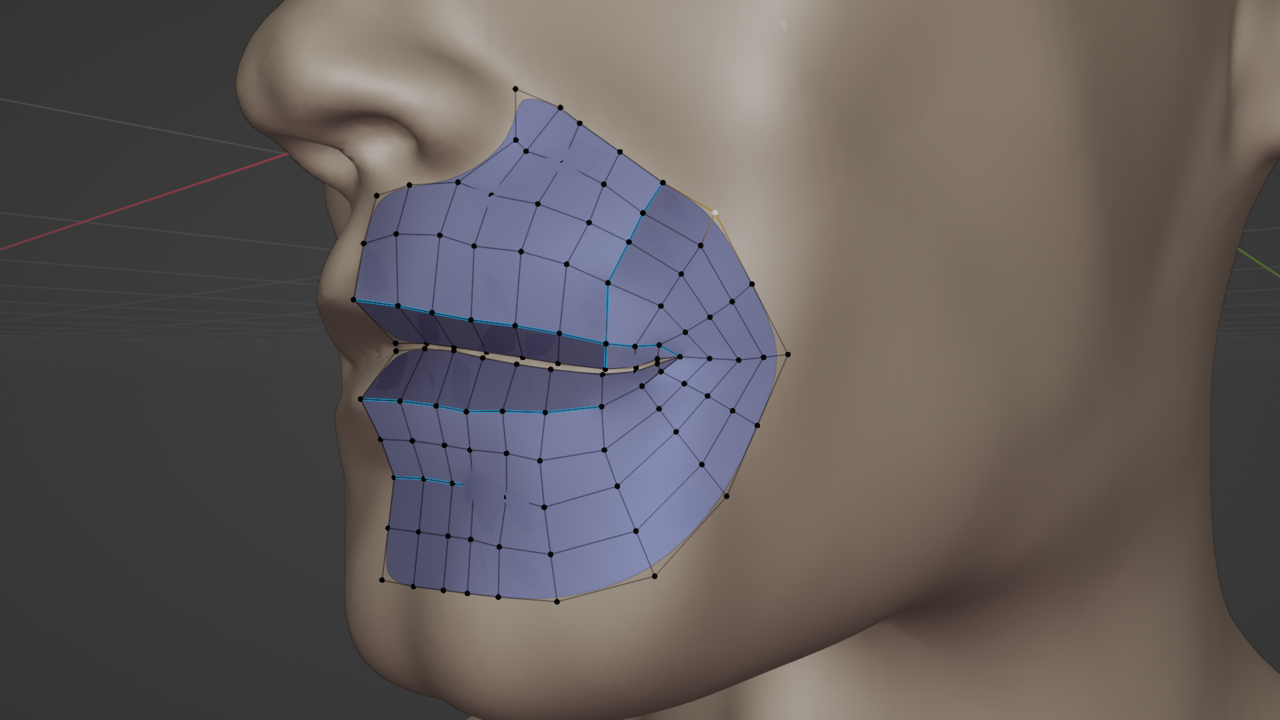
      I’m working through the Human sculpting course, and I find my retopology is creating this sort of ‘ridge’. In edit mode, it looks like it’s marked as a seam. I right clicked and chose ‘un-mark seam’ but that made no difference.HeadwithSeam.pngHeadwithSeamEdit.png

      #75058
      Martin Bergwerf
      Participant

        Hi @dstevens ,

        That looks like it is ‘Marked Sharp’…

        Select all, CTRL+E > Clear Sharp..

        #75059
        Martin Bergwerf
        Participant

          As a side note, you might also want turn of Auto Smooth….that is very computationally expensive and not necessary for this retopo.

          #75060
          Omar Domenech
          Participant

            The question is, how did those mark sharp edges got there? It’s a very specific hotkey command and then select the option all the way down. I wonder if mark sharp has its own hotkey that I don’t know of. I know it happens to me sometimes when I’m UV unwrapping that I select mark sharp by accident since it’s so close to mark seam. Also why does the blue stroke feels so not like the mark sharp one, it tends to be more teal and brighter. Maybe it’s because of the blue polygons and the contrast is less. I’m going all Sherlock Holmes here I know.
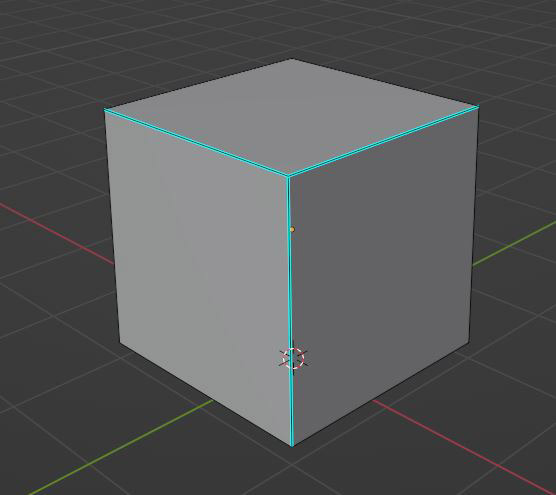

            Capture2.jpg

            #75061
            dstevens
            Participant

              I recalculated normals (shift + N) and that fixed it. duh.

            Viewing 5 posts - 1 through 5 (of 5 total)
            • The topic ‘Seam created by retopology?’ is closed to new replies.