
Schematic View on blender
Forum Archive › Schematic View on blender
- This topic has 6 replies, 5 voices, and was last updated 1 year, 1 month ago by
Wolfram Kampffmeyer.
-
AuthorPosts
-
November 6, 2019 at 6:21 am #10932
Hey.
I’m switching from Max to Blender – what is great so far. But sometimes I miss some things.
Is there something like the Schematic View in Blender?
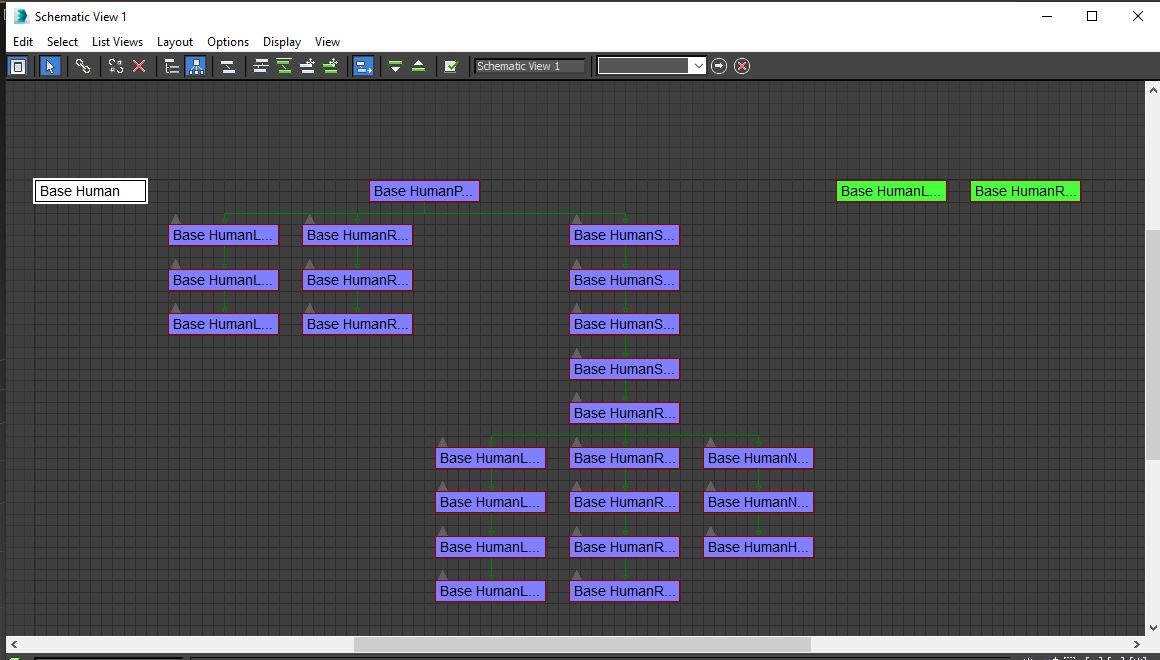
Schematic View is a Window that shows you the parentship or constrains the Objects are connected with
It makes it easy to see which bones are conceted or which one are missing. Very handy for Rigging.
Google didn’t find an answers so I hope you have. If there isn’t one in Blender is there a add on for this?
 November 6, 2019 at 7:21 am #51633
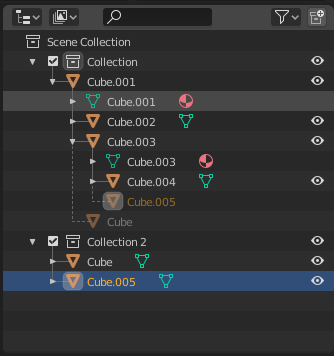
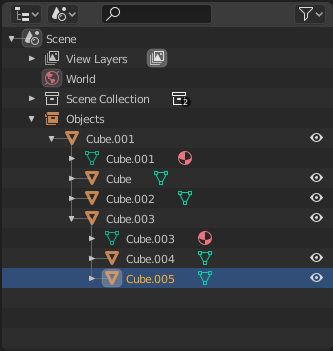
I don’t think there’s such feature (which would actually be quite nice !) The closest I know is the outliner, either the “Scene” display or the “View layer” display will show you how objects are linked to each other. The dashed link means the object belongs to another collection.
 November 8, 2019 at 9:22 am #51634
Thank you for the answer!
I guess I have to work with outline then. It’s just a progress to get used to it.
That it has two selections – one in scene selected and one in outliner selected confuses me sometimes.
Is there a way to tell it to unfold the path to the bones that is selected?
For example when I have a bone selected that drives the lip- it selects the parented bones but does not unfold- so I hae to manually unfold it until the bone,
Or a shortcut or so?
July 23, 2025 at 4:52 am #51635Hey guys,
since I switched from Softimage to Blender, only thing I missed was exactly this: A true Schematic Editor!
So finally I managed to write an add-on which does (almost) everything we loved from the old Softimage editor.
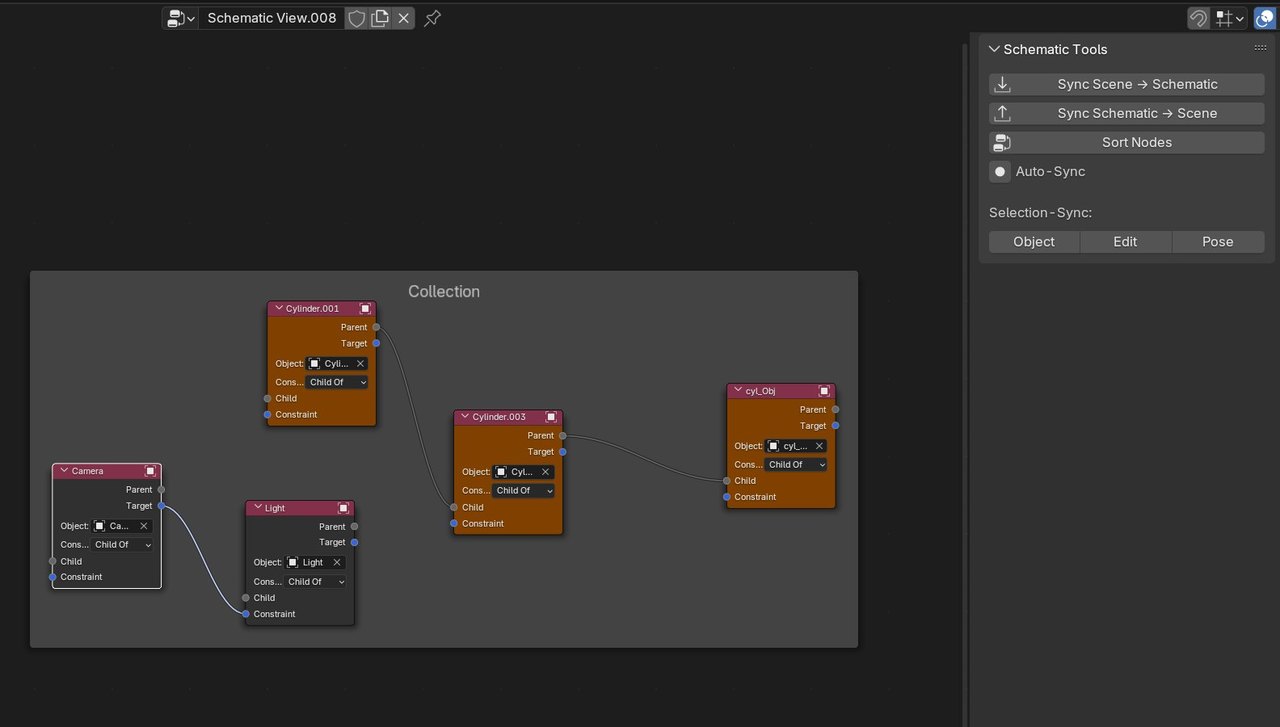
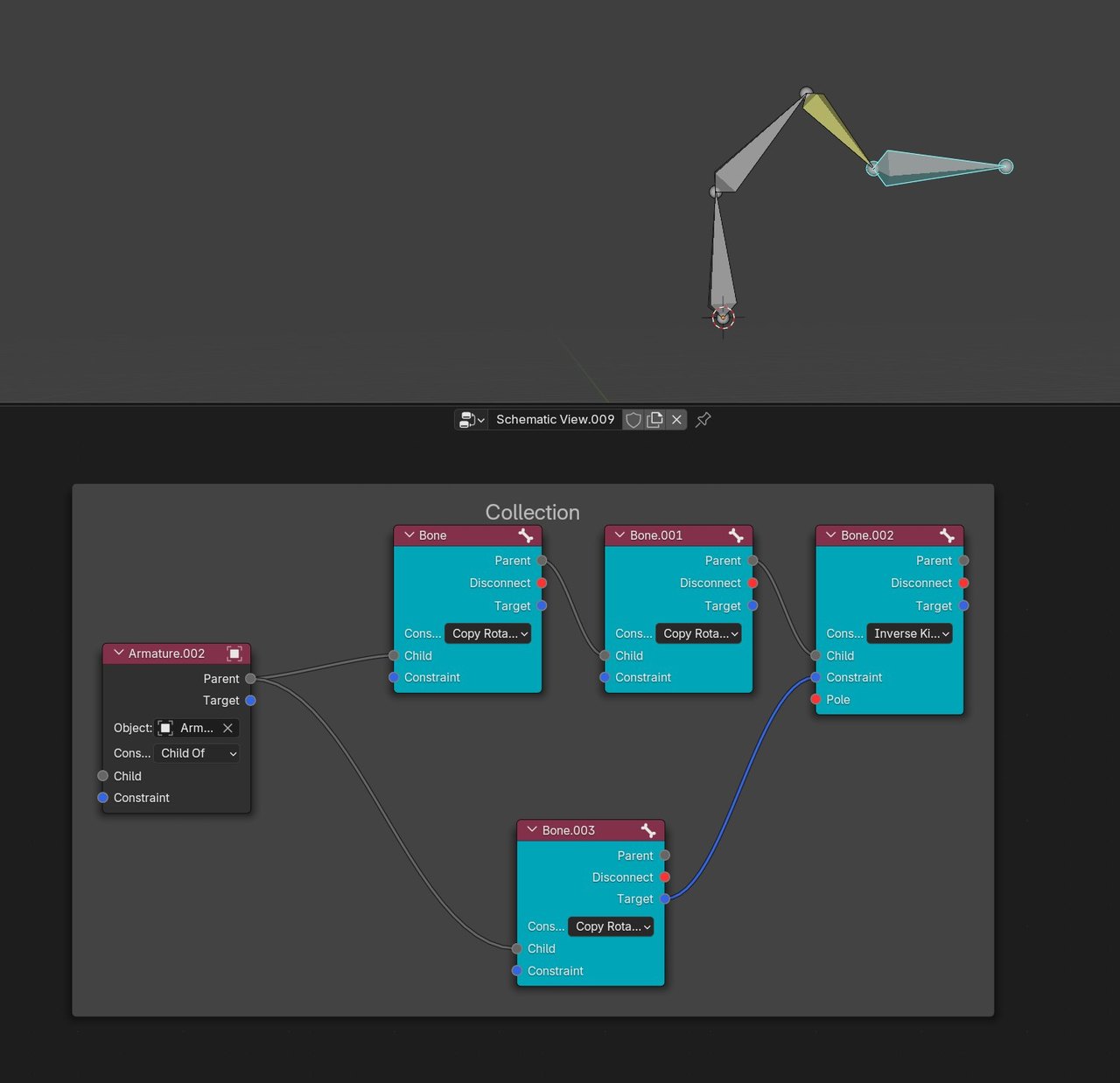
– Different objects have different colors
– Nodes are relationships: Parent-Child, Constraints of many kinds
– Frames are collections
Armatures look like this:
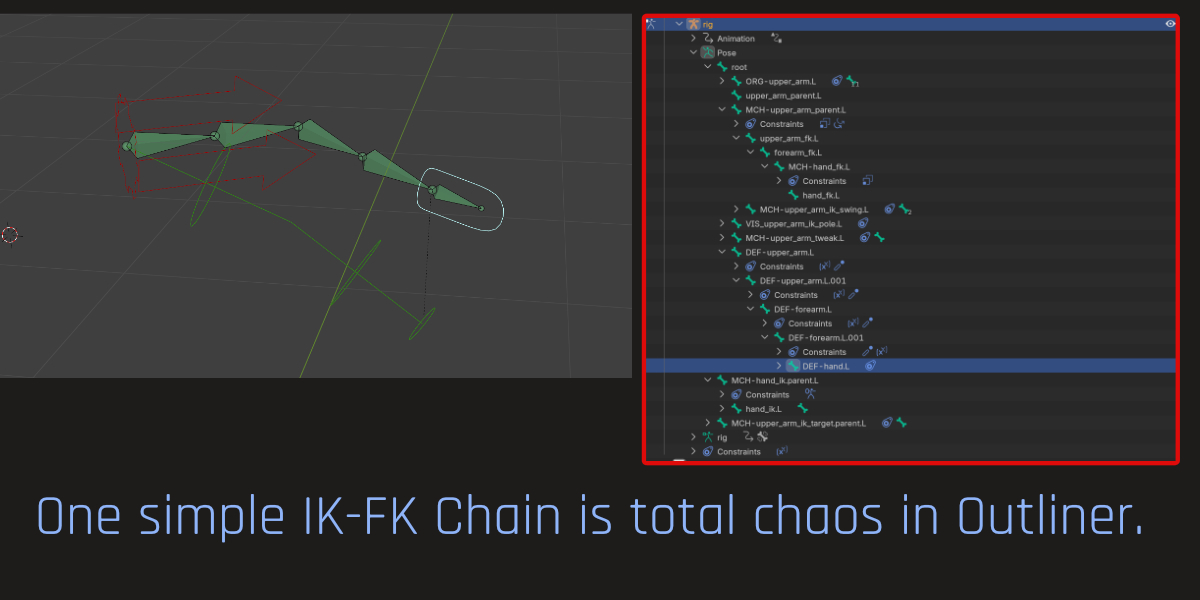
My Benchmark was to be able to load a rigify rig into Schematic Editor, do something, export it back to the scene without breaking the complex Rigify rig.
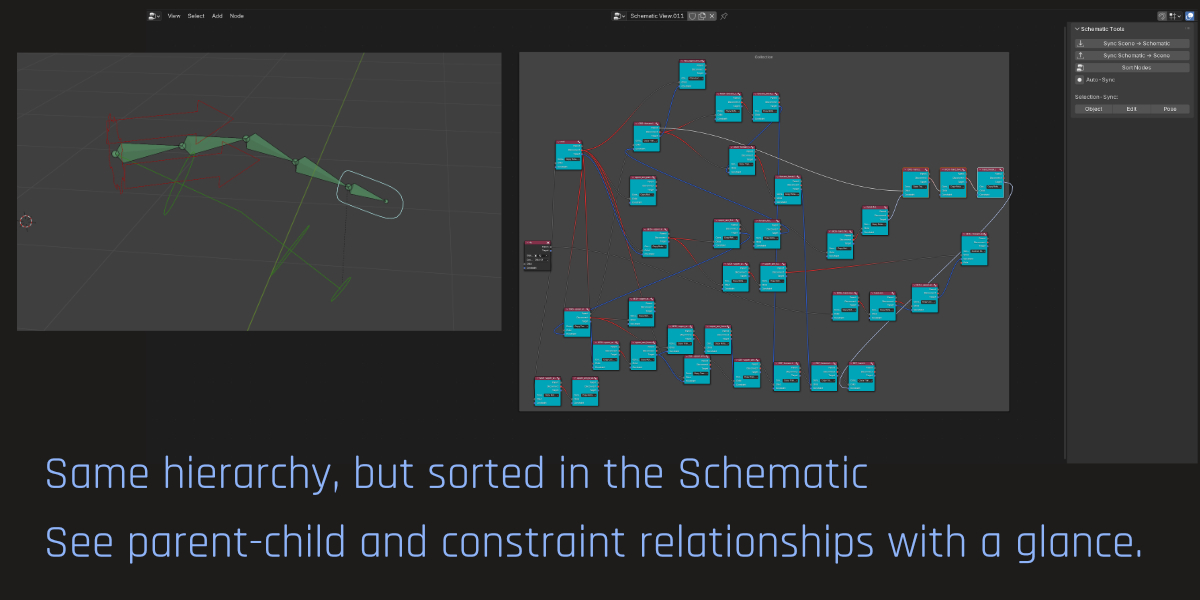
Currently, the addon only shows the FIRST constraint (if there are more on one bone or object), but when syncing back, all other constraints will stay untouched. So you don’t break your rig.
There is also the Auto-Sync button which lets you view live what you are doing in the Schematic. Will slow down Blender in complex scenes though.
If you want to support my work, please have a look at my addon on Superhivemarket.
https://superhivemarket.com/products/schematic-editorIf you are missing features, please let me know!
Planned features:
– Showing more than one constraint per node in Schematic. You will be able to click a “+” button to add a new constraint socket directly in Schematic.
– Edit the constraint’s parameters directly in the side panel of the Schematic
– Represent drivers, custom parameters (e.g. IK-FK-Blend) somehow inside the SchematicWith the best wishes
WolframJuly 23, 2025 at 7:03 am #51636You can easily expand/collapse each level in the outline by using numpad plus and minus. You can walk through a parent/child data(nested) by using left and right arrow. For example: clicking a shoulder bone. You can keep pressing right arrow to follow thru the child bones. If you have multiple children it will follow the first child. You can go thru it with right arrow or use down arrow to move to the next one. Note: right and left arrow will automatically expand and collapse hierarchy.
July 23, 2025 at 7:09 am #51637Probably just a matter of what you’re used to; I don’t find those Schematics easier to read.
July 23, 2025 at 7:16 am #51638Yes, expanding the Outliner tree works of course! But with this nested view it’s difficult to keep track of – say – 3 layers of bones (for a simple IK-FK Switch chain).
In the Schematic, you clearly see which constraint goes where and you can sort your tree just like you need it for your current task.
I guess, people who worked with Blender from the beginning, won’t miss the Schematic because they are used to work in the Outliner.
I personally think, the Schematic gives us a great deal of clear overview, makes Rigging simpler.
Cheers!
Wolfram
-
AuthorPosts


- The topic ‘Schematic View on blender’ is closed to new replies.