
Scattershot – python error message

Forum Archive Scattershot – python error message

Viewing 5 posts - 1 through 5 (of 5 total)
  • Author
    Posts
  • #18068
    Trevor Dill
    Participant

      Hello,

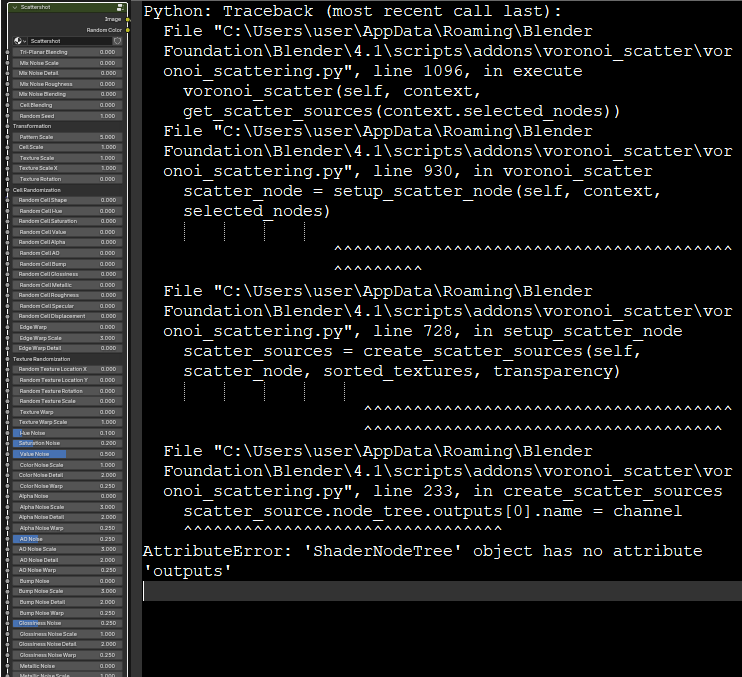
      Attempts to use the Scatter Images option generates the Python error message in the screenshot below, and I end up with a giant node.  I asked my wife, and she said nobody wants to see my giant node, but I think she’s wrong. So I’m checking here.  It also seems to disable the helpful popup descriptions on hover.

      Using Blender 4.1.1 and scattershot_1-9-1.zip from the download page

       Apologies if I put this in the wrong category.

      Thanks in advance!

      catterShot-error.png

      #86507
      Adrian Bellworthy
      Participant

        Hey Squirrel,
        Not sure what has happened, but I know a man who will be able to fix it.
        I’ll let Jonathan know and see if he can offer a solution until he gets the time to fix it.

        I think the obvious solution for now is to use a Blender version that scattershot does work with.

        Thanks for letting us know.

        #86508
        Harris Clook
        Participant

          I know nothing about coding, but ya got a wild laugh out of me about the giant node. I too actually got an error code when I was last working in the pothead course a few days back that is identical, albeit in Blender 4.0

          #86509
          Jonathan Lampel
          Participant

            Hi, sorry for the confusion! I had forgotten to update the download to the latest version when it was released. I’ve fixed that and if you update the add-on with the new download, you should be good to go. 

            #86510
            Trevor Dill
            Participant

              Sweet!  Very awesome. Thanks.

            Viewing 5 posts - 1 through 5 (of 5 total)
            • The topic ‘Scattershot – python error message’ is closed to new replies.