scaling issue

Forum Archive scaling issue

Viewing 3 posts - 1 through 3 (of 3 total)
  • Author
    Posts
  • #16711
    Skyler Blaise
    Participant

      at the 16:30 mark there’s an instruction to make one of your top vertices white with SHIT + left mouse click and then marking it as a ACTIVE ELEMENT before scaling your X axis. 
      That doesn’t work as a single vertice or a full edge. Can’t scale. something wrong here

      https://www.dropbox.com/scl/fi/l0ytqlikejqzj6u7xwoxt/treasurechest.blend?rlkey=p1w310y2tulgxe767d392ileo&dl=0

      #80627
      Martin Bergwerf
      Participant

        Hi Skyler @skyblaze ,

        That works perfectly fine (also on your file).

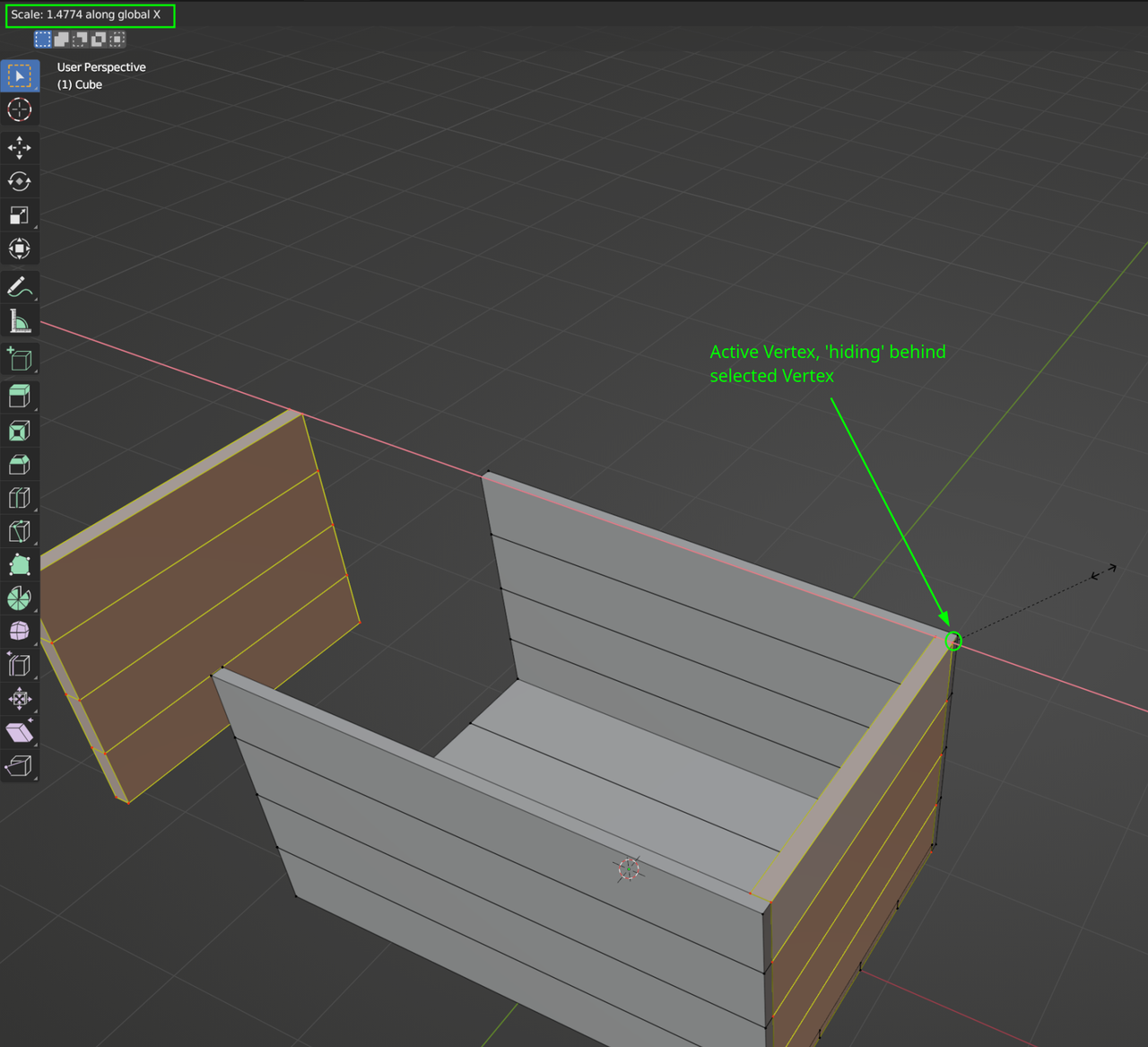
        You might not be able to see the Active Vertex (getting a different color), because at the corners there are 2 Vertices ‘on top of each other’, but one of those still becomes Active when you SHIFT+Select it and the Scaling works (you coould also try Edge Select Mode and make an Edge Active, that should be easier to see).

        Scaling.png

        #80628
        Adrian Bellworthy
        Participant

          When I opened your file, I don’t see an active vertex.
          You selected the parts whilst in face select mode, and one face is white, or a lighter shade of orange,
          You now need to shift select one of the vertices, or the top edge in edge select mode, to make it active, white.

          Also, you say scale in X in your question, the instructor says scale in Z.

          If something is not quite working as it is in the lesson, rewind and double check your understanding.
          This is something that we all do as a beginner, and can be a source of frustration.

          Keep going, you will get there!

        Viewing 3 posts - 1 through 3 (of 3 total)
        • The topic ‘scaling issue’ is closed to new replies.