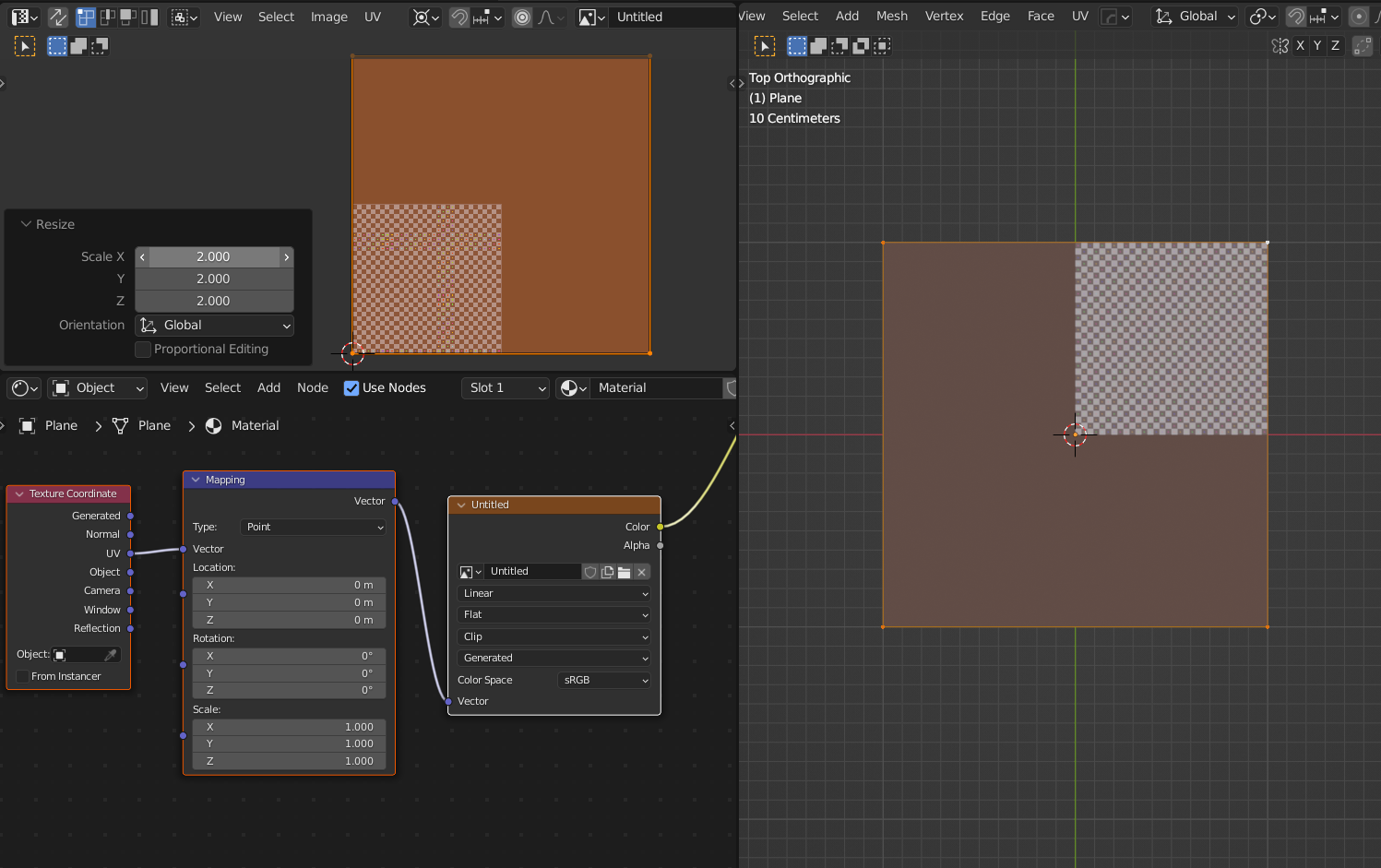
I almost feel embarassed asking this question, but you’re all very kind, so here it goes. I created a 3D table the other day and applied a beautiful PBR woodgrain texture to it, but it looked a little stretched and incorrect in some areas.
The way that I model, and I’ve been doing it this way for years, is that I model in pieces. For example, with this table, I created the top, the four legs, two drawer fronts, the front, back and side skirts, and two drawer knobs. So, that’s 14 separate mesh objects that make up a table.
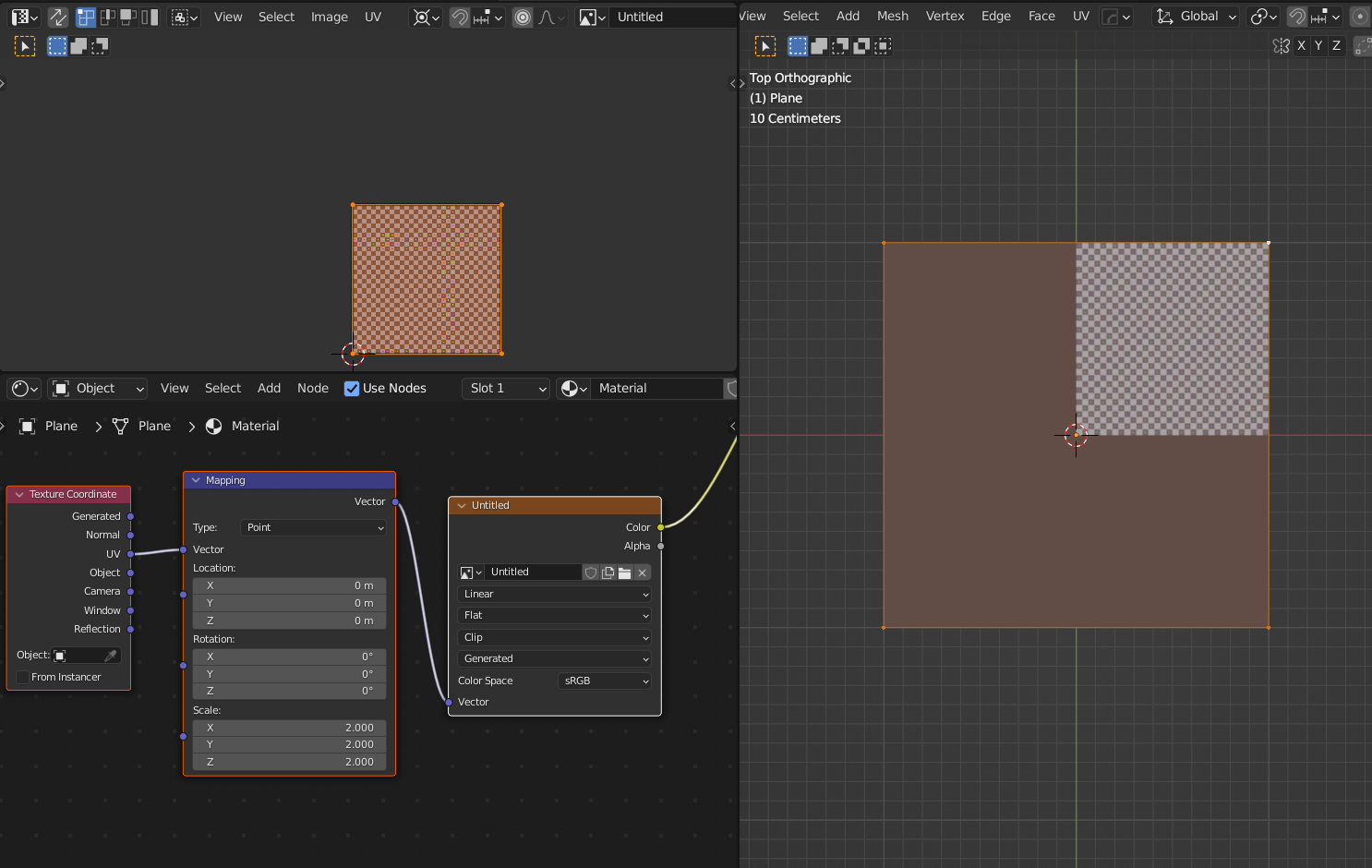
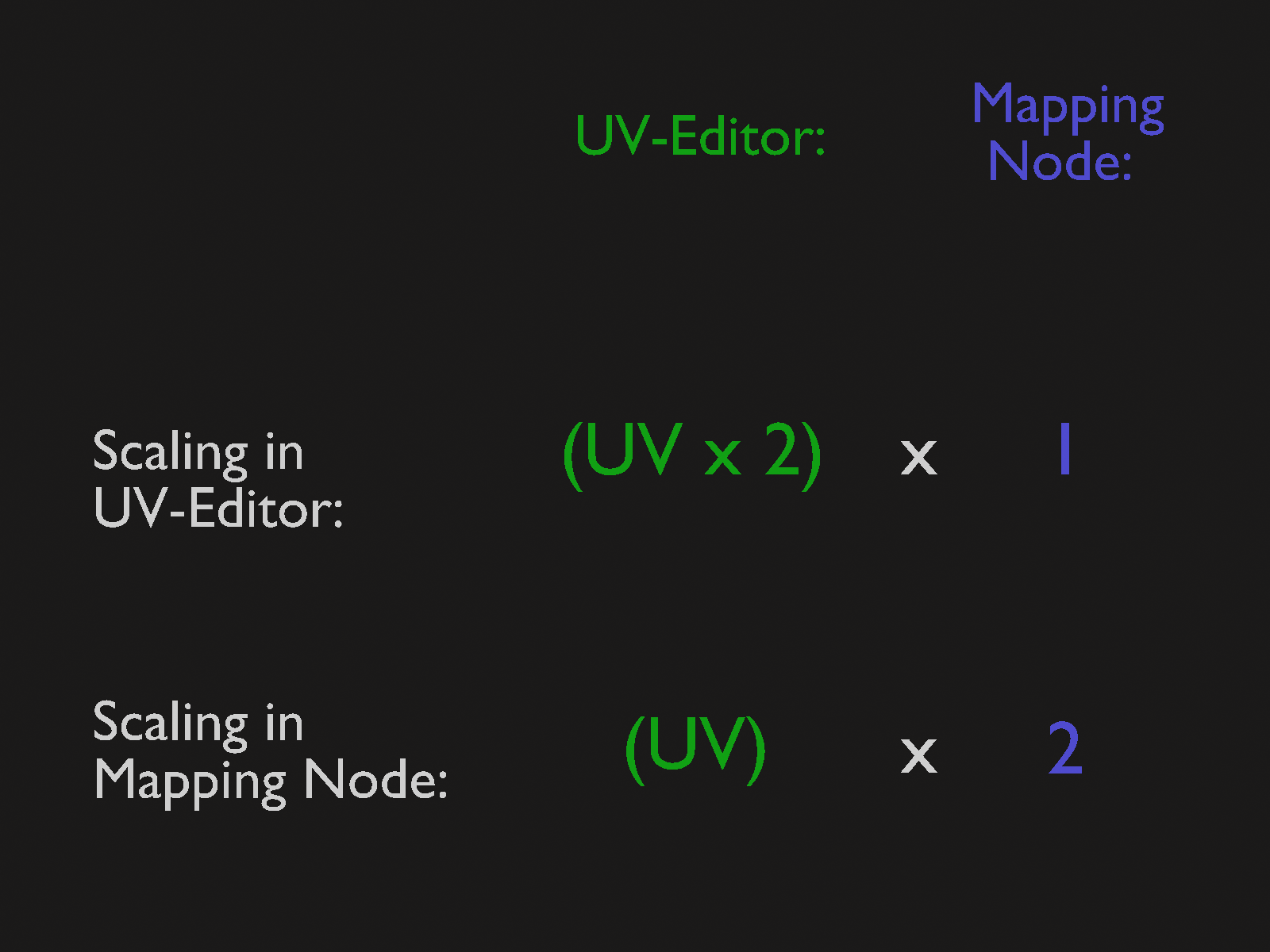
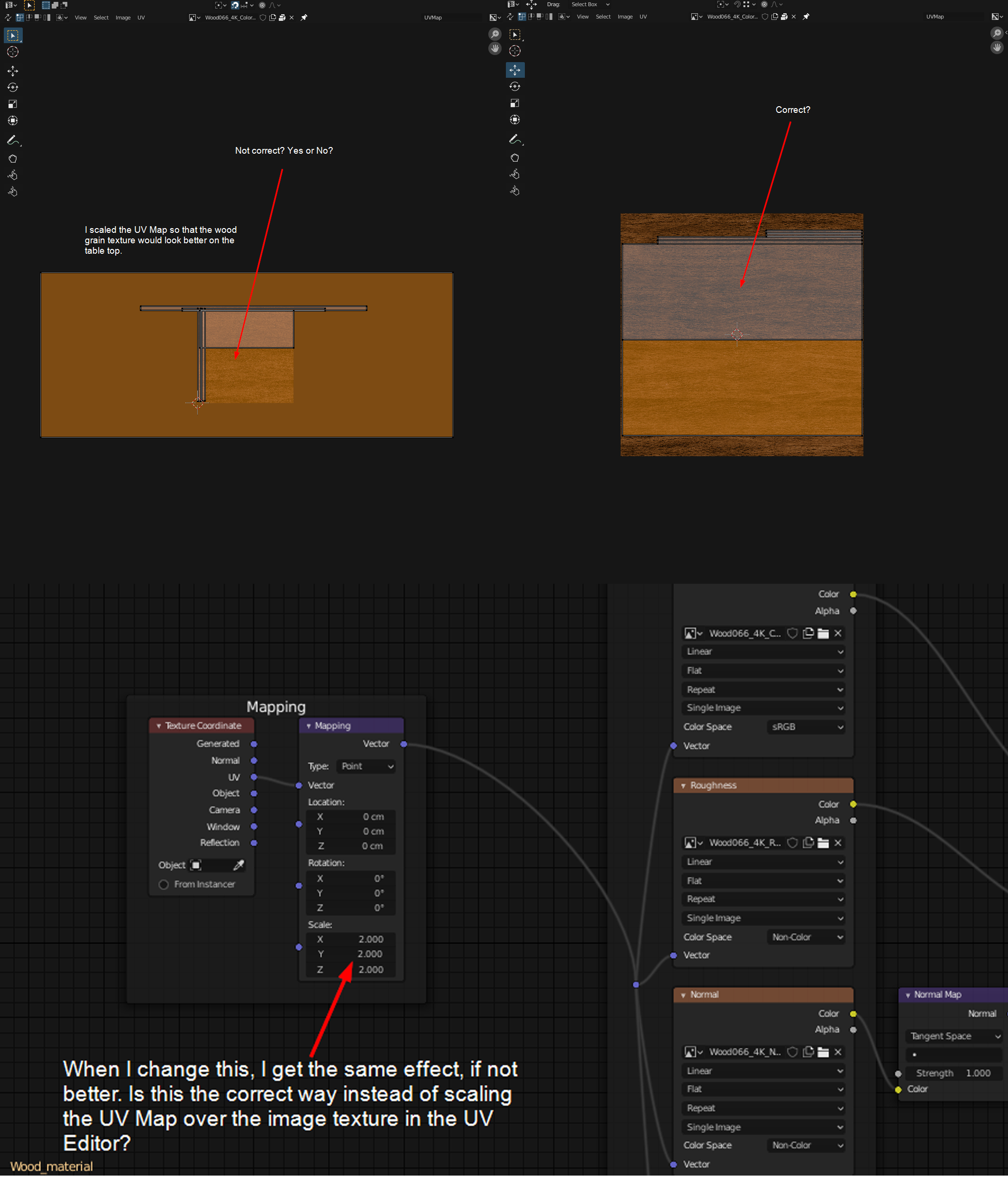
After applying the PBR image texture, during the UV unwrapping phase, this is when I noticed that the image texture wasn’t looking all that good. I created seams and continued unwrapping it, rotated some of the islands, like the legs, so that the grain ran the correct direction, etc., but the table’s top, for instance, looked very stretched. So, I scaled the UV Map over the image texture so that it extended beyond the borders of the image map (see images attached). THIS LOOKED GREAT!
But, every tutorial that I watched, no one – literally – not one single Blender artist scaled their UVMaps. They kept all of their islands perfectly within the borders of the square image texture. So, I went back into my Blender file and fixed it so that all of the islands fit perfectly within the borders of the texture. I did rotate a few so that the grain looked correct, but everything sat within the square.
Then I discovered that if I changed the scale in the Mapping node, et voila! It looked perfect! Is this the correct way to do this? And if not, then how?

.