Rotating a face without…distorting the rest?

Forum Archive Rotating a face without…distorting the rest?

Viewing 10 posts - 1 through 10 (of 10 total)
  • Author
    Posts
  • #17473
    Nougat Time
    Participant

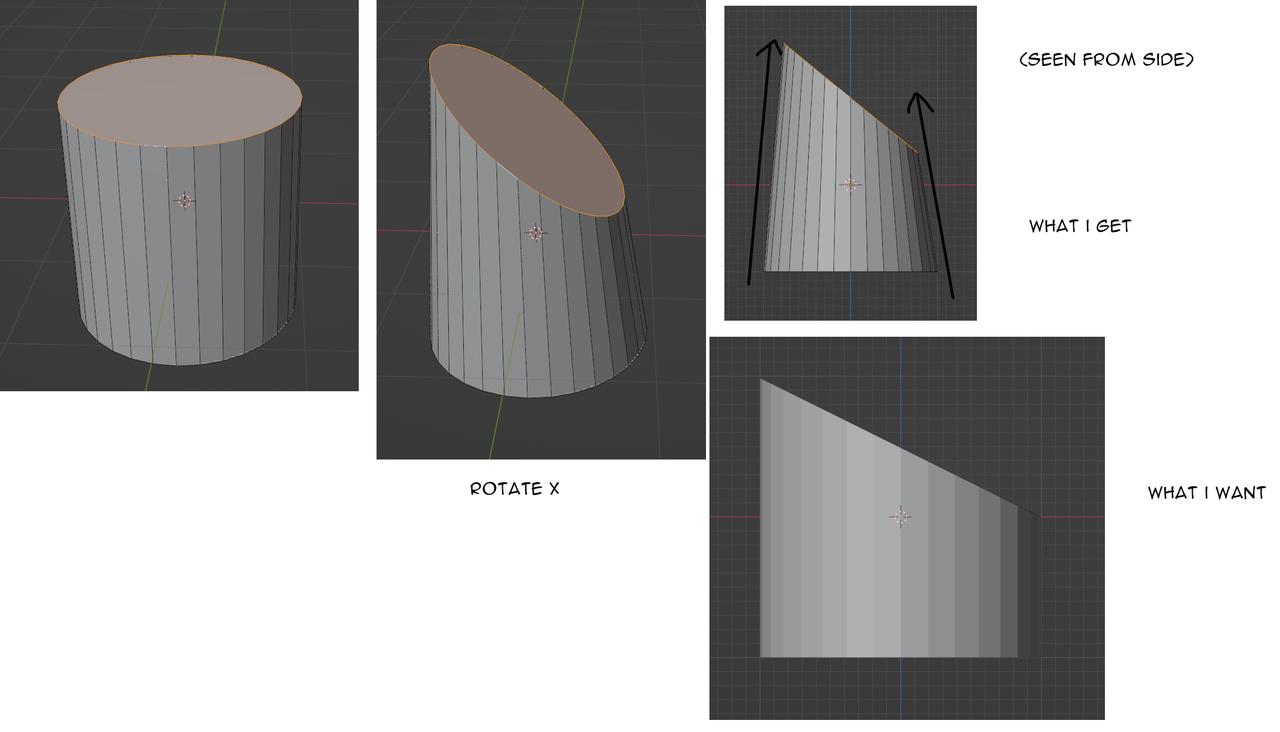
      the title probably doesn´t explain my issue, let me explain:

      say I have a cylinder, I rotate the top face, hoping the rest of the faces stay nice and straight…
      Nope, the other faces get pulled and pushed. Of course they do, all the faces are connected.

      So how do I achieve the effect in the image?
      (Image in down right corner achieved with boolean in this case but there has to be a better way right?)lol im dying.png

      #83996
      Dwayne Savage
      Participant

        For what you want you need to use sheer. Hotkey is Shift+Ctrl+Alt+S(note on some HP systems this pulls up a diagnostic window). This is one of the rare cases where I think the Tool on the toolbar is easier than using the hotkey. 

        #83997
        Sascha Feider
        Participant

          Dwayne is right, shear is the answer. Things of note with this tool: You should only use it in the view you want the shearing to happen, i.e. front, top or side view. It doesn’t work properly in perspective.

          Also once you activate the tool you can either drag the mouse for desired angle or type 1 or -1 for 45 degrees. It also might be necessary to hit x or y before dragging or entering the value to get it to shear along the correct axis.

          #83998
          Martin Bergwerf
          Participant

            It’s my all-time favorite Blender hotkey; but I agree with Dwayne, that the Active Tool is probably easier.

            Important is, that the hotkey (can of course also be put in the Q menu, if you want), uses the View as shear axes and you only get two (View X and View Y).

            The Active Tool  gives you 6 axes at once according to the Transform Orientation (which you can set to View to get the similar behavior as the hotkey version).

            I think the Active Tool is a lot more intuitive to use (but both can get the same things done). I still always use the hotkey, because the Active Tools didn’t exist yet, when I learned to Shear in Blender (and it keeps my fingers flexible).

            #83999
            Omar Domenech
            Participant

              An just in case it’s a corner you are trying to achieve, there’s also this cool method I always share that Aidy uses:

              https://www.youtube.com/watch?v=5P6BNzE_tUw

              #84000
              Nougat Time
              Participant

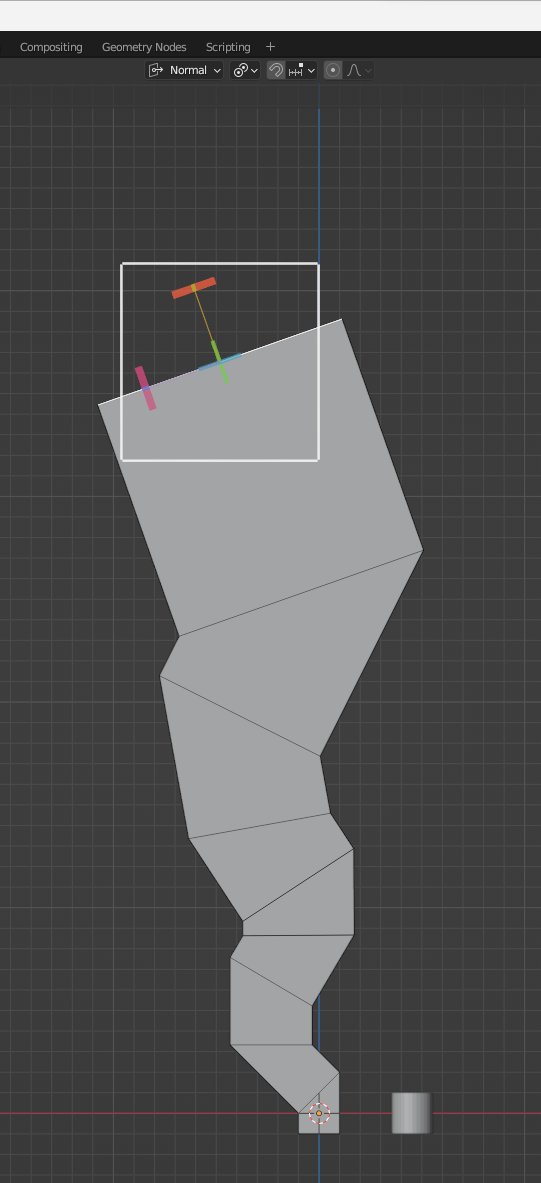
                Thank you! Y’all are lifesavers :3 I also noticed if I wanna keep sheering, I gotta set the orientation to normal and the pivot point to either “individual origin” or “active element” so the sheer tool knows which direction is considered “normal” and which lines to keep as is(i think)

                024-02-02 165635.png

                #84001
                Nougat Time
                Participant

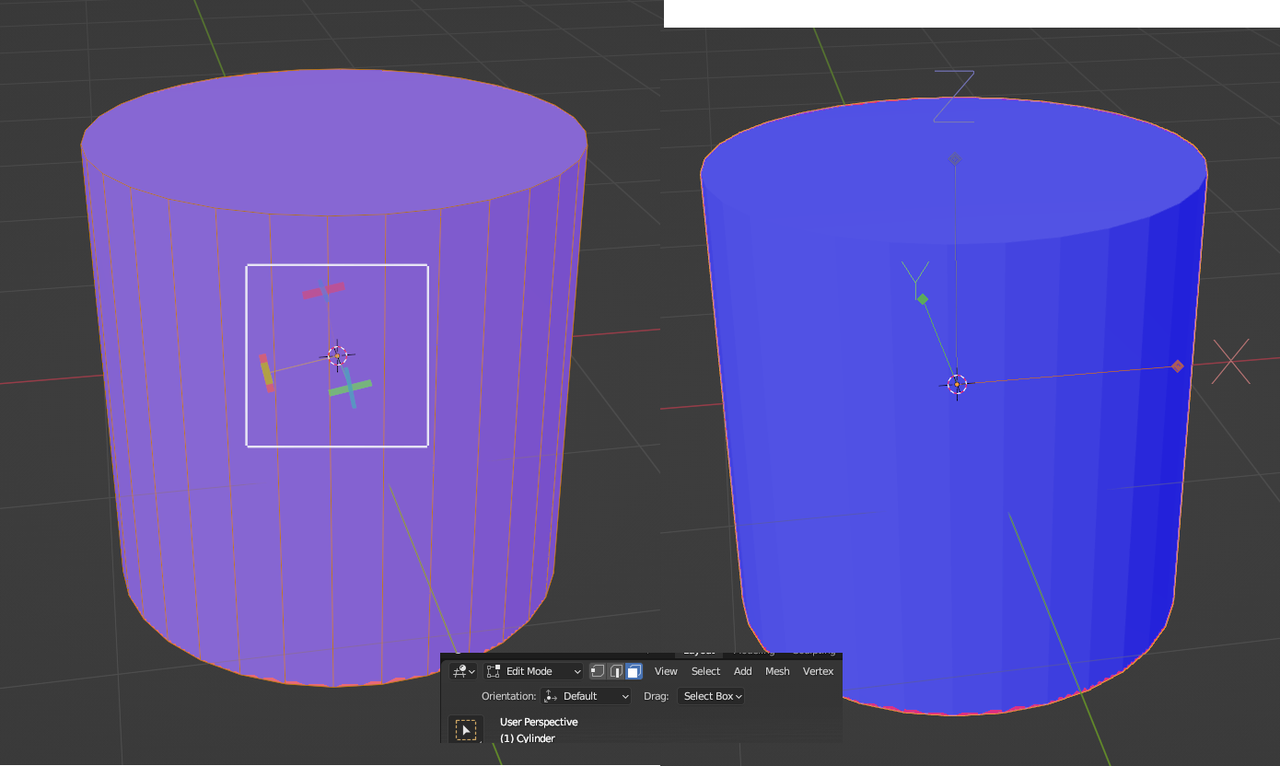
                  2 more things I would appreciate your help with: the sheer tool on my default cylinder is tilted/rotated to the side, I turned on “affect origin only” in object mode to see if it has anything to do with that, but it is straight.(making a new blender file didn´t change anything either), do you happen to know what is causing this? I tried to sheer a bunch of times like in the previous image with the cube, that is where I noticedxy.png

                  #84002
                  Martin Bergwerf
                  Participant

                    You still got the Transform Orientation set to Normal as in your previous post?

                    #84003
                    Martin Bergwerf
                    Participant

                      …because you shouldn’t…that would use the averaged Normal of all Selected Faces…works as you’d expect with only one Face Selected, but not with a whole Cylinder Selected…

                      #84004
                      Omar Domenech
                      Participant

                        You probably need to get back an orientation that you lost? In which case I always point to this part of the PotHead tutorial where JL makes a custom orientation to align with the object, it’s at around 17:50

                        https://cgcookie.com/lessons/modeling-the-left-leg-i

                      Viewing 10 posts - 1 through 10 (of 10 total)
                      • The topic ‘Rotating a face without…distorting the rest?’ is closed to new replies.