Rig Main Properties and Layers are not showing

Forum Archive Rig Main Properties and Layers are not showing

Viewing 6 posts - 1 through 6 (of 6 total)
  • Author
    Posts
  • #17464
    Jamie Burrows
    Participant

      Hey, the Rig Main Properties and Layers are not showing up for me, so I can’t disable parts of the Rig or change the knees over to IK. 
      I am using the 4.0.2 version from https://cgcookie.com/downloads/vonnbots-rigs-for-blender-animators and have tried the 4.0 version but that has the same issue.
      Any way to resolve this?

      #83956
      Martin Bergwerf
      Participant

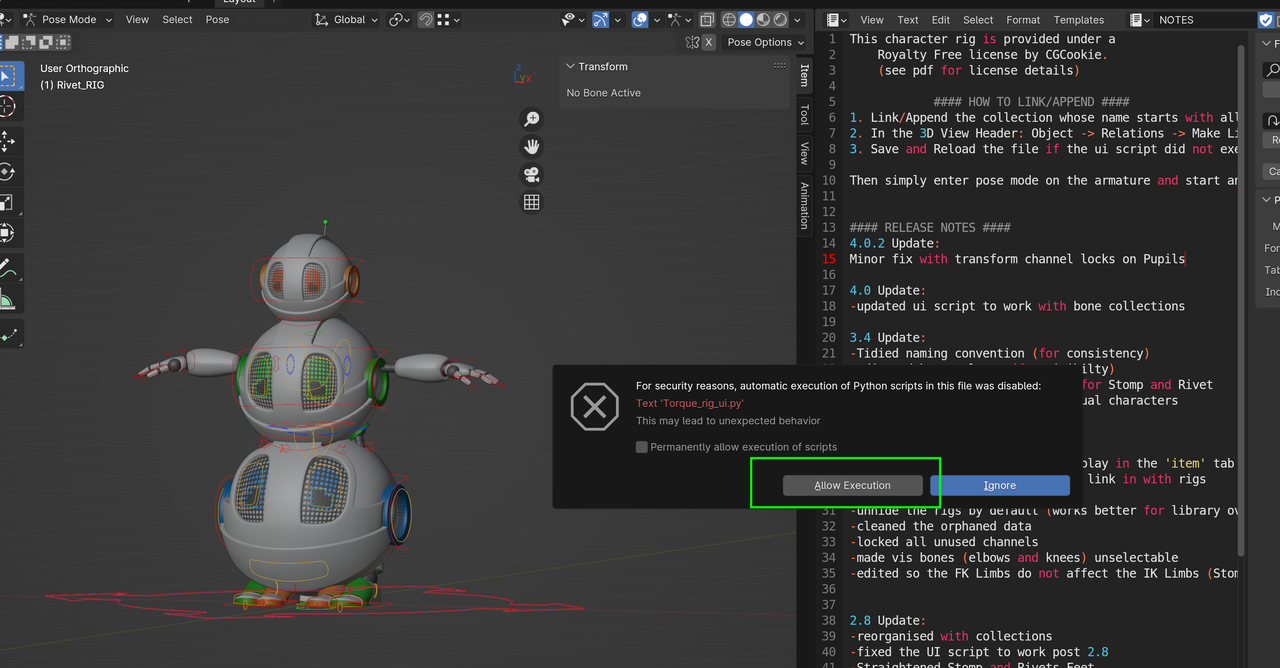
        You need to allow the Python script execution:

        VonnBot.png

        (This is the 4.02 version, used in Blender 4.02.)

        #83957
        Jamie Burrows
        Participant

          Hey Martin,

          Thank you for the reply, though I have done that in the CGC_VonnBots_4.0.2.blend file the issue is still occurring with Rivet when he is linked into a new Blender Project for me.

          #83958
          Martin Bergwerf
          Participant

            Hi Jamie,

            Allow the execution as above, then:

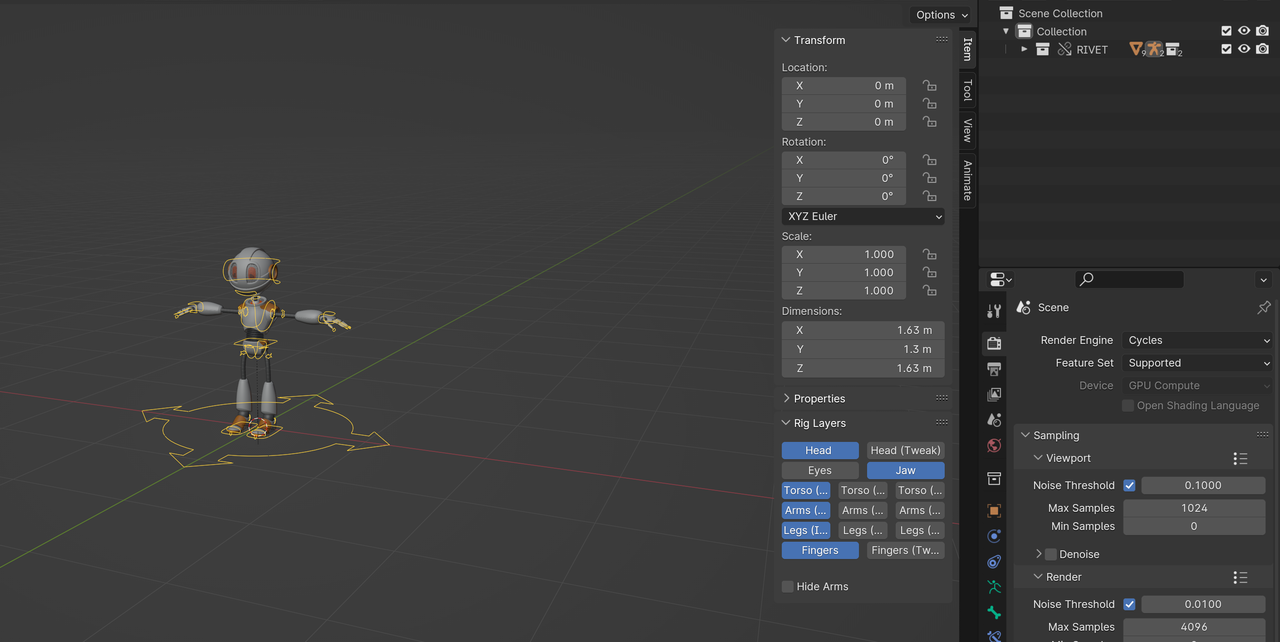
            Open a new file. Link in the collection Rivet, select it and Object > Library Override > Make:

            Rivet.png

            #83959
            Omar Domenech
            Participant

              Maybe you can post some screenshots of the issue or a screen recording, that way we can see the problem more directly.

              #83960
              Jamie Burrows
              Participant

                Got it now, I had the override made but had forgotten to save and reload the file. After doing that I have all the options again, guess I forgot that step! Thank you for the help troubleshooting 🙂

              Viewing 6 posts - 1 through 6 (of 6 total)
              • The topic ‘Rig Main Properties and Layers are not showing’ is closed to new replies.