Resetting a heavily sculpted section of a model

Forum Archive Resetting a heavily sculpted section of a model

Viewing 4 posts - 1 through 4 (of 4 total)
  • Author
    Posts
  • #17146
    Harris Clook
    Participant

      Yoza! 

      As per the question title, I was wondering if there is a way to ‘reset’ a heavily scultped section of a model. Y’know, a section that’s got a whole shebang of curves, inflations, ups and downs etc on big & small scales.

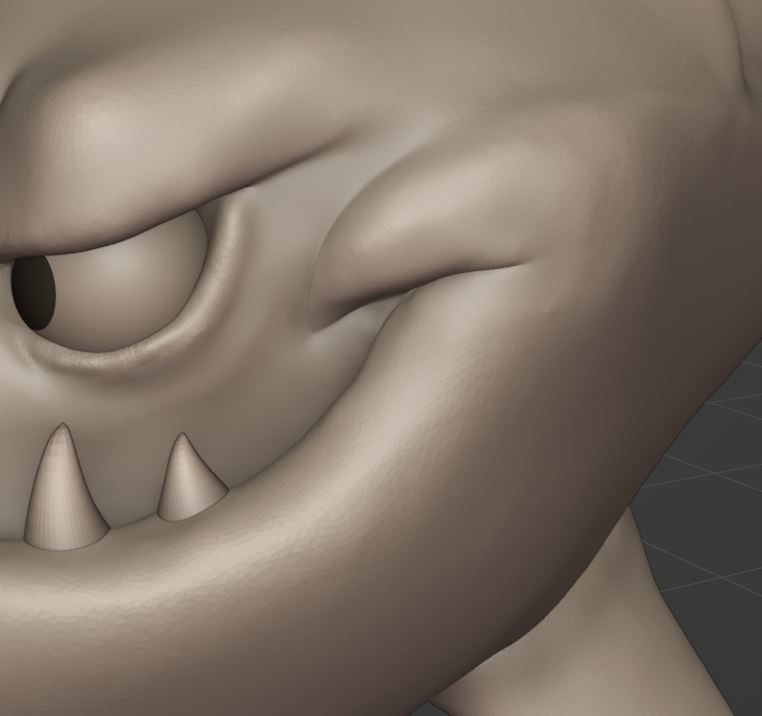
      I’ll give an example with a screenshot below;

      Let’s say I finished my shark sculpture and looked back and wasn’t too chuffed on the corner of its mouth. Keeping in mind that I probably sculpted the corner way back, far beyond the undo steps of hitting ctrl + z. 

      Is it possible to reset, or remodel, that section so I could start over on it? I figure it wouldn’t be quite possible to get it back to how it exactly was prior to sculpting it in the first place. But could I do anything, as if to wipe it clean, to get it to a point where it’s a smoothish, vertex friendly surface to remodel?

      While actually sculpting the corner, I did try to use various tools to flatten it out, but it resulted in a messy goop of lumps – So I reloaded a save and made do with what I had.

      I hope this makes sense, I’d love any pointers!
      question.jpeg

      #82459
      Omar Domenech
      Participant

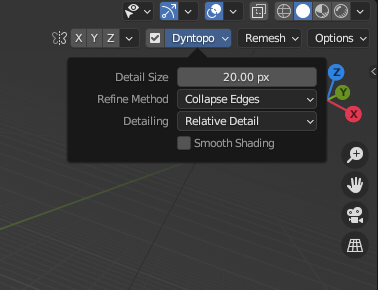
        You can use the refine method of Collapse Edges to collapse the geometry, along with a high detail size. The size value will depend on you model and what you are trying to do, but that will work as a kind of eraser and it will obliterate the topology there. 

        Collapse Edges.png

        #82460
        Harris Clook
        Participant

          Gotcha! Just like the small points on the lip in my submission. Cheers!

          #82461
          Martin Bergwerf
          Participant

            Hi Harris,

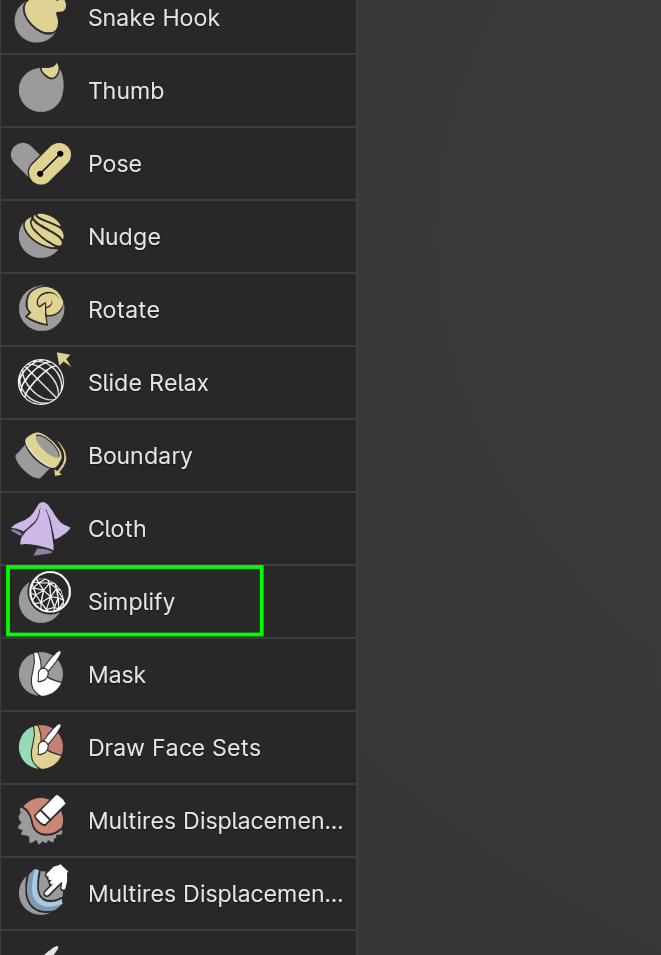
            You can also make your Detail Size in Dyntopo larger and then use the Simplify Brush to reduce the Topology in a certain area, followed by the Smooth Brush.

            Simplify.png

          Viewing 4 posts - 1 through 4 (of 4 total)
          • The topic ‘Resetting a heavily sculpted section of a model’ is closed to new replies.