rendering problem

Forum Archive rendering problem

Viewing 5 posts - 1 through 5 (of 5 total)
  • Author
    Posts
  • #9294
    29632963
    Participant

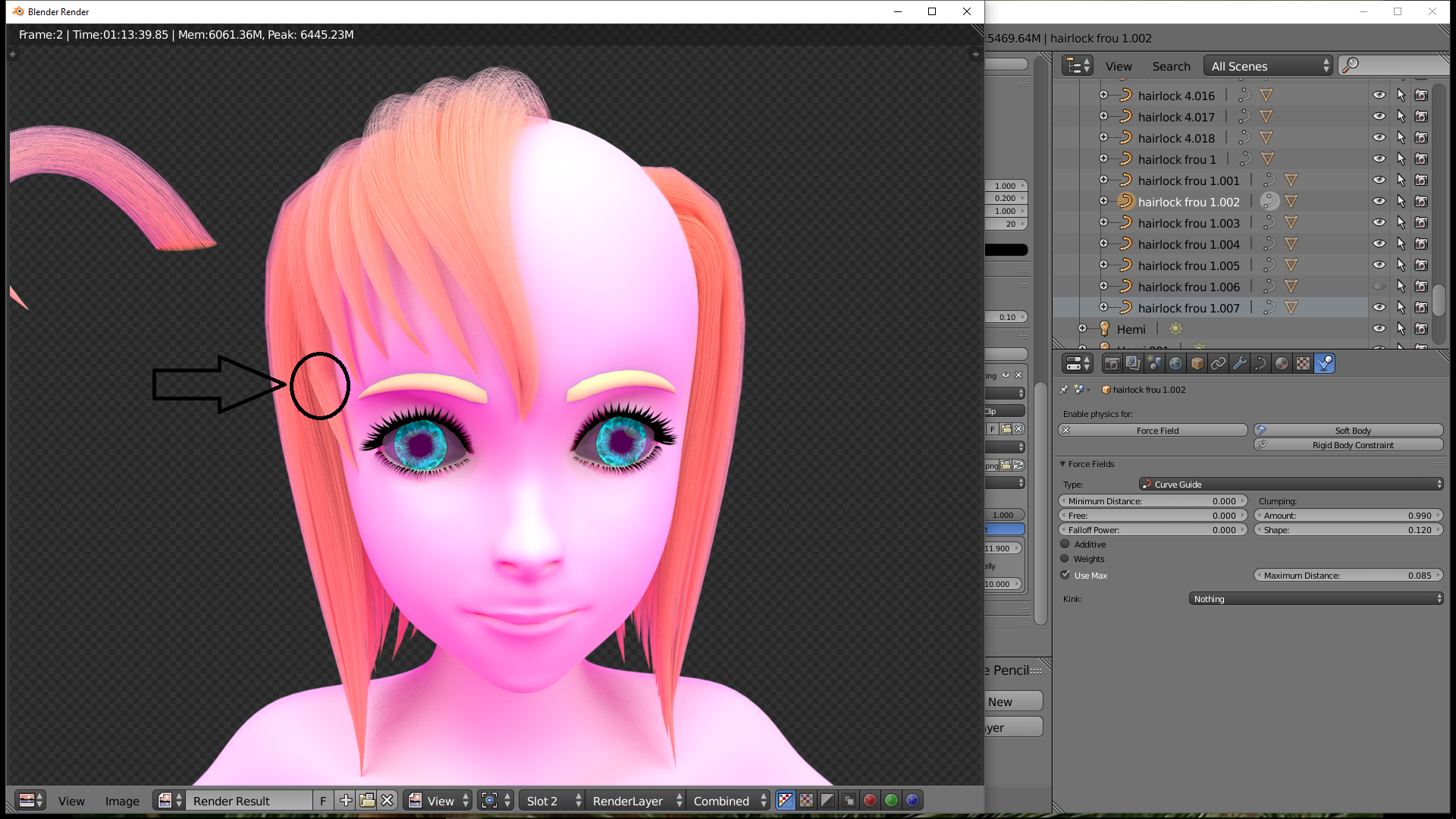
      so i worked on my file (just worked on the hair) did nothing else exept that i downloaded the new blender but i am unable to load that one in the newer blender so i am not sure someting is wrong with my file or not :s this is how my rendering looked now

      also on the left side the lock you see the lock look like its been twisted. i been remaking that lock like 6 times but cannot get it better than this 🙁 hope you guys can help me out

      #32091
      29632963
      Participant

        i do notice when i move it to my desktop (so when i pull it out of my map to desktop) the body renders more white skinned. anyone know what this is causing ? )

        #32092
        Jonathan Lampel
        Participant

          Looks like a missing texture. Try going to File / External Data / Report Missing Files to see if that’s the case. 

          #32093
          29632963
          Participant

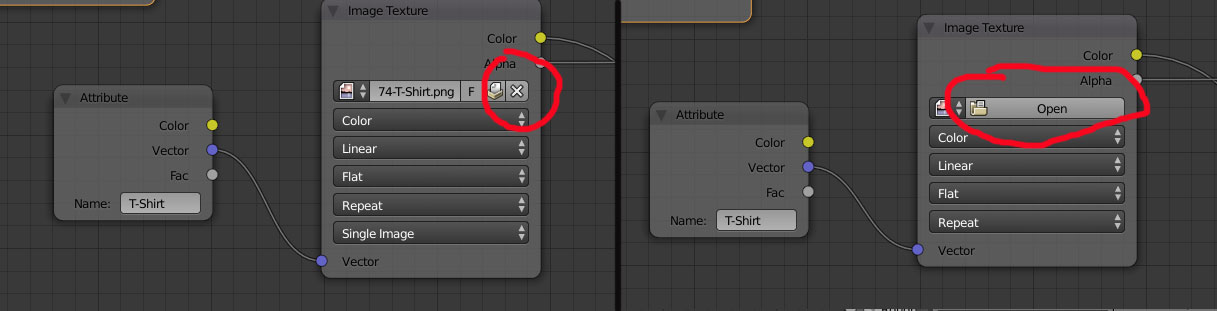
            indeed for some reason when i go to the node editor and select the sclara mask again open it i still keep getting the error 🙁 before indeed it was in a difrent map but i dont know how to fix this :s

            #32094
            Dolores 74
            Participant

              Remove the image by clicking the ‘X’ button, than re-open it.

            Viewing 5 posts - 1 through 5 (of 5 total)
            • The topic ‘rendering problem’ is closed to new replies.