Hi guys,
I’m just starting out with Unity…And my first project is the “Make your own 2D Space Shooter”
I am watching the second video in this course (the one about slicing a “Sprite sheet”) A I thought I’d take a crack at it.
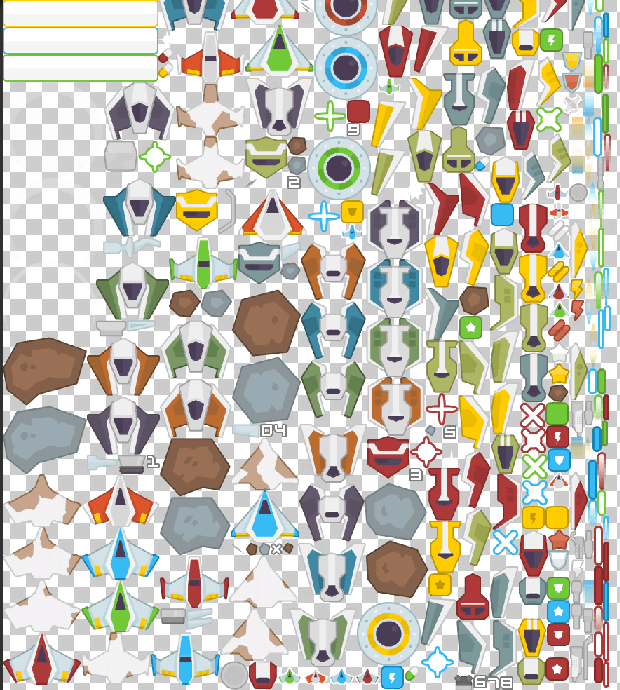
I see that the Sprite sheet I am provided with has two obstacles:
1. While the sprite sheet in the video has only a handful of object…I seem to have ALL the space ships and objects (is a separate, simpler one available)
2. In the video, the Sprite sheet contains an exploded space-ship. But the fragments are NEXT to the spaceship, (and so they can be easily selected along with the body) In my Sprite Sheet, All the separate fragments of the spaceship in mine have been REMOVED from the body of the spaceship, and they on the side of the sheet.
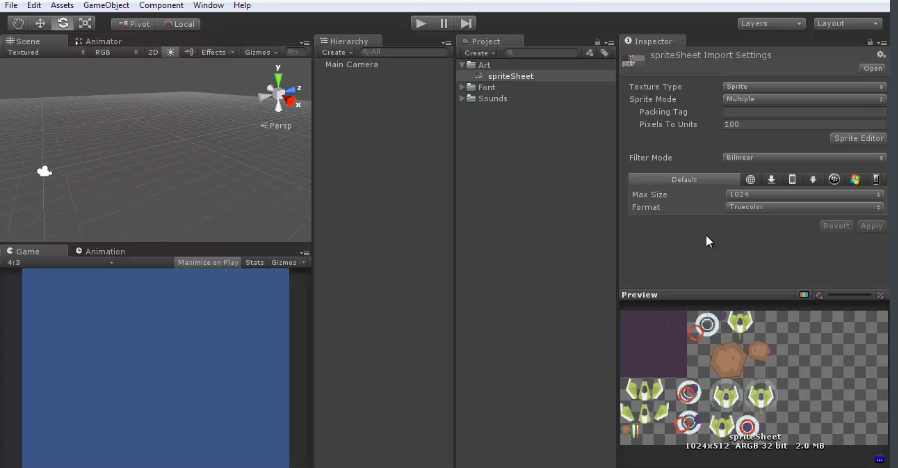
I’m also noticing that the inspector of the video gives you the option under format to chose “compressed” or “Trucolour”
For me, however, the panel gives me multiple options for compressed (usually preceeded by RDBA ) But no such option for Truecolour.
I’m wondering…am I using the wrong program here? Is there a better sprite sheet with the exploded fragments NEXT to the body of the spaceship?
I also seem to have a very different UNITY version than the one in the video.
I believe I am using the latest version of Unity ….2017.1.1f1 personal… and I have a Macbook OX Y Yosemite. So I wonder if these might be factors.
Here’s the video version:
Here’s my Sprite sheet. (With all the pieces far away)


.


